
Blackmagic Design 產品列表
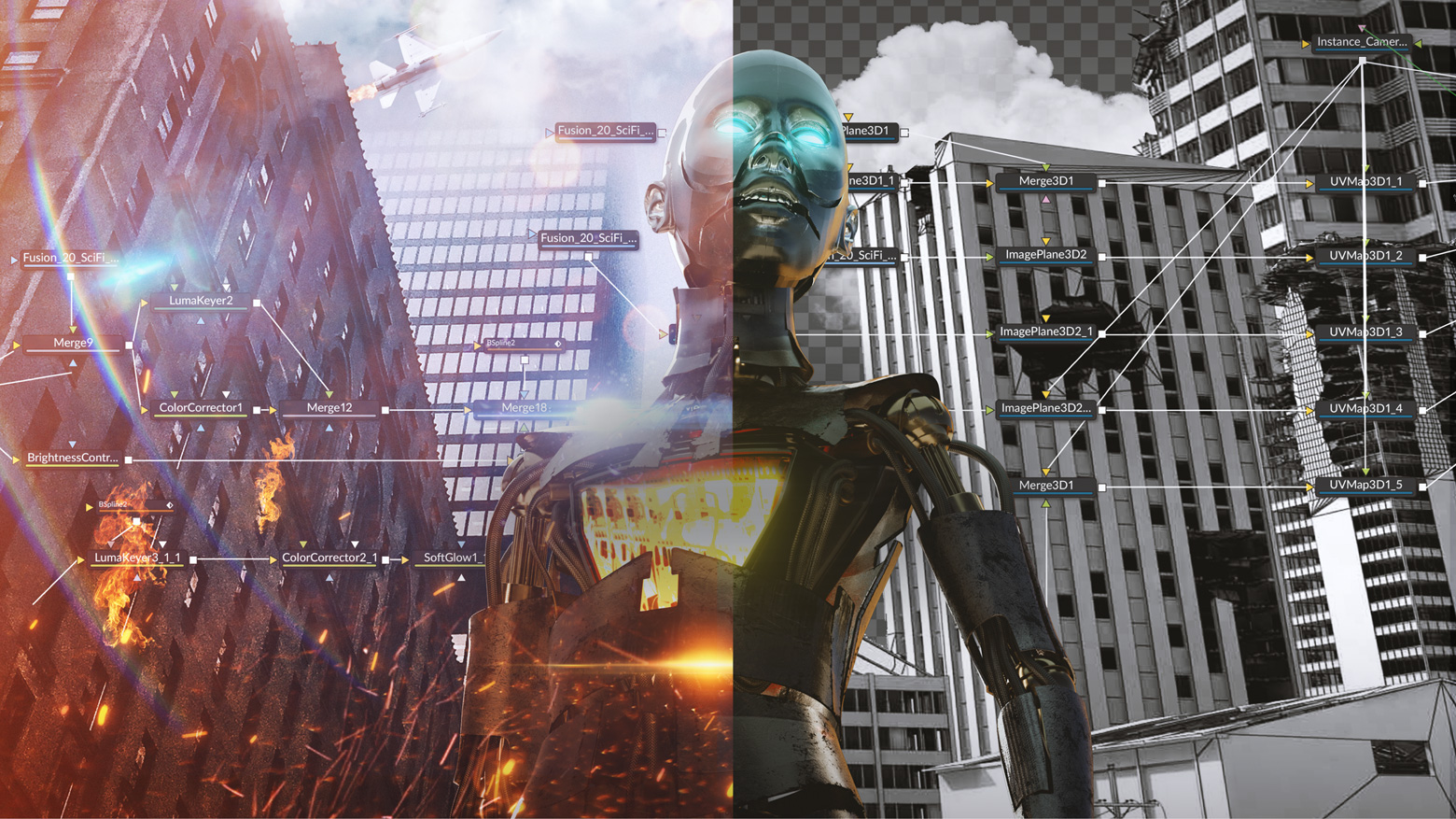
Fusion 20
卓越領先的視覺特效、3D、VR及動態圖形解決方案!
Fusion是一款先進的合成軟體,它被廣泛應用於視覺特效、廣電影視設計、動態圖形設計以及3D動畫設計等領域。在過去的30年裏,Fusion被數千部好萊塢電影和電視節目所採用。Fusion搭載功能強大、基於節點的介面,讓您通過連接不同類別的圖像處理工具,快速方便地創建複雜的特效!此外,它還擁有大量實用工具,驚人的VR功能和3D支援,GPU加速性能,無限網路渲染等功能!Fusion能為您提供一切所需,助您打造出精彩絕倫的廣播圖文、動感炫目的標題字幕,乃至電影大片的視覺特效!
DaVinci Resolve 20 下載
深受好萊塢青睞的解決方案,囊括剪輯、視覺特效、動態圖形、調色和音訊後製,橫跨Mac、Windows和Linux三大平台。如今也支援Blackmagic Cloud協作!
Fusion Studio 20 下載
打造擁有電影質感的視覺特效與動態圖形!擁有數百種2D和3D工具、先進的動畫曲線、3D粒子、關鍵影格編輯器、3D攝影機追蹤、動態遮罩和摳像工具。 Fusion Studio可透過DaVinci Resolve許可證啟動。
Mac OS X | Windows x86 | Linux
Fusion Studio 20 Studio
Fusion 20最新功能
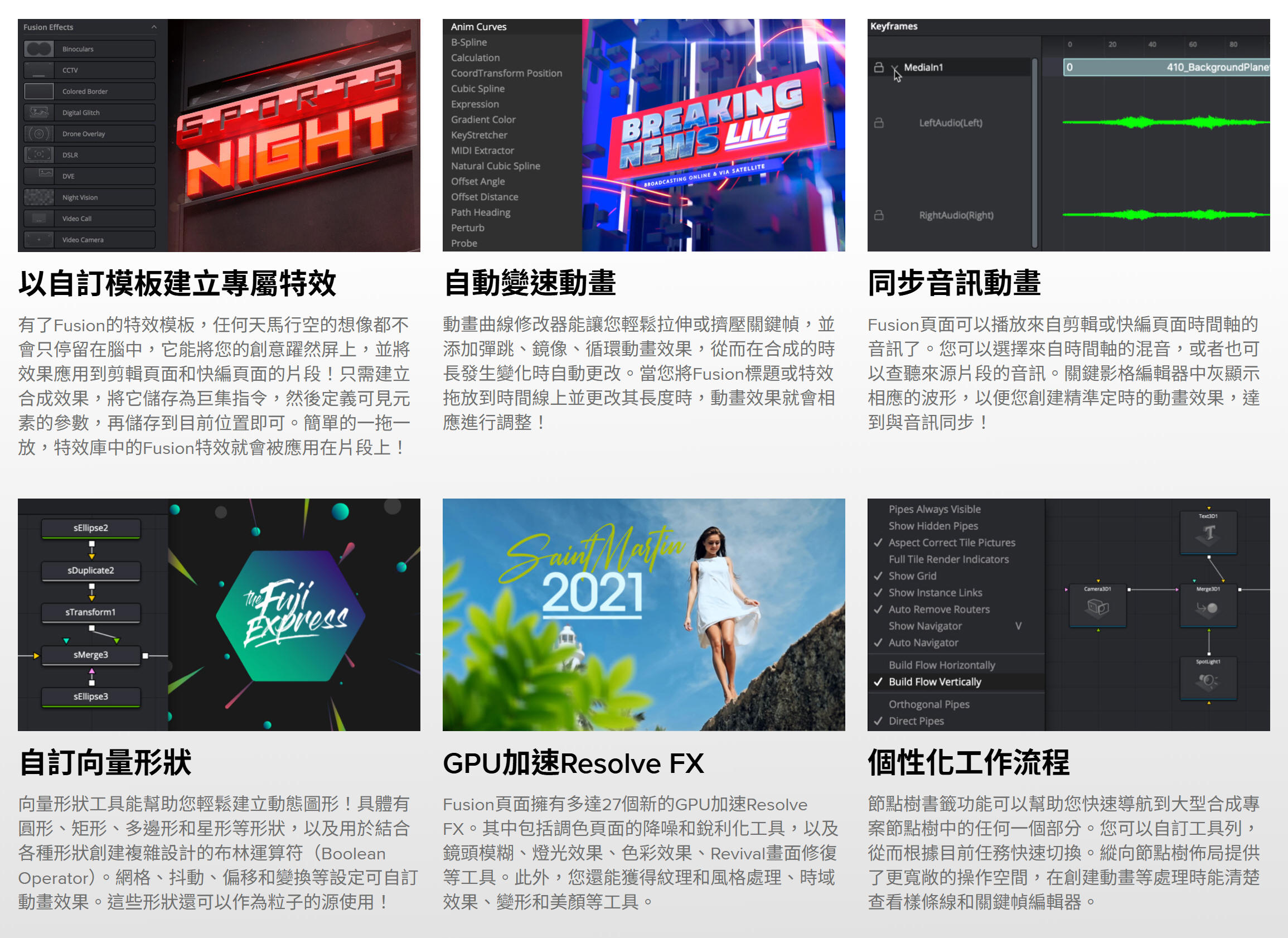
在Fusion頁面創建的合成可以保存為範本,在剪輯或快編頁面使用!當您更改某個剪輯中的動畫時長時,還可以使用新的動畫曲線修改器實現自動變速調整。音頻播放帶有波形顯示功能,更加便於創建精准定時的動畫效果。此外,剪輯頁面還有共用標記等新設功能。不僅如此,Fusion頁面還添加了27個GPU加速Resolve FX,其中包括調色頁面的降噪和銳化工具!煥然一新的節點視圖讓您輕鬆找到重大的合成處理,其工具欄可以按照您喜愛的工具自定義設置,並且節點編輯器現已支援縱向佈局。
好萊塢大片的幕後英雄
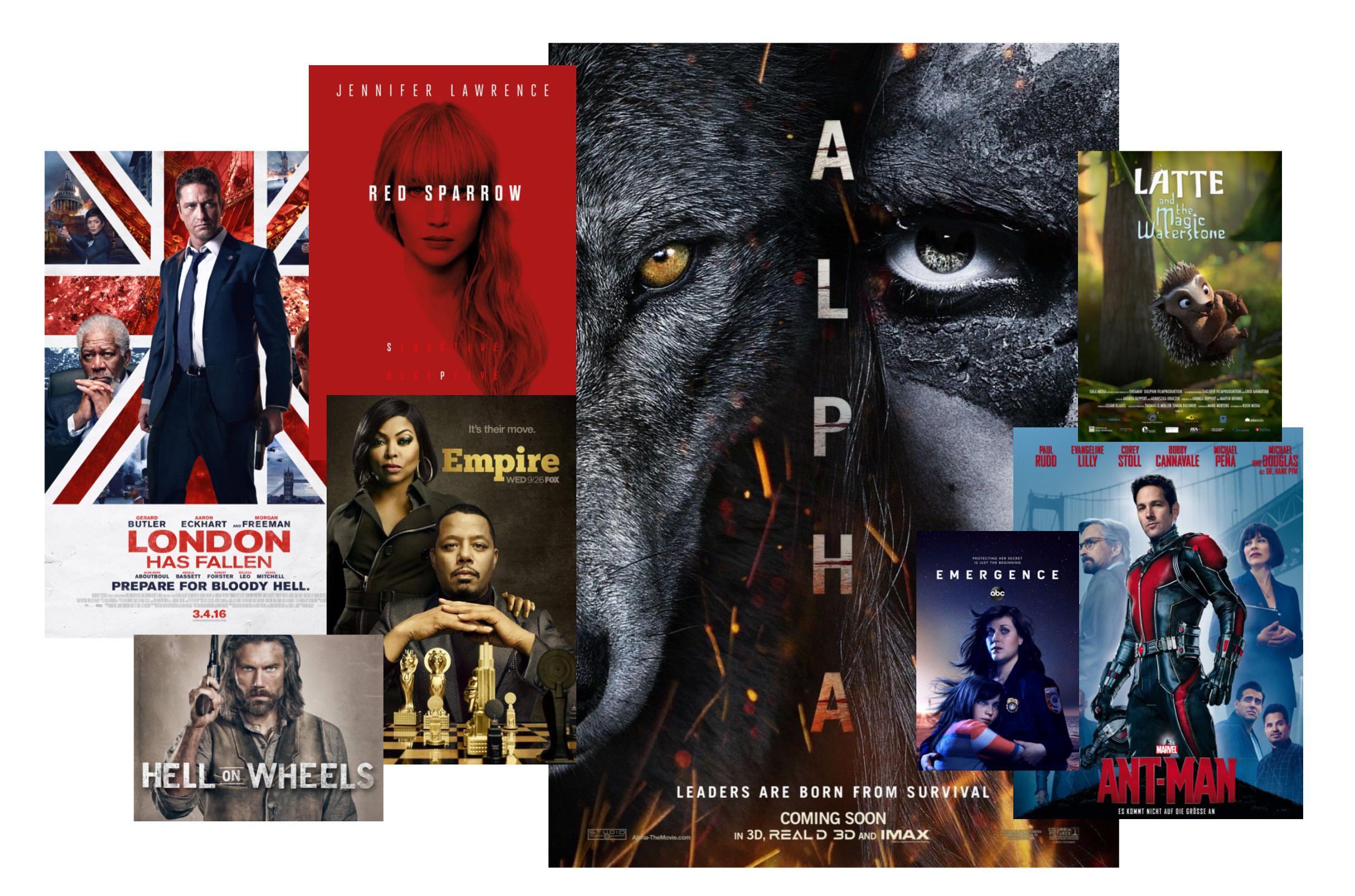
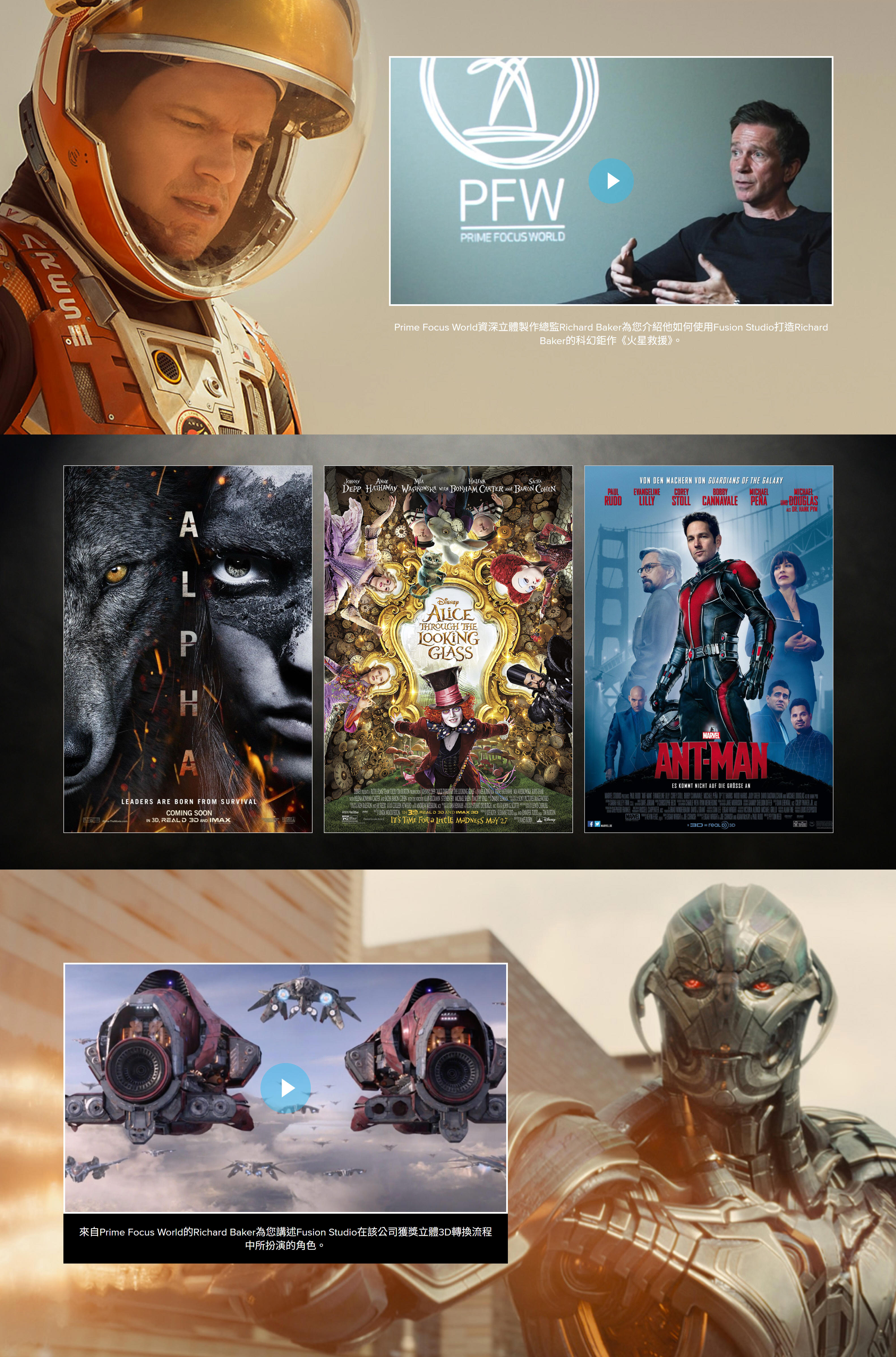
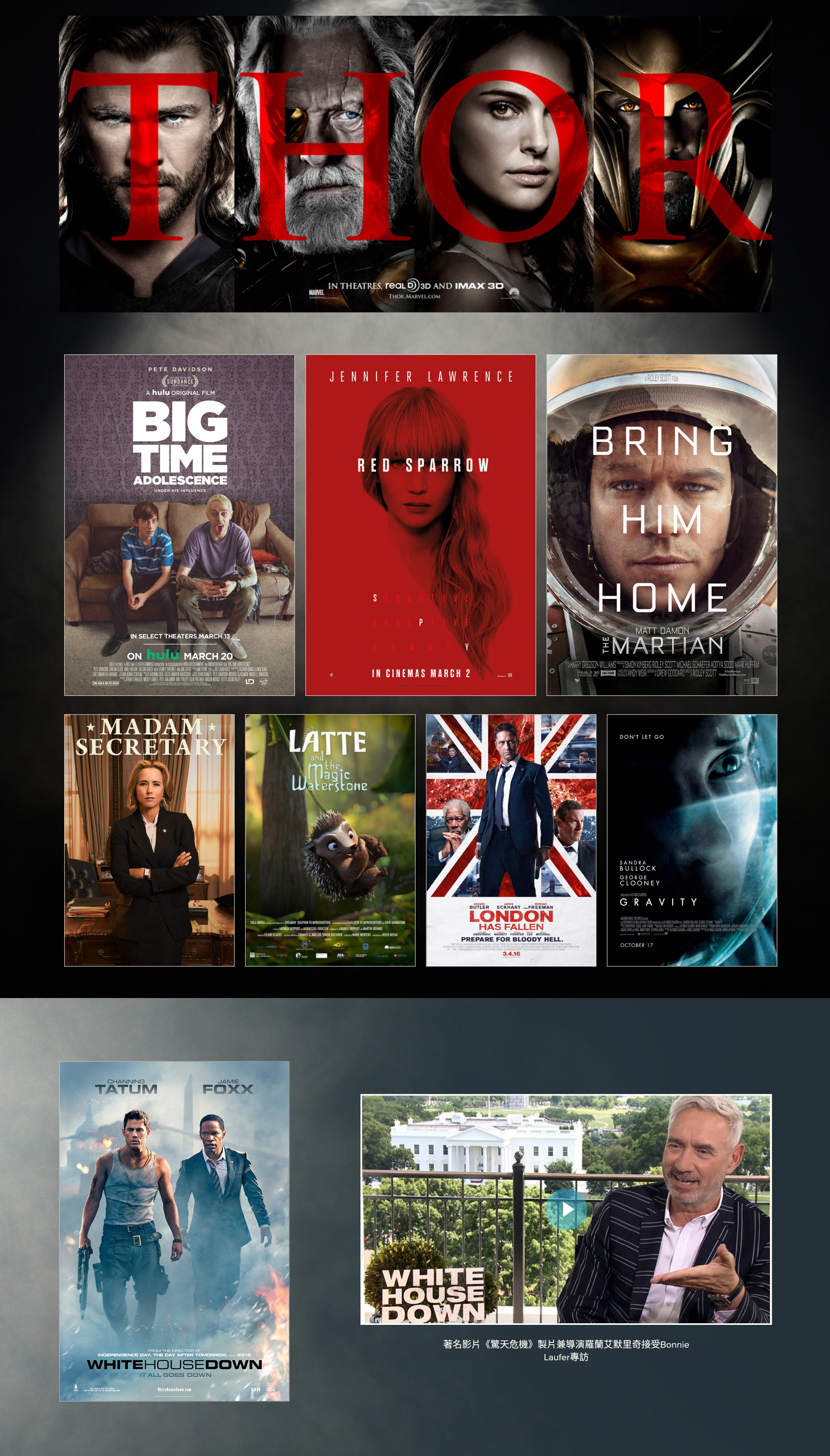
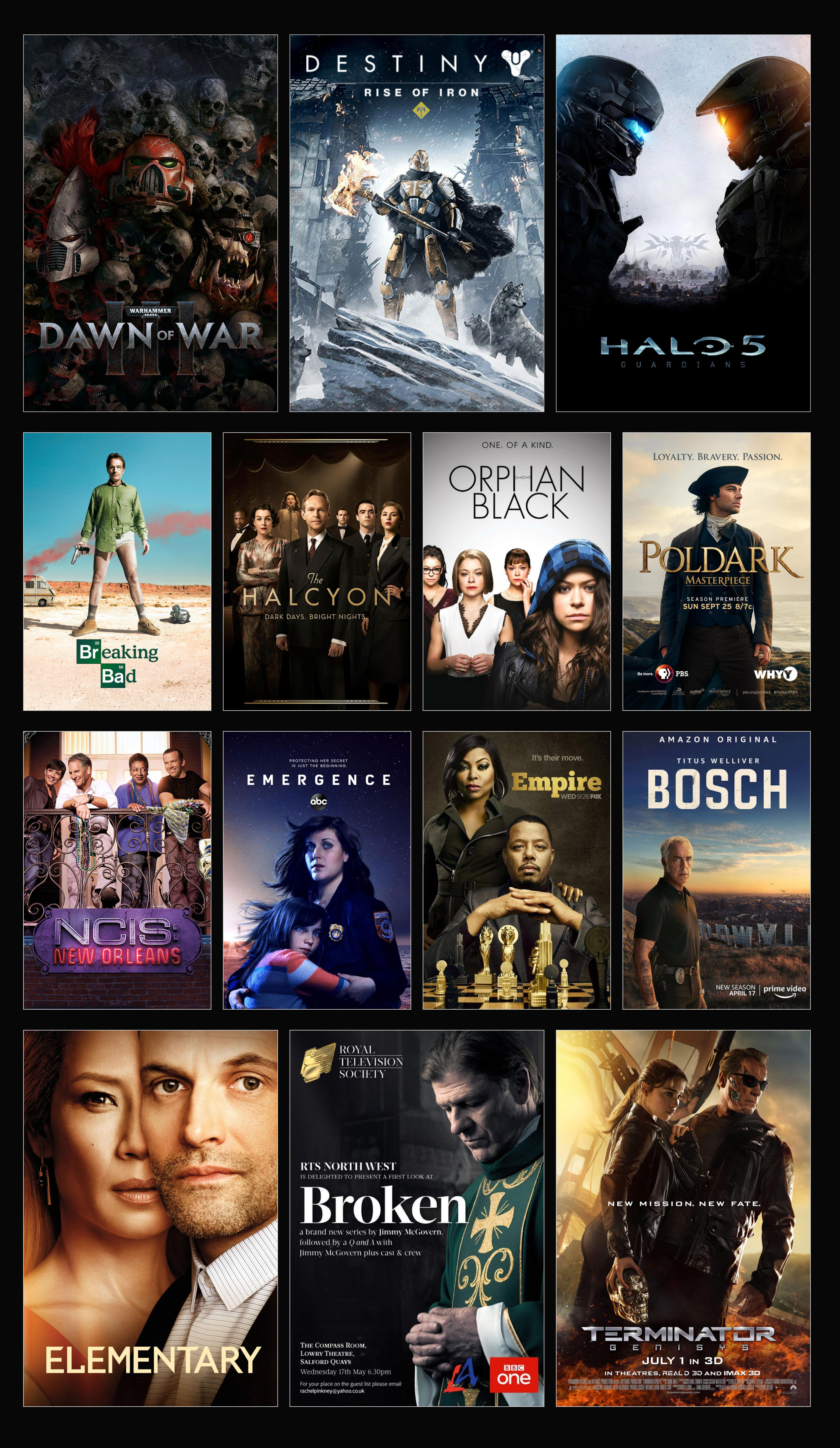
數以千計的好萊塢巨制和熱門影視節目都是以Fusion完成出神入化的視覺特效畫面製作。《蟻人》、《紅雀》和《倫敦淪陷》等知名電影,以及《嘻哈帝國》、《海軍罪案調查處》和《浮現》等人氣電視劇都採用了Fusion技術。除此以外,Fusion還在《戰爭黎明3》、《光暈5》等多個大型遊戲的壯觀場面製作中扮演了重要的角色。
Fusion Connect
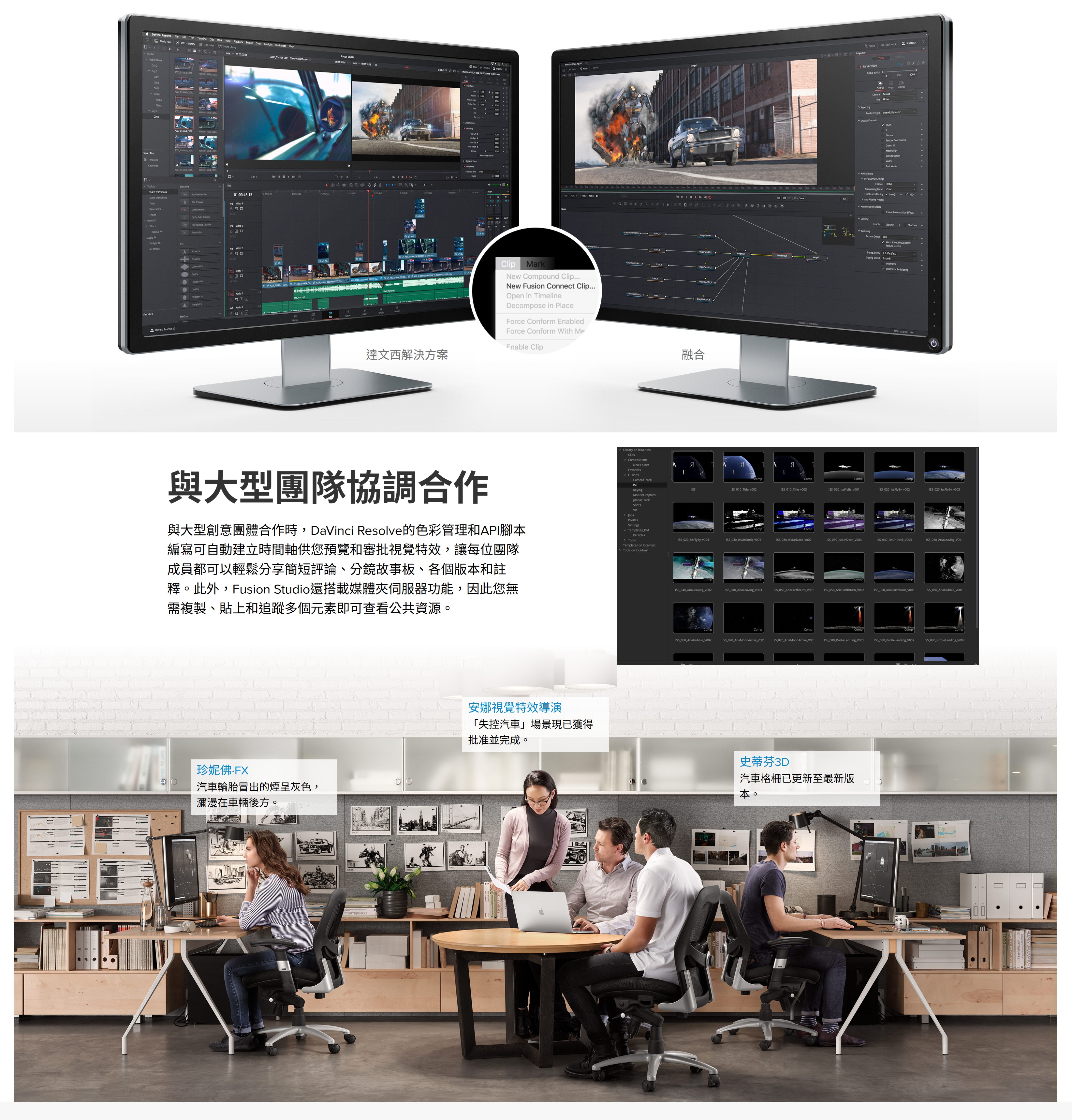
Fusion Connect使得DaVinci Resolve和Avid Media Composer剪輯師們可以充分利用時間線上的海量Fusion視覺特效和動態圖形工具集!剪輯師可以選擇單一素材片段或多層素材片段,然後發送到Fusion。自動新建的Fusion合成檔會自行鏈結回相應時間線上。您可以獨立完成自己的視覺特效和動態圖形工作,也可以讓共用存儲上的其他剪輯師為您效勞。一旦Fusion合成完成渲染,鏡頭將自動更新並發送回DaVinci Resolve或Avid Media Composer的時間線上!
下載Fusion Connect
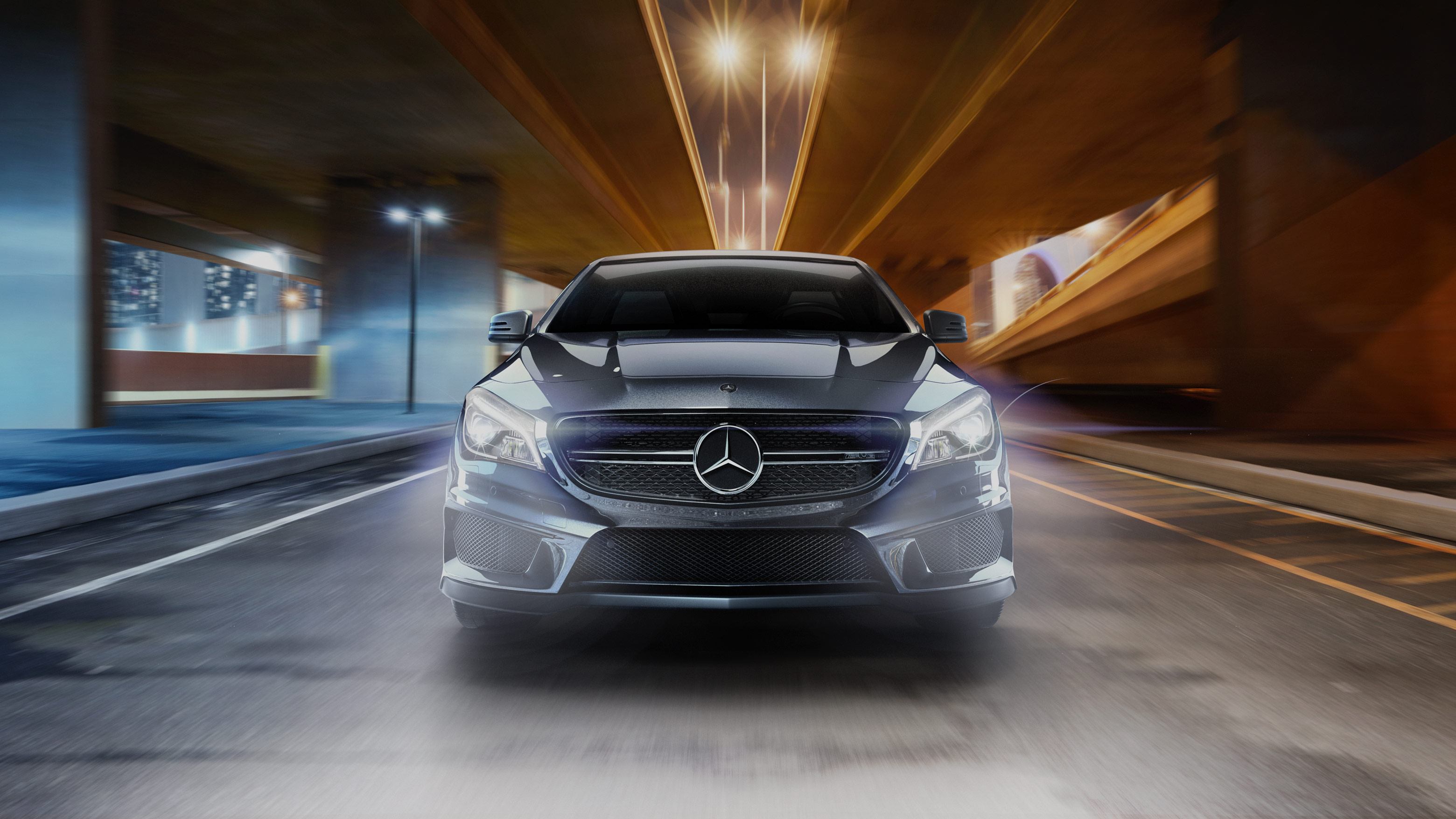
Fusion 20 視覺特效合成
先進的視覺特效
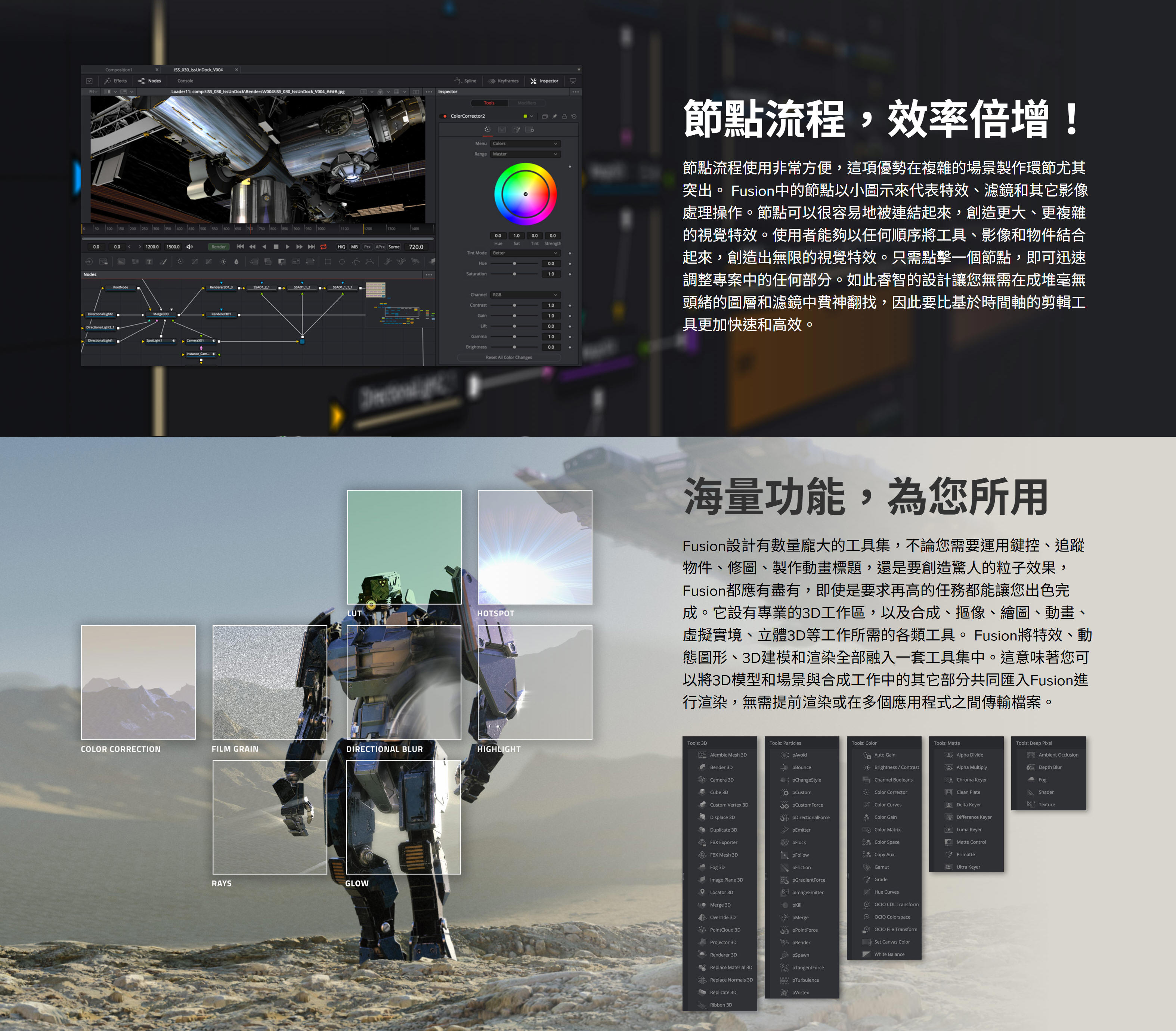
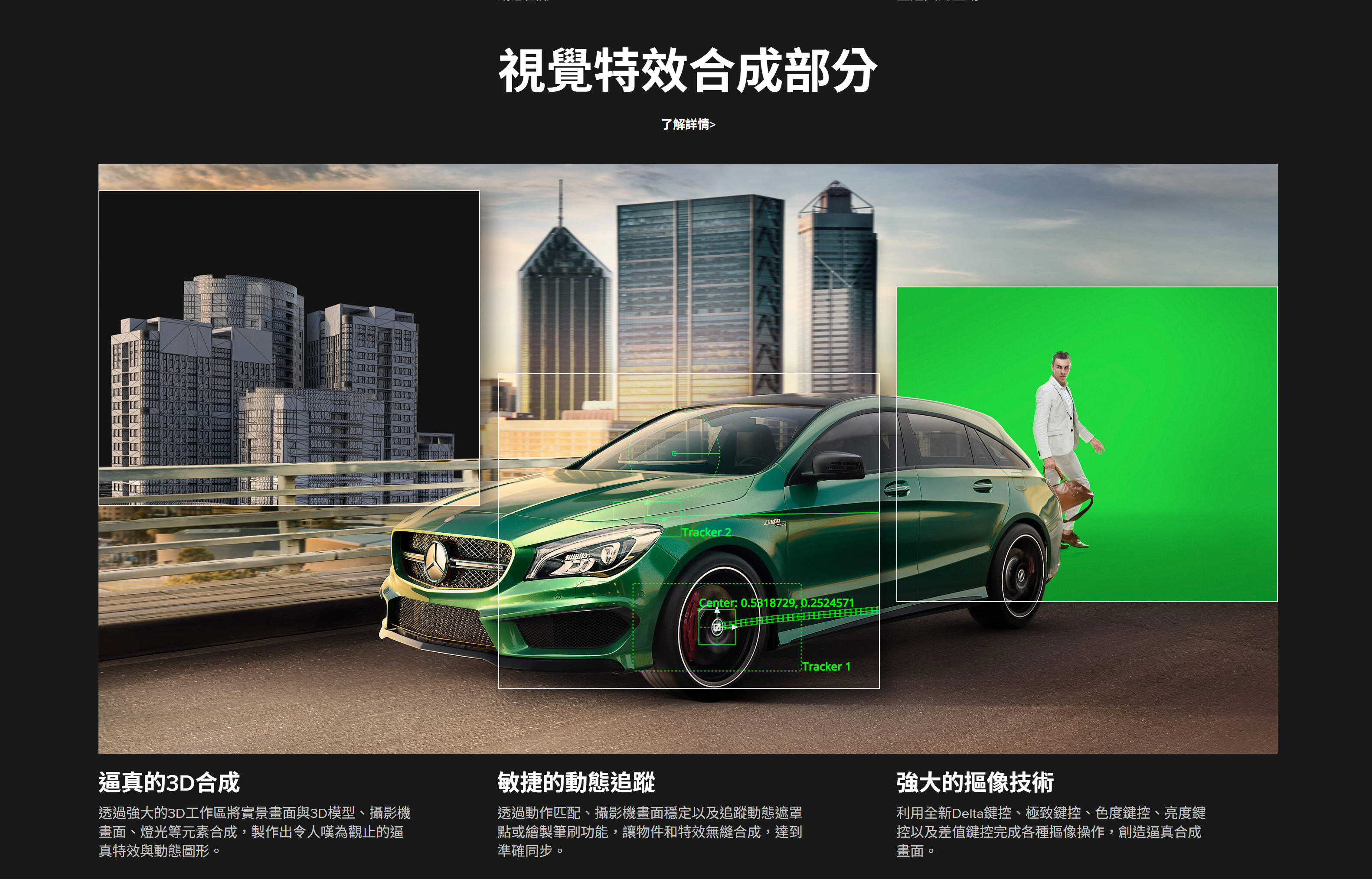
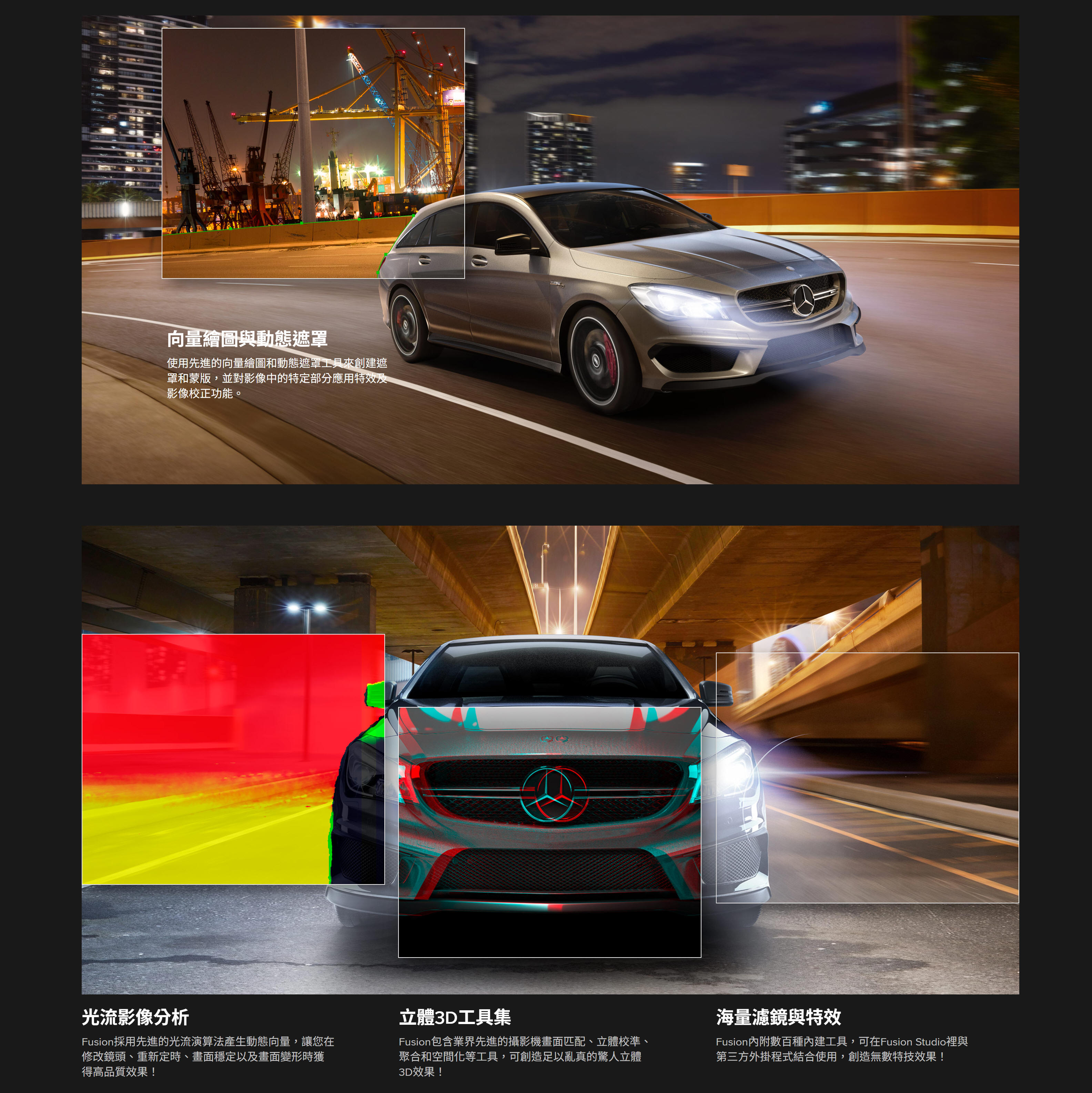
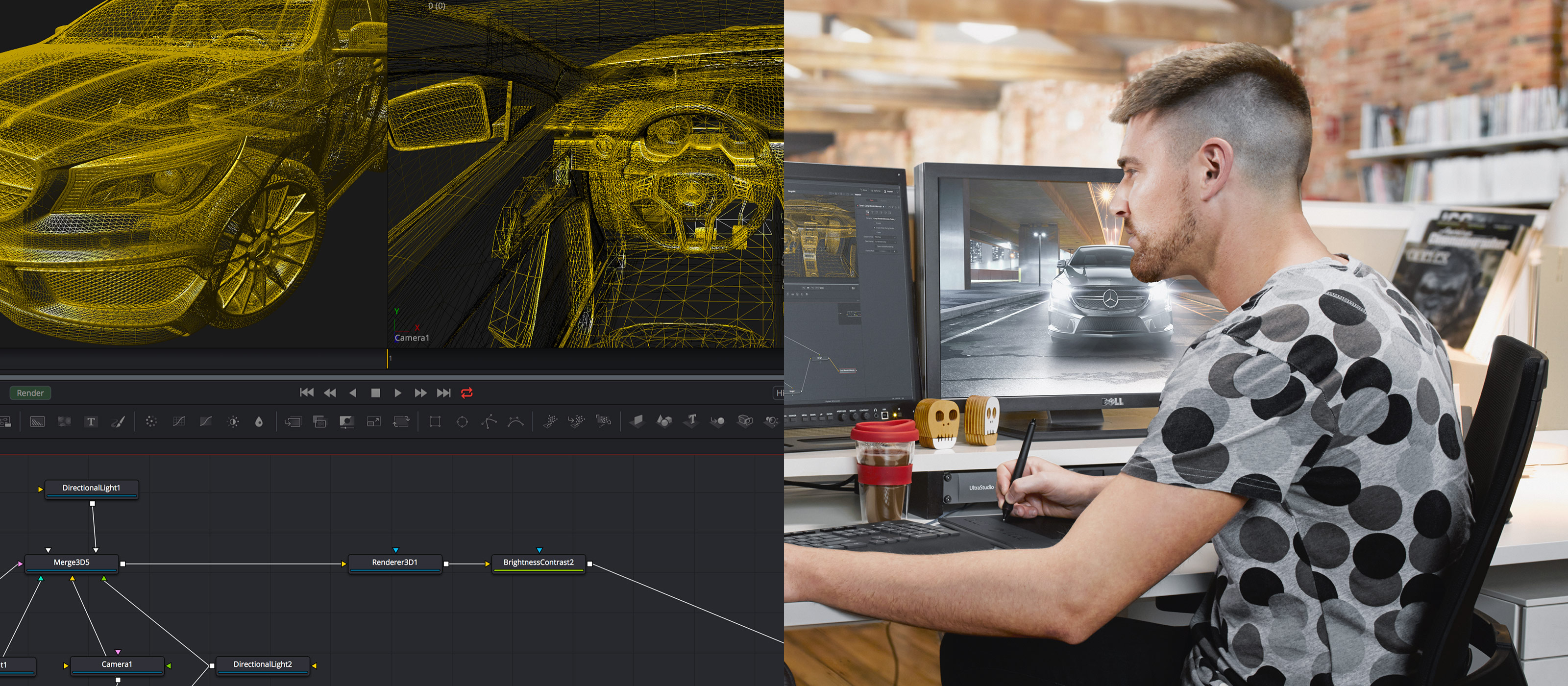
眾多好萊塢電影的高階視覺特效都會包含成百上千個不同的2D和3D元素,將這些元素結合到一起共同構成最終畫面,呈現出令人驚歎的逼真場景。Fusion具備全面的3D節點式工作介面,可從常用軟體導入3D模型和場景。此外,它還具備百餘種工具、特效和濾鏡,是打造栩栩如生、呼之欲出的視覺特效之利器!
合成
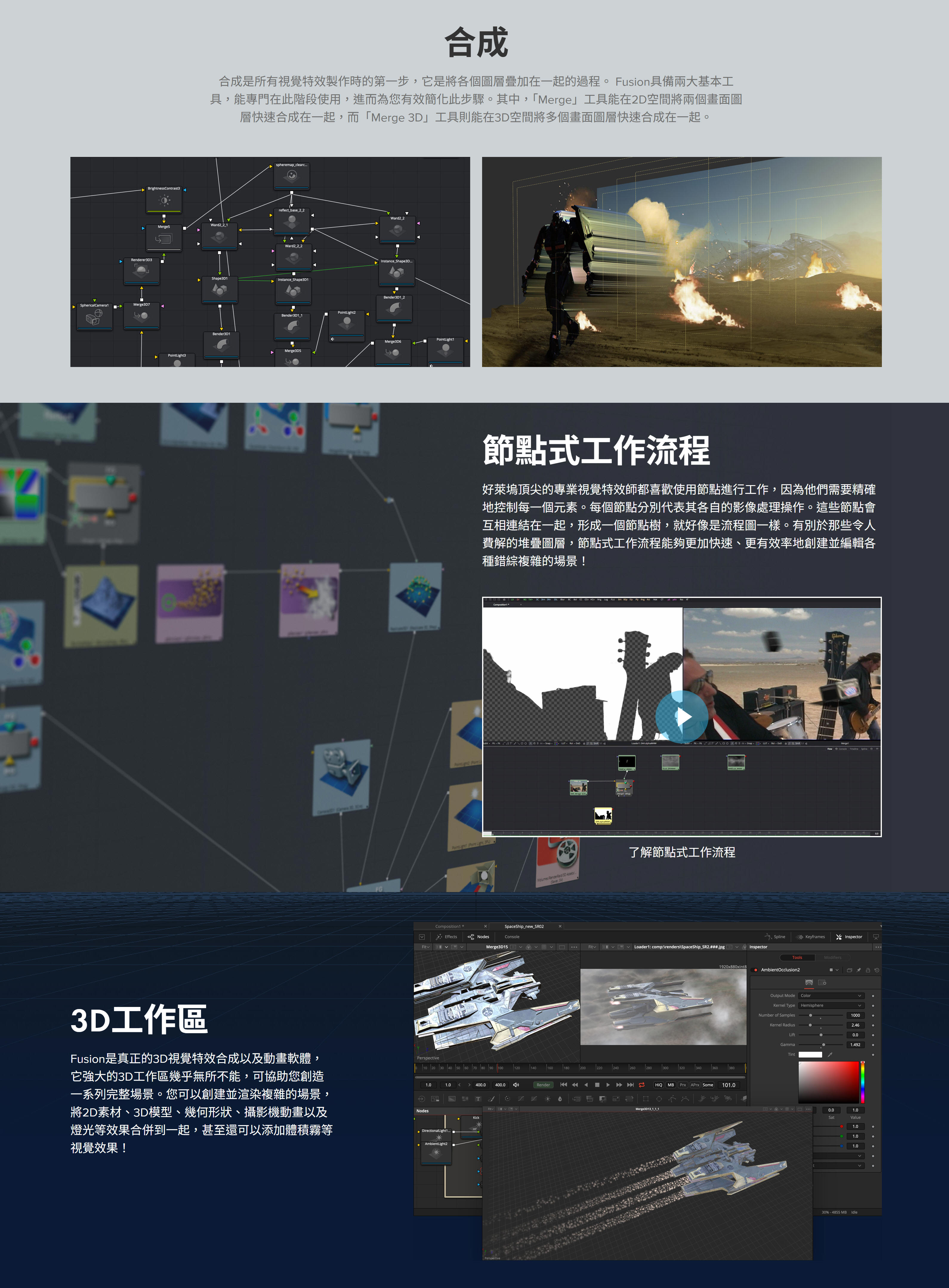
合成是所有視覺特效製作時的第一步,它是將各個圖層疊加到一起的一個過程。Fusion具備兩大基本工具,能專門在這一階段使用,從而為您有效簡化這一步驟。其中,Merge工具能在2D空間將兩個畫面圖層快速合成到一起,而Merge 3D工具則能在3D空間將多個畫面圖層快速合成到一起。
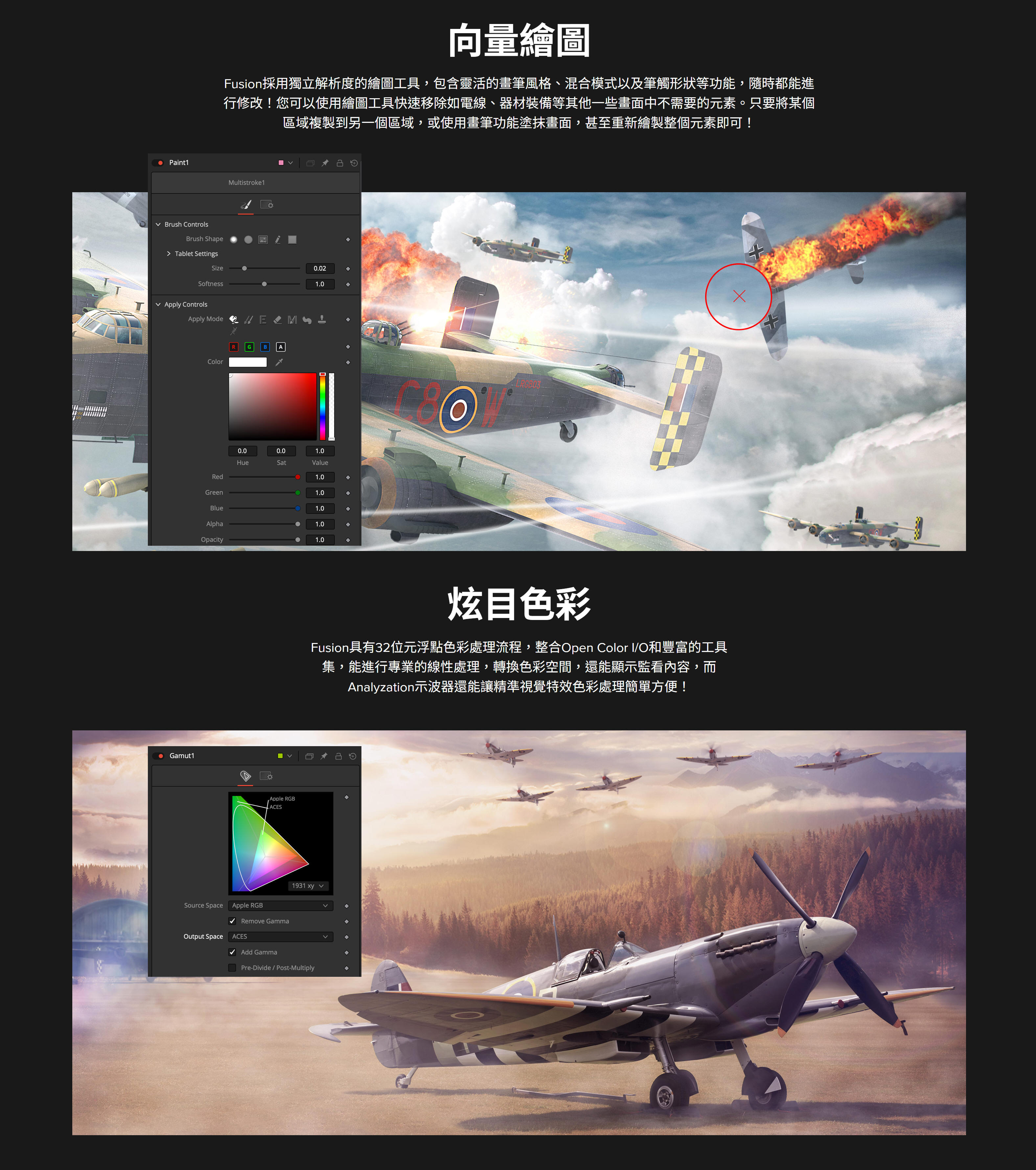
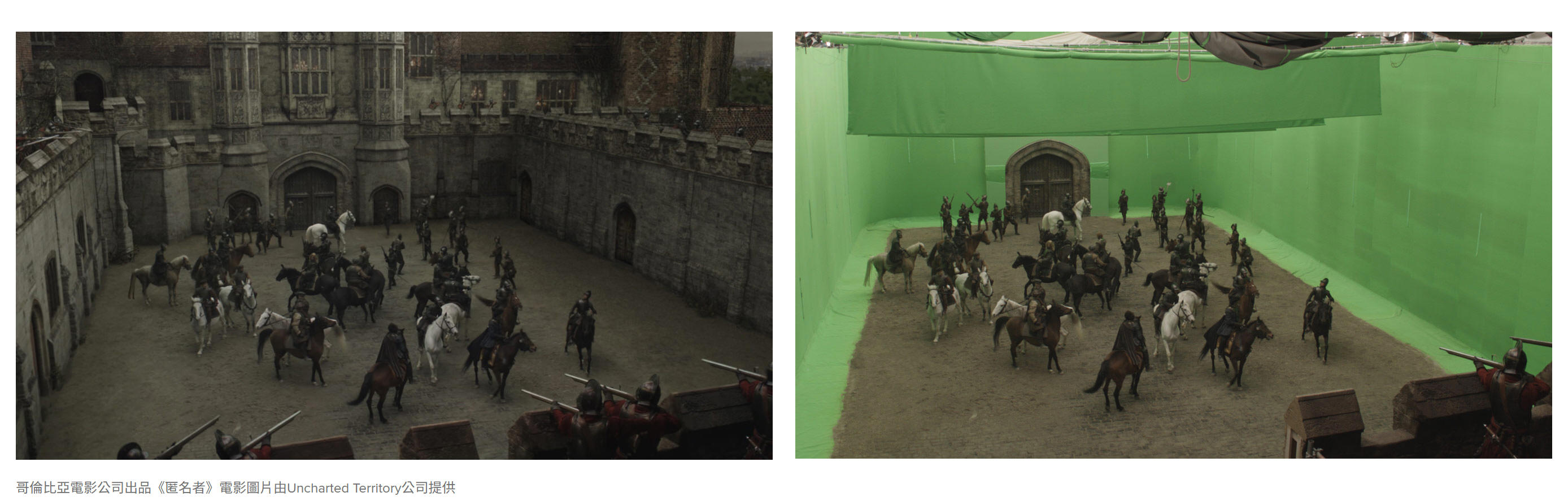
虛擬場景擴展
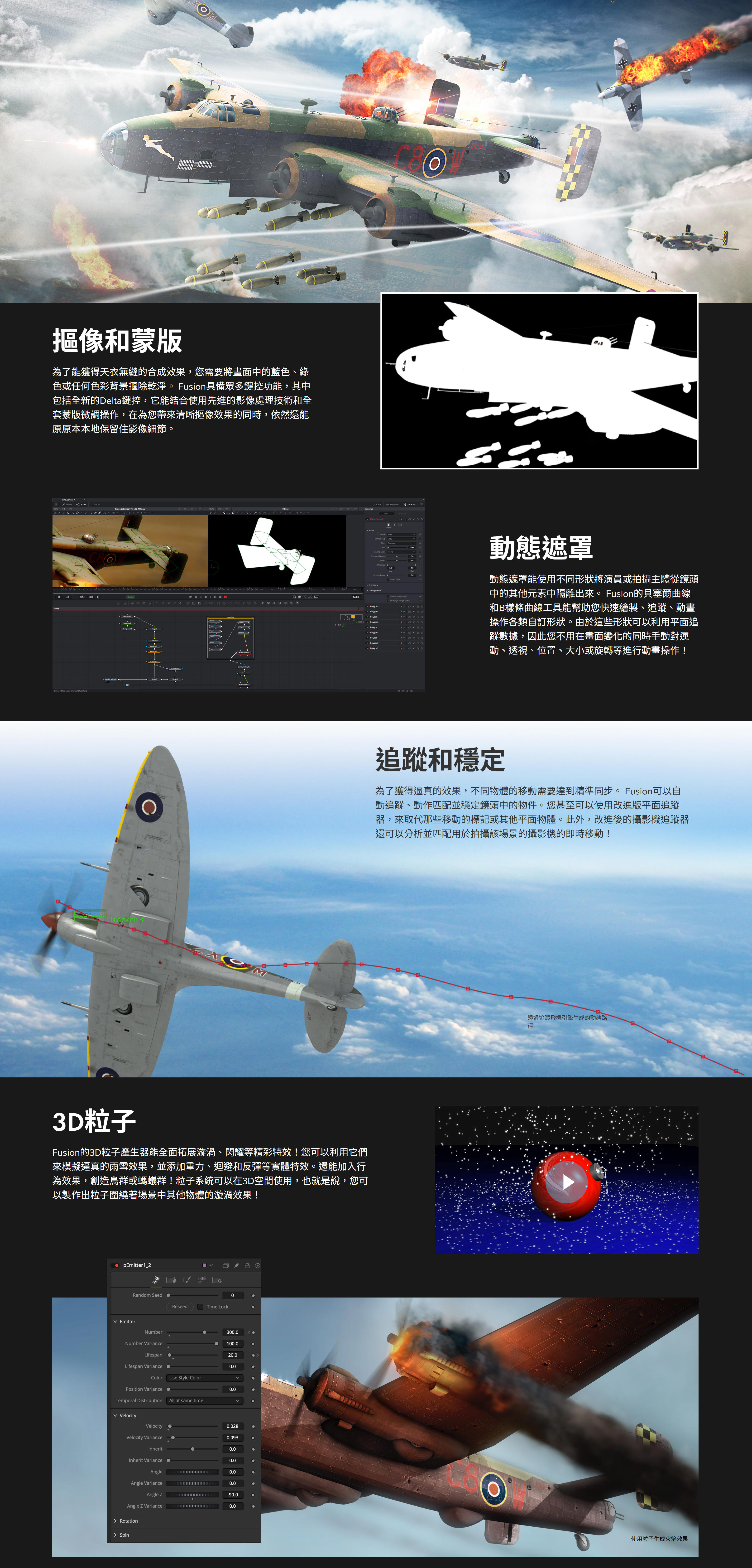
如今的電影中不乏一些宏偉壯觀的動作場景,這些都要歸功於電腦生成的場景擴展!Fusion可以導入並渲染來自Maya等常用軟體的3D模型和場景,方便您一步完成合成、添加燈光效果和渲染三個步驟。而且,它的投影工具還能用來快速渲染場景,無需使用複雜的3D幾何形狀!
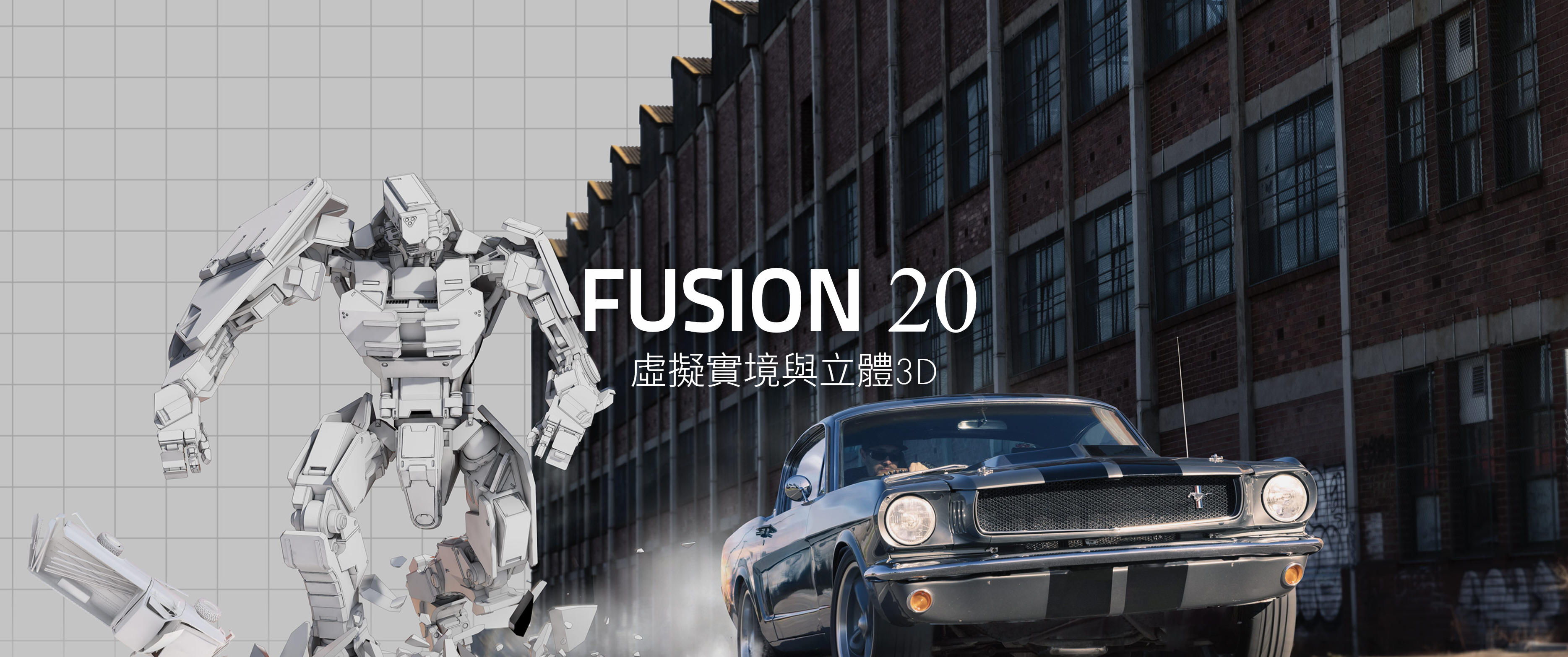
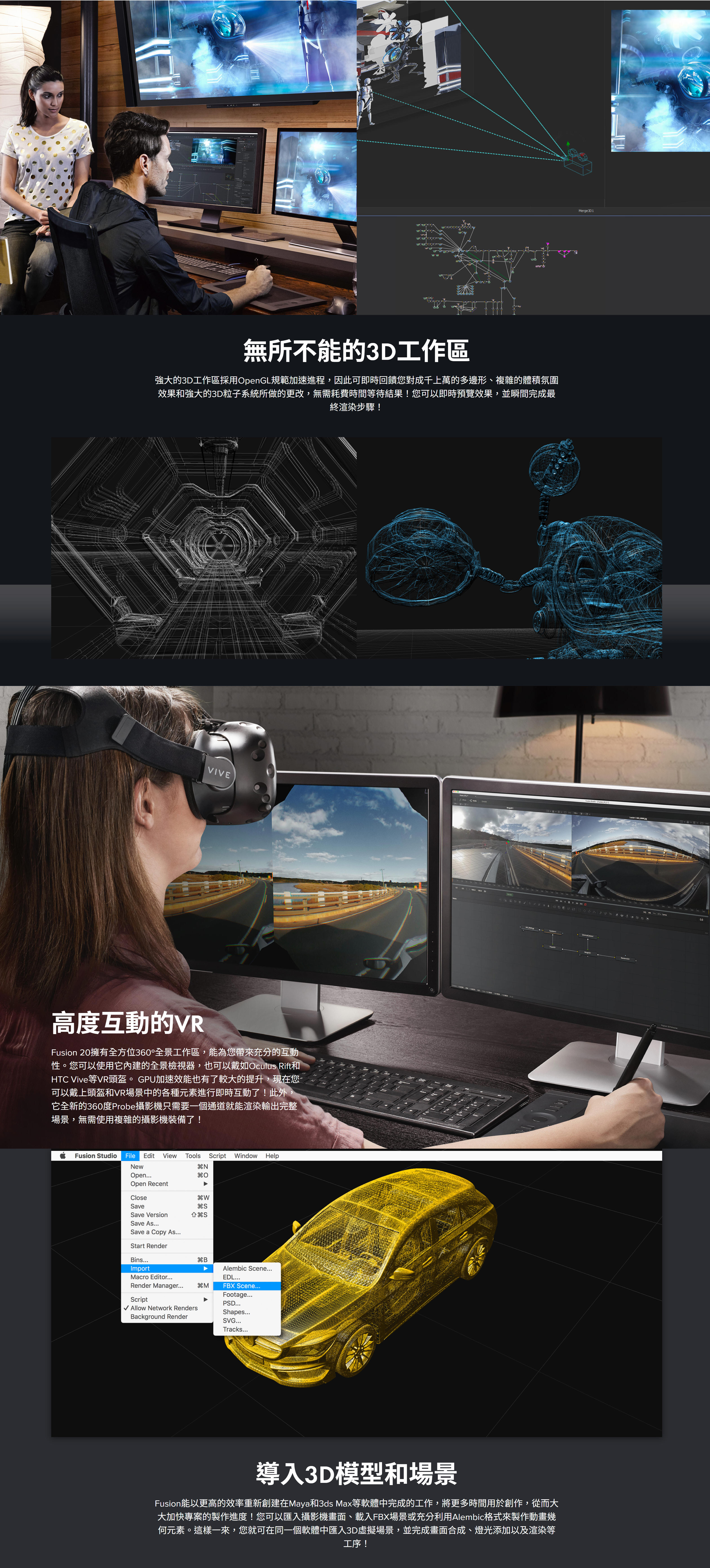
專為3D和VR設計!
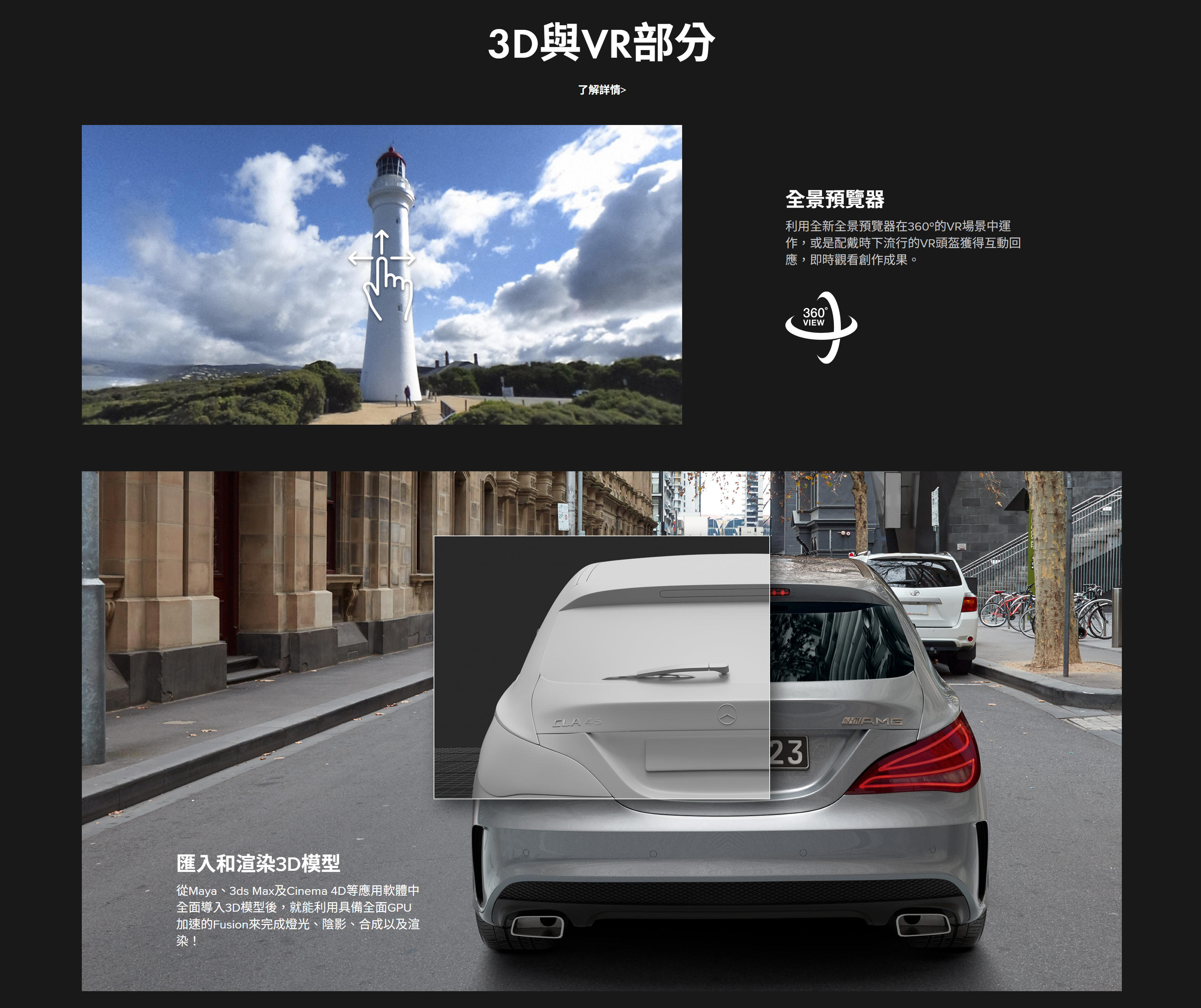
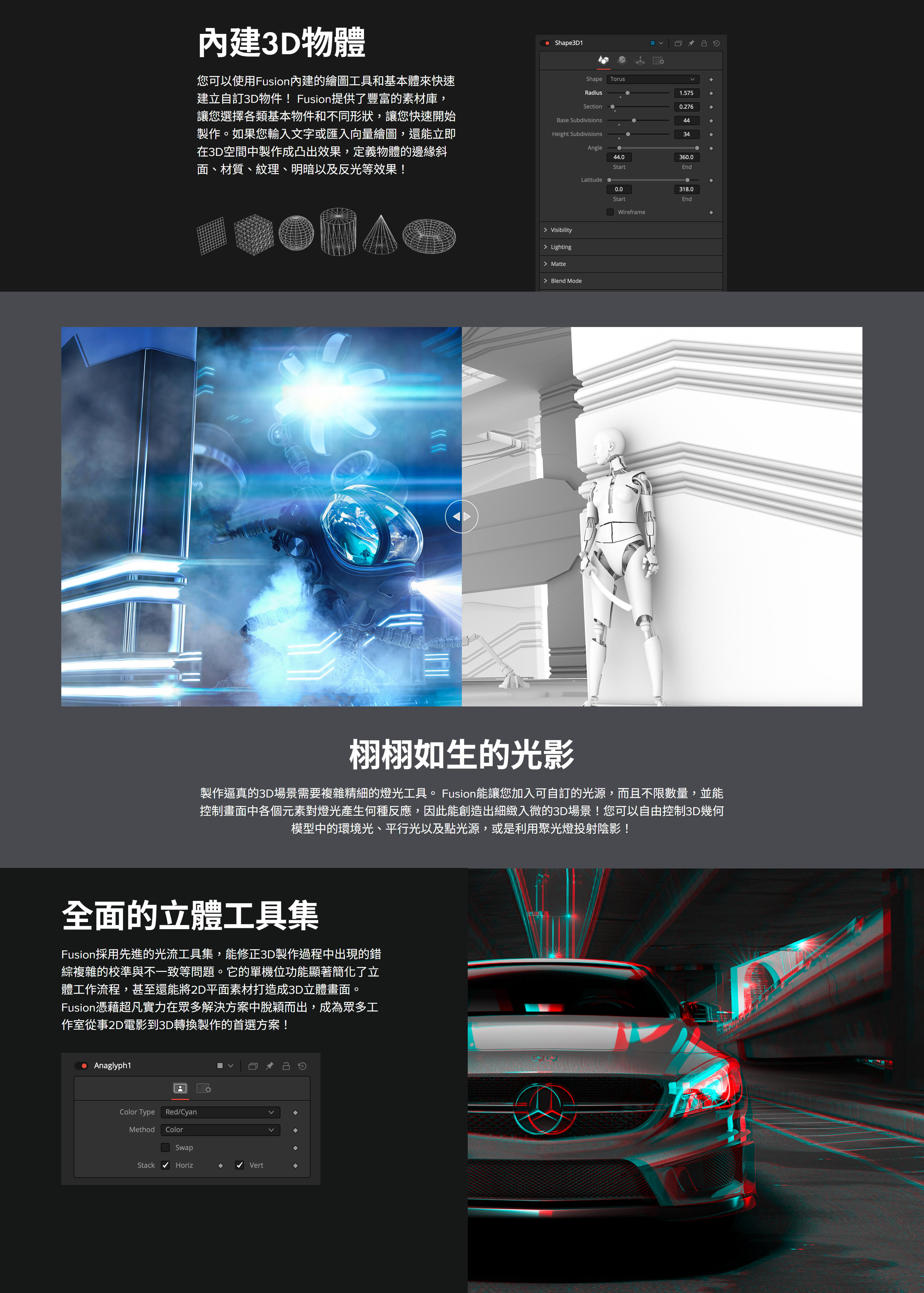
不論您從事的是電影專案、遊戲畫面、虛擬實境影像製作,還是以上三者皆有,都能使用Fusion這款設計精良的3D軟體,從零開始打造出令人震撼的效果。它擁有360度全方位3D工作區,並且可以從Maya、3ds MAX和Cinema 4D等軟體導入模型和場景。這樣一來,畫面合成、燈光效果,以及來自其他軟體的3D物件和場景渲染等工作都可以在Fusion中完成!這是目前其他所有動態圖形軟體所望塵莫及的!有了Fusion,您就能全面控制燈光效果、體積效果和影像處理,在節省大量時間的同時,還能獲得更大的創意空間,而且無需在多個程式進行渲染!
無限網路渲染
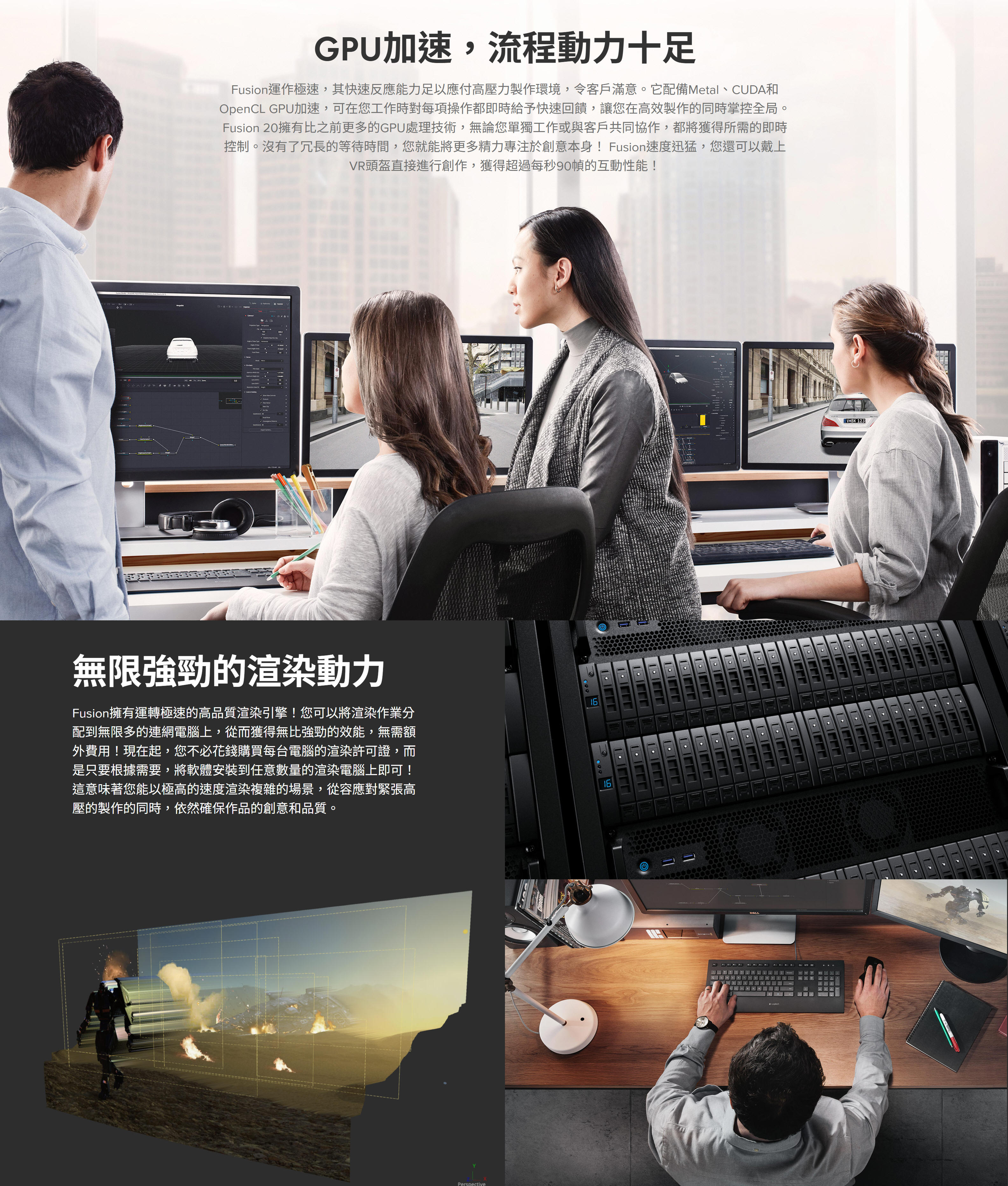
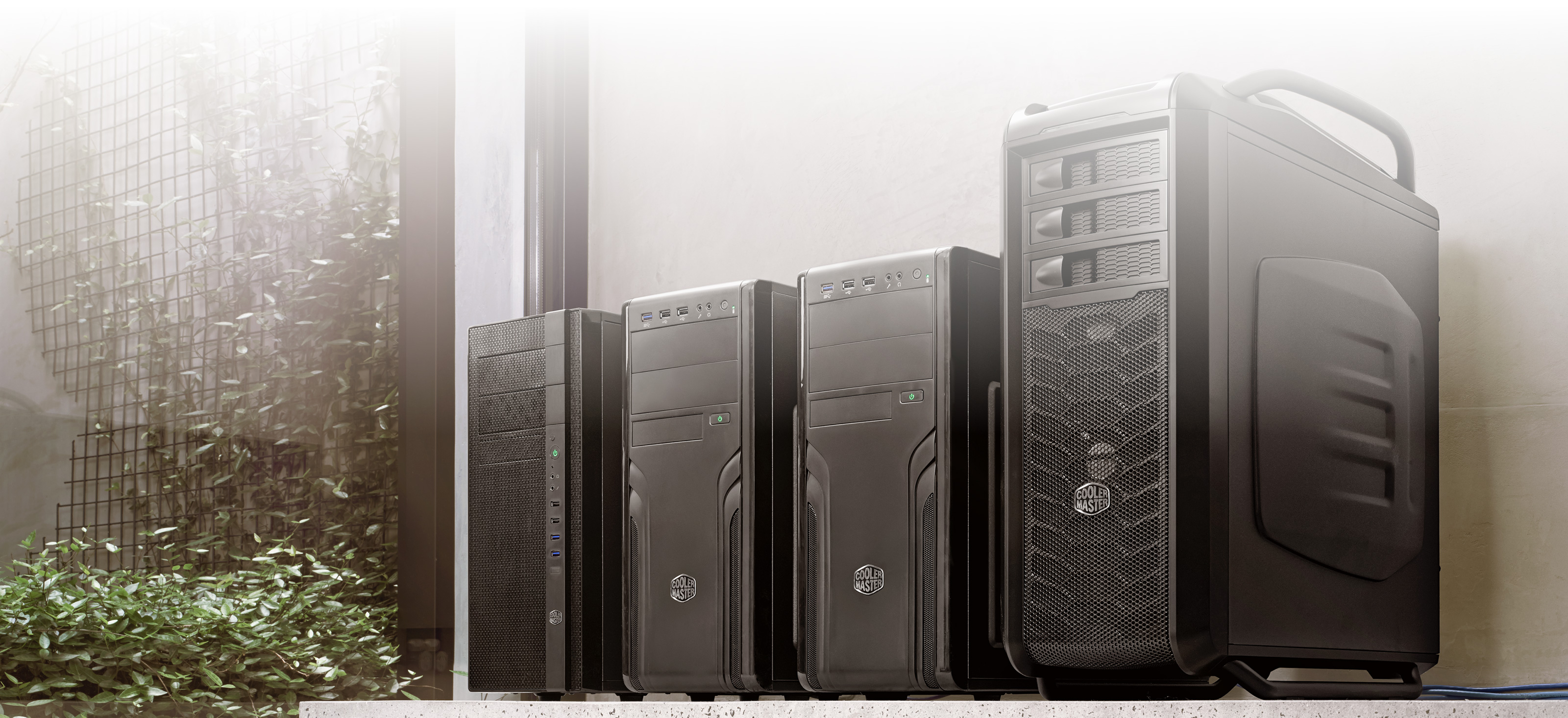
購買 Fusion Studio後,您將獲得無限數量的許可證,可以在任何台電腦上安裝並獲得先進的3D性能、32位元浮點渲染引擎!您可以使用Fusion自帶的渲染管理器,也可以使用如Smedge、Spider和Rush等應用程式來處理渲染。重要的是,您不用像使用其他軟體時那樣,支付每台電腦的渲染授權費用了!
Fusion 20 播出圖文和字幕
廣播設計和動態圖形
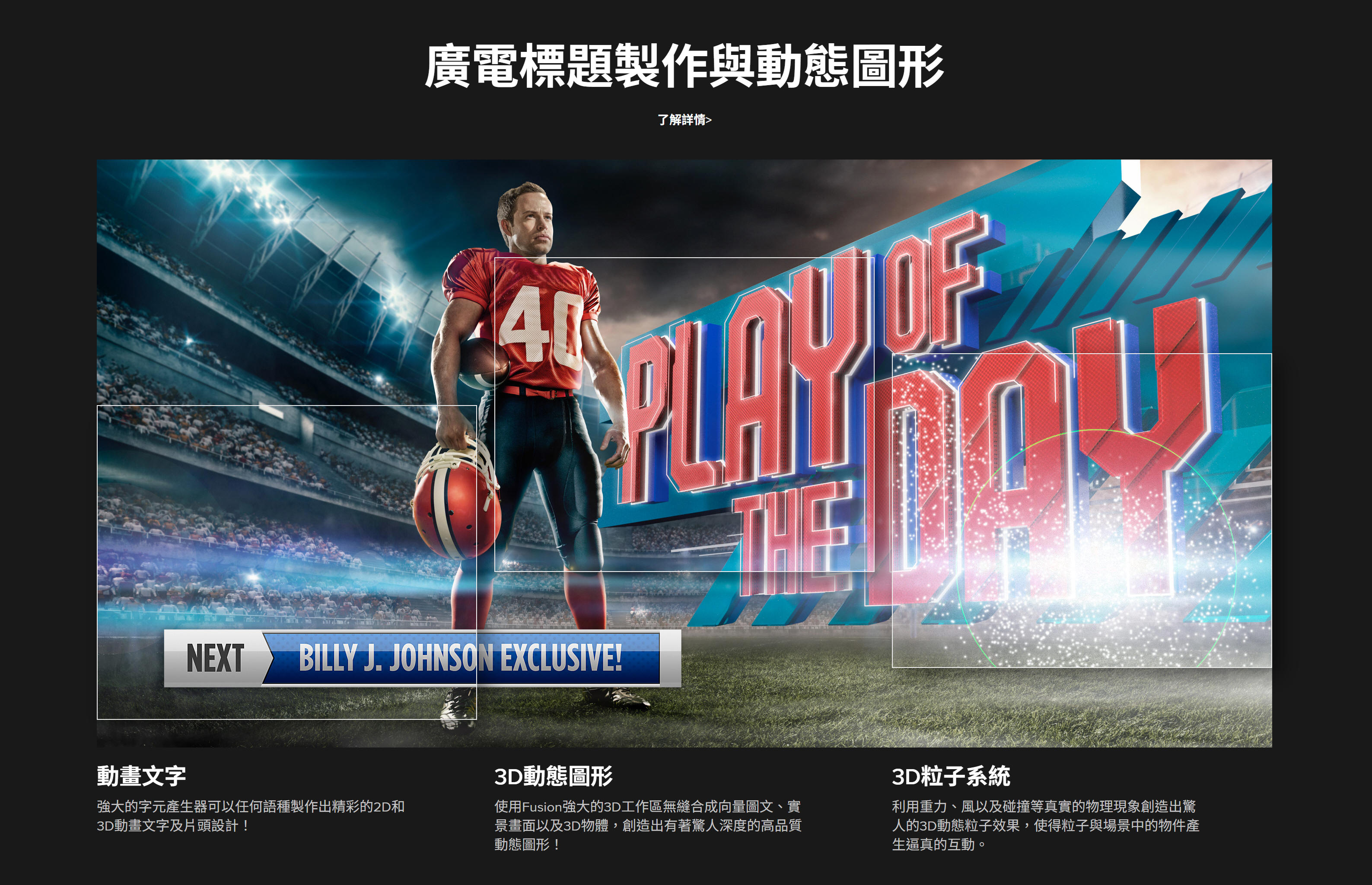
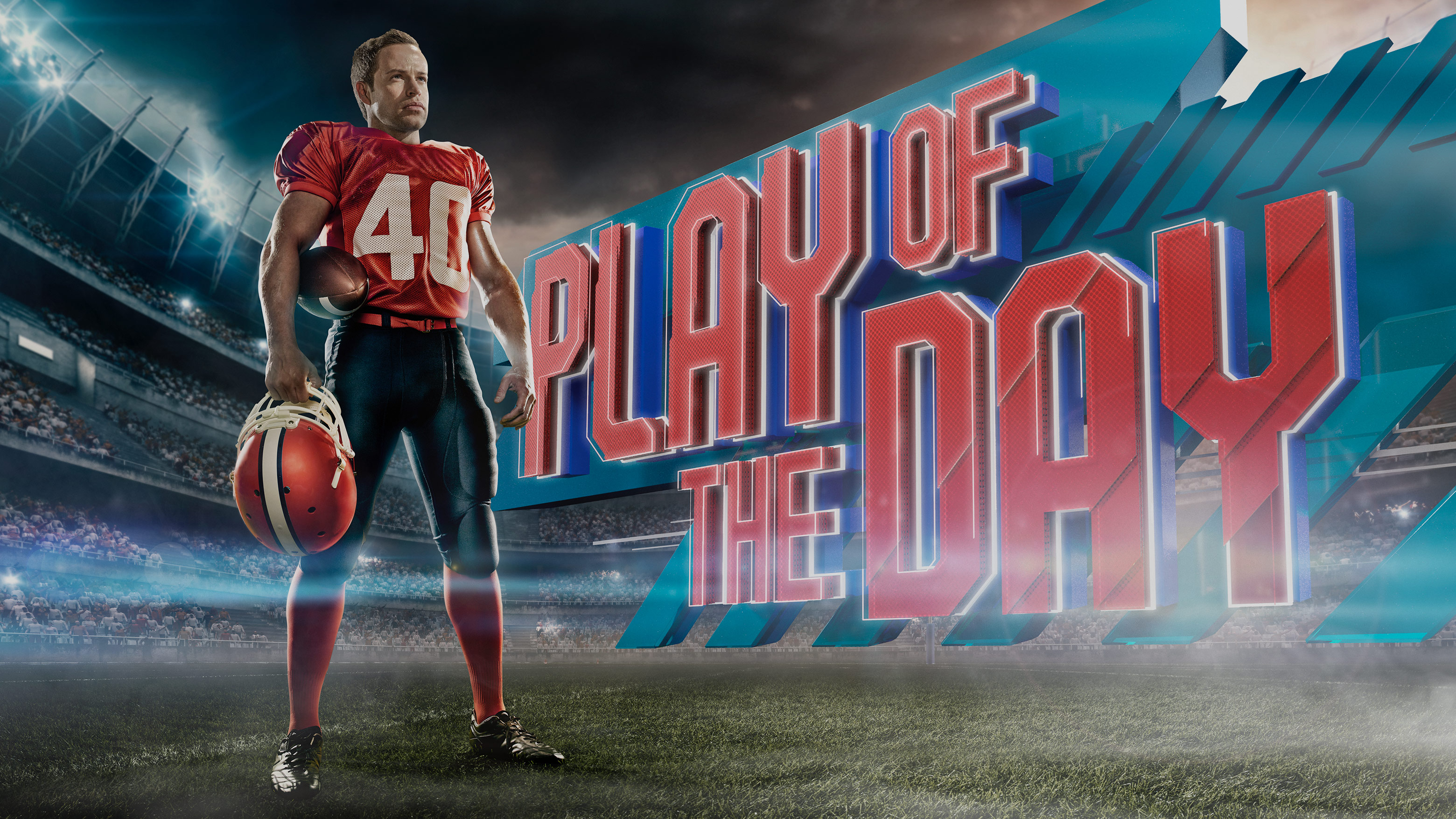
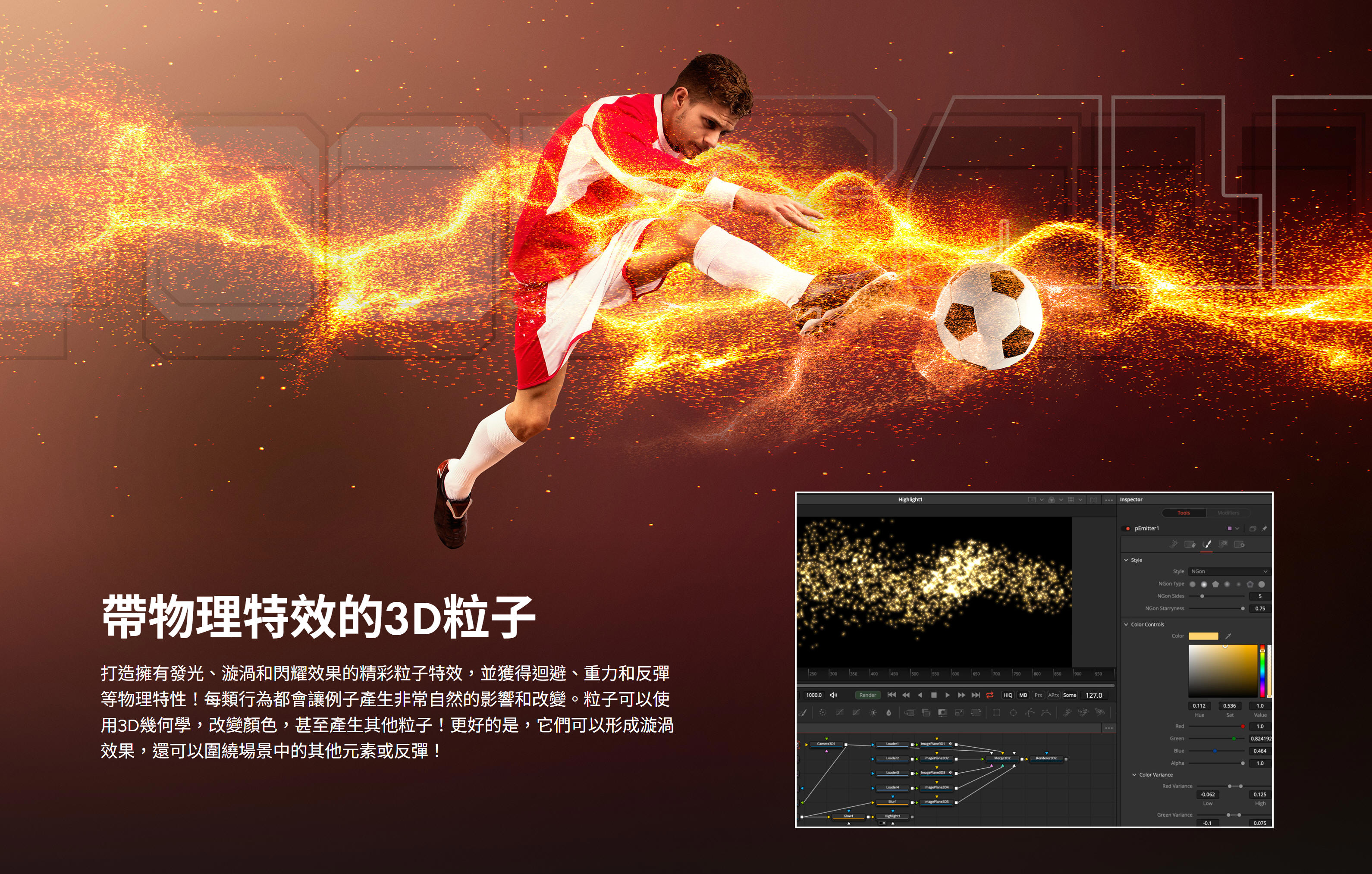
Fusion能幫助動態圖形設計師和播出設計師完成各類出色的創作,包括節目宣傳、頻道標識動畫到炫目的片頭設計、影視動畫效果,甚至廣告製作!有了Fusion,您的工作就不再局限於2D元素,而是可以從其他軟體導入3D物件和場景,或者從零開始創造屬於自己的設計!Fusion讓您能在其強大的3D工作區合成各類元素,並應用百餘種內置特效、3D粒子等精彩功能!
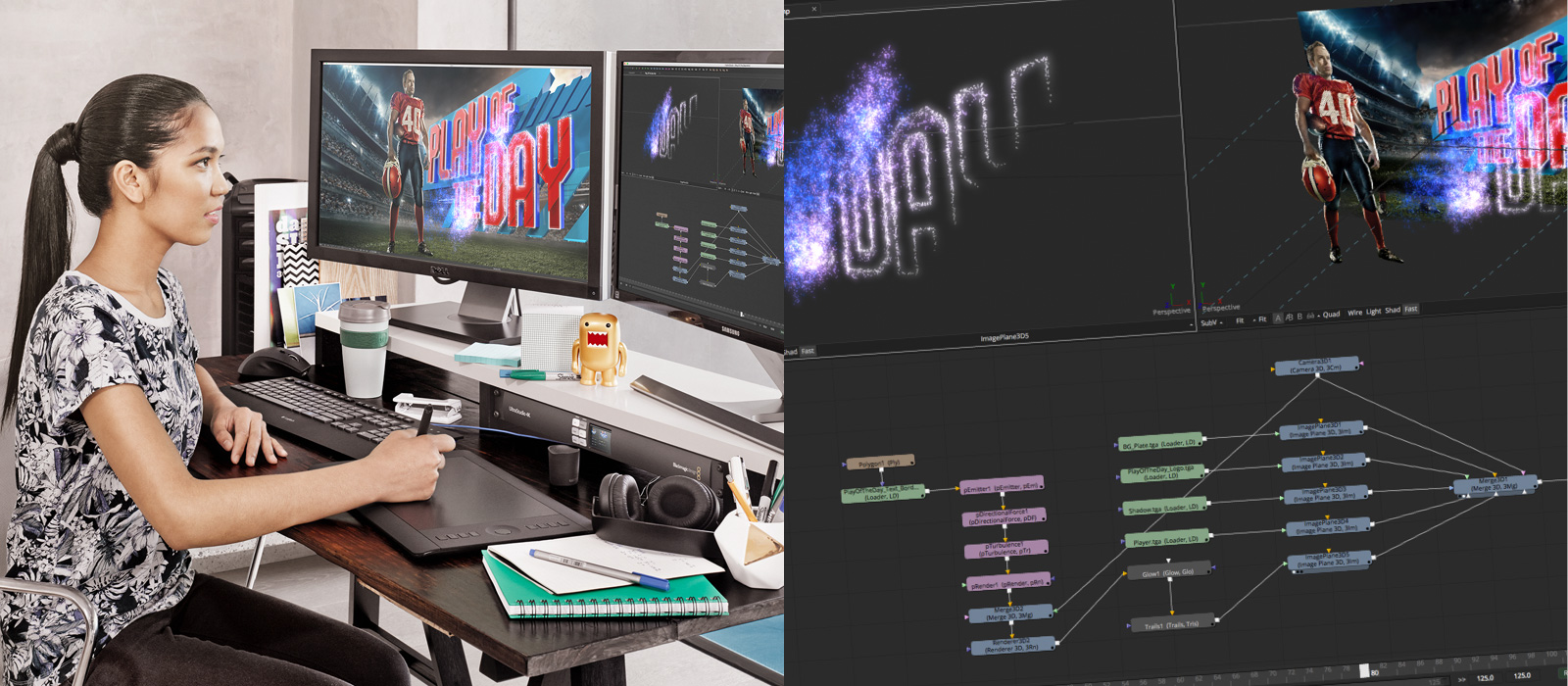
2D和3D標題
有了2D和3D文字工具,創作炫目動畫標題易如反掌!Fusion擁有傳統的文本格式控制和3D凸出功能,可添加反光、凹凸貼圖、陰影等。使用跟蹤工具對不同元素進行動畫製作,使其產生飛入和飛出效果,或者讓每個字母呈現波紋發光等效果,擁有無限制作可能!\

添加3D徽標
廣告和片頭設計經常要用到動畫標識。這時,您可以從Cinema 4D、3ds MAX或Maya導入渲染3D徽標,也可以從Illustrator和其他應用程式導入2D向量文件。使用Fusion提供的全面動畫製作工具集以及各類材質、光影、景深、彎曲、變形、錐體和扭曲等效果進行製作!
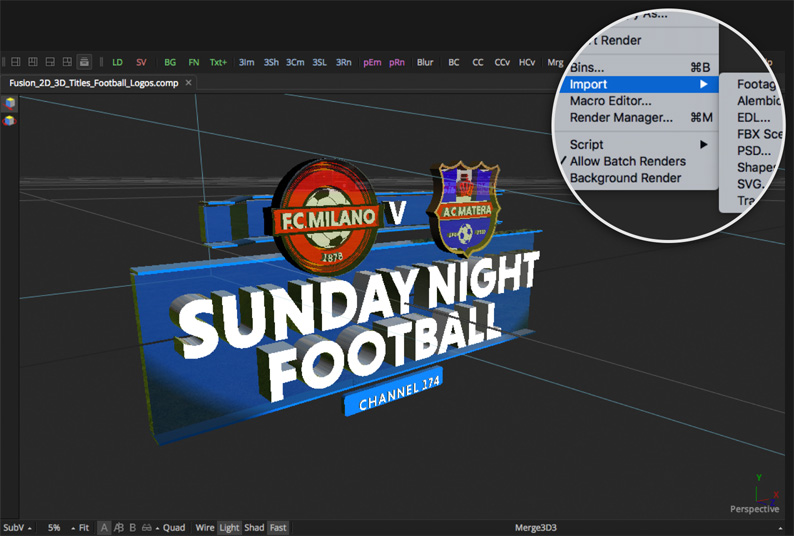
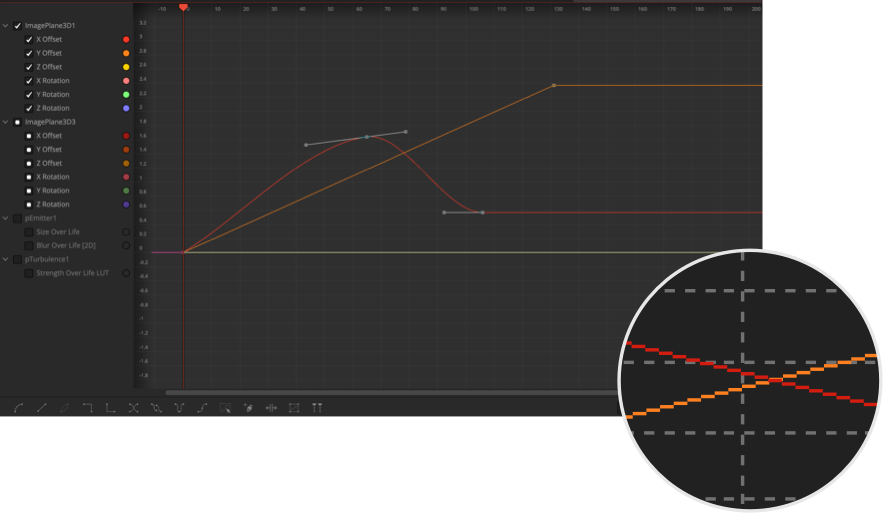
樣條線動畫製作
Fusion的曲線編輯器使用樣條線,可實現關鍵幀之間流暢平滑的動態效果。它們包括線性插值、貝塞爾插值、或B樣條曲線插值。這樣您就能應用自定義曲線,在各個關鍵幀之間製作出迴圈、倒退、乒乓效果,創建出複雜的動畫。同時,您還可以移動、拉伸或擠壓多個關鍵幀,創建出驚人的變化效果!
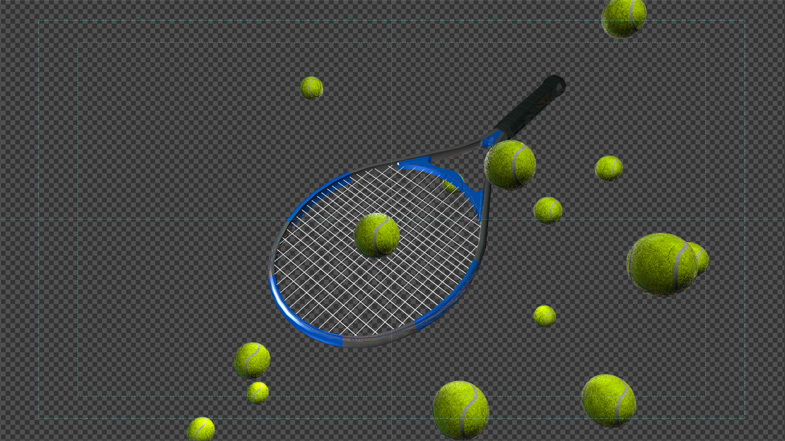
複製物體
複製工具能自動創建多列重複物體,以便用來填充不同的形狀。只要對複製物體的各項參數稍加調整,就可以創建出錯綜複雜的動畫效果!此外,您還能使用隨機工具添加更為細微的變化,獲得其他製作工具無法達到的自然動畫!
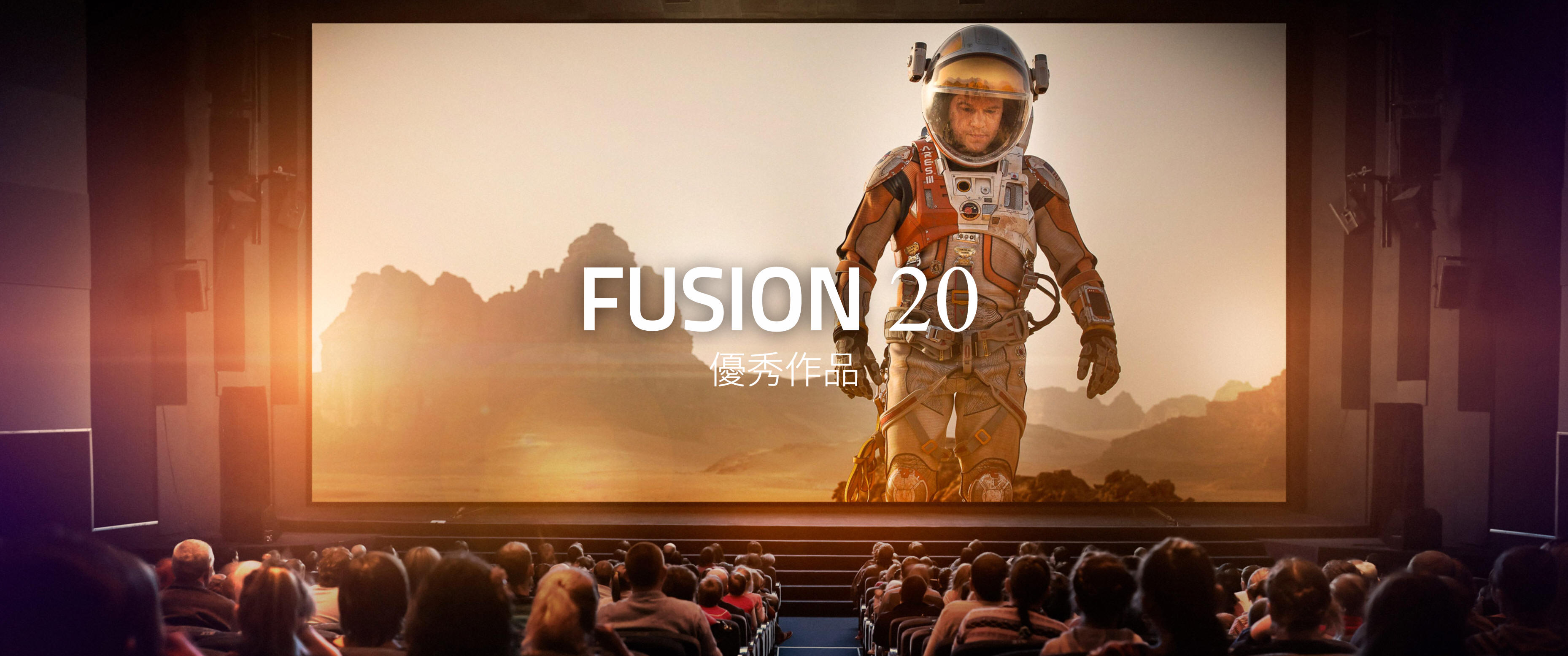
好萊塢的秘密武器!
不論電影或電視劇,其中無處不有Fusion的功勞!這是因為Fusion為眾多好萊塢大片和電視影集製作視覺特效及動態圖形服務已有將近30年。它在這些年裡能夠出色完成逾千個專案製作,全都要歸功於其先進的3D工作區、豐富的工具集以及驚人的工作速度!
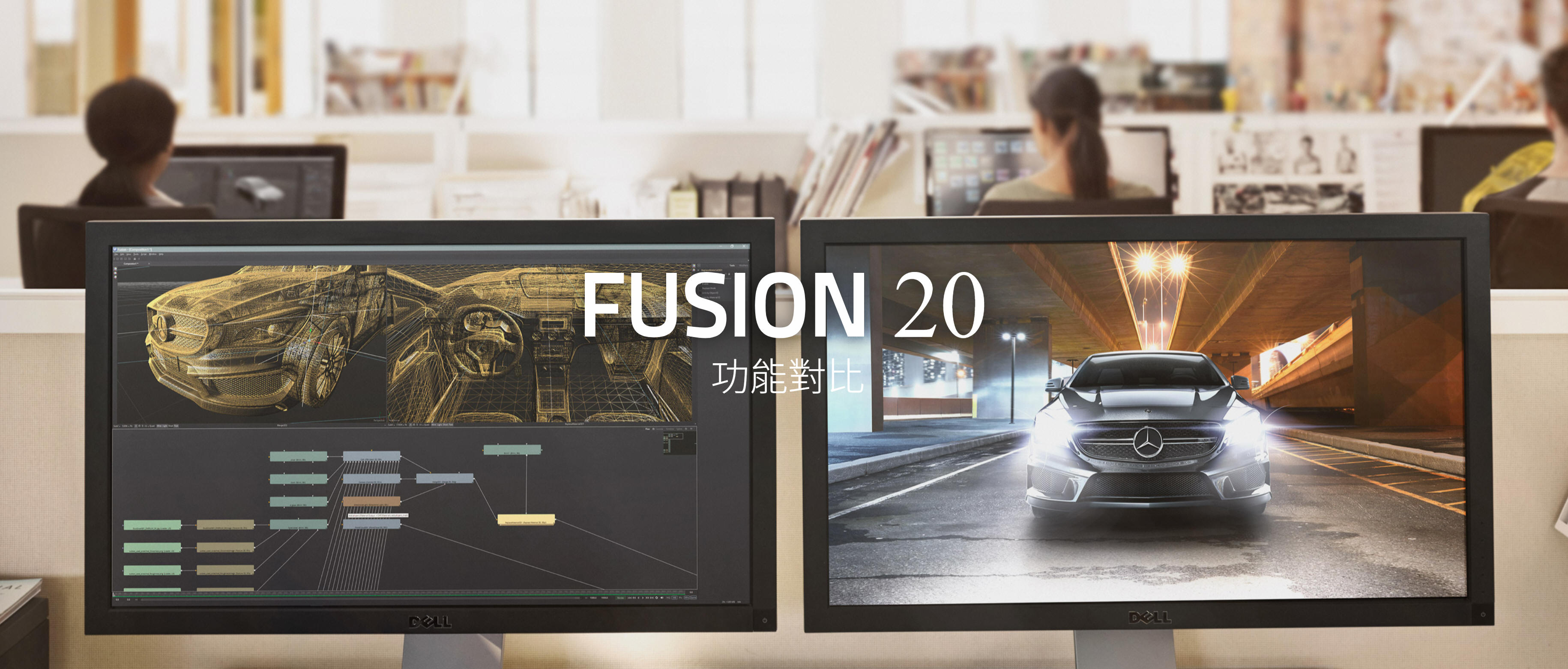
Fusion 20 功能對比
DaVinci Resolve Studio與Fusion Studio功能對比
Fusion是業界先進的2D和3D合成、VR和動態圖形軟體,如今還內置到了DaVinci
Resolve當中!它配備海量工具集,包括繪圖、動態遮罩、標題製作、動畫、摳像和3D粒子,以及支持導入和渲染3D模型、光流工具、立體3D模型、變速和穩定、第三方Open FX插件支援等眾多精彩功能。Fusion Studio 20還擁有無限制分散式網路渲染,在從事複雜專案工作時,還能使用其附贈的Studio
Player和媒體夾伺服器實現多用戶協作,共同完成跟蹤、管理、檢查和批准各類鏡頭效果。
| General |
Fusion in DaVinci Resolve 20 |
Fusion Studio 20 |
|
Integrated 2D and 3D compositing in an animation environment. |
YES | YES |
|
Mix and match footage of different resolutions, aspect ratios and formats within a single project. |
YES |
YES |
|
Footage of different color depths can be processed in their native color depth within a single flow graph. |
YES |
YES |
|
Responsive UI with interactive, real time rendering. |
YES |
YES |
|
Render to multiple formats and resolutions in a single pass, with multiple saver nodes at any position in the flow process. |
YES |
YES |
|
Resolution independent with support for images over 32K x 32K. |
Limited to |
YES |
|
Support for floating point images. |
YES |
YES |
|
Support for Metal, CUDA and OpenCL GPU acceleration. |
YES |
YES |
|
Two-level proxy system for fast interactive response. |
YES |
YES |
|
Open and work with multiple comps at once. |
YES |
YES |
|
Save Custom interface Layouts. |
YES |
YES |
|
Use Independent LUTs for each display view. |
YES |
YES |
|
Support for dual displays. |
YES |
YES |
|
A/B split view for comparing shots. |
YES |
YES |
|
View and edit your project in frames, timecode or feet+frames modes. |
YES |
YES |
|
Avid Connect Plug-in for using Fusion from the Media Composer timeline. |
NO |
YES |
|
Node Based Interface |
||
|
Intuitive node-based flow graph interface for building composites. |
YES |
YES |
|
Branch and connect tools to multiple nodes. |
YES |
YES |
|
Mix and match footage of different resolutions, field orders, aspect ratios and formats within a single project. |
YES |
YES |
|
Open and work with multiple comps at once. |
YES |
YES |
|
Copy and paste tools into other comps. |
YES |
YES |
|
Group and collapse tools into sub-flow for better organization. |
YES |
YES |
|
Drag and drop footage into flow directly from file explorer. |
YES |
YES |
|
Add notes to any node, or even the flow itself, as reminders or to assist with collaboration. |
YES |
YES |
|
Render a comp while working on another. |
NO |
YES |
|
Show thumbnails for images in flow graph. |
YES |
YES |
|
Integrated Script Debug Console. Step through code, set breakpoints and have multiple scripts open at the same time. |
YES |
YES |
|
VR |
||
|
Headset support for Occulus Rift, HTC Vive. |
Windows only |
Windows only |
|
Pano viewer for no headsets. |
YES |
YES |
|
Lag free 90fps viewing. |
YES |
YES |
|
Real time viewing of 3D scenes. |
YES |
YES |
|
Live action VR playback. |
YES |
YES |
|
Stereo VR. |
YES |
YES |
|
Conversion between VR image formats. |
YES |
YES |
|
VR Paint and Fix workflow. |
YES |
YES |
|
VR Motion Graphics and Tiling. |
YES |
YES |
|
Stabilization of VR live action scenes. |
YES |
YES |
|
VR Color correction. |
YES |
YES |
|
Animation Tools |
||
|
Display and edit multiple animation splines. |
YES |
YES |
|
Use Bezier or cubic splines for animation curves. |
YES |
YES |
|
Scale, shape and stretch splines. |
YES |
YES |
|
Set looping parameters for ping-pong, relative and number of loops. |
YES |
YES |
|
Use keyframe markers as guides. |
YES |
YES |
|
Step-in and step-out keyframe modes. |
YES |
YES |
|
Set guides, markers and snap-to points. |
YES |
YES |
|
Use time value offsets and scaling for multiple selected keyframes. |
YES |
YES |
|
Global ease in and out controls. |
YES |
YES |
|
Shape box to deform and taper splines. |
YES |
YES |
|
Studio Player |
||
|
Playback of any format support in Fusion including EXR. |
NO |
YES |
|
Playback via BMD Deck Link and UltraStudio. |
NO |
YES |
|
Single layer timeline with ability to play a number of shots. |
NO |
YES |
|
Set the In/Out trim for each shot. |
NO |
YES |
|
Color format control allows for consistent display of shots from different formats. |
NO |
YES |
|
Annotation notes can be typed on each clip, version, and project. |
NO |
YES |
|
Audio, Scratch track and audio per clip. |
NO |
YES |
|
Collaboration, Multiple Artists can access the same projects different machine. |
NO |
YES |
|
Remote sync makes multiple Studio Players follow the master, for scrubbing, playing and collaboration around the studio and around the world. |
NO |
YES |
|
Shot Versions are stored in the same project to allow for quick access to previous work and for comparison of progress. |
NO |
YES |
|
Guide overlays, customisable to show monitor/title safety and crops. |
NO |
YES |
|
Scriptable automation tasks using the Fusion scripting engine to control features. |
NO |
YES |
|
Timeline |
||
|
Non-linear timeline display for adjusting element timing. |
YES |
YES |
|
Trim and position multiple clips simultaneously. |
YES |
YES |
|
Scrub audio and view waveform within timeline. |
YES |
YES |
|
Sift the timeline display to show specific tools or groups of tools. |
YES |
YES |
|
Set guides, markers and snap-to points. |
YES |
YES |
|
Integrated spline viewer and editor. |
YES |
YES |
|
Spreadsheet view for quick editing of animated parameters. |
YES |
YES |
|
Drag and drop sorting of tools in the timeline to better focus on timing and keyframes. |
YES |
YES |
|
Color coding of tools and splines. |
YES |
YES |
|
Performance |
||
|
2D image processing accelerated by GPU. |
YES |
YES |
|
Completely multi-threaded rendering, uses every CPU available. |
YES |
YES |
|
GPU Acceleration of 3D workspace and rendering. |
YES |
YES |
|
GPU Acceleration of computationally intensive tools. |
YES |
YES |
|
Render and interactive performance scalable with remote nodes. |
NO |
YES |
|
Designed to work efficiently with extremely large files. |
YES |
YES |
|
Enhanced file caching for local and networked drives. |
YES |
YES |
|
Disk and Ram Caching stores processed images for immediate playback. |
YES |
YES |
|
Cache manager works invisibly in background - no user intervention required. |
YES |
YES |
|
Multiple tools can simultaneously maintain their own cache. |
YES |
YES |
|
Improve local performance/interactivity with remote render nodes. |
NO |
YES |
|
Automatic memory tuning. |
YES |
YES |
|
Images already in cache do not re-render. |
YES |
YES |
|
Cache output of any node to either RAM or disk. |
YES |
YES |
|
Region Of Interest and User-definable Domain Of Definition speed up image processing. |
YES |
YES |
|
Infinite Canvas eliminates clipping of image areas outside the project bounds. |
YES |
YES |
|
3D Workspace |
||
|
A fully integrated 3D compositing environment with lights, camera snap casted shadows. |
YES |
YES |
|
3D scene importing via FBX and Alembic, includes models, cameras, lights, and rigs. |
YES |
YES |
|
Render scenes with many millions of polygons and complex shading. |
YES |
YES |
|
Lightning fast GPU based renderer. |
YES |
YES |
|
Import 3D models from Maya, 3ds Max, Cinema 4D and more. |
YES |
YES |
|
3D importing of scenes with matched animation curves, stereo cameras, lighting and multi level materials. |
YES |
YES |
|
Relighting using rich deep pixels and reshading tools to a full GPU renderer. |
YES |
YES |
|
The GPU render outputs multiple layer types for later processing at extraordinary speed. |
YES |
YES |
|
GPU accelerated Ambient Occlusion rendering. |
YES |
YES |
|
Geometry creation, with primitives and 3D text. |
YES |
YES |
|
Bending, tapering and warping of geometry or groups of objects. |
YES |
YES |
|
Duplicate, Replicate objects to create armies or crowds. |
YES |
YES |
|
Support for multiple renderers and many scenes in one composition. |
YES |
YES |
|
Import tracked cameras that match live action and also match 3D animation applications, making a seamless workflow for studios. |
YES |
YES |
|
Multi Channel Support |
||
|
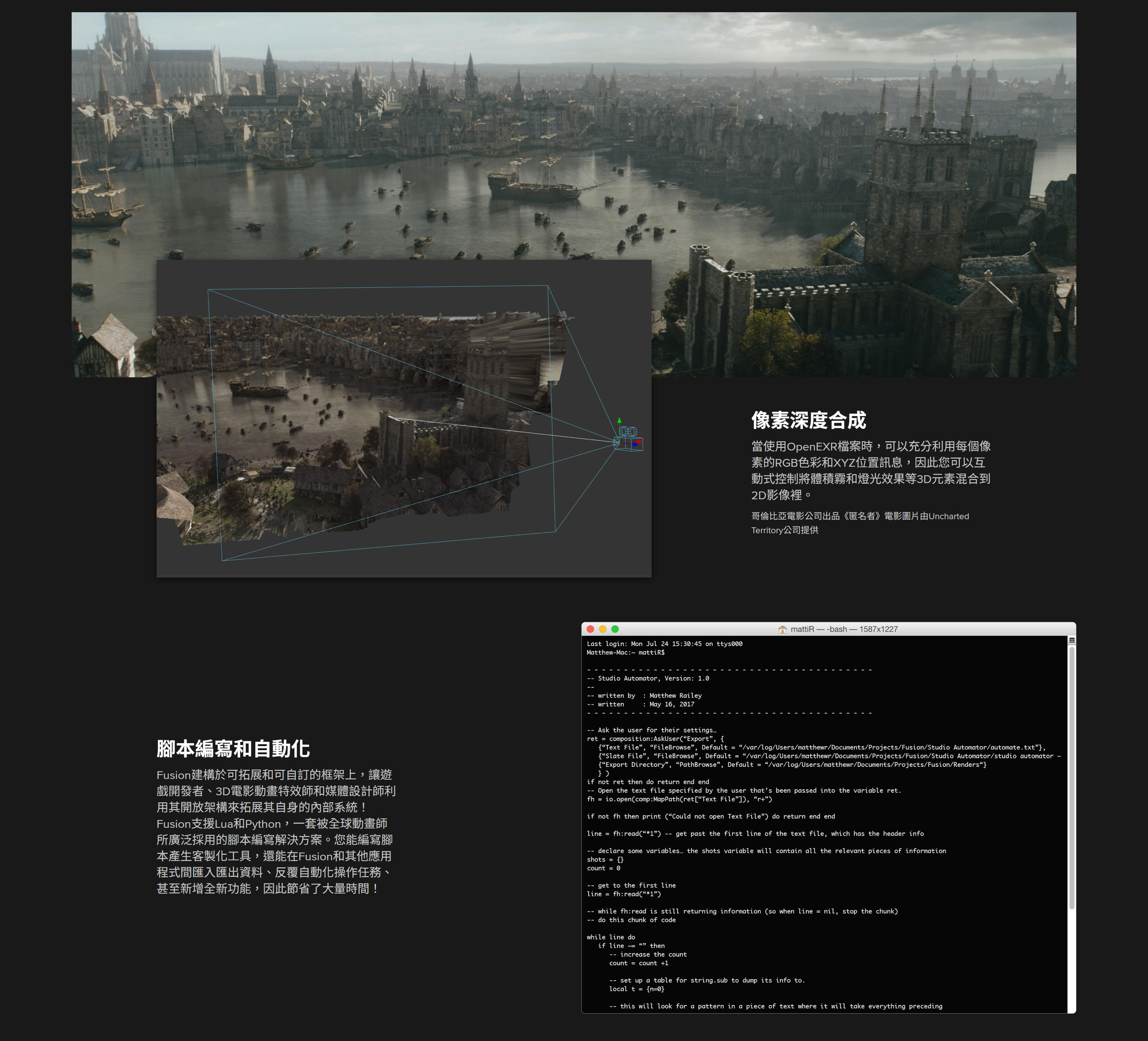
Use the extra channels in Open EXR files produced by 3D applications to enhance the look of 3D rendered material. |
YES |
YES |
|
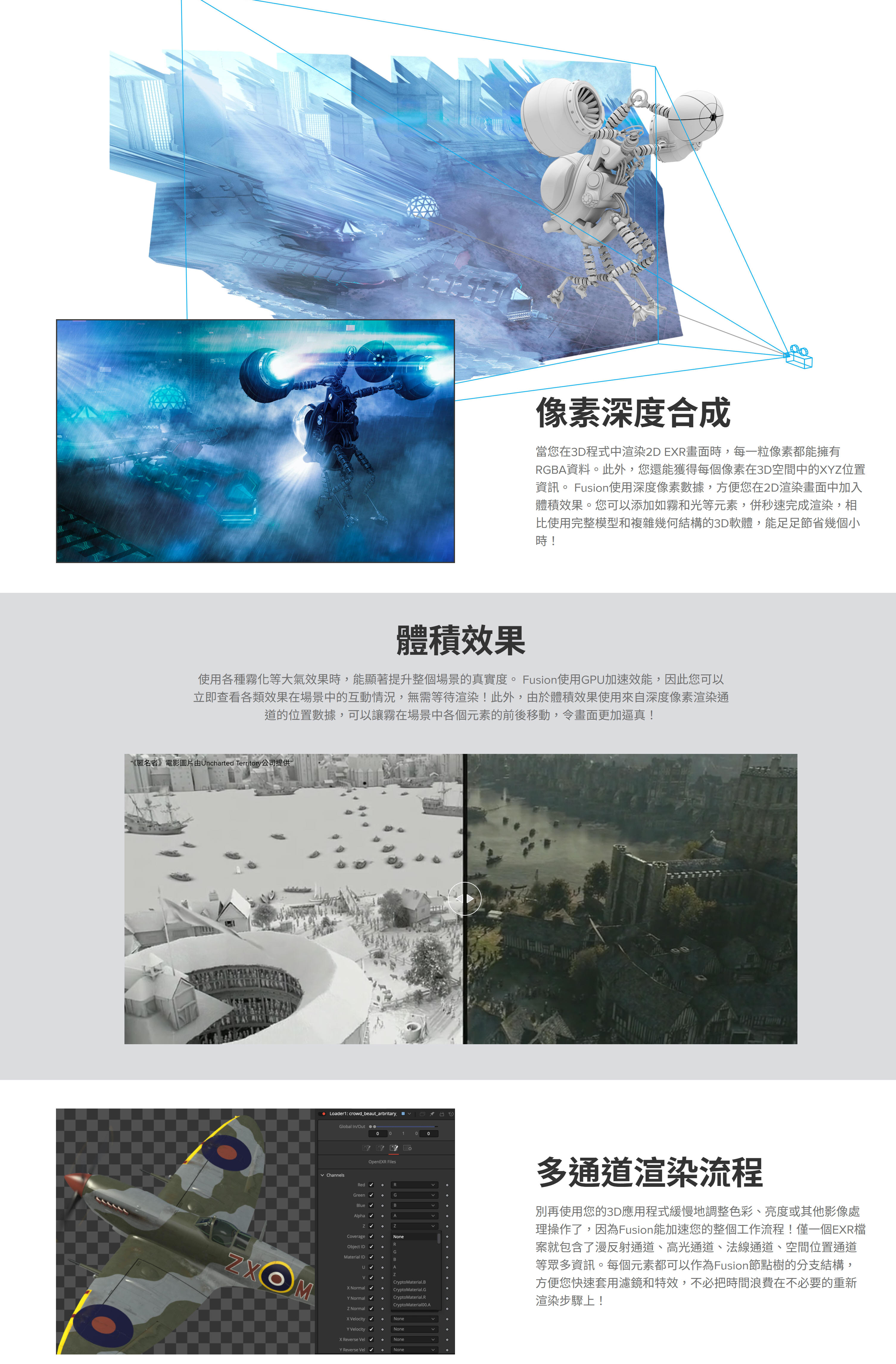
Depth merging combines two images based on the relative position of their pixels, eliminating the concept of foreground and background. |
YES |
YES |
|
3D Z-Depth Blur for true depth of field focusing. |
YES |
YES |
|
3D Shader for relighting object based on the information contained in the normals channel. |
YES |
YES |
|
3D Fog applies fog to an image based on depth of each pixel, or an external z-buffer map. |
YES |
YES |
|
3D Texture to apply reflection maps and replacement textures to 3D rendered objects. |
YES |
YES |
|
Use object and material IDs to mask the effect of any tool. |
YES |
YES |
|
Use the above tools and techniques with particles and grid warping tools in Fusion, which also produce extra channel information. |
YES |
YES |
|
Deep multi channel output for Z buffers, normals, UV texture and World Pass pass, velocity vectors. |
YES |
YES |
|
Deep Pixel Compositing |
||
|
Generate deep pixel data like World Position, Normals, UV. |
YES |
YES |
|
Volumetric Renderer, with full ray casted self shadowing volumes with variable density. |
YES |
YES |
|
World Position Pass integration of images with occlusion. |
YES |
YES |
|
Masking and Volumetric Atmospherics using World Position Pass. |
YES |
YES |
|
GPU accelerated for real time interactivity and rendering. |
YES |
YES |
|
Particles |
||
|
3D flow-based particle suite. |
YES |
YES |
|
Fully OpenGL accelerated for incredible speed. |
YES |
YES |
|
Bitmap, geometric or pixel based particle styles for ultimate flexibility. |
YES |
YES |
|
Variable control over spin, size, velocity, angle, spin, fade, blur and color over time. |
YES |
YES |
|
Modify particle behavior with physics-based tools like gravitational, wind, friction, tangential, point and gradient forces. |
YES |
YES |
|
Control modifier tools with effectors and force emitters, based on bitmaps, shapes or polylines. |
YES |
YES |
|
Advanced behavioral controls like flocking, turbulence, spawning and n-body attraction. |
YES |
YES |
|
N-GON particle style provides a variety of shaded geometric shapes for particles. |
YES |
YES |
|
Image Emitter tool turns each pixel of an image into a particle. |
YES |
YES |
|
Modify particle attributes with custom expressions. |
YES |
YES |
|
Produce depth of field blurring on particles based on Z-position. |
YES |
YES |
|
Animate any particle parameter over time. |
YES |
YES |
|
Apply motion blur to all particle streams. |
YES |
YES |
|
Choose from a variety of predefined particle styles and brushes. |
YES |
YES |
|
Merge separate particle streams together with pMerge tool. |
YES |
YES |
|
Output Z-buffer position for each particle, and depth blur particles together. |
YES |
YES |
|
Change particle styles based on collision and other ‘events’. |
YES |
YES |
|
Network renderable to slash render times. |
YES |
YES |
|
Network Rendering |
||
|
Unlimited free Render Nodes. |
NO |
YES |
|
Render Fusion comps on remote CPUs using unlimited number of render nodes. |
NO |
YES |
|
Network rendered previews, tool caches speed the entire production process from start to finish. |
NO |
YES |
|
Powerful render manager for maximum efficiency. |
NO |
YES |
|
Assign remote nodes to render groups and submit flow to only specified groups. |
NO |
YES |
|
Assign priorities to a submitted render to help resolve conflicts in busy environments. |
NO |
YES |
|
Network render Flipbook previews Disk and Ram caches. |
NO |
YES |
|
Select the range of frames to be rendered for each flow in the queue, without the need to modify or open the saved flow. |
NO |
YES |
|
Nodes that become available after a render has begun automatically rejoin the queue. |
NO |
YES |
|
Layer Blending Tools |
||
|
Use standard layer blend modes like screen, overlay, multiply, and soft light. |
YES |
YES |
|
Choose between additive and subtractive merge modes. |
YES |
YES |
|
Perform Z-depth compositing. |
YES |
YES |
|
Apply ‘burn in’ overexposure to foreground layer. |
YES |
YES |
|
Dissolve between layers with standard SMPTE wipes and gradients, or use custom bitmaps to control the dissolve. |
YES |
YES |
|
Apply calculated motion blur to any tool with animation applied. |
YES |
YES |
|
Paint |
||
|
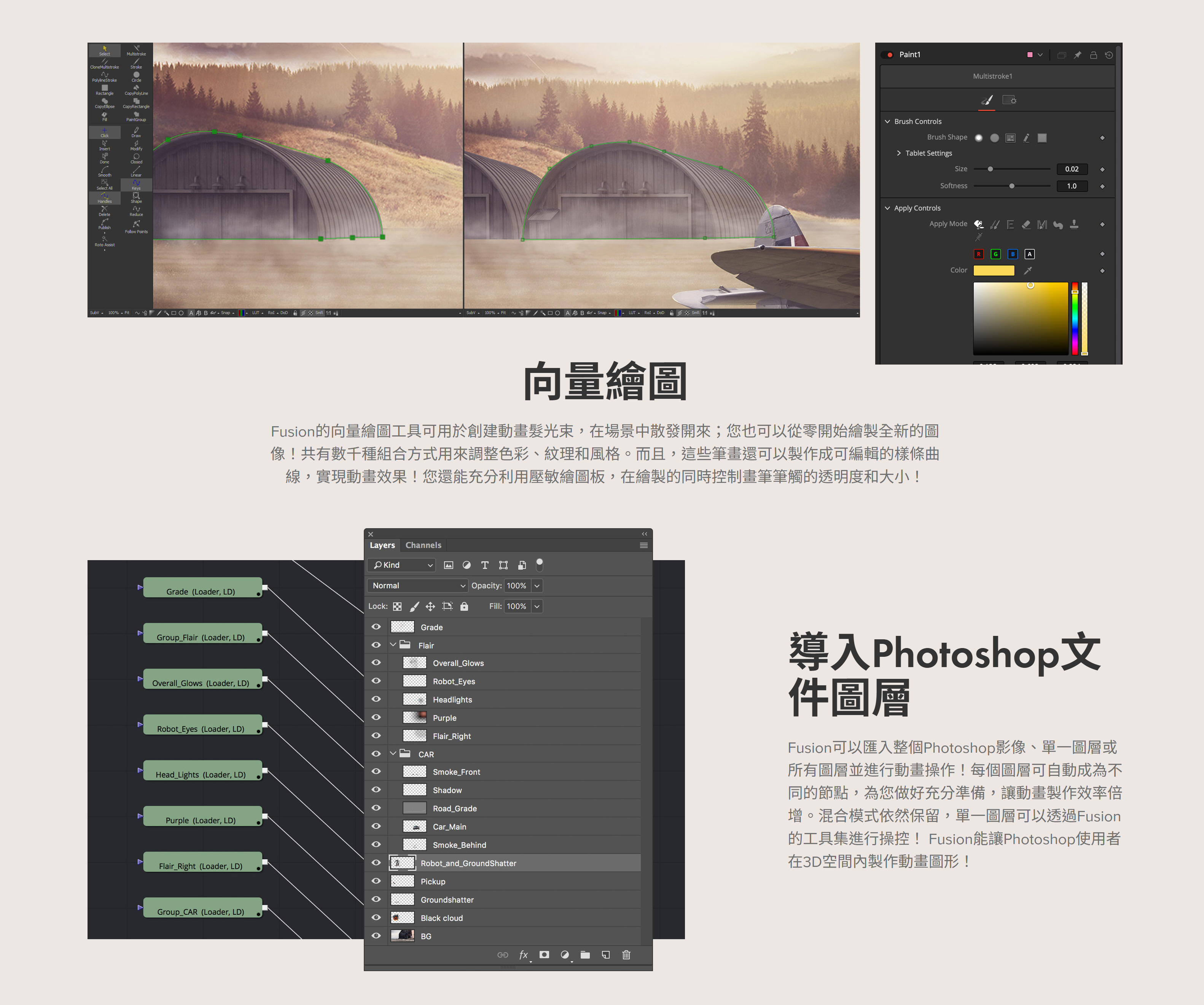
Vector based paint system. |
YES |
YES |
|
Paint with hard or soft edge brushes or bit map image brushes. |
YES |
YES |
|
Choose paint styles including Clone, Emboss, Smear, Stamp and more. |
YES |
YES |
|
Use strokes and shapes to paint non-destructively on images. |
YES |
YES |
|
On-the-fly caching for amazing interactive performance. |
YES |
YES |
|
Individual strokes can be moved, edited, animated and tracked. |
YES |
YES |
|
Supports standard pressure-sensitive tablets; brushes can vary by stroke pressure or velocity. |
YES |
YES |
|
Infinitely scalable brushes with extremely fine softness control. |
YES |
YES |
|
Flood fill for magic wand-style operations that work over time. |
YES |
YES |
|
Bezier and stroke wire removal tools for fast and flexible removal of rigging and other undesirable elements. |
YES |
YES |
|
2D/3D Text Creation |
||
|
Complete control over every parameter of a font’s color, size, kerning and layout. |
YES |
YES |
|
Use any TrueType, Open Type or PS1 type font. |
YES |
YES |
|
Layout text along spline paths, to a frame, or circle. |
YES |
YES |
|
Align text to frame, image or path, including horizontal and vertical justification. |
YES |
YES |
|
Full Unicode support for international and extended character sets. |
YES |
YES |
|
Manually adjust the kerning and position of every character. |
YES |
YES |
|
Mix and match fonts, colors, size and texture in a single tool. |
YES |
YES |
|
Extrude Text in 3D. |
YES |
YES |
|
Custom 3D bevel creation. |
YES |
YES |
|
Use multiple fill, outline and text borders. |
YES |
YES |
|
Use modifiers like Scramble, Timecode, and Follower. |
YES |
YES |
|
Animate built in ‘type on’ effects, rolls and crawls. |
YES |
YES |
|
Transform layout, characters, words and shading elements separately. |
YES |
YES |
|
Fills and outlines have individual shading, softness and glow. |
YES |
YES |
|
Map images and sequences onto text with a variety of mapping styles. |
YES |
YES |
|
Store commonly-used styles in library swatches for future use. |
YES |
YES |
|
Transform text in 3D, with independent transforms for the layout, character, shading components. |
YES |
YES |
|
Tracking |
||
|
Planar Tracker. |
YES |
YES |
|
Planar Stabilization and steadying. |
YES |
YES |
|
Planar Transforms of Roto. |
YES |
YES |
|
Camera Tracker with full 3D output of camera motion and pointcloud. |
YES |
YES |
|
Unlimited tracking points within a single tracker. |
YES |
YES |
|
High sub pixel precision. |
YES |
YES |
|
Integrated corner positioning, perspective correction, stabilization, and match moving, all within a single tool. |
YES |
YES |
|
Adaptive pattern acquisition. |
YES |
YES |
|
Track paths forward and backward. |
YES |
YES |
|
Stabilization based on an unlimited number of track points. |
YES |
YES |
|
Smooth and stabilize camera motion without eliminating existing pan or zoom. |
YES |
YES |
|
Automatic selection of best tracking channel, red, green, blue, alpha or luminance. |
YES |
YES |
|
Choose a manual rotation axis for stabilization. |
YES |
YES |
|
Drive the animation of any parameter, path or tool with tracked data. |
YES |
YES |
|
Publish and connect individual points on a spline. |
YES |
YES |
|
Creator Tools and Grain |
||
|
Fast Noise tool for extremely quick, high quality noise patterns. |
YES |
YES |
|
Mandelbrot generator produces extremely scalable fractal images. |
YES |
YES |
|
Continuous and discontinuous noise options. |
YES |
YES |
|
Noise detail and noise brightness maps for precision control over noise generation. |
YES |
YES |
|
Background generator for solid and gradient type backgrounds. |
YES |
YES |
|
Generate gradients calculated in RGB, HLS, HSV or LAB color space. |
YES |
YES |
|
Unlimited gradient color points for fine control over gradient progression. |
YES |
YES |
|
Animate gradient procession over time. |
YES |
YES |
|
Select from one of six gradient types including linear, radial and square. |
YES |
YES |
|
Static, repeat and ping pong modes for out of bounds gradients. |
YES |
YES |
|
Day Sky simulates the Sky based on time of year and time. |
YES |
YES |
|
Plasma generator for frequency interference based noise patterns. |
YES |
YES |
|
Adjustable grain strength, size, softness and spacing. |
YES |
YES |
|
Response curves control amount of grain across a gradient for each color channel to closely match film stock grain behavior. |
YES |
YES |
|
Color differences between grain channels help match non monochromatic type grains. |
YES |
YES |
|
Choose between random or seeded grain noise for repeatable and static noise types. |
YES |
YES |
|
Keying/Matte Tools |
||
|
Delta keyer, high end keyer with fine tuning controls. |
YES |
YES |
|
Clean plate pre keyer to smooth lighting differences in screen color. |
YES |
YES |
|
Industry standard Primatte 5 Keyer. |
NO |
YES |
|
Fusion's exclusive Ultra Keyer optimized for Blue and Green screen extraction. |
YES |
YES |
|
Chroma and Luma Keyer for extracting mattes from color or luminance channels. |
YES |
YES |
|
Five modes of spill suppression to eliminate even the most difficult reflection halos. |
YES |
YES |
|
Animated garbage mattes for isolating rigging and set elements. |
YES |
YES |
|
Adjustable edge gamma and fringe color correction. |
YES |
YES |
|
Matte thresholding for semi-transparent region replacement. |
YES |
YES |
|
Matte blur, gamma, and contrast control for post key processing of the matte. |
YES |
YES |
|
Image Processing Filters |
||
|
Lens type defocusing with blooming and NGon elements. |
YES |
YES |
|
Lens flare-style hotspots with occlusion and lens aberrations. |
YES |
YES |
|
Glow, soft glow, glow under and glow thresholding modes. |
YES |
YES |
|
Pre-masks for glow, highlight, dve and other tools. |
YES |
YES |
|
Directional blurs for motion and zoom style blurring. |
YES |
YES |
|
Erode and dilate filters for burn in and overexposure effects. |
YES |
YES |
|
Sharpen and unsharpen masking. |
YES |
YES |
|
Sobel and laplacian edge detection. |
YES |
YES |
|
Custom convolution kernel filtering. |
YES |
YES |
|
Transforms and Warping |
||
|
Transform image with high-quality area sampling for excellent anti-aliasing. |
YES |
YES |
|
Concatenated transformations speed operations and improve quality. |
YES |
YES |
|
Apply displacements, dents, and vortexes to any image. |
YES |
YES |
|
Choose from one of eight drip deformations with control over amplitude, aspect, frequency and aspect. |
YES |
YES |
|
True perspective positioning and correction. |
YES |
YES |
|
Corner pinning for sign replacement and four point scaling. |
YES |
YES |
|
Grid-based image warping over an entire image or a specified region. |
YES |
YES |
|
Define separate source and destination grids for morphing effects. |
YES |
YES |
|
Complete bezier and smoothing control over each grid point. |
YES |
YES |
|
Magnet or static selection types for easy manipulation of multiple grid points. |
YES |
YES |
|
Retiming |
||
|
Optical Flow based retiming. |
YES |
YES |
|
Linear and Non-Linear retiming of clips. |
YES |
YES |
|
Animatable frame interpolation and blending for smoother motion. |
YES |
YES |
|
Rotoscoping Tools and Masking |
||
|
Planar tracked roto. |
YES |
YES |
|
Create masks using bezier splines, B-splines, paint tool or bitmap images. |
YES |
YES |
|
Magic wand-type mask performs color picking over time. |
YES |
YES |
|
Non-uniform feathering of spline shapes. |
YES |
YES |
|
Roto Assist, to find edges of the subject. |
YES |
YES |
|
Roto Onion skinning, shows the roto shapes for multiple frames. |
YES |
YES |
|
Controllable motion blur. |
YES |
YES |
|
Use masks to limit the effect of any tool to a specified region. |
YES |
YES |
|
Re-order, copy, paste and cut masks. |
YES |
YES |
|
Color Tools |
||
|
Adjust hue, saturation, tinting, gamma, gain, contrast, brightness for any color channel or luminance range. |
YES |
YES |
|
Manipulate levels and image histogram directly. |
YES |
YES |
|
Spline-based Color Curves tool allows look up table color correction for infinite flexibility. |
YES |
YES |
|
User definable ranges for shadows, midtones and highlights. |
YES |
YES |
|
Separate color correction by channel or region. |
YES |
YES |
|
Color match to a reference image. |
YES |
YES |
|
Channel Booleans tool to copy and blend image channels based on add, subtract, multiply and other mathematical operations. |
YES |
YES |
|
Colorspace Processing |
||
|
Supports integer and HDRI floating processing of color depth. |
YES |
YES |
|
Out of range color values are preserved through color adjustments. |
YES |
YES |
|
Industry standard color spaces including ACES, REC709, REC2020, and Wide Gamut. |
YES |
YES |
|
Linear Light Color/Open Color IO. |
YES |
YES |
|
Monitor calibration. |
YES |
YES |
|
Waveform, Vectorscope and Histogram displays. |
YES |
YES |
|
LUT creation, analyzing and designing tools. |
YES |
YES |
|
3D LUTs. |
YES |
YES |
|
Work in RGB, YUV, CMY and other color spaces. |
YES |
YES |
|
Use logarithmic images like Cineon and DPT without first converting them to linear space. |
YES |
YES |
|
Optical Flow Tools |
||
|
Optical Flow analysis for generating forward and back vectors. |
YES |
YES |
|
Change the speed of a clip using optical flow analysis. |
YES |
YES |
|
RepairFrame regenerates a frame using optical flow between its two neighbors. |
YES |
YES |
|
SmoothMotion for smoothing of color or aux channels using optical flow. |
YES |
YES |
|
Tween interpolates between two non-sequential images |
YES |
YES |
|
Stereoscopic 3D Toolset |
||
|
Built in 3D cameras with support for eye separation, convergence and toe in, or Parallel mode. |
YES |
YES |
|
Disparity stereo map generation, with mapping in both left and right eyes. |
YES |
YES |
|
New Eye tool for generating new left and right images, with convergence and alignment. |
YES |
YES |
|
Stereo Align tool for adjusting vertical alignment, convergence, and eye separation. |
YES |
YES |
|
DisparityToZ and ZToDisparity converts Disparity to and from Z depth. |
YES |
YES |
|
Global Alignment tool for adjusting a stereo pair without warping. |
YES |
YES |
|
Stereo Stack and Unstack to combine Left and Right images into a single stereo pair. |
YES |
YES |
|
Support for 3D stereo viewing systems including anaglyph, side-by-side, stacking and interlace viewing. |
YES |
YES |
|
3rd Party Plugin Support |
||
|
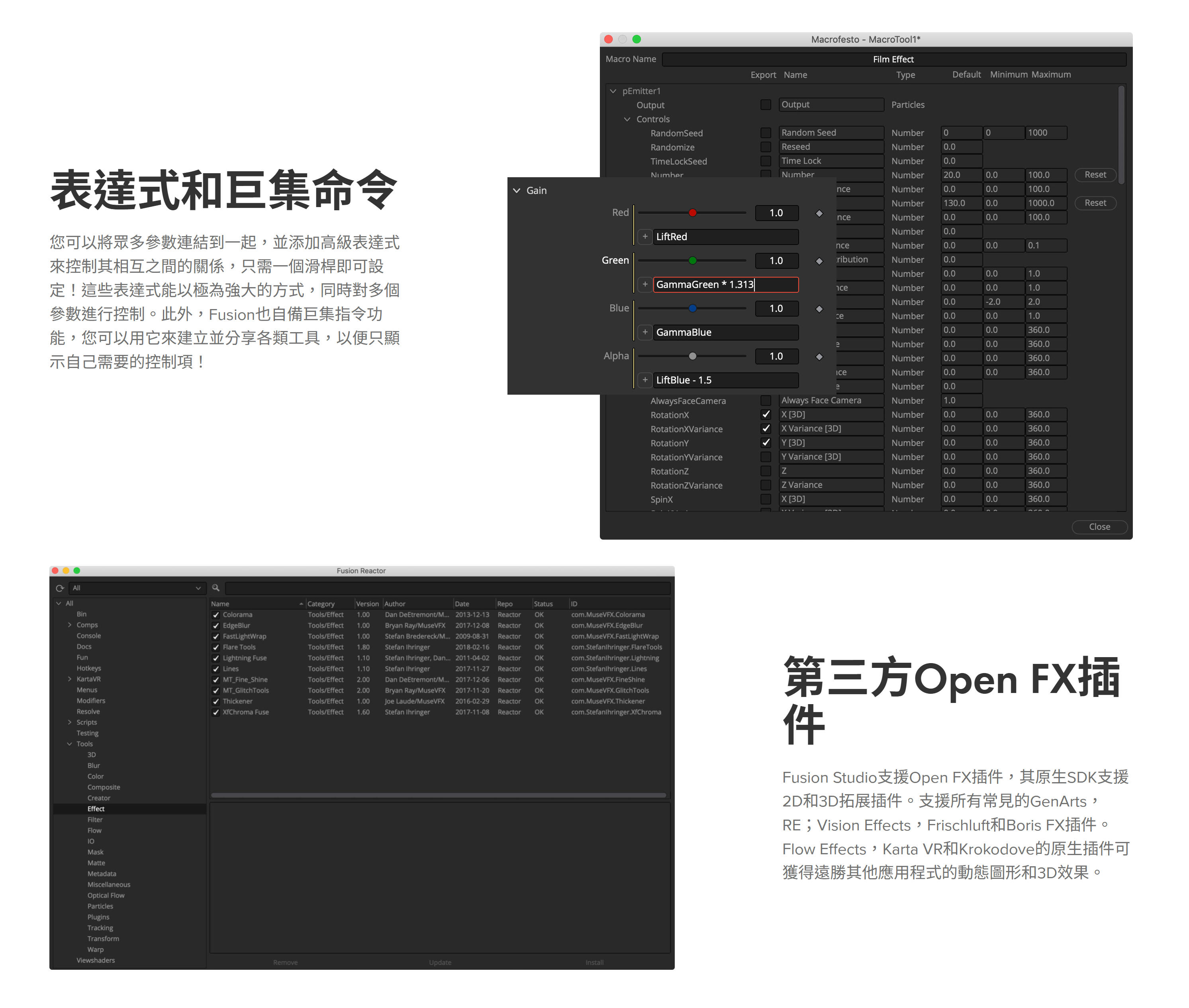
Support for Open FX Plugins, including GenArts and RE:Vision Effects. |
YES |
YES |
|
Native SDK for 3D and image processing tools. |
YES |
YES |
|
Bins and Media Organisation |
||
|
Bins for easy access to commonly used Tools, Settings, Macros, Compositions and Footage. |
YES |
YES |
|
Bin server for sharing Bin assets over network. |
NO |
YES |
|
Carry Metadata through a project pipeline. |
YES |
YES |
|
Read existing Metadata on clips. |
YES |
YES |
|
Copy and insert custom metadata to any image. |
YES |
YES |
|
File Format Compatibility |
||
|
MXF, DNxHQ, DNxHR. |
YES |
YES |
|
FFMpeg Bridge for further Codec Support, customer must download separately. |
NO |
YES |
|
EXR 2.2. |
YES |
YES |
|
Support for Blackmagic Design Cinema Cameras and Cinema DNG format. |
YES |
YES |
|
Supports over 30 image file formats including OpenEXR, DPX, TIFF, JPEG, PSD, and QuickTime. |
YES |
YES |
|
Support for SVG scalable vector files. |
YES |
YES |
|
Support for Arri raw format, R3D format, Canon rmf raw, Support for Vision Research Phantom Cameras and Cine format. |
YES |
YES |
|
3:2 Pull Down and Pull Up with automatic sequence detection. |
YES |
YES |
|
Process fields/frames in NTSC, PAL or HD field orders, control over dominance or field order. |
YES |
YES |
|
Create clip lists containing multiple files within a single loader. |
YES |
YES |
|
Load and process common IFL (image file list) formats. |
YES |
YES |
|
Load full resolution and proxy clips together, toggling between modes on the fly. |
YES |
YES |
|
Use WAV audio for timing and playback. |
NO |
YES |
|
View audio waveform in timeline. |
YES |
YES |
|
Extensibility |
||
|
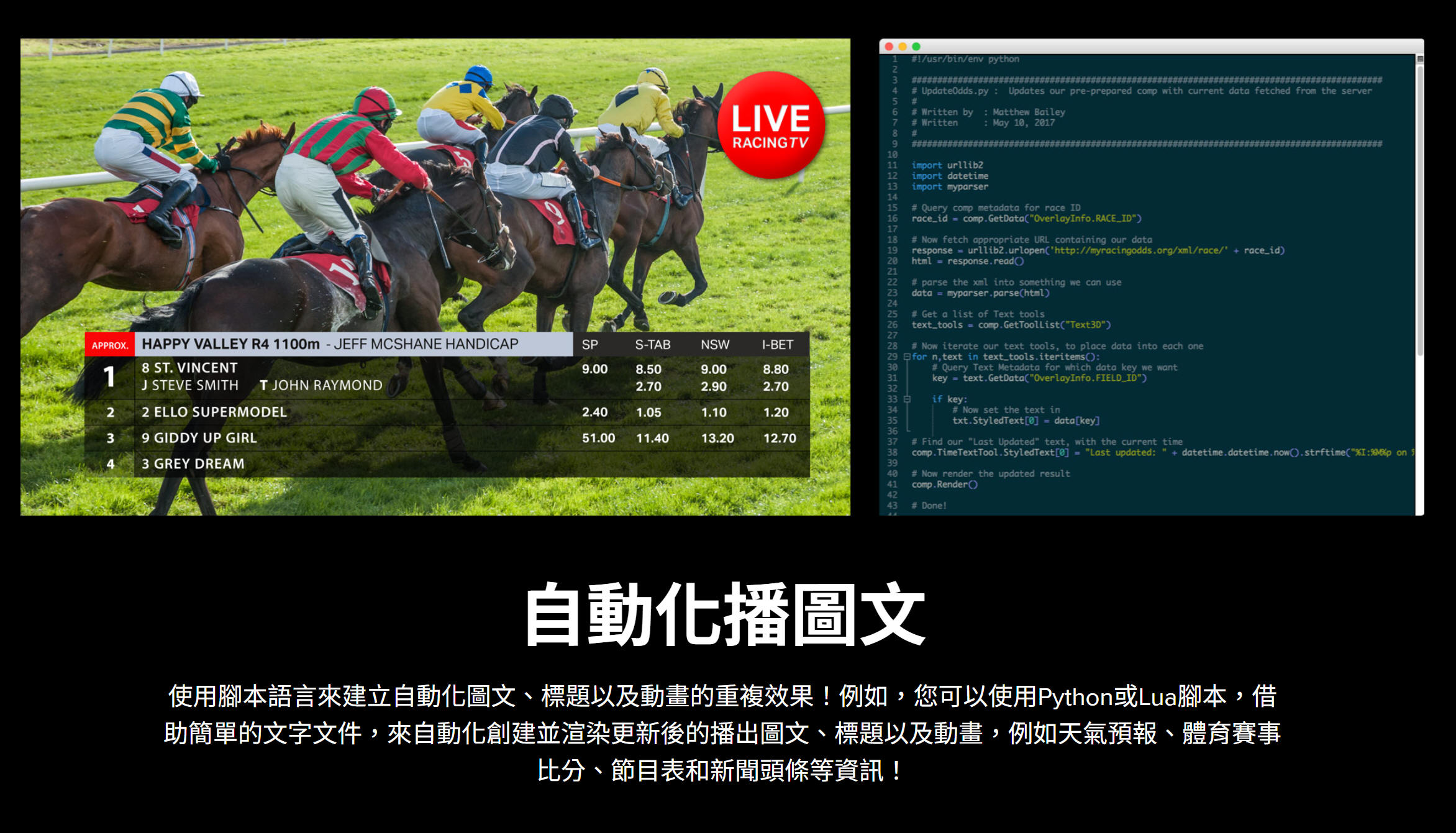
Embedded Lua and Python scripting support. |
YES |
YES |
|
Integrated development environment. |
YES |
YES |
|
Pre-built scripts to automate common workflows. |
YES |
YES |
|
Control Fusion scripts from local or remote machines. |
YES |
YES |
|
Launch and control external tools from within Fusion. |
YES |
YES |
|
Macro tool combines standard tools to create custom tools. |
YES |
YES |
|
Fuses tool kit for development of custom tools with build in compiler. |
YES |
YES |
|
Just-In-Time compiling of image processing tools. |
YES |
YES |
Fusion Studio
打造擁有電影質感的視覺特效與動態圖形!擁有數百種2D和3D工具、先進的動畫曲線、3D粒子、關鍵影格編輯器、3D攝影機追蹤、動態遮罩和摳像工具。 Fusion Studio可透過DaVinci Resolve許可證啟動。
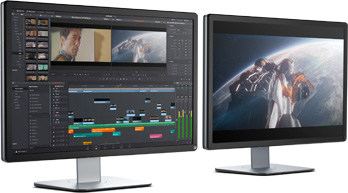
DaVinci Resolve
Studio (Activation Card)
包括免費版本中的所有內容以及DaVinci Neural Engine功能,多用戶協作,立體3D工具,數十種ResolveFX和FairlightFX插件,HDR分級,膠片顆粒,模糊和霧效果等。
DaVinci Resolve (免費下載)
創新的編輯工具,包括革命性的新剪輯頁面,視覺效果,動態圖像,色彩校正和音頻後期製作,所有這些都在一個應用程序中!
DaVinci Resolve for iPad 最強免費好萊塢級編輯和調色工具介紹
Blackmagic RAW編解碼格式介紹
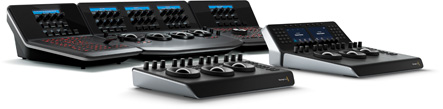
DaVinci Resolve調色盤
睿智設計帶來流暢操作,同一時間快速控制暗部、中灰和亮部等多項參數。
DaVinci Resolve Micro Panel調色控制台
DaVinci Resolve Micro Color Panel 迷您調色控制台
鍵盤
DaVinci Resolve Speed Editor 速剪接鍵盤
DaVinci Resolve Replay Editor 鍵盤
DaVinci Resolve Editor Keyboard剪接鍵盤
專用鍵盤,專用編輯鍵和高品質搜索滾輪,大大加快您的工作流程
#DaVinciResolve Studio #EDIT #Color #達芬奇 #達聞西
#聞西 #調音 #Fairlight
#APPLE #M1 #M2 #M3 #PRO #MAX #MACBOOK PRO #M1PROMAX
#Mac #Windows #Linux
#Premiere #FinalCut Pro #BMD #BlackmagicDesign
#剪接軟體 #調色 #調光 #電影 #微電影 #精簡 #快剪
