
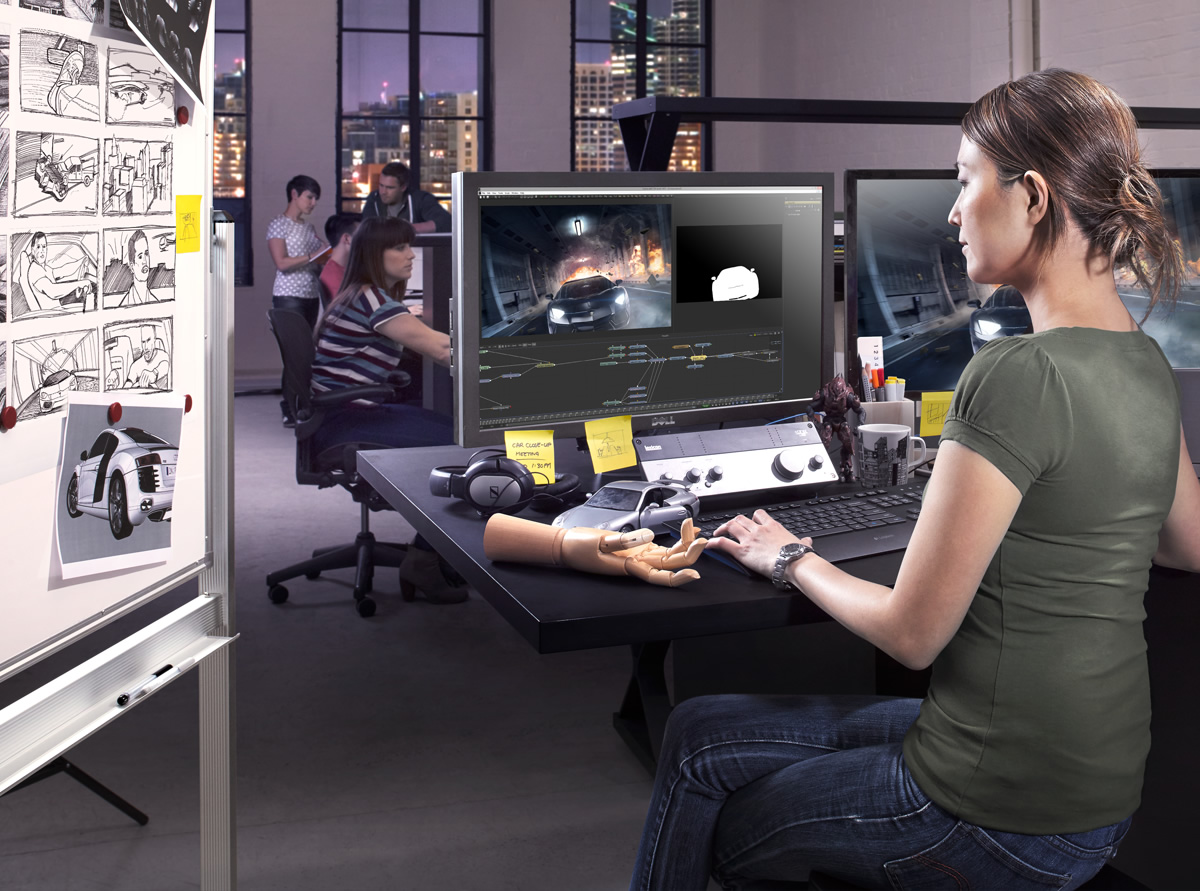
不論您是剛接觸Fusion亦或是資深Fusion特效師,這兩個不同版本都能為您帶來全球最為先進的視覺特效和動態圖形動畫軟體功能!要知道哪個Fusion版本更加適合您的工作,請參考以下功能介紹。
| General | Fusion 8 免費 |
Fusion 8 Studio |
| Integrated 2D and 3D compositing an animation environment | Yes | Yes |
| Resolution independent with support for images over 32K x 32K | Yes. Limited to Ultra HD Output |
Yes |
| Mix and match footage of different resolutions, field orders, aspect ratios and formats within a single project. | Yes | Yes |
| Footage of different color depths can be processed in their native color depth within a single flow graph | Yes | Yes |
| Responsive UI with interactive, real-time rendering | Yes | Yes |
| Render to multiple formats and resolutions in a single pass, with multiple saver nodes at any position in the flow process. | Yes | Yes |
| Seamlessly blend floating point, 64 bit and 32 bit images without concern. | Yes | Yes |
| Two-level proxy system for fast interactive response | Yes | Yes |
| Open and work with multiple comps at once | Yes | Yes |
| Open unlimited floating display views. | Yes | Yes |
| Save Custom interface Layouts. | Yes | Yes |
| Use Independent LUT’s for each display view. | Yes | Yes |
| Support for dual displays | Yes | Yes |
| A/B split view for comparing shots | Yes | Yes |
| View and edit your project in frames, timecode or feet+frames modes. | Yes | Yes |
| Includes Generation studio wide management software for assigning tasks, tracking assets, and versioning shots. | No | Yes |
| Includes Avid Connect plug-in for using Fusion from the Media Composer timeline on Windows. | No | Yes |
| Node Based Interface | Fusion 8 免費 |
Fusion 8 Studio |
| Intuitive node-based flow graph interface for building composites. | Yes | Yes |
| Branch and connect tools to multiple nodes. | Yes | Yes |
| Open and work with multiple comps at once. | Yes | Yes |
| Copy and paste tools into other comps. | Yes | Yes |
| Group and collapse tools into sub-flow for better organization. | Yes | Yes |
| Drag and drop footage into flow directly from file explorer. | Yes | Yes |
| Add notes to any node, or even the flow itself, as reminders or to assist with collaboration. | Yes | Yes |
| Render a comp while working on another. | Yes | Yes |
| Show thumbnails for images in flow graph | Yes | Yes |
| Integrated Script Debug Console. Step through code, set breakpoints and have multiple scripts open at the same time. | Yes | Yes |
| Animation Tools | Fusion 8 免費 |
Fusion 8 Studio |
| Display and edit multiple animation splines. | Yes | Yes |
| Use Bezier or cubic splines for animation curves. | Yes | Yes |
| Scale, shape and stretch splines. | Yes | Yes |
| Set looping parameters for ping-pong, relative and number of loops. | Yes | Yes |
| Use keyframe markers as guides. | Yes | Yes |
| Step-in and step-out keyframe modes. | Yes | Yes |
| Set guides, markers and snap-to points. | Yes | Yes |
| Use time value offsets and scaling for multiple selected keyframes. | Yes | Yes |
| Global ease in and out controls. | Yes | Yes |
| Shape box to deform and taper splines | Yes | Yes |
| Timeline | Fusion 8 免費 |
Fusion 8 Studio |
| Non-linear timeline display for adjusting element timing. | Yes | Yes |
| Trim and position multiple clips simultaneously. | Yes | Yes |
| Scrub audio and view waveform within timeline. | Yes | Yes |
| Sift the timeline display to show specific tools or groups of tools. | Yes | Yes |
| Set guides, markers and snap-to points. | Yes | Yes |
| Integrated spline viewer and editor | Yes | Yes |
| Spreadsheet view for quick editing of animated parameters | Yes | Yes |
| Drag and drop sorting of tools in the timeline to better focus on timing and keyframes | Yes | Yes |
| Color coding of tools and splines | Yes | Yes |
| Performance | Fusion 8 免費 |
Fusion 8 Studio |
| Completely multi-threaded rendering, uses every CPU available. | Yes | Yes |
| GPU Acceleration of 3D workspace and rendering | Yes | Yes |
| OpenCL Acceleration of computationally intensive tools | Yes | Yes |
| Render and interactive performance scalable with remote nodes. | No | Yes |
| Designed to work efficiently with extremely large files. | Yes | Yes |
| Enhanced file caching for local and networked drives. | Yes | Yes |
| Disk and Ram Caching stores processed images for immediate playback. | Yes | Yes |
| Cache manager work invisibly in background - no user intervention required. | Yes | Yes |
| Multiple tools can simultaneously maintain their own cache. | Yes | Yes |
| Improve local performance/interactivity with remote render nodes | No | Yes |
| Automatic memory tuning | Yes | Yes |
| Images already in cache do not re-render. | Yes | Yes |
| Cache output of any node to either RAM or disk. | Yes | Yes |
| Region Of Interest and User-definable Domain Of Definition speed up image processing | Yes | Yes |
| Infinite Canvas eliminates clipping of image areas outside the project bounds. | Yes | Yes |
| 3D Workspace | Fusion 8 免費 |
Fusion 8 Studio |
| A fully integrated 3D compositing environment with lights, camera snap casted shadows | Yes | Yes |
| 3D scene importing via FBX and Alembic, includes models, cameras, lights, and rigs. | Yes | Yes |
| Render scenes with many millions of polygons and complex shading. | Yes | Yes |
| Lightning fast GPU based renderer | Yes | Yes |
| Import 3D models from Maya, 3ds Max, Cinema 4D and more. | Yes | Yes |
| 3D importing of scenes with matched animation curves, stereo cameras, lighting and multi level materials. | Yes | Yes |
| Relighting using rich deep pixels and reshading tools to a full GPU renderer. | Yes | Yes |
| The GPU render outputs multiple layer types for later processing at extraordinary speed. | Yes | Yes |
| GPU accelerated Ambient Occlusion rendering | Yes | Yes |
| Geometry creation, with primitives and 3D text | Yes | Yes |
| Bending, tapering and warping of geometry or groups of objects | Yes | Yes |
| Duplicate, Replicate objects to create armies or crowds. | Yes | Yes |
| Support for multiple renderers and many scenes in one composition | Yes | Yes |
| Import tracked cameras that match live action and also match 3D animation applications, making a seamless workflow for studios. | Yes | Yes |
| Multi Channel Support | Fusion 8 免費 |
Fusion 8 Studio |
| Use the extra channels in Open EXR files produced by 3D applications to enhance the look of 3D rendered material | Yes | Yes |
| Depth merging combines two images based on the relative position of their pixels, eliminating the concept of foreground and background. | Yes | Yes |
| 3D Z -Depth Blur for true depth of field focusing | Yes | Yes |
| 3D Shader for relighting object based on the information contained in the normals channel. | Yes | Yes |
| 3D Fog applies fog to an image based on depth of each pixel, or an external z-buffer map. | Yes | Yes |
| 3D Texture to apply reflection maps and replacement textures to 3D rendered objects. | Yes | Yes |
| Use object and material ID’s to mask the effect of any tool. | Yes | Yes |
| Use the above tools and techniques with particles and grid warping tools in Fusion, which also produce extra channel information. | Yes | Yes |
| Deep multi channel output for Z buffers, normals, UV texture and World Pass pass, velocity vectors. | Yes | Yes |
| Deep Pixel Compositing | Fusion 8 免費 |
Fusion 8 Studio |
| Generate deep pixel data like World Position, Normals, UV | Yes | Yes |
| Volumetric Renderer, with full ray casted self shadowing volumes with variable density. | Yes | Yes |
| World Position Pass integration of images with occlusion. | Yes | Yes |
| Masking and Volumetric Atmospherics using World Position Pass | Yes | Yes |
| OpenCL GPU accelerated for real time interactivity and rendering | Yes | Yes |
| Particles | Fusion 8 免費 |
Fusion 8 Studio |
| 3D flow-based particle suite | Yes | Yes |
| Fully OpenGL accelerated for incredible speed. | Yes | Yes |
| Bitmap, geometric or pixel based particle styles for ultimate flexibility. | Yes | Yes |
| Variable control over spin, size, velocity, angle, spin, fade, blur and color over time. | Yes | Yes |
| Modify particle behavior with physics-based tools like gravitational, wind, friction, tangential, point and gradient forces. | Yes | Yes |
| Control modifier tools with effectors and force emitters, based on bitmaps, shapes or polylines. | Yes | Yes |
| Advanced behavioral controls like flocking, turbulence, spawning and n-body attraction. | Yes | Yes |
| N-GON particle style provides a variety of shaded geometric shapes for particles. | Yes | Yes |
| Image Emitter tool turns each pixel of an image into a particle. | Yes | Yes |
| Modify particle attributes with custom expressions. | Yes | Yes |
| Produce depth of field blurring on particles based on Z-position | Yes | Yes |
| Animate any particle parameter over time. | Yes | Yes |
| Apply motion blur to all particle streams. | Yes | Yes |
| Choose from a variety of predefined particle styles and brushes. | Yes | Yes |
| Merge separate particle streams together with pMerge tool. | Yes | Yes |
| Output Z-buffer position for each particle, and depth blur particles together. | Yes | Yes |
| Change particle styles based on collision and other ‘events’. | Yes | Yes |
| Network renderable to slash render times. | Yes | Yes |
| Network Rendering | Fusion 8 免費 |
Fusion 8 Studio |
| Render Fusion comps on remote CPUs using unlimited number of render nodes | No | Yes |
| Network rendered previews, tool caches speed the entire production process from start to finish. | No | Yes |
| Powerful render manager for maximum efficiency. | No | Yes |
| Assign remote nodes to render groups and submit flow to only specified groups. | No | Yes |
| Assign priorities to a submitted render to help resolve conflicts in busy environments. | No | Yes |
| Network render Flipbook previews Disk and Ram caches. | No | Yes |
| Power Cluster predictively renders the frames around current time during an interactive session using the remote nodes. | No | Yes |
| Select the range of frames to be rendered for each flow in the queue, without the need to modify or open the saved flow. | No | Yes |
| Nodes that become available after a render has begun automatically rejoin the queue. | No | Yes |
| Layer Blending Tools | Fusion 8 免費 |
Fusion 8 Studio |
| Use standard layer blend modes like screen, overlay, multiply, and soft light. | Yes | Yes |
| Choose between additive and subtractive merge modes. | Yes | Yes |
| Perform Z-depth compositing. | Yes | Yes |
| Apply ‘burn in’ overexposure to foreground layer. | Yes | Yes |
| Dissolve between layers with standard SMPTE wipes and gradients, or use custom bitmaps to control the dissolve. | Yes | Yes |
| Apply calculated motion blur to any tool with animation applied. | Yes | Yes |
| Paint | Fusion 8 免費 |
Fusion 8 Studio |
| Vector-based paint system. | Yes | Yes |
| Paint with hard or soft edge brushes or bit map image brushes | Yes | Yes |
| Choose paint styles including Clone, Emboss, Smear, Stamp and more | Yes | Yes |
| Use strokes and shapes to paint non-destructively on images. | Yes | Yes |
| On-the-fly caching for amazing interactive performance. | Yes | Yes |
| Individual strokes can be moved, edited, animated and tracked. | Yes | Yes |
| Supports standard pressure-sensitive tablets; brushes can vary by stroke pressure or velocity. | Yes | Yes |
| Infinitely scalable brushes with extremely fine softness control. | Yes | Yes |
| Flood fill for magic wand-style operations that work over time. | Yes | Yes |
| Bezier and stroke wire removal tools for fast and flexible removal of rigging and other undesirable elements. | Yes | Yes |
| 2D/3D Text Creation | Fusion 8 免費 |
Fusion 8 Studio |
| Complete control over every parameter of a font’s color, size, kerning and layout | Yes | Yes |
| Use any TrueType, Open Type or PS1 type font. | Yes | Yes |
| Layout text along spline paths, to a frame, or circle. | Yes | Yes |
| Align text to frame, image or path, including horizontal and vertical justification. | Yes | Yes |
| Full Unicode support for international and extended character sets. | Yes | Yes |
| Manually adjust the kerning and position of every character. | Yes | Yes |
| Mix and match fonts, colors, size and texture in a single tool. | Yes | Yes |
| Extrude Text in 3D | Yes | Yes |
| Custom 3D bevel creation | Yes | Yes |
| Use multiple fill, outline and text borders. | Yes | Yes |
| Use modifiers like Scramble, Timecode, and Follower. | Yes | Yes |
| Animate built-in ‘type on’ effects, rolls and crawls. | Yes | Yes |
| Transform layout, characters, words and shading elements separately. | Yes | Yes |
| Fills and outlines have individual shading, softness and glow. | Yes | Yes |
| Map images and sequences onto text with a variety of mapping styles. | Yes | Yes |
| Store commonly-used styles in library swatches for future use. | Yes | Yes |
| Transform text in 3D, with independent transforms for the layout, character, shading components. | Yes | Yes |
| Tracking | Fusion 8 免費 |
Fusion 8 Studio |
| Unlimited tracking points within a single tracker. | Yes | Yes |
| High sub pixel precision. | Yes | Yes |
| Integrated corner positioning, perspective correction, stabilization, and match moving, all within a single tool. | Yes | Yes |
| Adaptive pattern acquisition. | Yes | Yes |
| Track paths forward and backward | Yes | Yes |
| Stabilization based on an unlimited number of track points. | Yes | Yes |
| Smooth and stabilize camera motion without eliminating existing pan or zoom. | Yes | Yes |
| Automatic selection of best tracking channel, red, green, blue, alpha or luminance. | Yes | Yes |
| Choose a manual rotation axis for stabilization | Yes | Yes |
| Drive the animation of any parameter, path or tool with tracked data. | Yes | Yes |
| Publish and connect individual points on a spline. | Yes | Yes |
| Creator tools and Grain | Fusion 8 免費 |
Fusion 8 Studio |
| Fast Noise tool for extremely quick, high-quality noise patterns. | Yes | Yes |
| Mandelbrot generator produces extremely scalable fractal images. | Yes | Yes |
| Continuous and discontinuous noise options. | Yes | Yes |
| Noise detail and noise brightness maps for precision control over noise generation. | Yes | Yes |
| Background generator for solid and gradient type backgrounds. | Yes | Yes |
| Generate gradients calculated in RGB, HLS, HSV or LAB color space. | Yes | Yes |
| Unlimited gradient color points for fine control over gradient progression. | Yes | Yes |
| Animate gradient procession over time. | Yes | Yes |
| Select from one of six gradient types including linear, radial and square. | Yes | Yes |
| Static, repeat and ping pong modes for out of bounds gradients. | Yes | Yes |
| Day Sky simulates the Sky based on time of year and time | Yes | Yes |
| Plasma generator for frequency interference based noise patterns. | Yes | Yes |
| Adjustable grain strength, size, softness and spacing. | Yes | Yes |
| Response curves control amount of grain across a gradient for each color channel to closely match film stock grain behavior. | Yes | Yes |
| Color differences between grain channels help match non-monochromatic-type grains. | Yes | Yes |
| Choose between random or seeded grain noise for repeatable and static noise types. | Yes | Yes |
| Keying / Matte Tools | Fusion 8 免費 |
Fusion 8 Studio |
| Industry standard Primatte 5 Keyer | Yes | Yes |
| Fusion's exclusive Ultra Keyer optimized for Blue and Green screen extraction. | Yes | Yes |
| Chroma and Luma Keyer for extracting mattes from color or luminance channels. | Yes | Yes |
| Five modes of spill suppression to eliminate even the most difficult reflection halos. | Yes | Yes |
| Animated garbage mattes for isolating rigging and set elements. | Yes | Yes |
| Adjustable edge gamma and fringe color correction. | Yes | Yes |
| Matte thresholding for semi-transparent region replacement. | Yes | Yes |
| Matte blur, gamma, and contrast control for post key processing of the matte. | Yes | Yes |
| Image Processing Filters | Fusion 8 免費 |
Fusion 8 Studio |
| Lens-type defocusing with blooming and NGon elements. | Yes | Yes |
| Lens flare-style hotspots with occlusion and lens aberrations. | Yes | Yes |
| Glow, soft glow, glow under and glow thresholding modes. | Yes | Yes |
| Pre-masks for glow, highlight, dve and other tools. | Yes | Yes |
| Directional blurs for motion and zoom style blurring. | Yes | Yes |
| Erode and dilate filters for burn in and overexposure effects. | Yes | Yes |
| Sharpen and unsharpen masking. | Yes | Yes |
| Sobel and laplacian edge detection. | Yes | Yes |
| Custom convolution kernel filtering. | Yes | Yes |
| Transforms and Warping | Fusion 8 免費 |
Fusion 8 Studio |
| Transform image with high-quality area sampling for excellent anti-aliasing. | Yes | Yes |
| Concatenated transformations speed operations and improve quality. | Yes | Yes |
| Apply displacements, dents, and vortexes to any image. | Yes | Yes |
| Choose from one of eight drip deformations with control over amplitude, aspect, frequency and aspect. | Yes | Yes |
| True perspective positioning and correction. | Yes | Yes |
| Corner pinning for sign replacement and four point scaling. | Yes | Yes |
| Grid-based image warping over an entire image or a specified region. | Yes | Yes |
| Define separate source and destination grids for morphing effects. | Yes | Yes |
| Complete bezier and smoothing control over each grid point. | Yes | Yes |
| Magnet or static selection types for easy manipulation of multiple grid points. | Yes | Yes |
| Retiming | Fusion 8 免費 |
Fusion 8 Studio |
| Linear and Non-Linear retiming of clips. | Yes | Yes |
| Animatable frame interpolation and blending for smoother motion. | Yes | Yes |
| Rotoscoping tools and Masking | Fusion 8 免費 |
Fusion 8 Studio |
| Create masks using bezier splines, B-splines, paint tool or bitmap images. | Yes | Yes |
| Magic wand-type mask performs color picking over time. | Yes | Yes |
| Non-uniform feathering of spline shapes. | Yes | Yes |
| Roto Assist, to find edges of the subject | Yes | Yes |
| Roto Onion skinning, shows the roto shapes for multiple frames. | Yes | Yes |
| Controllable motion blur. | Yes | Yes |
| Use masks to limit the effect of any tool to a specified region. | Yes | Yes |
| Re-order, copy, paste and cut masks. | Yes | Yes |
| Color Tools | Fusion 8 免費 |
Fusion 8 Studio |
| Adjust hue, saturation, tinting, gamma, gain, contrast, brightness for any color channel or luminance range. | Yes | Yes |
| Manipulate levels and image histogram directly. | Yes | Yes |
| Spline-based Color Curves tool allows look-up-table color correction for infinite flexibility. | Yes | Yes |
| User definable ranges for shadows, midtones and highlights. | Yes | Yes |
| Separate color correction by channel or region. | Yes | Yes |
| Color match to a reference image. | Yes | Yes |
| Channel Booleans tool to copy and blend image channels based on add, subtract, multiply and other mathematical operations. | Yes | Yes |
| Colorspace Processing | Fusion 8 免費 |
Fusion 8 Studio |
| Supports integer and HDRI floating processing of color depth | Yes | Yes |
| Out of range color values are preserved through color adjustments. | Yes | Yes |
| Industry standard color spaces including ACES, REC709, REC2020, and Wide Gamut. | Yes | Yes |
| Linear Light Color/Open Color IO | Yes | Yes |
| Monitor calibration. | Yes | Yes |
| Waveform, Vectorscope and Histogram displays. | Yes | Yes |
| LUT creation, analyzing and designing tools | Yes | Yes |
| 3D LUTs | Yes | Yes |
| Work in RGB, YUV, CMY and other color spaces | Yes | Yes |
| Use logarithmic images like Cineon and DPT without first converting them to linear space. | Yes | Yes |
| Optical Flow Tools | Fusion 8 免費 |
Fusion 8 Studio |
| Optical Flow analysis for generating forward and back vectors | No | Yes |
| Change the speed of a clip using optical flow analysis. | No | Yes |
| RepairFrame regenerates a frame using optical flow between its two neighbors | No | Yes |
| SmoothMotion for smoothing of color or aux channels using optical flow | No | Yes |
| Tween interpolates between two non-sequential images | No | Yes |
| Stereoscopic 3D Toolset | Fusion 8 免費 |
Fusion 8 Studio |
| Built-in 3D cameras with support for eye separation, convergence and toe in, or Parallel mode. | No | Yes |
| Disparity stereo map generation, with mapping in both left and right eyes | No | Yes |
| New Eye tool for generating new left and right images, with convergence and alignment. | No | Yes |
| Stereo Align tool for adjusting vertical alignment, convergence, and eye separation | No | Yes |
| DisparityToZ and ZToDisparity converts Disparity to and from Z depth | No | Yes |
| Global Alignment tool for adjusting a stereo pair without warping | No | Yes |
| Stereo Stack and Unstack to combine Left and Right images into a single stereo pair | No | Yes |
| Support for 3D stereo viewing systems including OpenGL quad-buffering, anaglyph, side-by-side, stacking and interlace viewing. | No | Yes |
| Stereoscopic Hardware Support including NVIDIA 3DVision, Planar and JVC monitors, Christie Digital Cinema Projectors and Mirage Projectors. | No | Yes |
| 3rd Party Plugin Support | Fusion 8 免費 |
Fusion 8 Studio |
| Support for OpenFX Plugins, including GenArts and RE:Vision Effects. | No | Yes |
| Native SDK for 3D and image processing tools | No | Yes |
| Bins and Media Organization | Fusion 8 免費 |
Fusion 8 Studio |
| Bins for easy access to commonly used Tools, Settings, Macros, Compositions and Footage. | Yes | Yes |
| Bin server for sharing Bin assets over network | No | Yes |
| Carry Metadata through a project pipeline. | Yes | Yes |
| Read existing Metadata on clips | Yes | Yes |
| Copy and insert custom metadata to any image | Yes | Yes |
| File Format Compatibility | Fusion 8 免費 |
Fusion 8 Studio |
| Support for Blackmagic Design Cinema Cameras and Cinema DNG format. | Yes | Yes |
| Supports over 30 image files formats including OpenEXR, DPX, TIFF, JPEG, PSD, and QuickTime. | Yes | Yes |
| Support for SVG scalable vector files. | Yes | Yes |
| Support for Arri raw format, R3D format, Canon rmf raw, Support for Vision Research Phantom Cameras and Cine format. | Yes | Yes |
| 3:2 Pull Down and Pull Up with automatic sequence detection. | Yes | Yes |
| Process fields/frames in NTSC, PAL or HD field orders, control over dominance or field order. | Yes | Yes |
| Create clip lists containing multiple files within a single loader. | Yes | Yes |
| Load and process common IFL (image file list) formats. | Yes | Yes |
| Load full resolution and proxy clips together, toggling between modes on the fly. | Yes | Yes |
| Use WAV audio for timing and playback. | Yes | Yes |
| View audio waveform in timeline. | Yes | Yes |
| Extensibility | Fusion 8 免費 |
Fusion 8 Studio |
| Embedded Lua and Python scripting support. | Yes | Yes |
| Integrated development environment. | Yes | Yes |
| Pre-built scripts to automate common workflows. | Yes | Yes |
| Control Fusion scripts from local or remote machines. | No | Yes |
| Launch and control external tools from within Fusion. | Yes | Yes |
| Macro tool combines standard tools to create custom tools. | Yes | Yes |
| Fuses tool kit for development of OpenCL custom tools. | Yes | Yes |
| Just-In-Time compiling of image processing tools. | Yes | Yes |
