Blackmagic Design 產品列表
革命性的剪輯、調色、音頻後期和最新視覺特效工具,一個應用程式即可一網打盡!
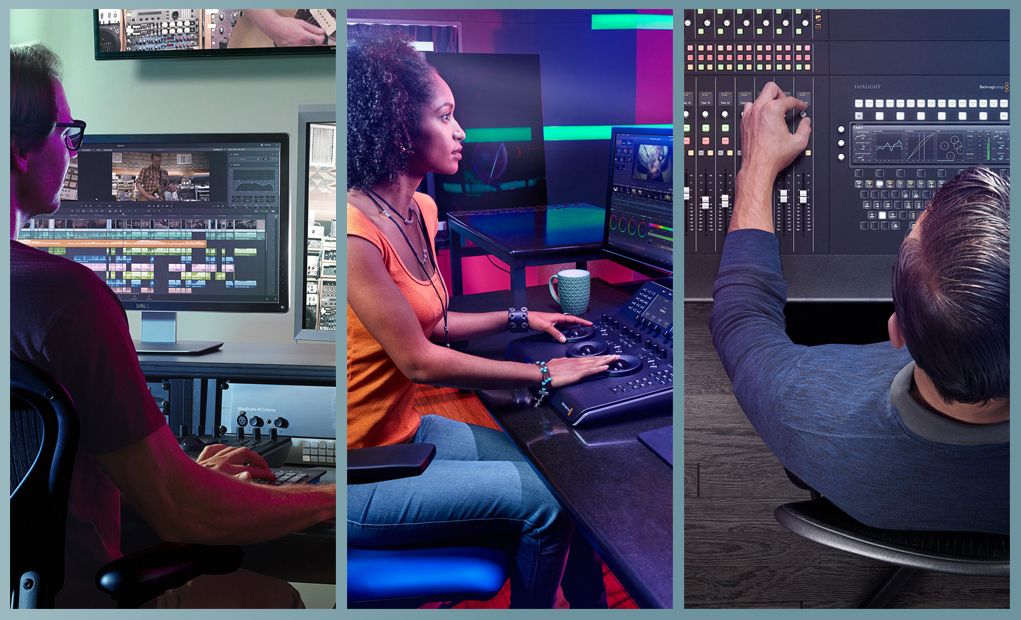
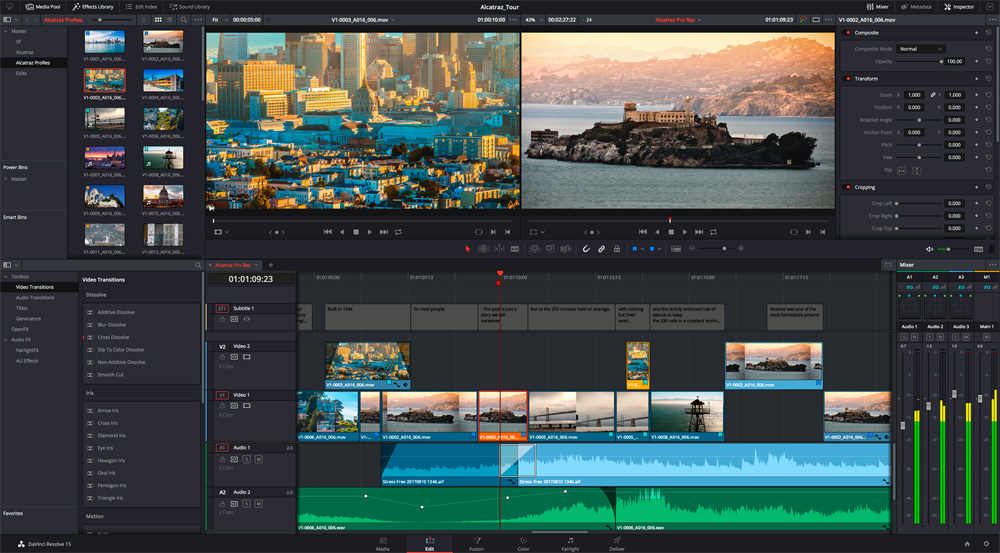
DaVinci Resolve 16 是全球第一套在同一個軟體工具中,將專業離線編輯精編、校色、音頻後期製作和視覺特效融於一身的解決方案!有了 DaVinci
Resolve
15,藝術家們可以探索不同的工具集,隨心實現無限創意,還可以協同作業,融合不同類型的創意思維。只要輕輕一點,就能在剪輯、調色、特效和音頻流程之間迅速切換!此外,由於DaVinci
Resolve 15將所有功能集於一套軟體應用程式,您無需在不同的軟體工具之間導出或轉換檔。DaVinci Resolve
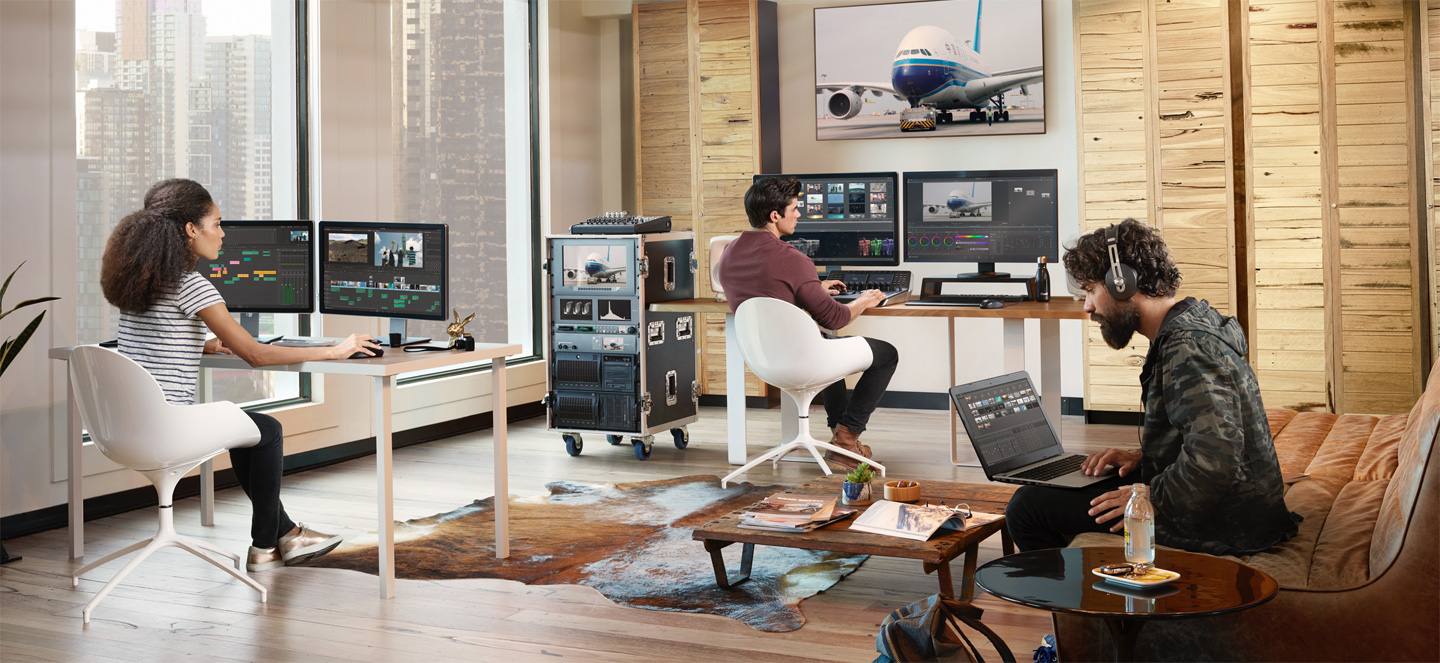
15是唯一一套為真正協同作業所設計的後期製作軟體。多名剪輯師、助理、調色師、視覺特效師和音響設計師可以同時處理同一個專案!無論您是個人藝術家,還是創意團隊的一員,都不難發現DaVinci
Resolve 15代表了高階後期製作的最高標準,並且比其他軟體更加受到好萊塢電影、電視連續劇和電視廣告的青睞。
DaVinci Resolve 16
顛覆傳統的全新創意工具,集剪輯、調色、專業音頻後期製作於一身的一站式流程,相容SD、HD和Ultra HD格式!
免費
立即下載
DaVinci Resolve
Studio
包含免費版本的所有功能,以及允許剪輯師、調色師 和音響工程師同時參與專案的多用戶協作功能,3D 工具、數十項 Resolve FX 等。
耳,目,一新!
完全內建的Fusion視覺特效和動態圖形,強大的全新Fairlight音頻工具和近百種速度及品質提升!
如今,DaVinci Resolve
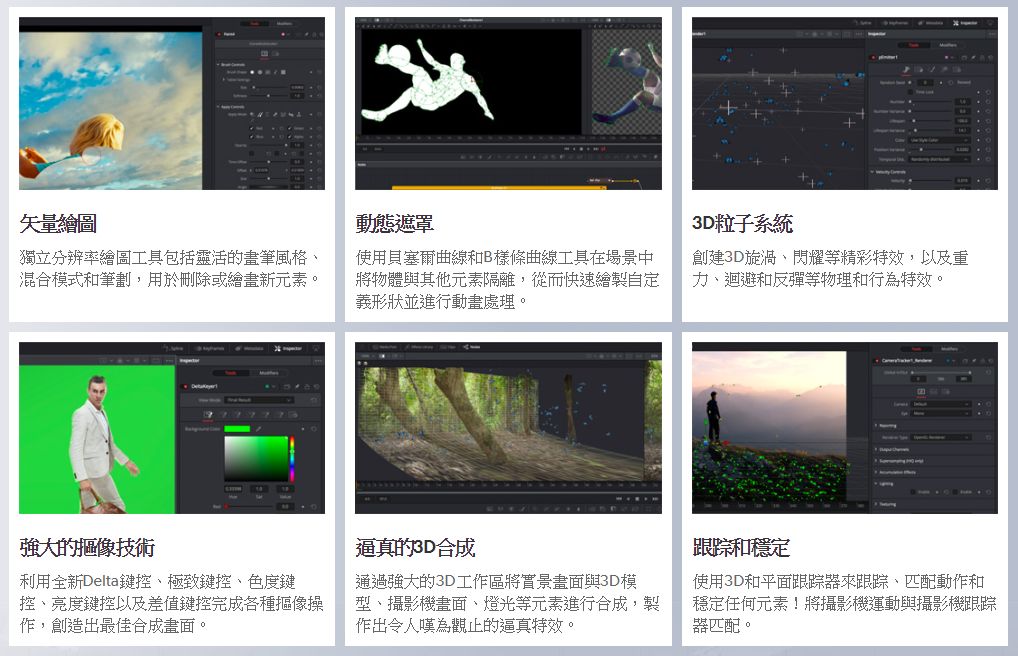
15全面內建了Fusion視覺特效和動態圖形!Fusion頁面含有完整的3D工作區,以及250多種用於合成、向量繪圖、摳像、動態遮罩、文字動畫、跟蹤、穩定、粒子等專業工具。有了最新的Apple
Metal和CUDA GPU處理技術,Fusion頁面運行速度大張提升!Fairlight音頻得到了重大更新,包括全新自動對白替換工具、音頻正常化、3D聲像移位器、視音頻捲軸、音響素材資料庫,以及混響、嗡嗡聲移除、人聲通道和齒音消除等內建跨平臺外掛。共有數十種剪輯師和調色師期待已久的新功能和性能提升。其中包括新設的LUT播放器、共用調色、多個播放頭、Super
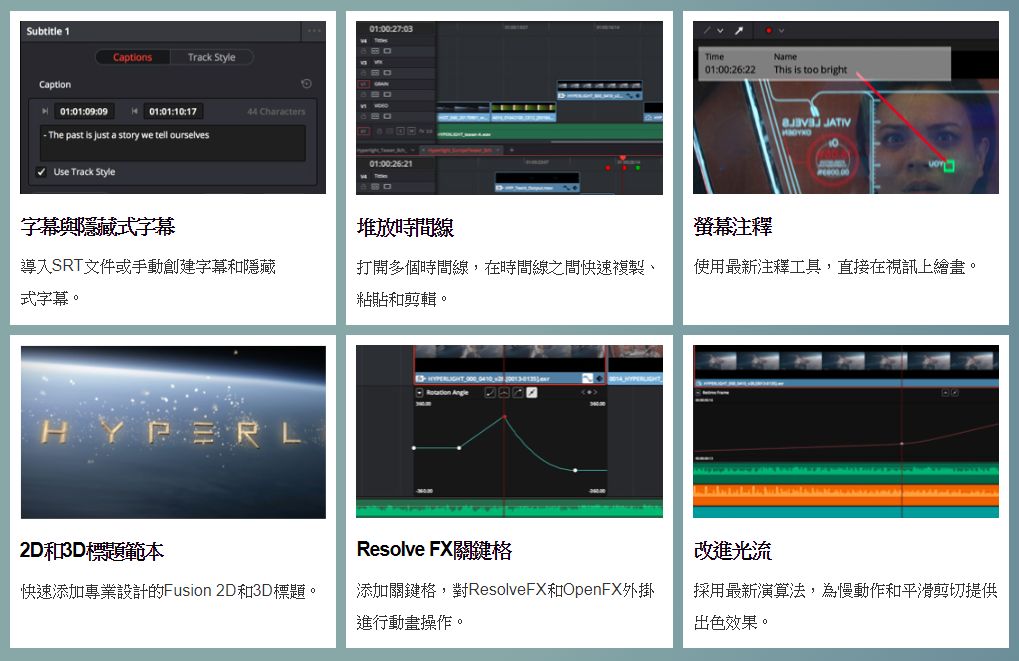
Scale HD到8K解析度提升、堆放多個時間線、螢幕注釋、字幕與隱藏式字幕工具、更好的鍵盤自定義、新增標題範本等功能!
VIDEO
通過這一簡單易循的配置指南來構建您的DaVinci Resolve和DaVinci Resolve Studio剪輯、調色以及精編系統。
本最新功能指南僅針對DaVinci Resolve 15 版的新增功能給出詳盡介紹。
本參考表可幫助您快速對比DaVinci Resolve 15和DaVinci Resolve 15 Studio的功能區別。
此參考列表可讓您快速簡單地識別出DaVinci Resolve 15公測版軟體所支援的格式和編解碼器。
DaVinci Resolve 15操作手冊向您詳細介紹了如何使用DaVinci Resolve來進行剪輯、調色、音頻後期製作以及精編等有關內容。
Professional Editing 專業剪輯
DaVinci
Resolve包含專業剪輯師剪接電影大片、電視節目和廣告所需的所有工具,是離線剪輯和精編的理想選擇。高性能撥放引擎讓剪輯和修剪工作效率倍增,甚至對處理器要求極高的H.264 和RAW格式也不在話下。
Fusion特效
Fusion是一款專為視覺特效師和動態圖形動畫師設計的高級合成軟體,如今在DaVinci
Resolve內即可使用!您無需切換軟體應用程式就可以製作電影級視覺特效和精彩的廣播級動態圖形動畫!
Color Correction 調色
DaVinci
Resolve在同類產品中脫穎而出,被廣泛用於各類電影長片和電視節目的製作!它擁有業界最為強大的一級和二級調色工具,先進的曲線編輯器,跟蹤和穩定功能,雜訊抑制 和顆粒工具,以及ResolveFX等。
Fairlight音頻
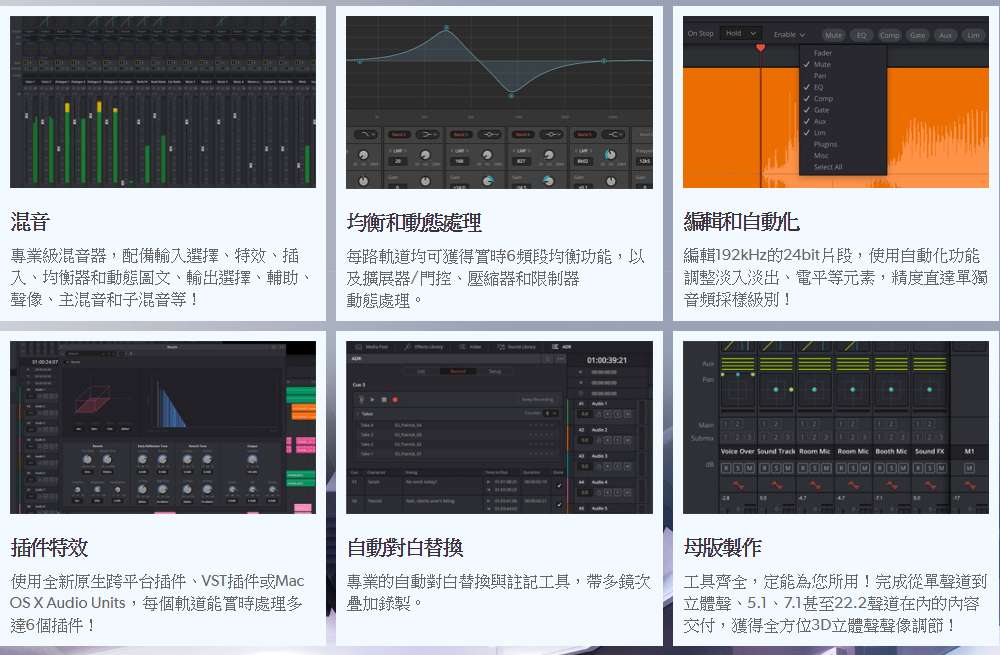
內建Fairlight音頻是一套完整的數位音頻工作站,包含專業混音器、自動化工具、技術監看、監聽、精確到採樣級別的編輯、新增ADR自動對白替換工具、音響素材資料庫、原生音頻外掛等!您甚至可以完成混音並製作多格式母版,包括5.1、7.1甚至22.2聲道3D立體聲格式!
媒體與交付Media and Delivery
有了DaVinci Resolve 15,文件導入、同步和素材管理更加快速!不論您的內容是用於網路發佈、磁帶灌錄還是院線發行,DaVinci
Resolve都能提供您需要的一切功能,以任何格式完成項目交付!它能實現更高效的工作流程,快速輸出檔,讓您始終按時完成任務!
瞭解詳情 >
多用戶協作
革命性的同步剪輯、視覺特效、調色和音頻後期製作工具!
DaVinci Resolve
15徹底顛覆了後期製作工作流程!當助理剪輯師幫助整理素材時,剪輯師可以進行畫面剪接,調色師可以為鏡頭調色,特效師可以處理視覺特效,聲音剪輯師可以進行混音和音頻精修,同一個項目的各個環節均可同時進行。您再也不用花時間進行套底,也不用等其他成員完成剪輯版後才能開始調色和音頻製作環節了!這意味著剪輯師、視覺特效師、調色師和聲音剪輯師的工作可以平行展開,從而將更多的時間留給作品創意!
瞭解詳情 >
免費版 DaVinci Resolve 以全套專業剪輯搭配傳奇般的調色功能,加上如今的Fairlight音頻工具,定能助您完成SD、HD和Ultra
HD上至每秒60格的影像製作。DaVinci Resolve
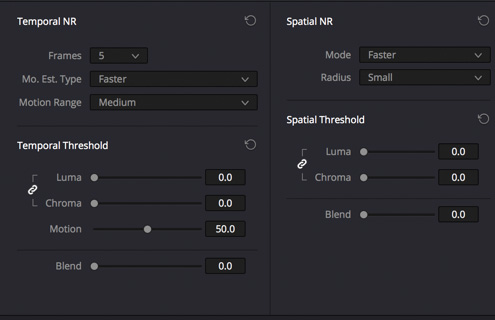
Studio添加4K或更高解析度支持,格率最高可達120fps,同時設有數十種影像處理功能和濾鏡,這些都是免費版軟體中所不具備的功能,其中包括底片顆粒、時域和空域
雜訊抑制 、最新的面部強化工具、鏡頭光暈、鏡頭畸變校正光學品質的模糊和霧化效果、去閃爍、去污痕以及變形等實用功能!
無需每月繳納雲服務訂閱費
DaVinci Resolve Studio 與其他基於雲的軟體不同,它不需要連接到網路,也沒有每月訂閱費。現在購買DaVinci Resolve
Studio只需US$299,這只相當於常用雲訂閱服務的50%。此外,您還能獲得完善的非線性編輯、先進的調色、Fusion特效和動態圖形、以及Fairlight音頻工具,一次購買即可獲得全套解決方案。只要購買一款產品,就能同時獲得四款高階專業製作工具!
高性能撥放引擎
DaVinci Resolve 15最新添加CPU和GPU優化的高性能視訊撥放引擎,延遲更低,用戶介面刷新更快,並支援Apple
Metal等精彩功能!眾多升級聯手將DaVinci
Resolve打造成運行更高效、回應更快速的製作利器。如今,您可以在較長時間線上對數千片段展開行雲流水般的精準操作,剪輯工作從未如此暢快淋漓。搓擦播放和撥放命令的回應速度快到在您指尖尚未離開鍵盤之時便已生效!如此強勁動力,即便是製作像
H.264 這樣極其消耗處理器的格式,也只要一台筆記型電腦便能即時完成4K素材的剪輯!不論您處理的是HD還是4K影像,也不論它是ProRes、
H.264 乃至RAW素材,DaVinci
Resolve 15都能跟上您的每一個節奏,出色完成任務!
Legendary DaVinci Quality DaVinci的傳奇品質
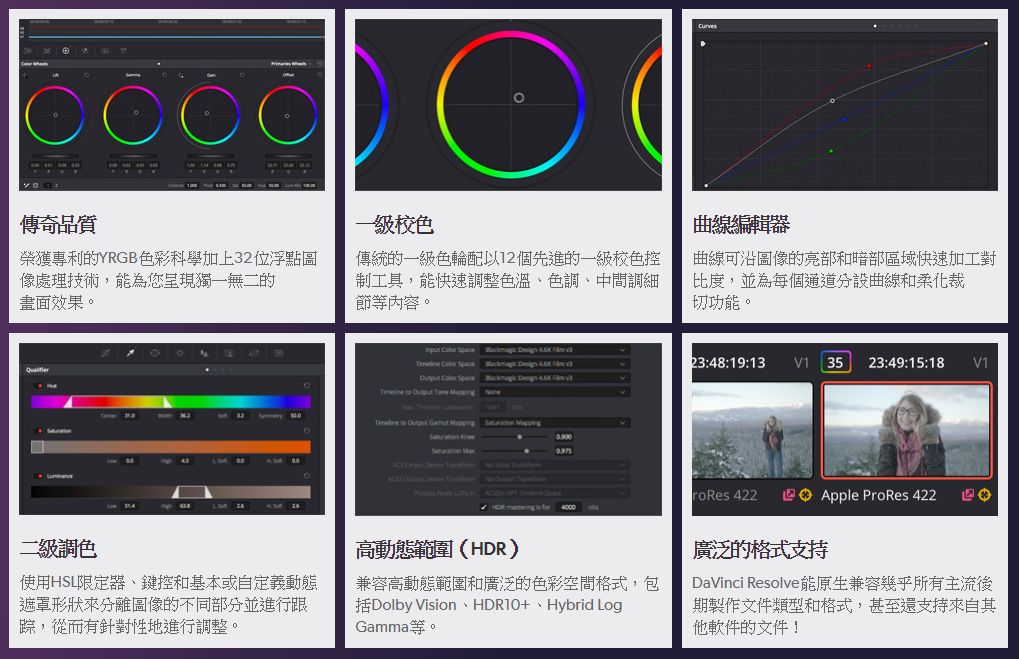
DaVinci Resolve擁有榮獲Emmy™艾美獎殊榮的影像處理技術,以32位浮點處理結合獲得專利的獨特YRGB色彩科學,能獨立於色彩之外單獨處理亮度資訊。這樣您就可以調整視訊的亮度,而無需重新對色彩的亮部、中間調和暗部進行平衡!此外,其龐大的內部色彩空間還非常適合用於最新的HDR和寬色域工作流程!
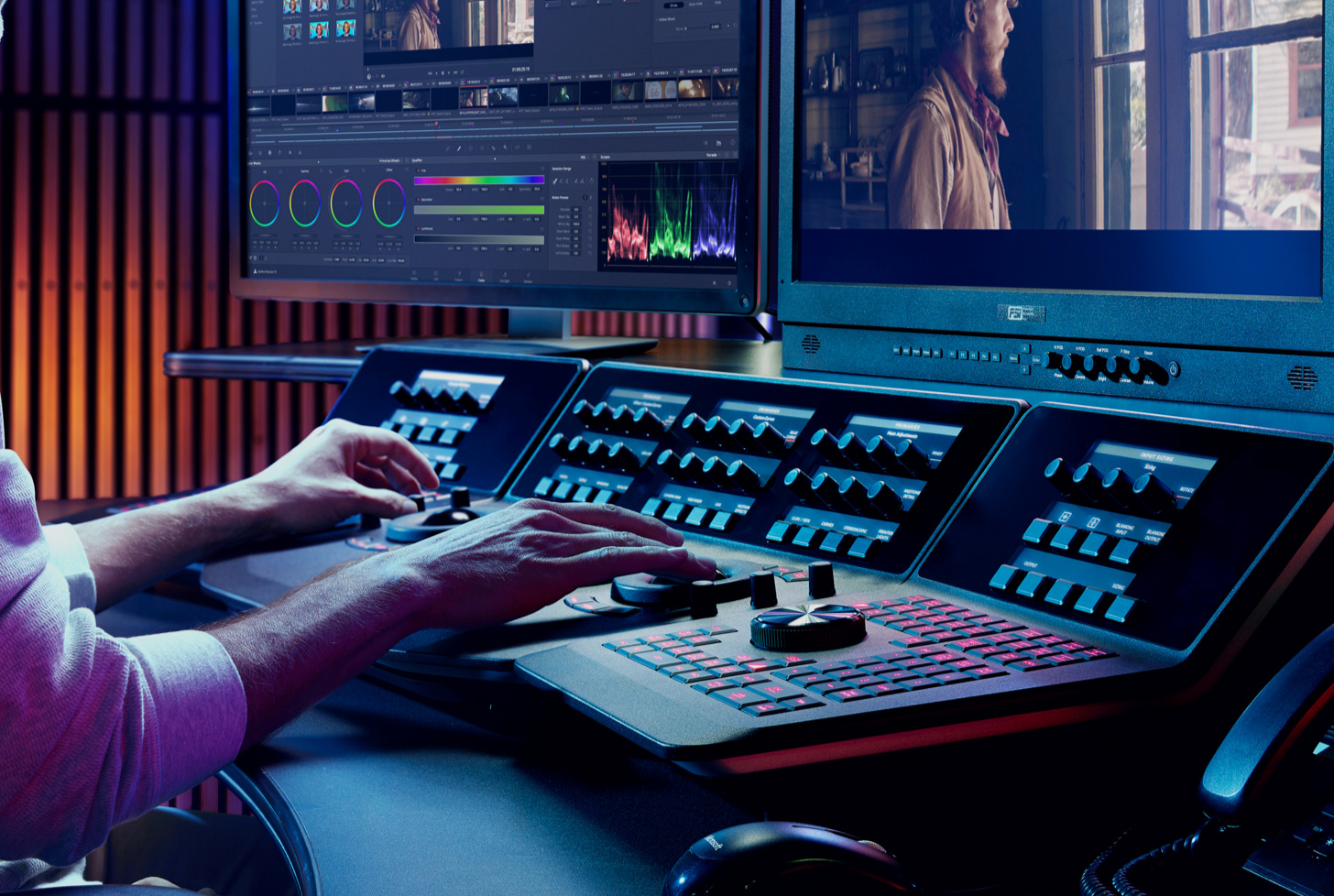
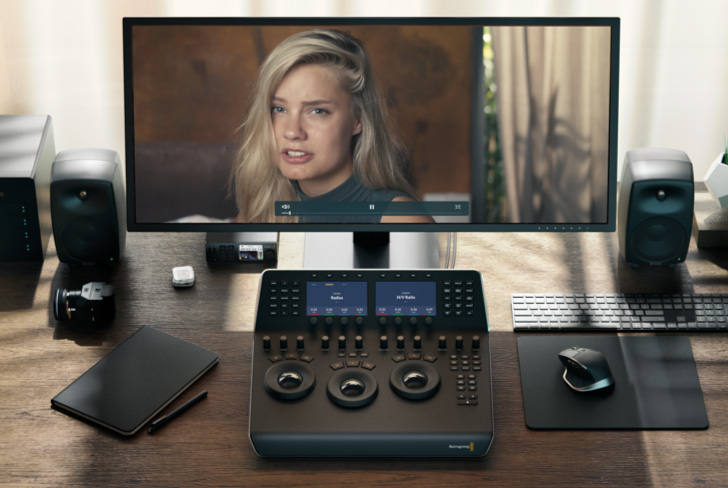
硬體調色台
面對在工作室焦急等待的客戶,您需要有極高的工作效率。DaVinci
Resolve調色台擁有睿智設計,能同時控制多個參數,讓您效率倍增、創意不絕。只要一台滑鼠,流水行雲間佳作信手拈來!所有控制採用合理佈局,接近雙手自然活動位置,並以頂級材料精心打造而成。它擁有順滑而靈敏的軌跡球,配以高精度工程設計的旋鈕,使用起來觸感舒適且力度適中,令各項設置均能準確調整。DaVinci
Resolve調色台能將您的指尖延伸至畫面的每個角落,讓您用直覺控制細膩筆觸!
Fairlight專業混音器
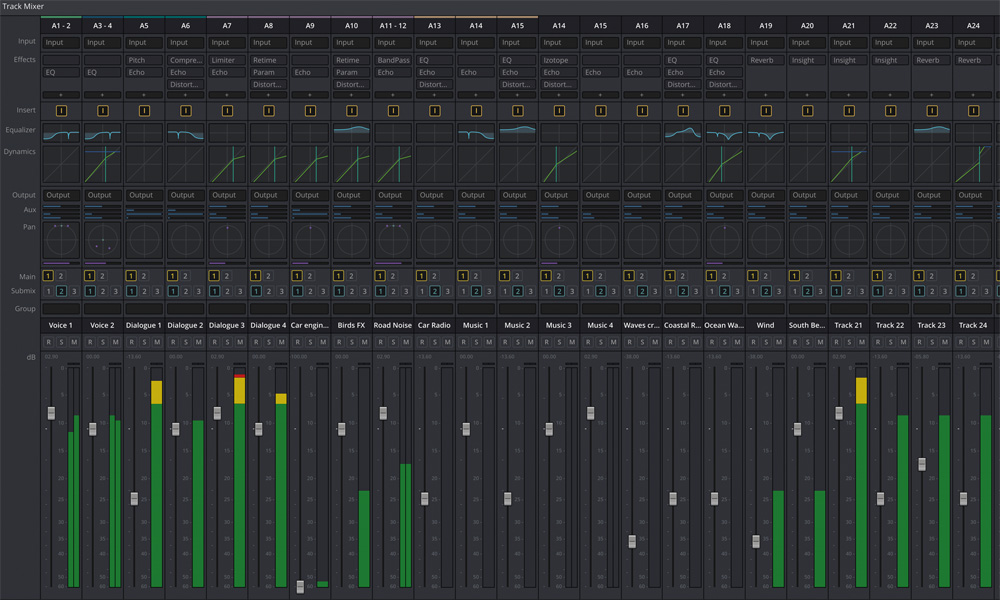
Fairlight混音器幾乎為軟體中的所有參數和功能都設立了高品質輕觸式控制。它有著獨特的用戶介面和動態配置更改設置,提供了快速的按鈕使用方式和控制選項等優化設計,獲得更快捷的Fairlight音頻任務操控,為您帶來遠勝業界其他工具的高效控制!混音器採用模組化設計,您可以先使用稍大型的混音器框架,然後再根據公司的發展需要添加更多模組。
相容Mac、Windows和Linux
DaVinci
Resolve突破操作平臺限制,如今,不論在家中或後期工作室的Mac電腦,在使用Windows系統的廣電機構,還是使用Linux系統的視覺特效工作室,它都可以暢通無阻地運行。這一創舉為您帶來了極大的靈活性,讓您能自由選擇操作平臺的同時,也方便了不同作業系統和工作流程之間的相互整合。如果您使用的是Red
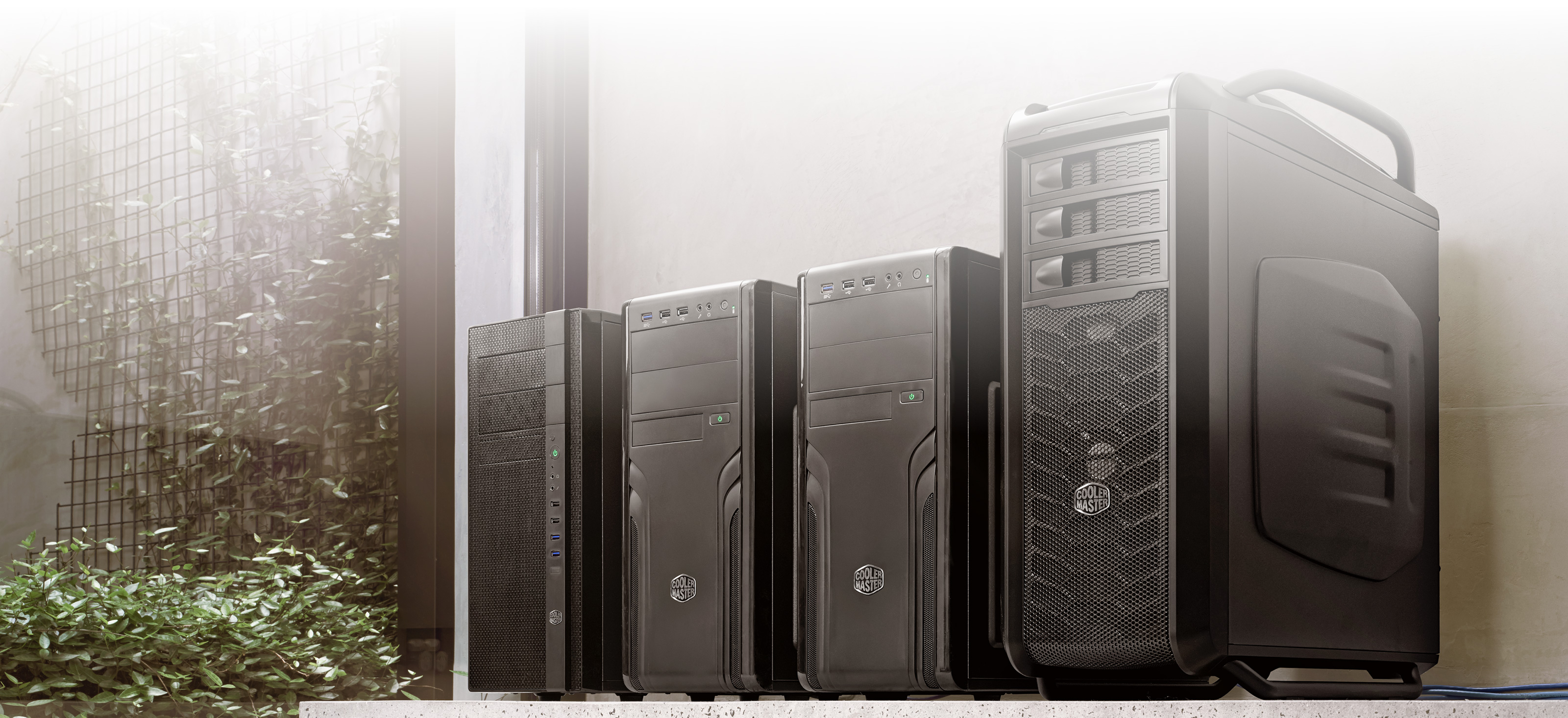
Hat或CentOS版Linux系統,還能使用低成本主板打造屬於自己的工作站,獲得超快處理性能和龐大的RAM記憶體,最多可高達8個GPU。現在,擁有您專屬的超級電腦,獲得無限即時性能再不是夢想!
開放且相容
目前的工作流程和製作系統紛繁複雜,各有不同,因此您需要的是一款具備足夠相容性和開放性的後期製作方案來從事各種類型的工作!DaVinci
Resolve可使用各大檔格式和媒體類型,也能和各類後期製作軟體無縫合作。您可以使用XML、EDL或AAF檔在DaVinci Resolve、Final Cut
Pro、Avid Media Composer和Premiere
Pro之間移動項目。而它和Fusion之間的深度整合也使鏡頭的視覺特效製作更為便捷。當然,您也可以使用After
Effects等軟體來實現交互回批。除此之外,在DaVinci Resolve和Pro
Tools之間移動音頻項目也變得更加簡單。面對緊迫的製作時間,您依然可以放心大膽地將任務交給DaVinci Resolve!
BlackmagicDesign 產品由國外原廠提供皆屬客訂產品,訂購約10-14天到貨,提供三十天換新故障換新品服務,不提供鑑賞期,如無法接受請勿訂購。保固期與國外相同,北中南皆有服務據點在地服務
DaVinci Resolve 15 專業剪輯
迄今最快速、最先進的專業剪輯工具!
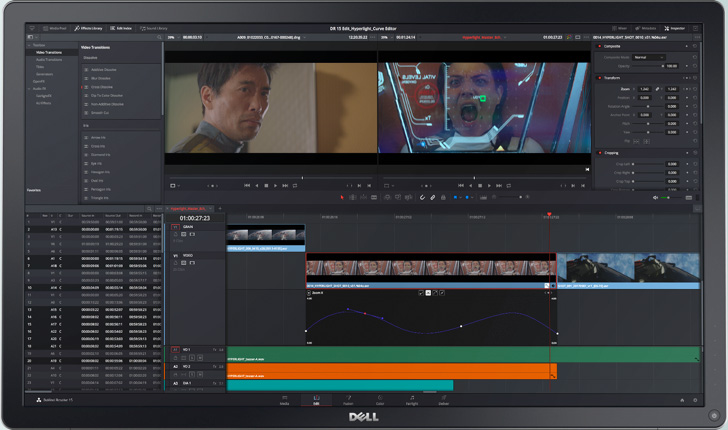
剪輯就是一個講故事的過程,精湛的剪輯能夠恰到好處地抓住每個場景的核心情感,從而連貫地呈現出故事的起承轉合。您需要在數千個素材片段中抽絲剝繭,理清頭緒,找出其中最滿意的鏡頭並剪接成流暢的畫面,從而推動故事的發展。DaVinci
Resolve是迄今業界最為先進的專業剪輯軟體。它採用您熟悉的設計,並有著獨一無二的創新理念,以精準的工具和強勁的性能助您創作出引人入勝的精彩故事!
DAVINCI RESOLVE 15最新剪輯功能
Incredibly Responsive 極速回應
DaVinci Resolve
15的剪輯性能獲得了優化。它擁有超快JKL撥放和介面回應速度,令您獲得空前流暢的時間線搓擦播放體驗,顯著提升的剪輯速度,以及更快回應和更加精準的剪接操作!
Creative Edititng 創意剪輯
DaVinci
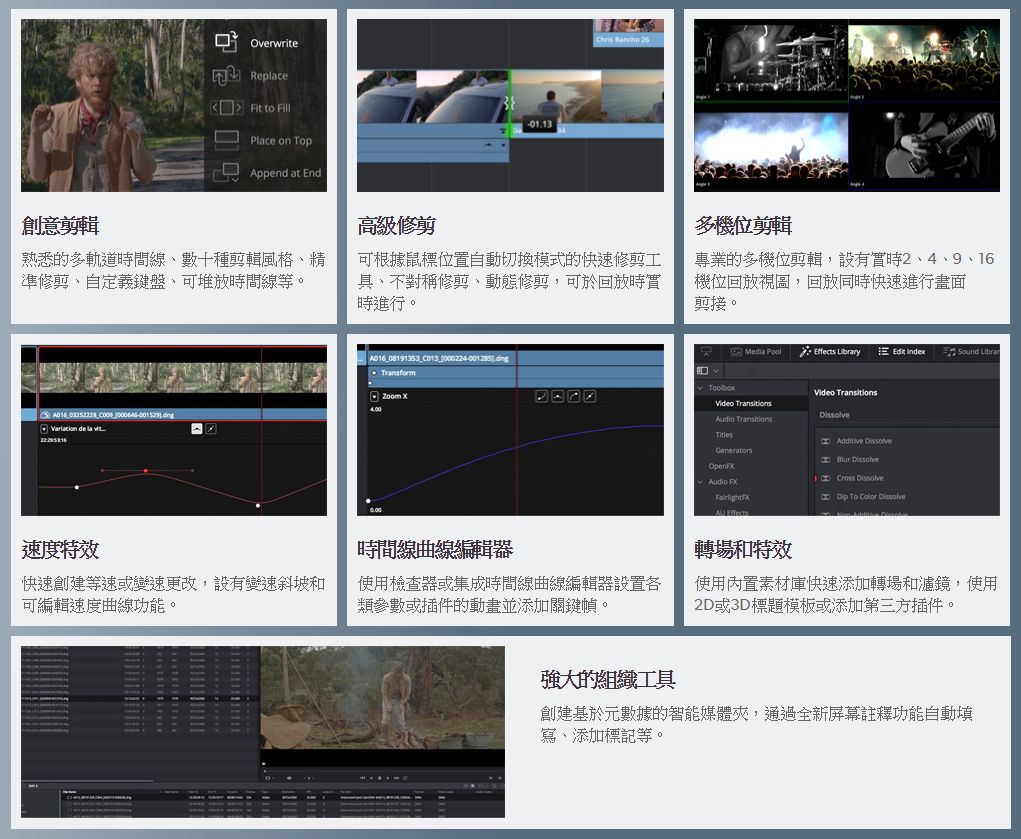
Resolve秉承直觀、熟悉的設計,讓您自由創意。它有著豐富的剪輯類型,包括覆蓋、插入、波紋覆蓋、替換、適配填充、附加到尾部等。它支持的剪輯風格也是多種多樣,從簡單的時間線拖放操作,到三點和四點剪輯,預覽幻象標記,子片段標記和自定義鍵盤快捷鍵。
Advanced Trimming 高級剪接 強大的高性能精準剪接工具!
DaVinci
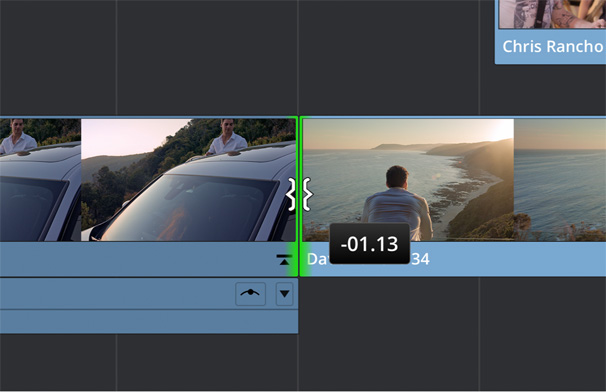
Resolve擁有比其他系統更加先進的剪接工具。它能根據滑鼠位置自動提供波紋、捲動、滑移、滑動等剪接操作。您也可以使用動態JKL剪接,從事不對稱剪接,同時剪接多個片段,甚至在迴圈撥放的時候進行精確的即時剪接!
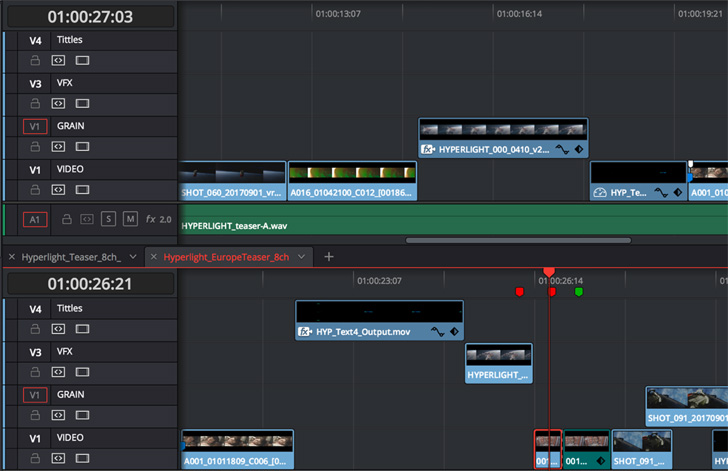
堆放時間線
全新堆放時間線功能讓您同時打開和處理多條時間線。您可以在時間線之間迅速複製粘貼或剪輯場景。DaVinci Resolve
15可以同時打開多條時間線,大張提升大型項目的工作效率!
Audio Overlays 音頻疊加
DaVinci
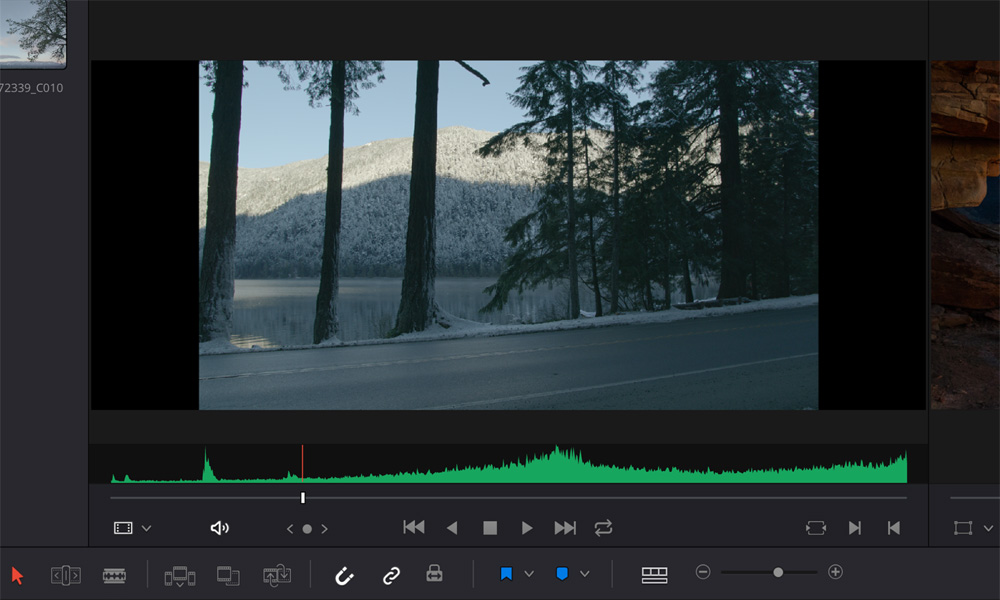
Resolve的源片段檢視器配備革命性音頻波形疊加資訊,這一功能使得用戶可以同時看到音頻波形和視訊片段。這樣就能第一時間根據音頻波形中的峰穀區域或其他視覺化提示在片段的不同部分進行移動,自信滿滿地標記片段並創建分割編輯。
Multicam Editing 多機位剪輯 即時剪輯多機位拍攝素材!
DaVinci
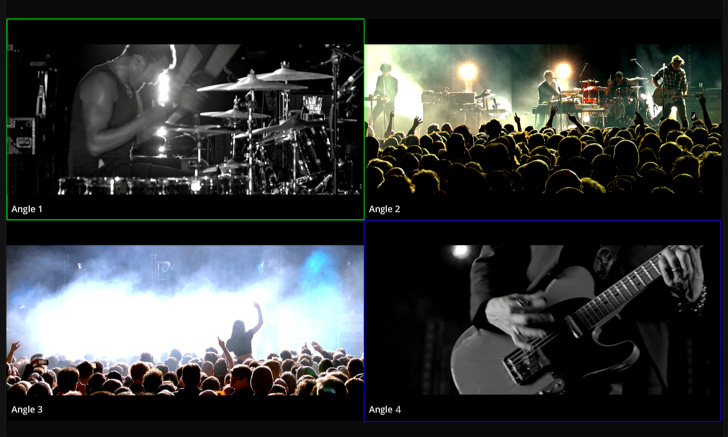
Resolve在以2、4、9或16格多機位元視圖撥放多個視訊源的同時剪接節目畫面,還能根據時間碼、出點或入點、以及音頻來同步攝影機角度。它甚至還可以識別攝影機開始和停止記錄,並使用每個拍攝角度的元資料和名稱等資訊。而且,您還可以一次性對所有攝影機角度進行調色!
使用媒體夾 手動或自動管理素材!
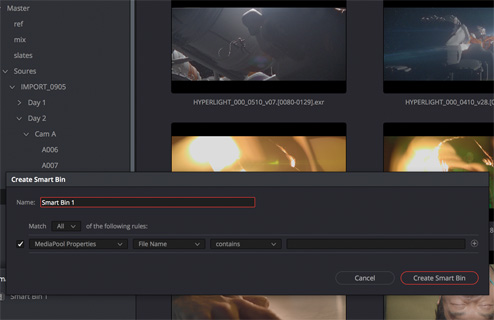
您可以任意創建媒體夾來管理素材,也可以使用智慧媒體夾,根據元資料來自動管理素材。新版軟體中的媒體夾能在單獨視窗中打開,方便您在多個螢幕中對它們進行整理。有了全新的媒體夾鎖定功能,助理可以管理某個媒體夾中的素材,而剪輯師還能在時間線上對另一個媒體夾中的素材進行製作!
FUSION 20 / 19 融合 視覺特效、3D、VR及動態圖形解決方案! e Blackmagic Design
Blackmagic Design 產品列表
Fusion 20
卓越領先的視覺特效、3D、VR及動態圖形解決方案!
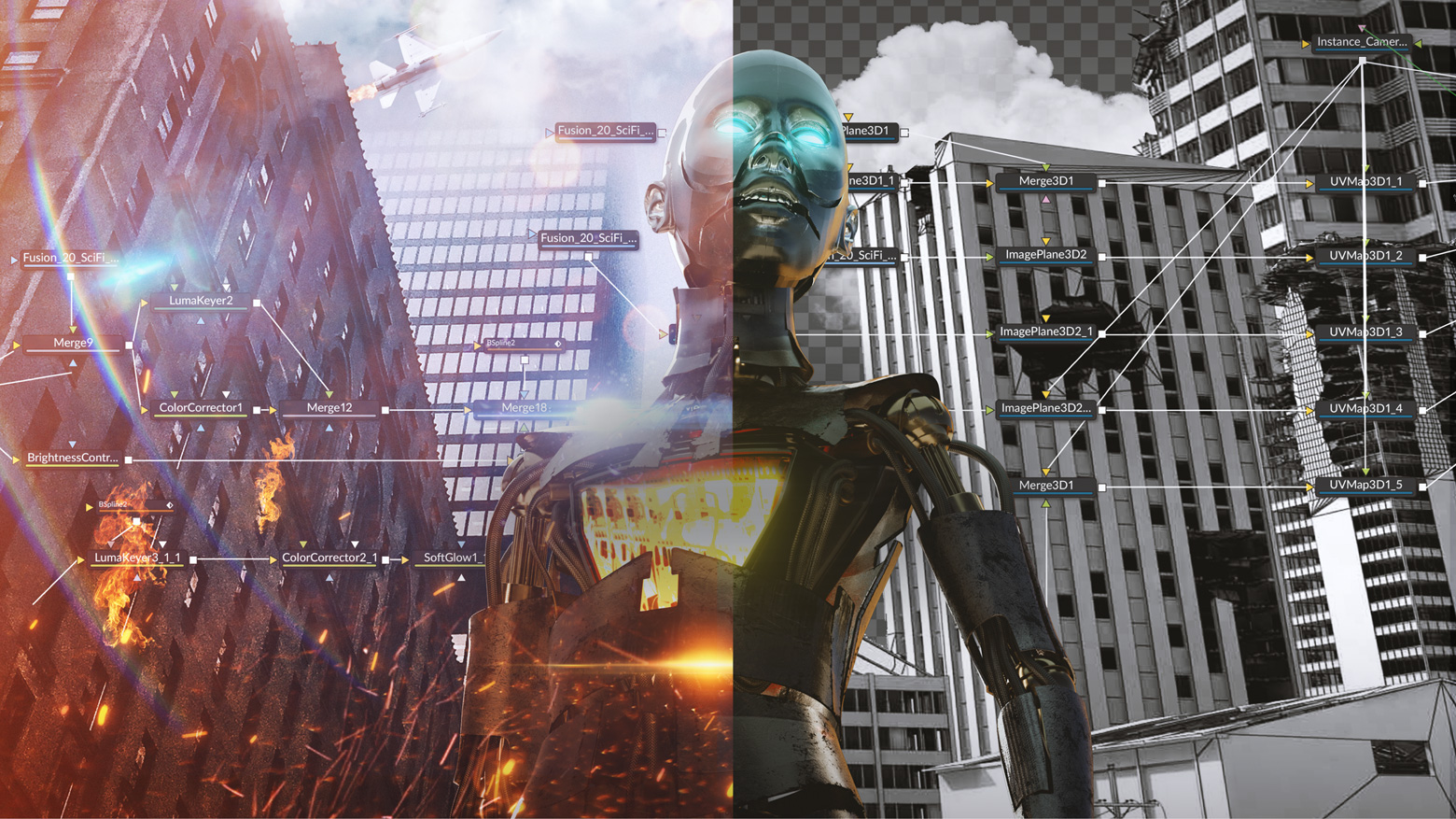
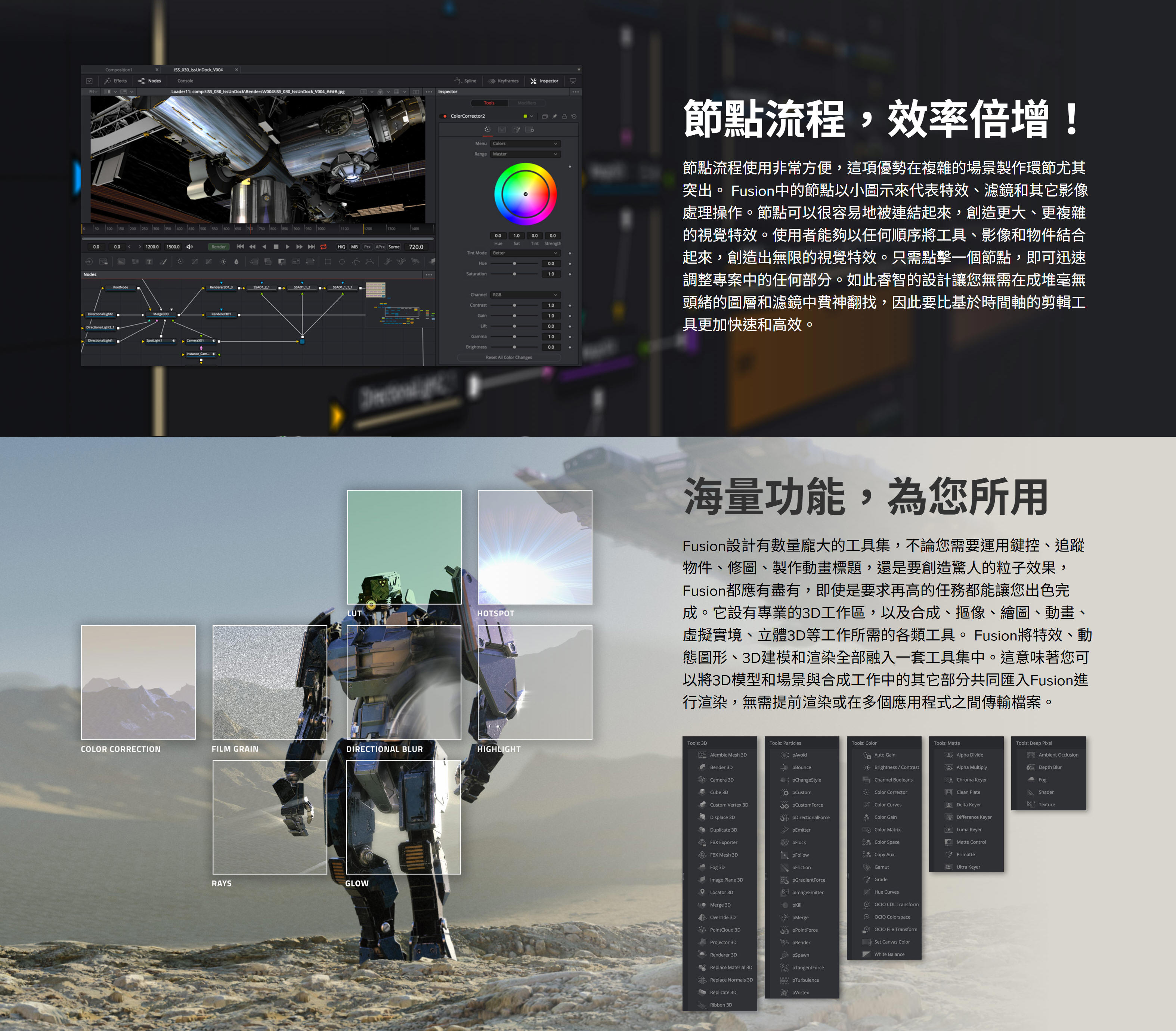
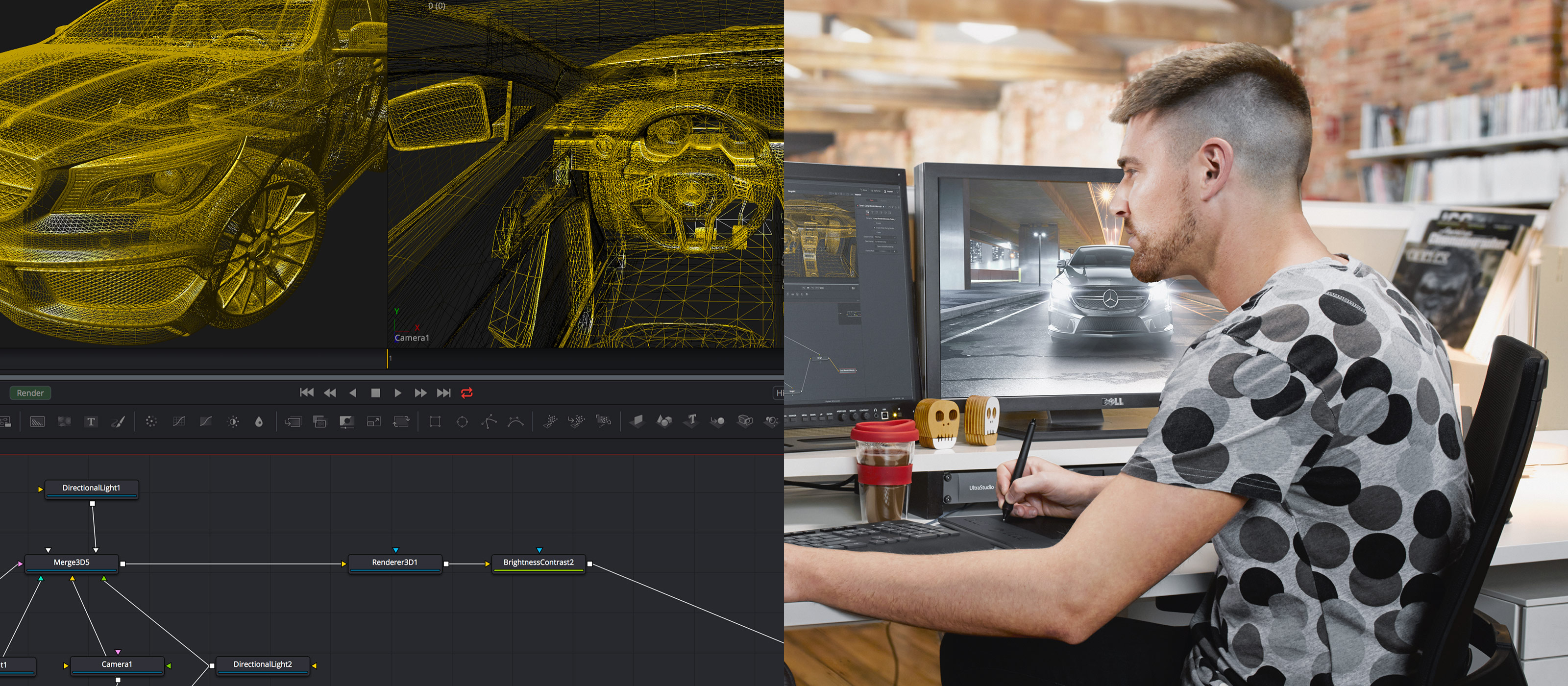
Fusion是一款先進的合成軟體,它被廣泛應用於視覺特效、廣電影視設計、動態圖形設計以及3D動畫設計等領域。在過去的30年裏,Fusion被數千部好萊塢電影和電視節目所採用。Fusion搭載功能強大、基於節點的介面,讓您通過連接不同類別的圖像處理工具,快速方便地創建複雜的特效!此外,它還擁有大量實用工具,驚人的VR功能和3D支援,GPU加速性能,無限網路渲染等功能!Fusion能為您提供一切所需,助您打造出精彩絕倫的廣播圖文、動感炫目的標題字幕,乃至電影大片的視覺特效!
深受好萊塢青睞的解決方案,囊括剪輯、視覺特效、動態圖形、調色和音訊後製,橫跨Mac、Windows和Linux三大平台。如今也支援Blackmagic
Cloud協作!
Fusion Studio 20 下載
打造擁有電影質感的視覺特效與動態圖形!擁有數百種2D和3D工具、先進的動畫曲線、3D粒子、關鍵影格編輯器、3D攝影機追蹤、動態遮罩和摳像工具。
Fusion Studio可透過DaVinci Resolve許可證啟動。
Mac OS X |
Windows x86 |
Linux
Fusion 20最新功能
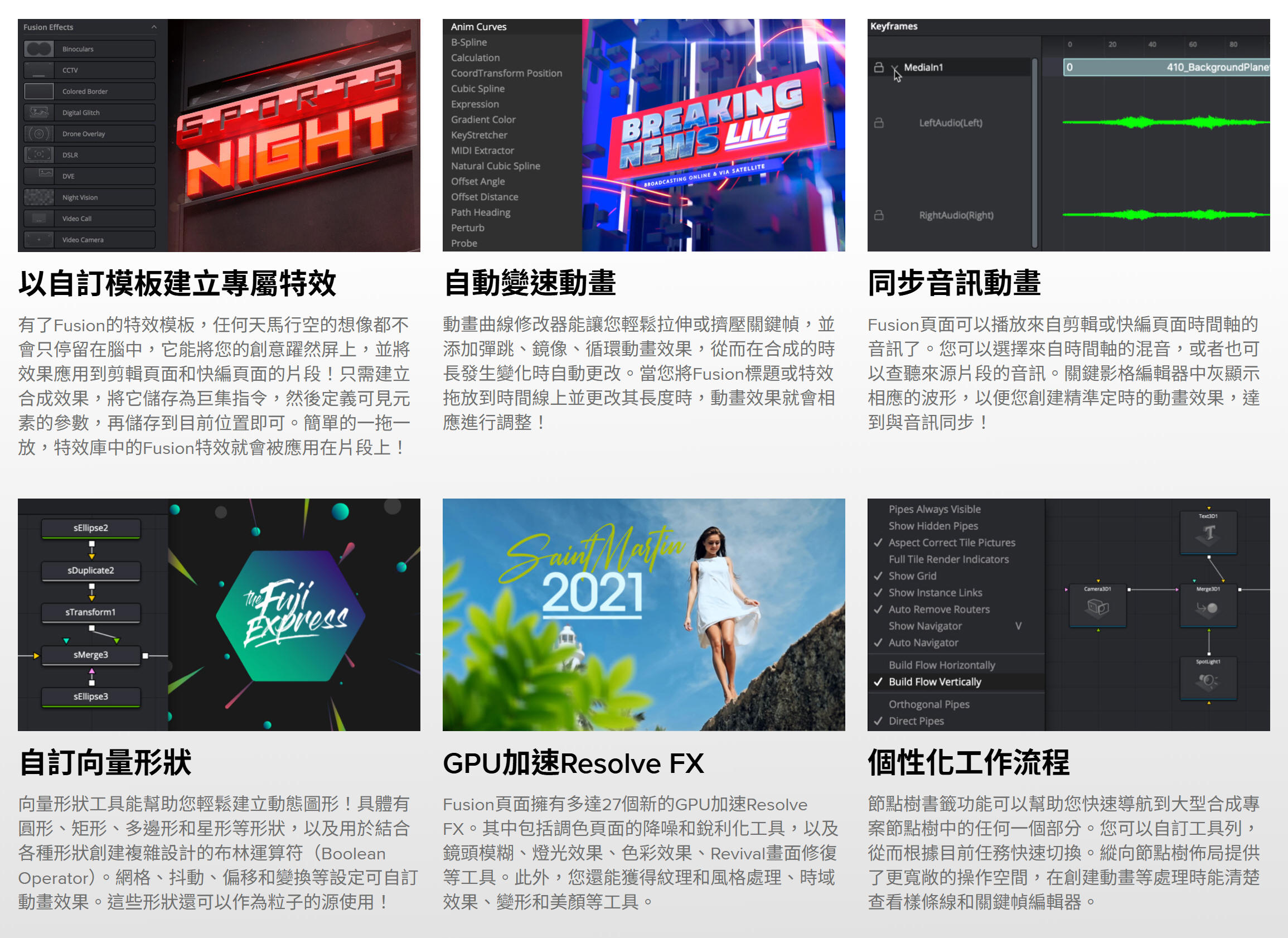
在Fusion頁面創建的合成可以保存為範本,在剪輯或快編頁面使用!當您更改某個剪輯中的動畫時長時,還可以使用新的動畫曲線修改器實現自動變速調整。音頻播放帶有波形顯示功能,更加便於創建精准定時的動畫效果。此外,剪輯頁面還有共用標記等新設功能。不僅如此,Fusion頁面還添加了27個GPU加速Resolve
FX,其中包括調色頁面的降噪和銳化工具!煥然一新的節點視圖讓您輕鬆找到重大的合成處理,其工具欄可以按照您喜愛的工具自定義設置,並且節點編輯器現已支援縱向佈局。
下載演示專案
好萊塢大片的幕後英雄
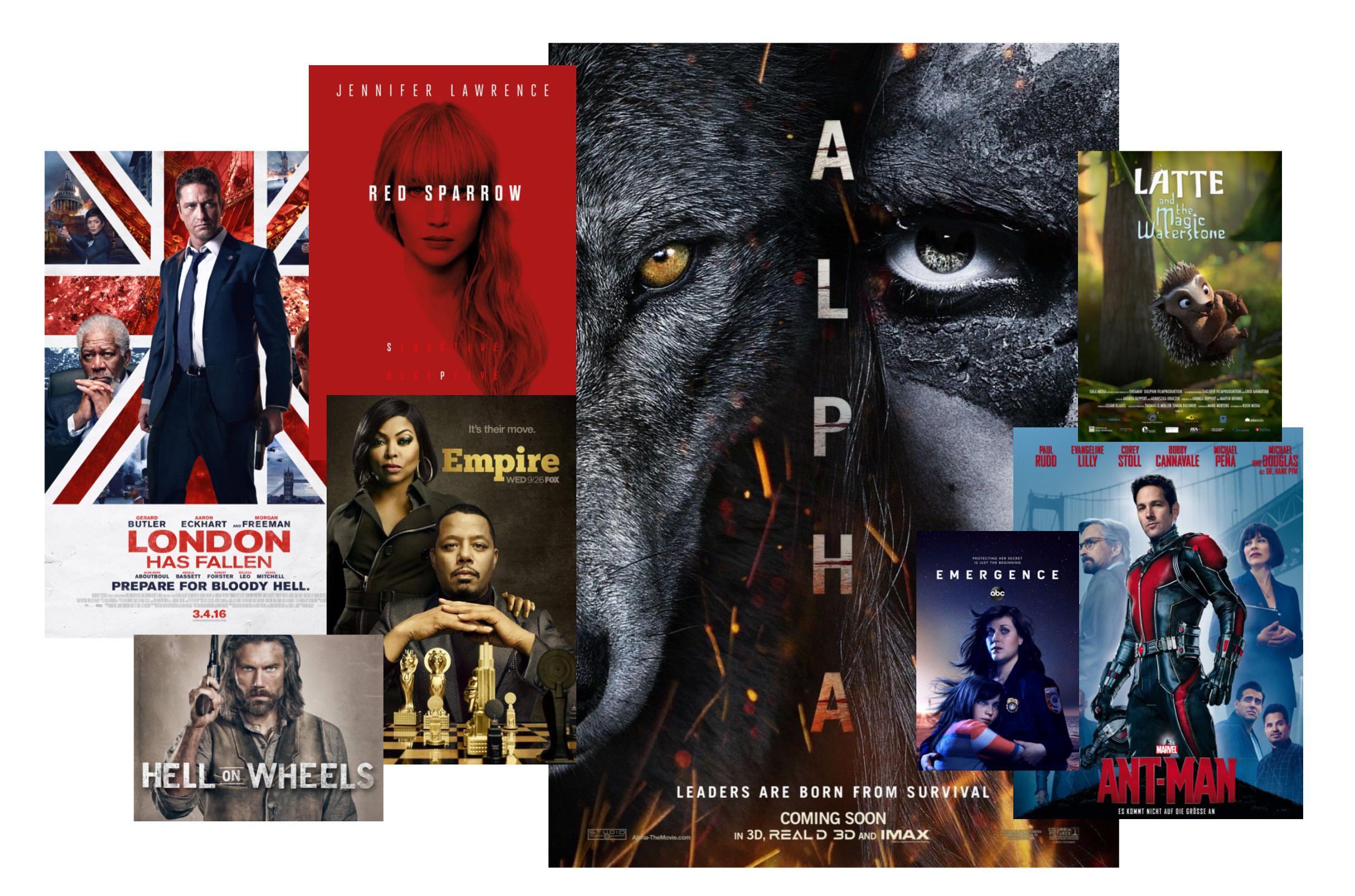
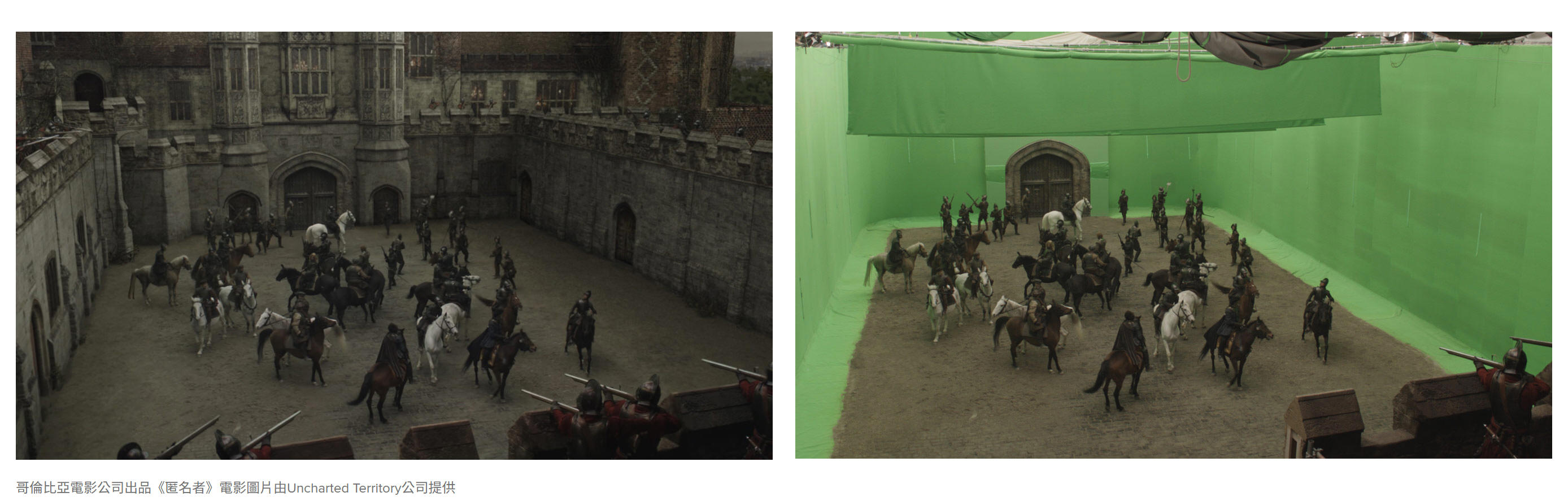
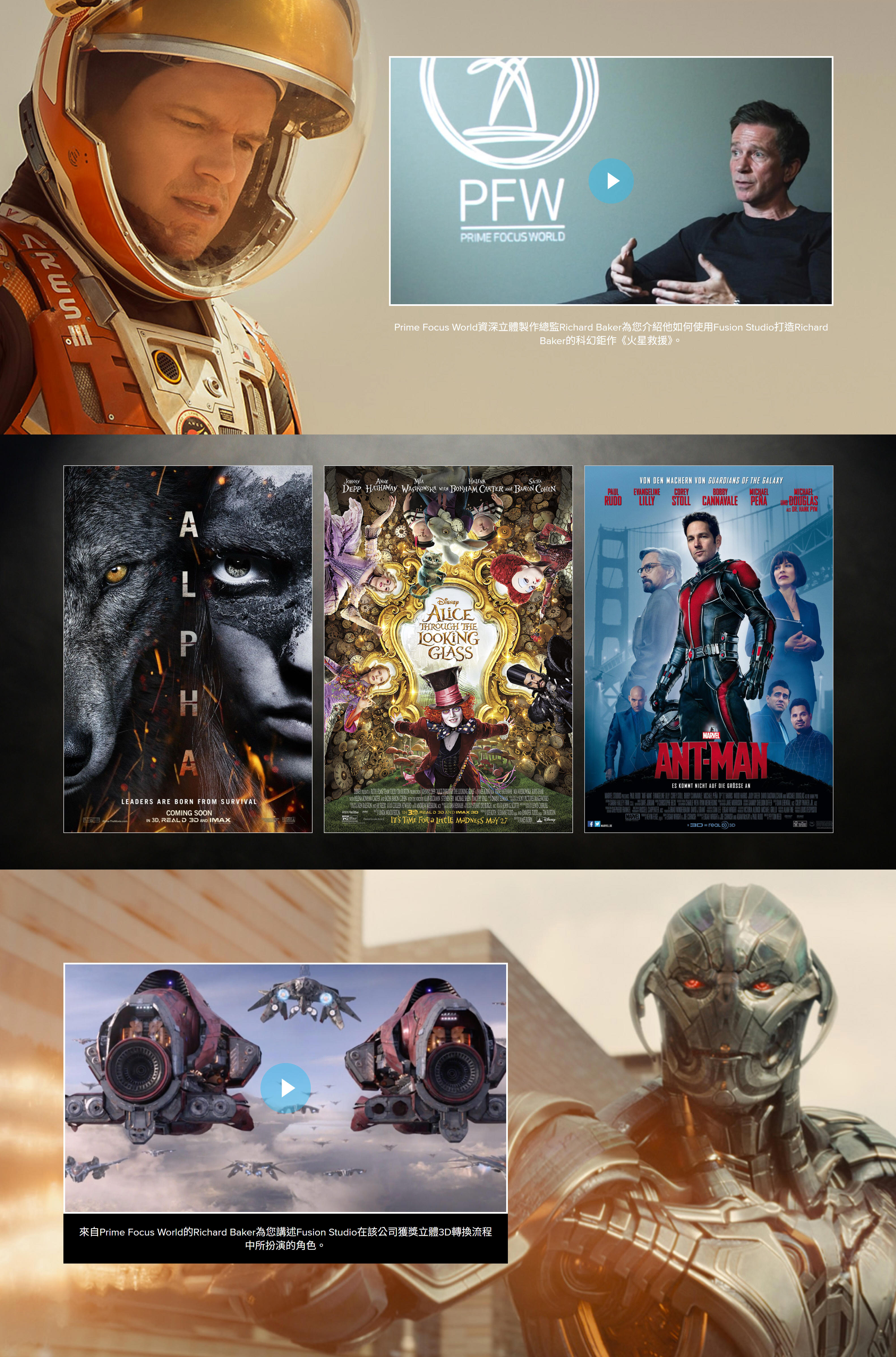
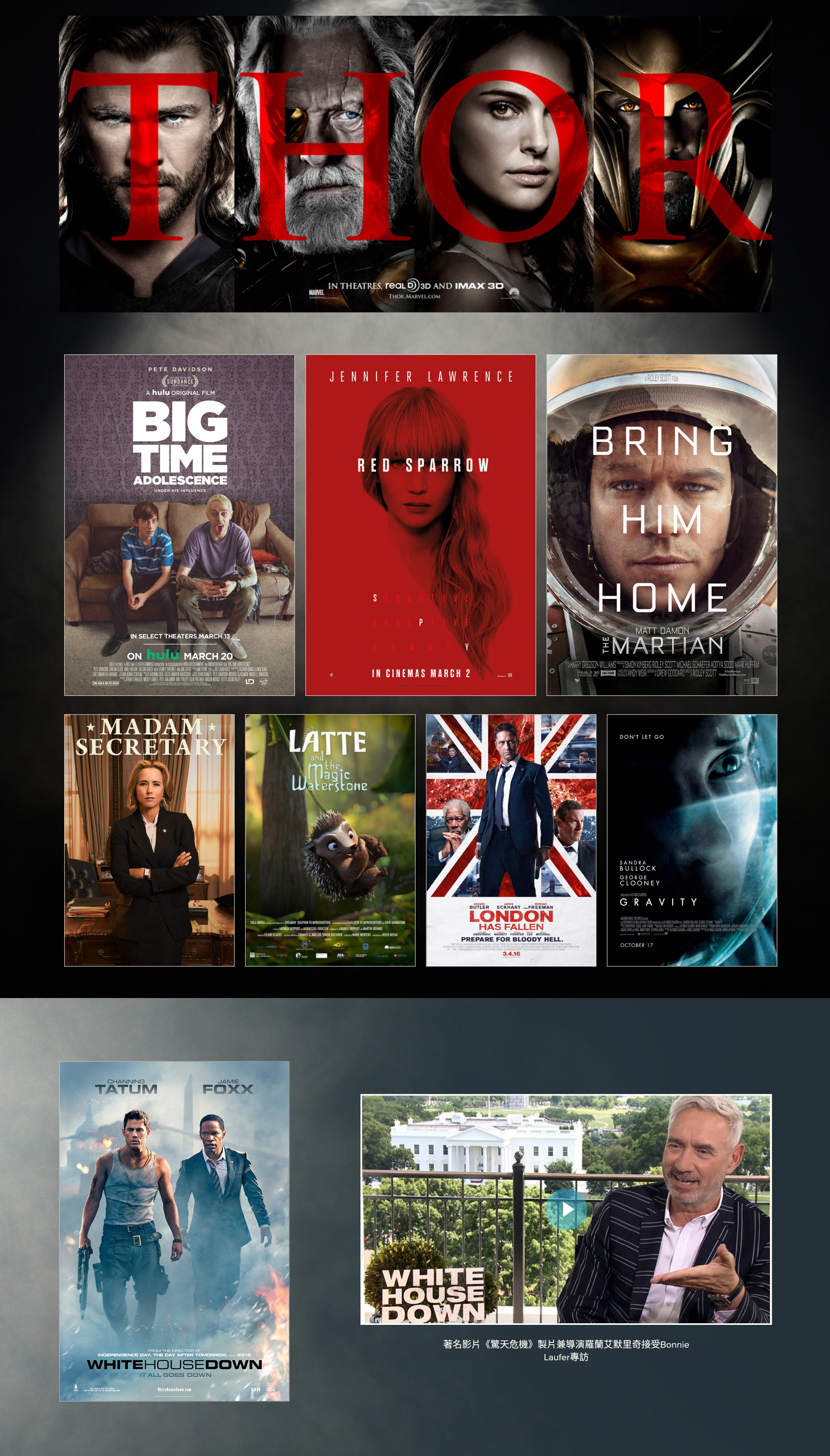
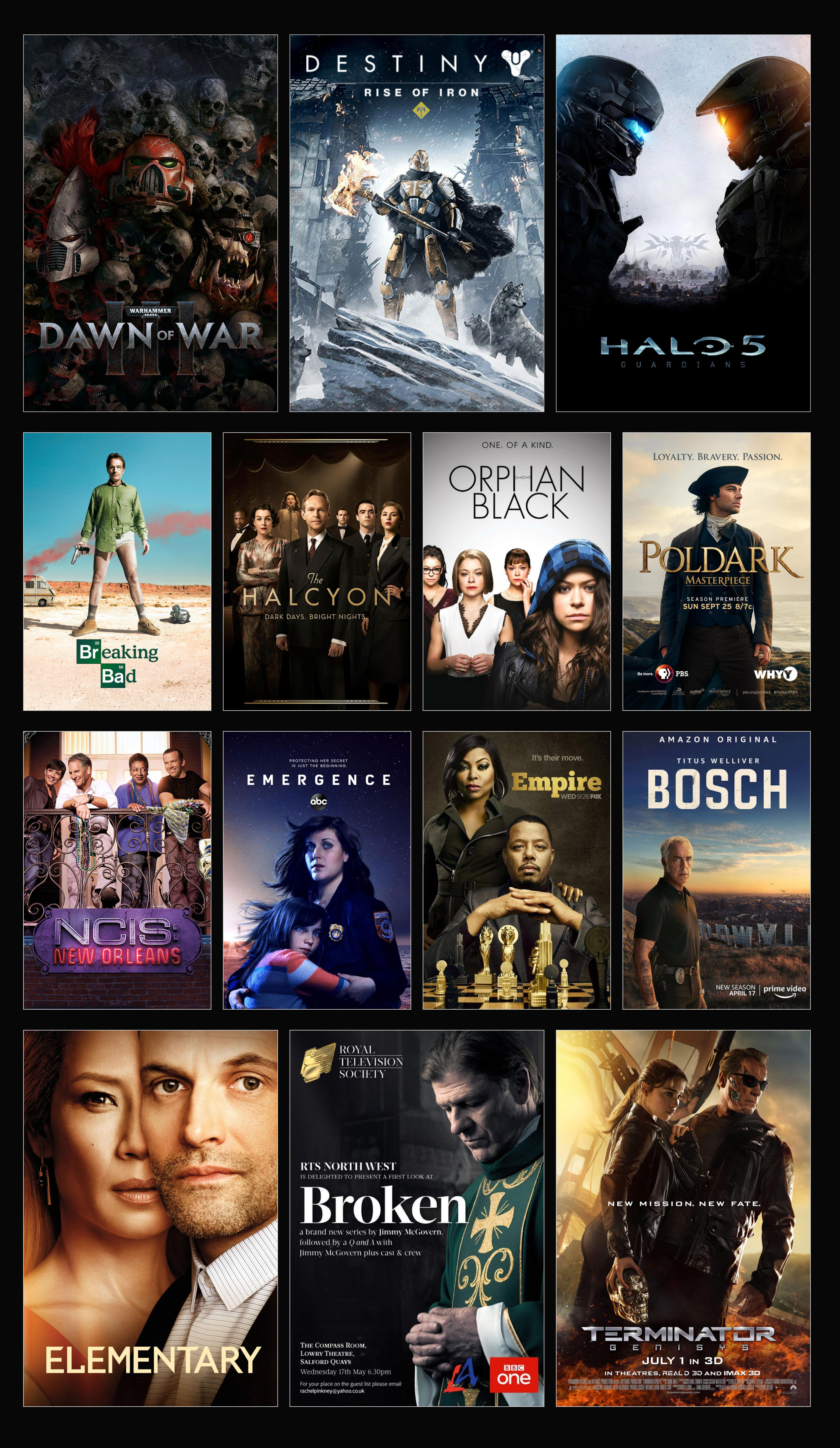
數以千計的好萊塢巨制和熱門影視節目都是以Fusion完成出神入化的視覺特效畫面製作。《蟻人》、《紅雀》和《倫敦淪陷》等知名電影,以及《嘻哈帝國》、《海軍罪案調查處》和《浮現》等人氣電視劇都採用了Fusion技術。除此以外,Fusion還在《戰爭黎明3》、《光暈5》等多個大型遊戲的壯觀場面製作中扮演了重要的角色。
Fusion Connect
Fusion Connect使得DaVinci Resolve和Avid Media
Composer剪輯師們可以充分利用時間線上的海量Fusion視覺特效和動態圖形工具集!剪輯師可以選擇單一素材片段或多層素材片段,然後發送到Fusion。自動新建的Fusion合成檔會自行鏈結回相應時間線上。您可以獨立完成自己的視覺特效和動態圖形工作,也可以讓共用存儲上的其他剪輯師為您效勞。一旦Fusion合成完成渲染,鏡頭將自動更新並發送回DaVinci
Resolve或Avid Media Composer的時間線上!
下載Fusion Connect
Mac OS X |
Windows
Fusion 20
視覺特效合成
先進的視覺特效
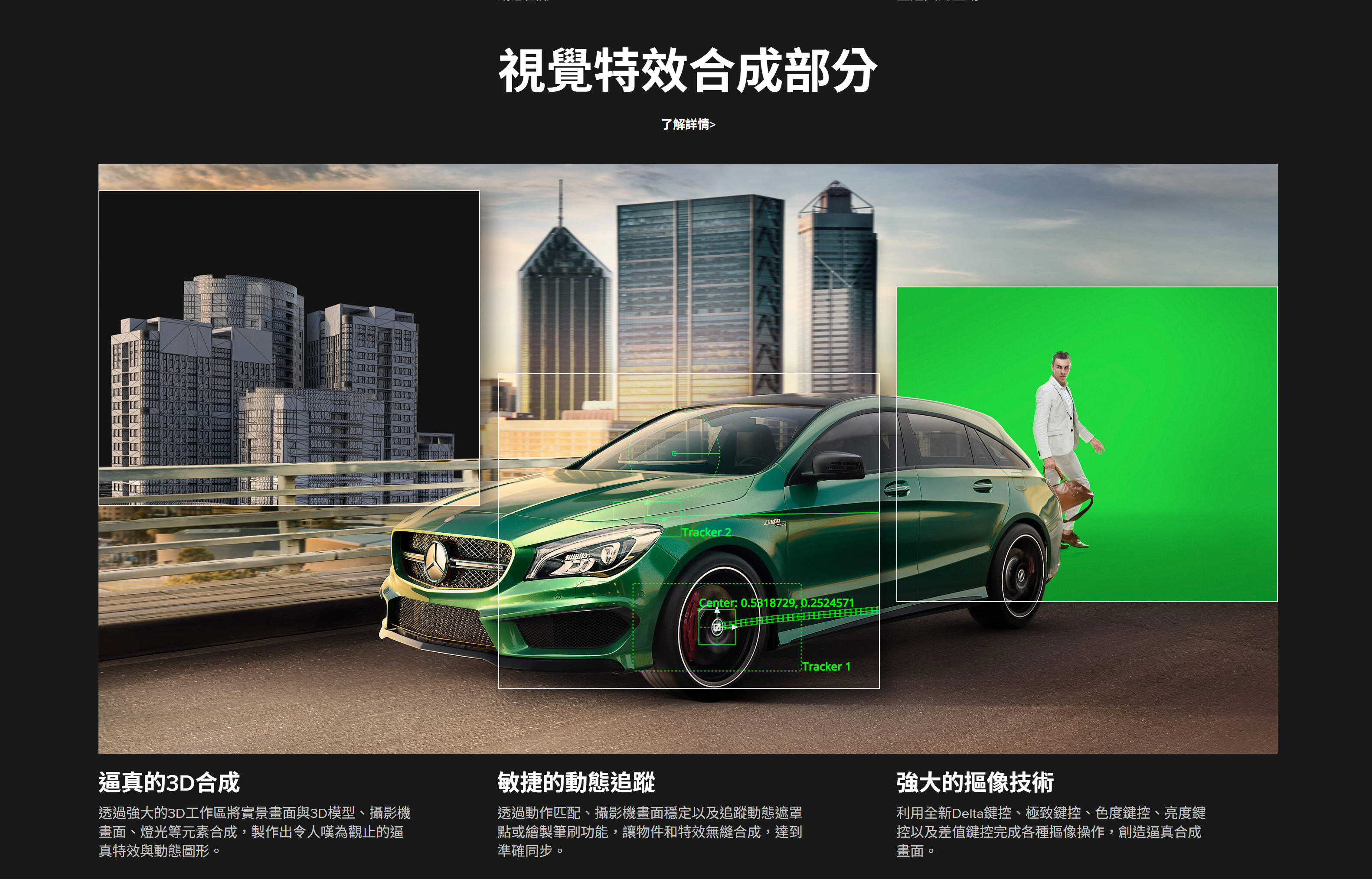
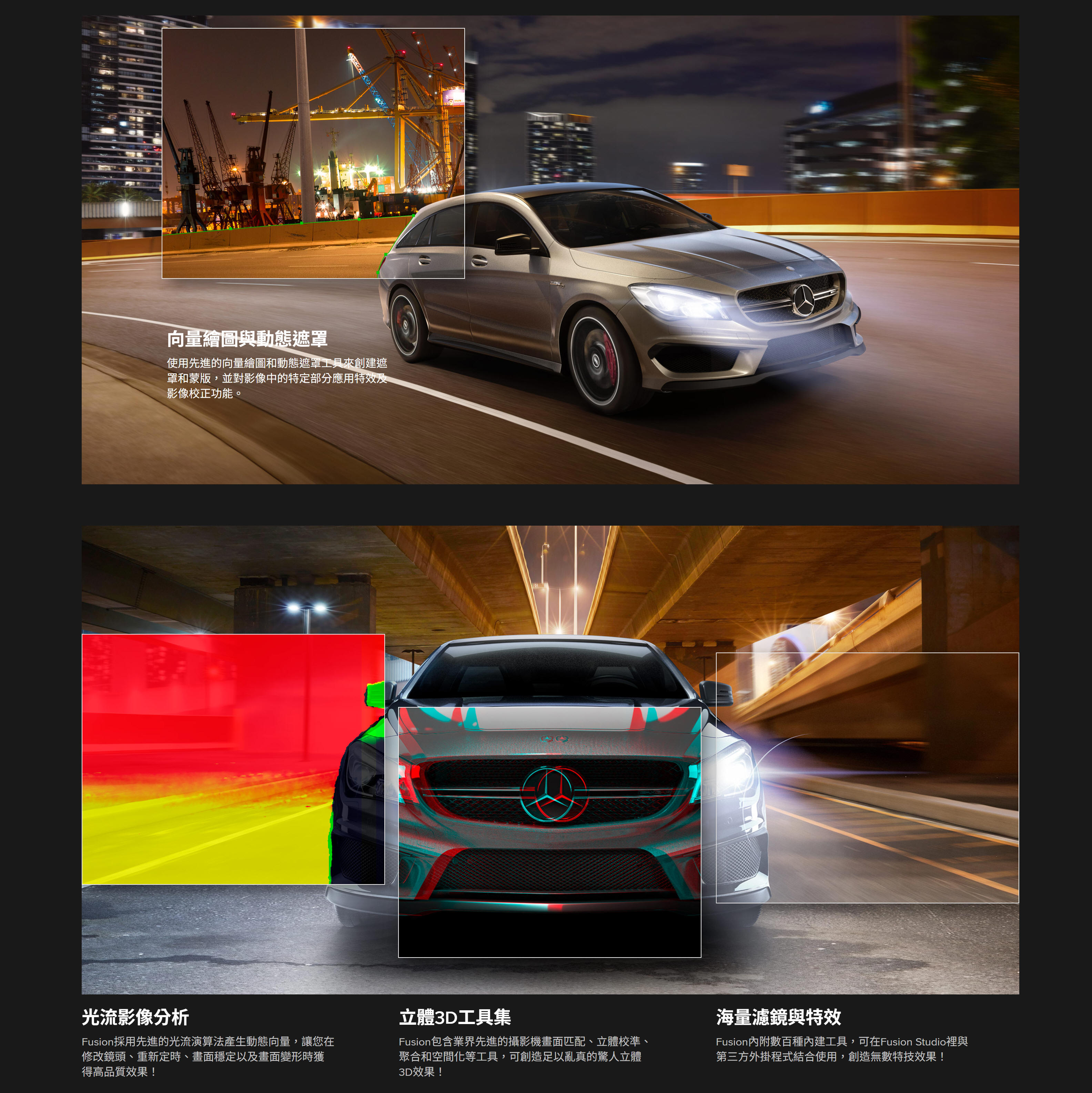
眾多好萊塢電影的高階視覺特效都會包含成百上千個不同的2D和3D元素,將這些元素結合到一起共同構成最終畫面,呈現出令人驚歎的逼真場景。Fusion具備全面的3D節點式工作介面,可從常用軟體導入3D模型和場景。此外,它還具備百餘種工具、特效和濾鏡,是打造栩栩如生、呼之欲出的視覺特效之利器!
合成
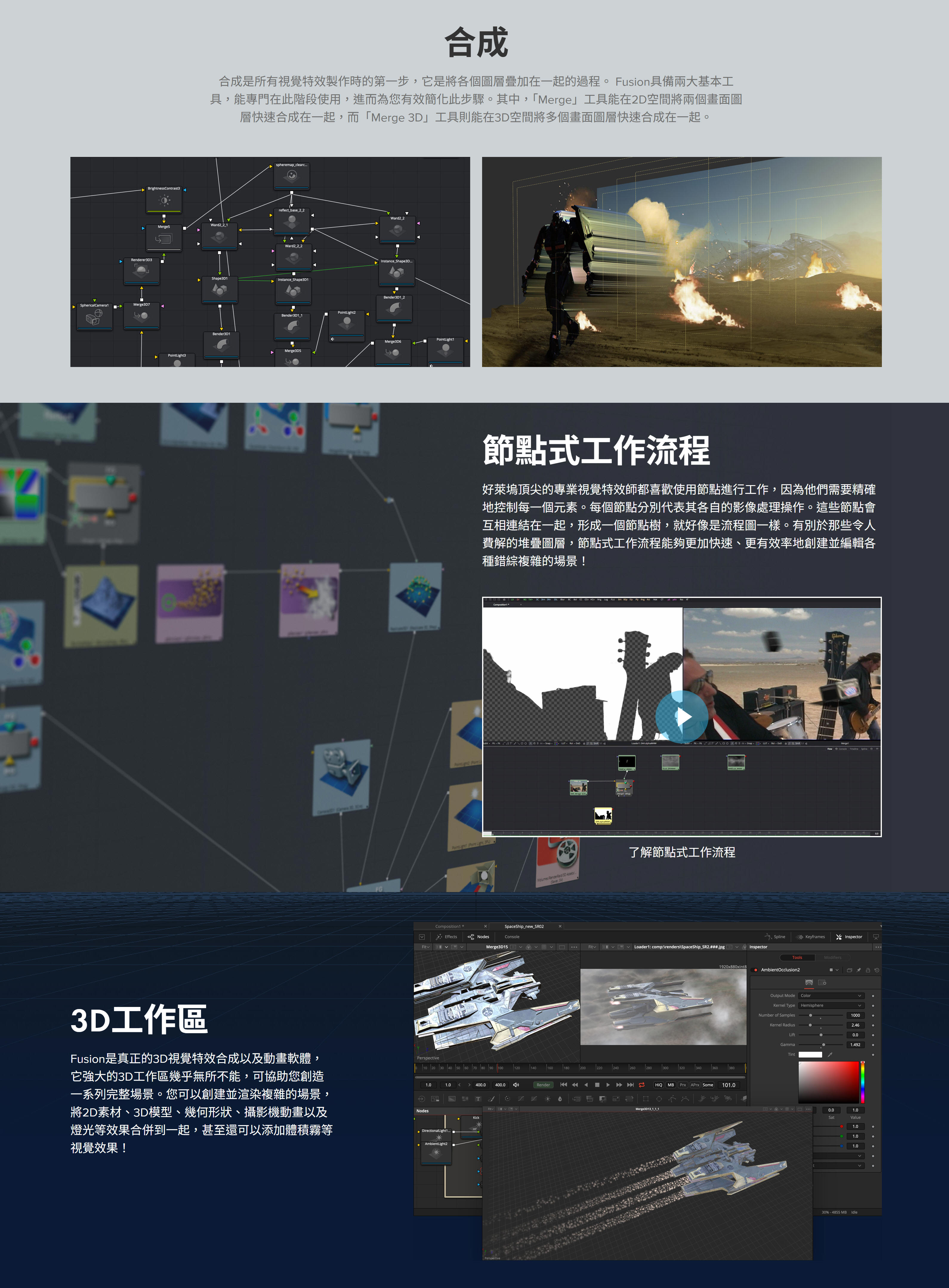
合成是所有視覺特效製作時的第一步,它是將各個圖層疊加到一起的一個過程。Fusion具備兩大基本工具,能專門在這一階段使用,從而為您有效簡化這一步驟。其中,Merge工具能在2D空間將兩個畫面圖層快速合成到一起,而Merge
3D工具則能在3D空間將多個畫面圖層快速合成到一起。
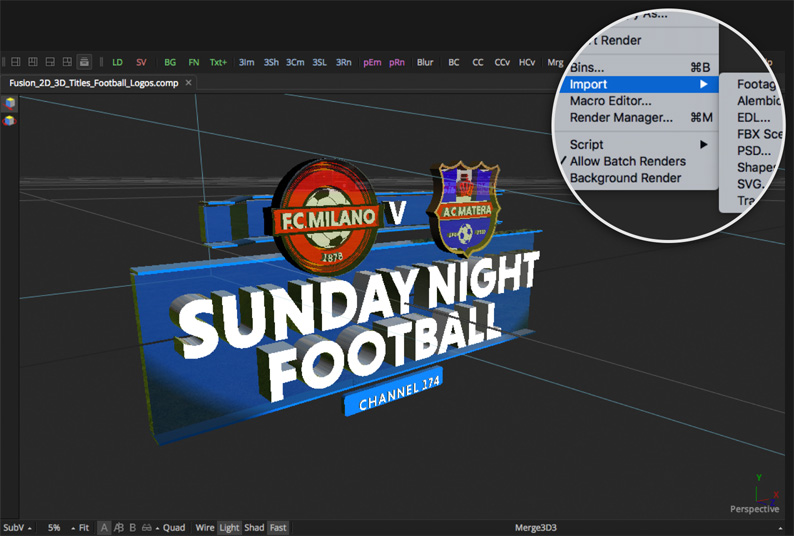
如今的電影中不乏一些宏偉壯觀的動作場景,這些都要歸功於電腦生成的場景擴展!Fusion可以導入並渲染來自Maya等常用軟體的3D模型和場景,方便您一步完成合成、添加燈光效果和渲染三個步驟。而且,它的投影工具還能用來快速渲染場景,無需使用複雜的3D幾何形狀!
專為3D和VR設計!
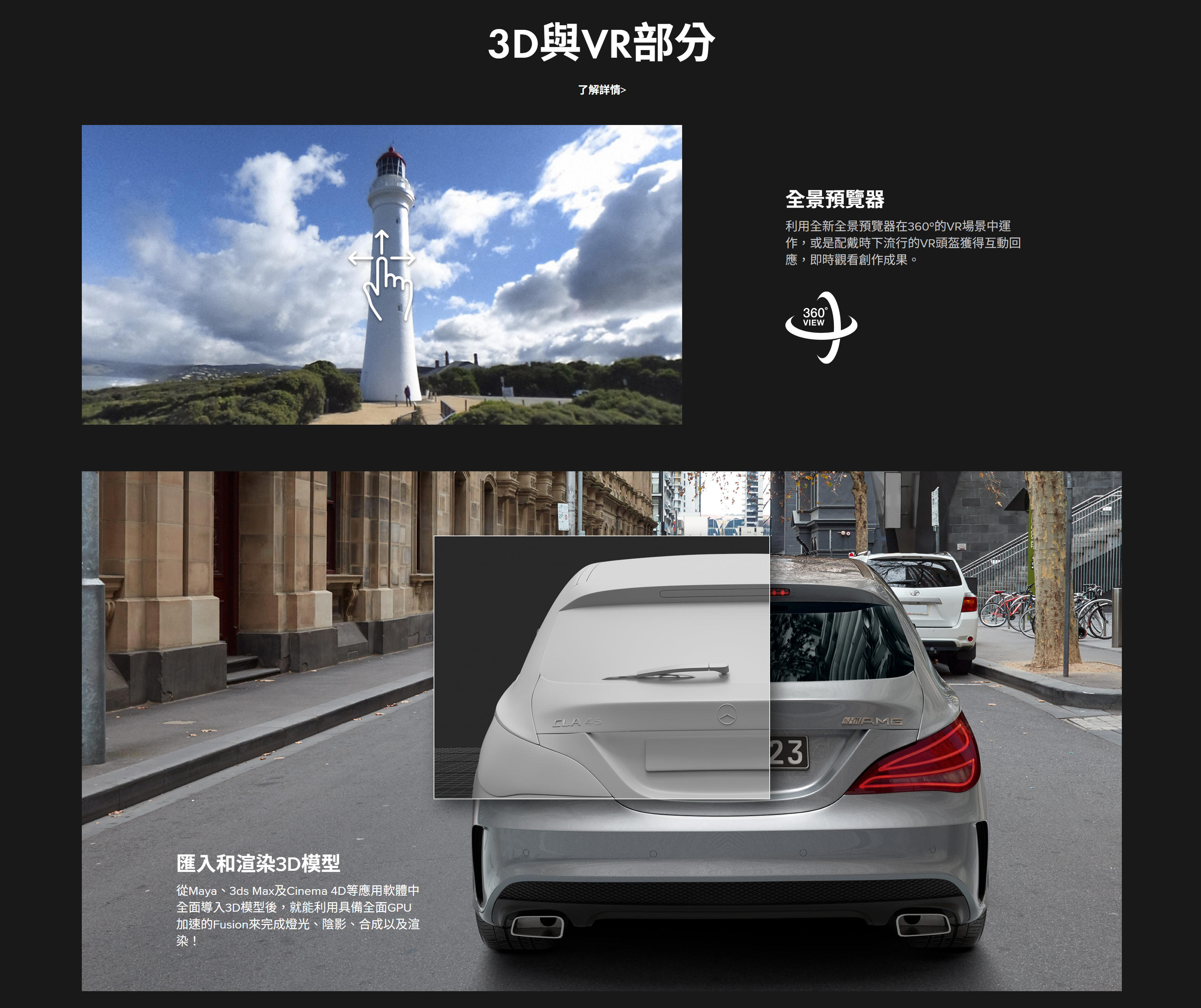
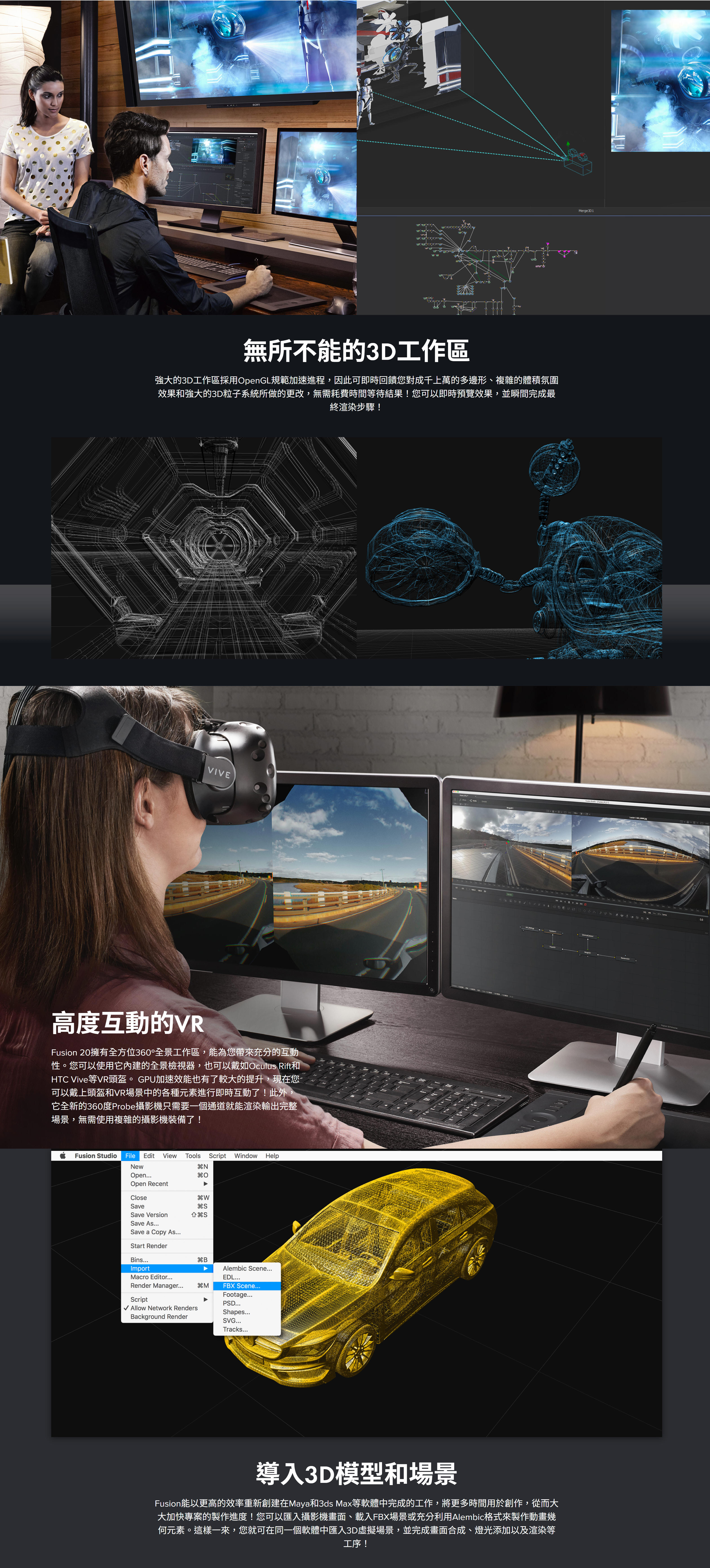
不論您從事的是電影專案、遊戲畫面、虛擬實境影像製作,還是以上三者皆有,都能使用Fusion這款設計精良的3D軟體,從零開始打造出令人震撼的效果。它擁有360度全方位3D工作區,並且可以從Maya、3ds
MAX和Cinema
4D等軟體導入模型和場景。這樣一來,畫面合成、燈光效果,以及來自其他軟體的3D物件和場景渲染等工作都可以在Fusion中完成!這是目前其他所有動態圖形軟體所望塵莫及的!有了Fusion,您就能全面控制燈光效果、體積效果和影像處理,在節省大量時間的同時,還能獲得更大的創意空間,而且無需在多個程式進行渲染!
無限網路渲染
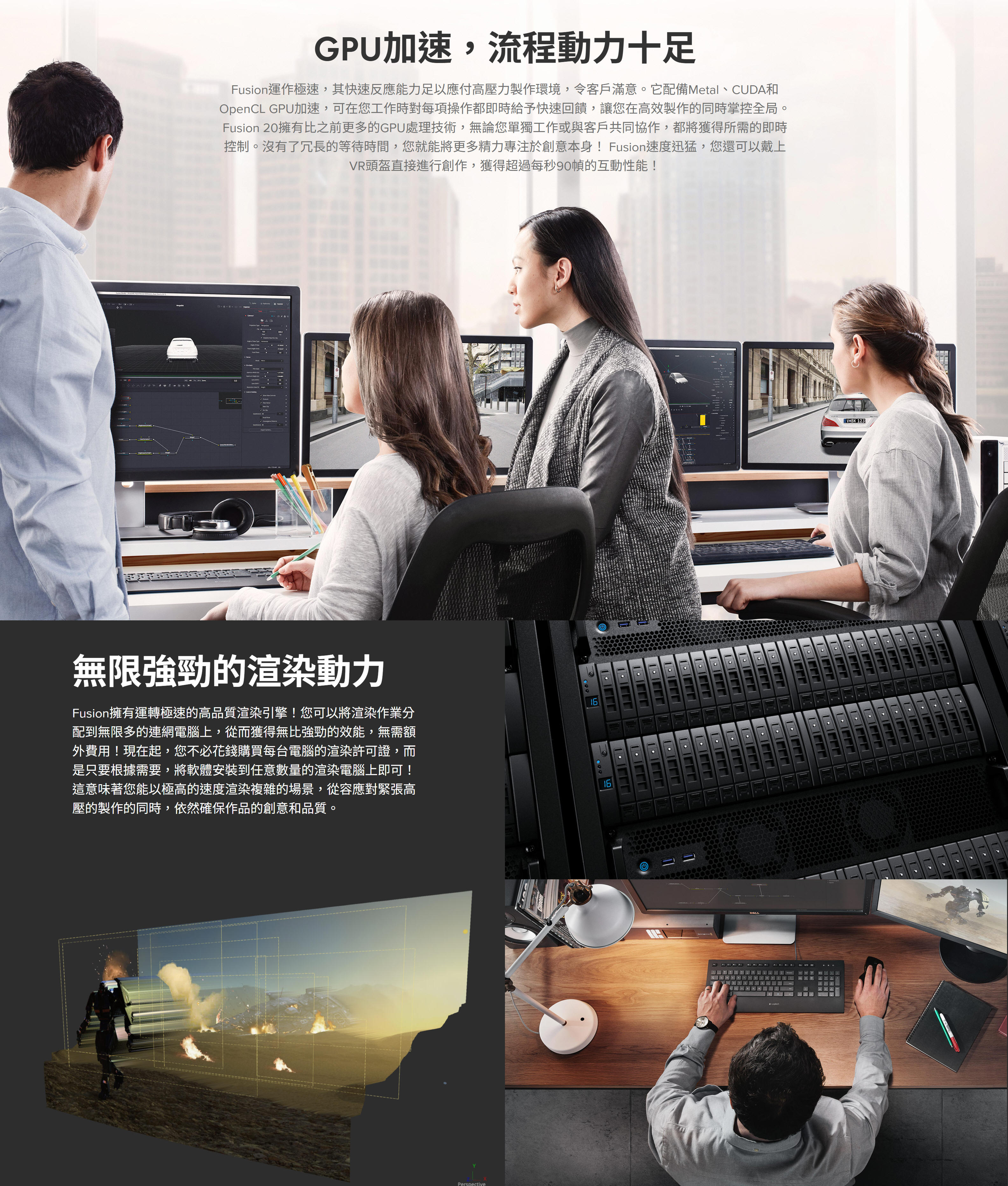
購買 Fusion Studio 後,您將獲得無限數量的許可證,可以在任何台電腦上安裝並獲得先進的3D性能、32位元浮點渲染引擎!您可以使用Fusion自帶的渲染管理器,也可以使用如Smedge、Spider和Rush等應用程式來處理渲染。重要的是,您不用像使用其他軟體時那樣,支付每台電腦的渲染授權費用了!
Fusion 20
播出圖文和字幕
廣播設計和動態圖形
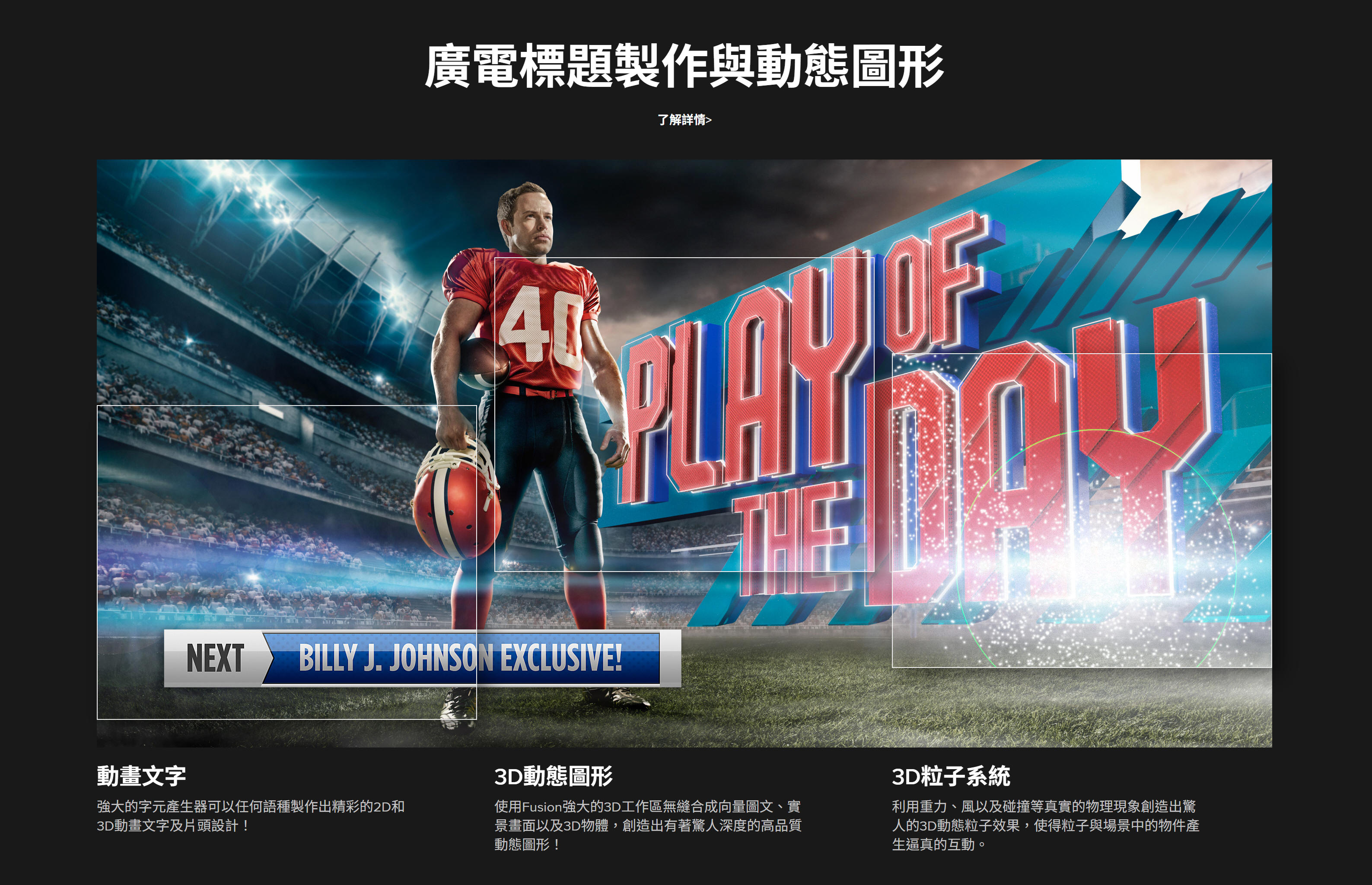
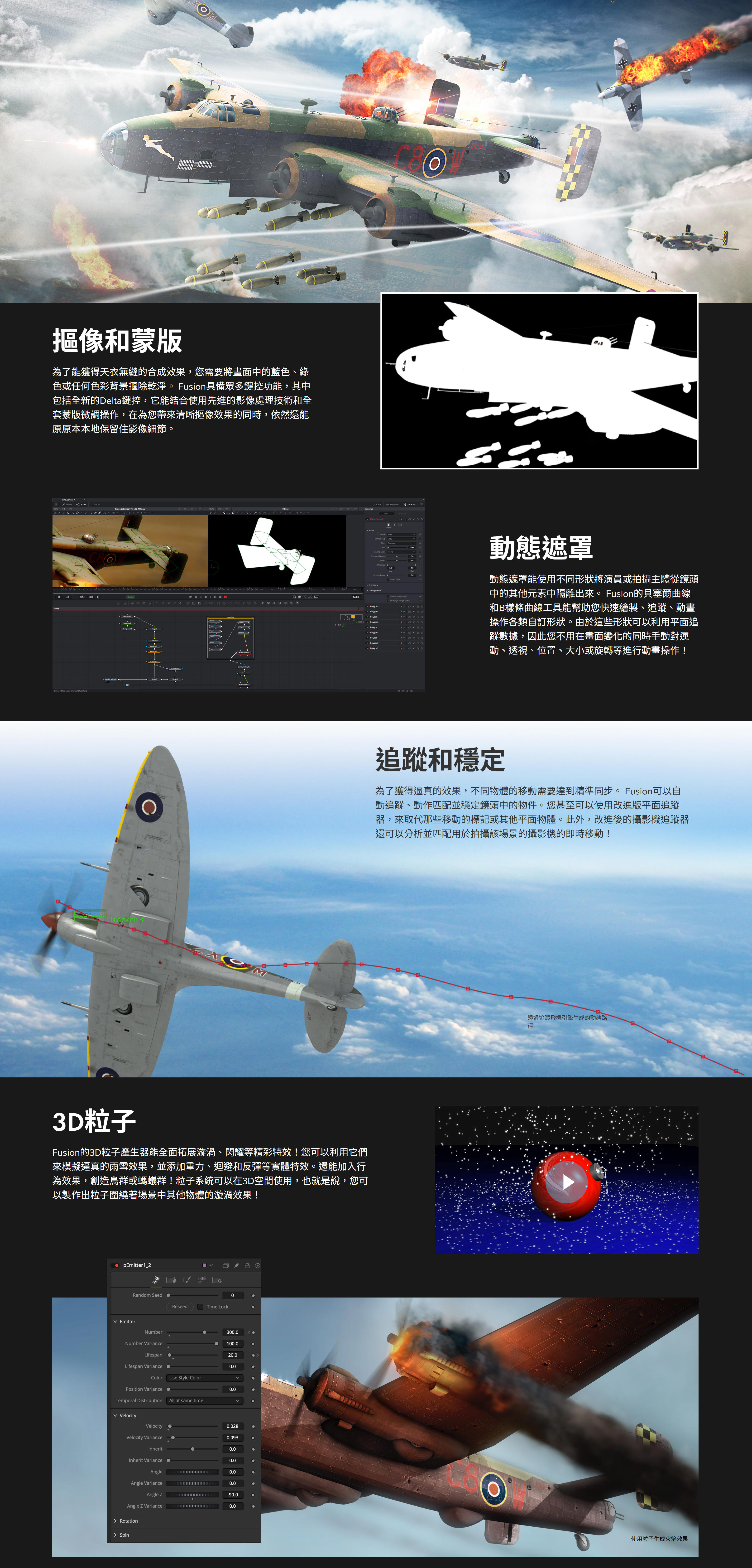
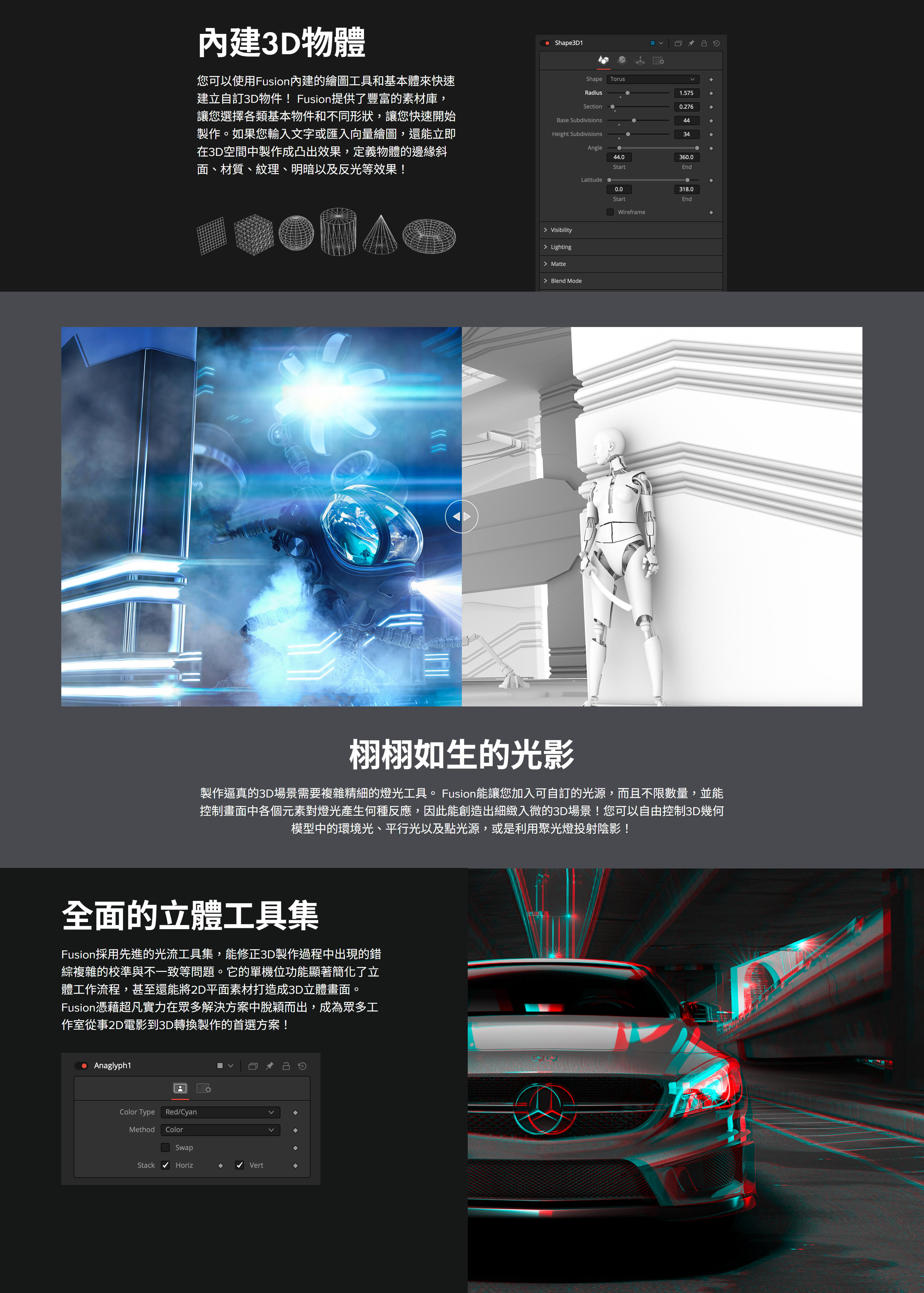
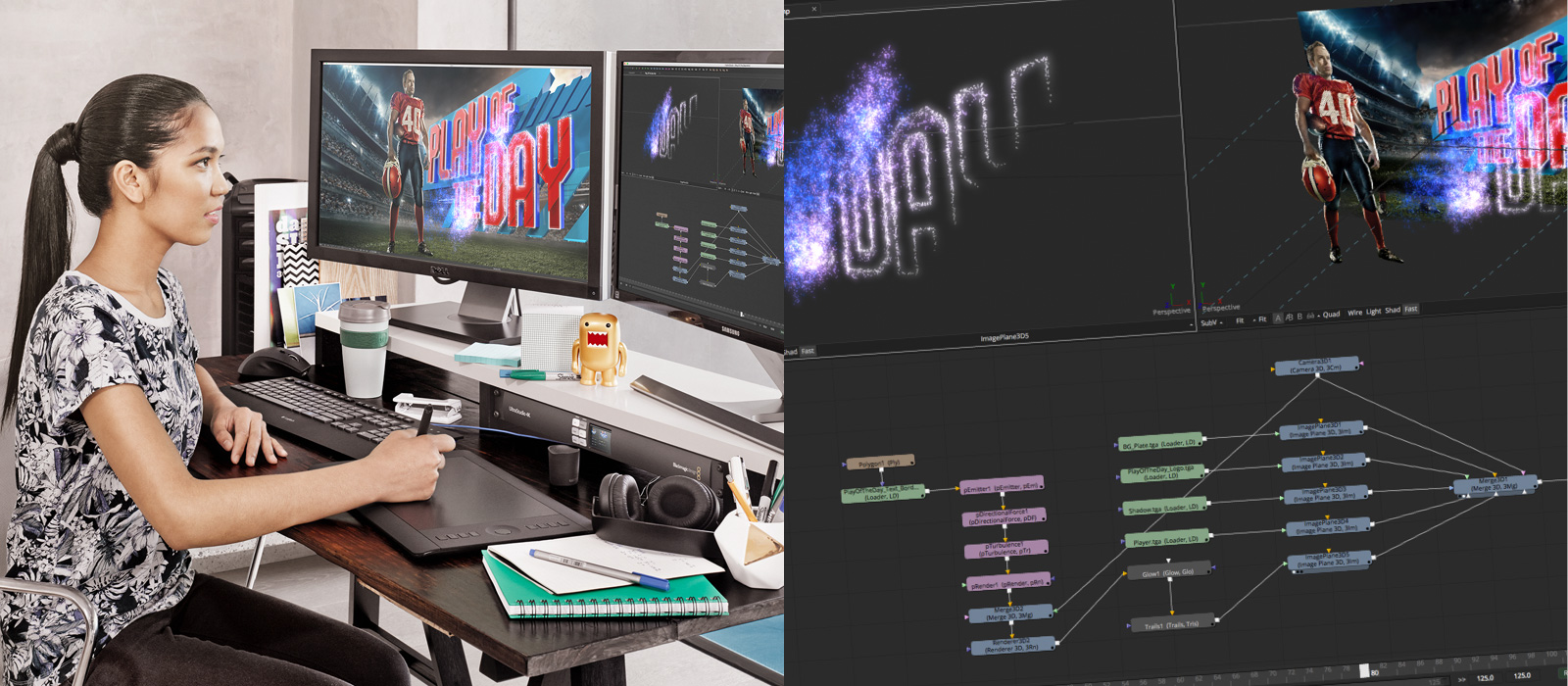
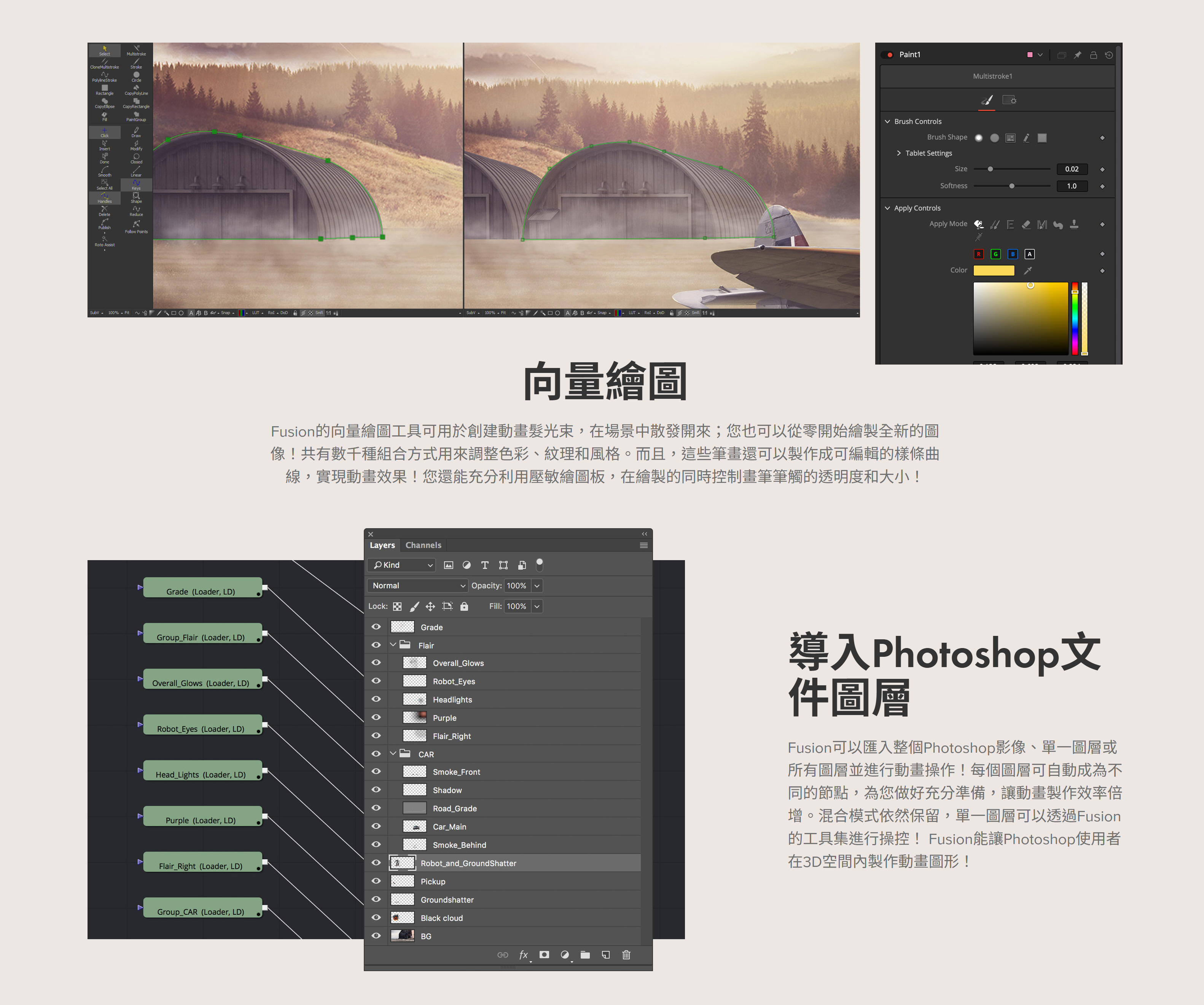
Fusion能幫助動態圖形設計師和播出設計師完成各類出色的創作,包括節目宣傳、頻道標識動畫到炫目的片頭設計、影視動畫效果,甚至廣告製作!有了Fusion,您的工作就不再局限於2D元素,而是可以從其他軟體導入3D物件和場景,或者從零開始創造屬於自己的設計!Fusion讓您能在其強大的3D工作區合成各類元素,並應用百餘種內置特效、3D粒子等精彩功能!
2D和3D標題
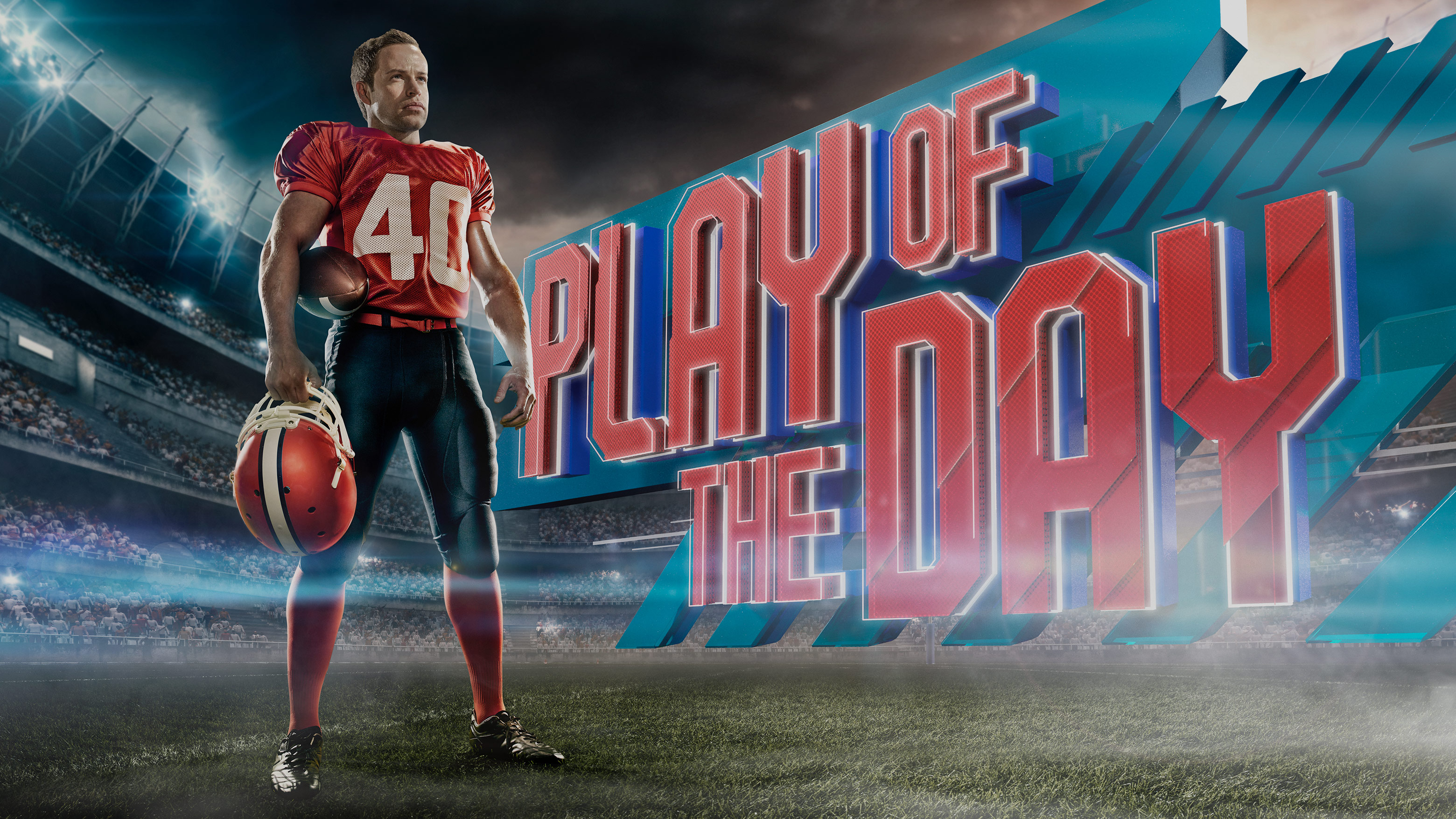
有了2D和3D文字工具,創作炫目動畫標題易如反掌!Fusion擁有傳統的文本格式控制和3D凸出功能,可添加反光、凹凸貼圖、陰影等。使用跟蹤工具對不同元素進行動畫製作,使其產生飛入和飛出效果,或者讓每個字母呈現波紋發光等效果,擁有無限制作可能!\
添加3D徽標
廣告和片頭設計經常要用到動畫標識。這時,您可以從Cinema 4D、3ds
MAX或Maya導入渲染3D徽標,也可以從Illustrator和其他應用程式導入2D向量文件。使用Fusion提供的全面動畫製作工具集以及各類材質、光影、景深、彎曲、變形、錐體和扭曲等效果進行製作!
樣條線動畫製作
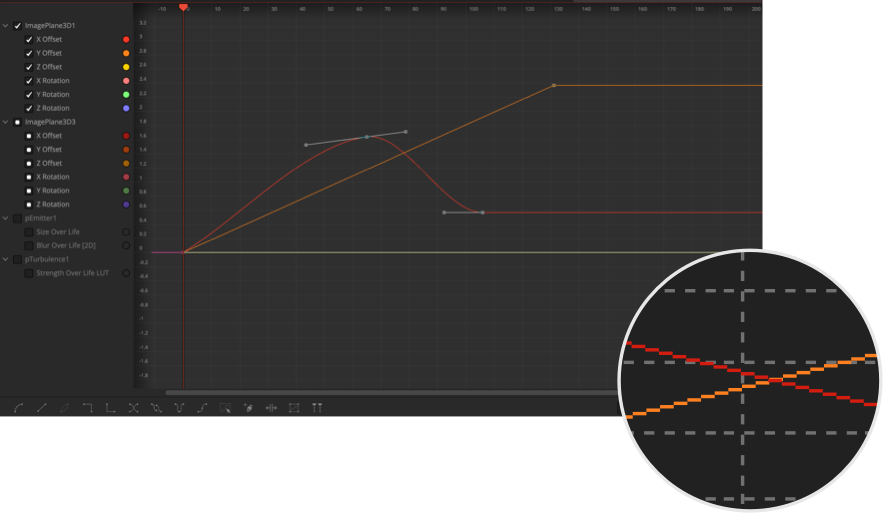
Fusion的曲線編輯器使用樣條線,可實現關鍵幀之間流暢平滑的動態效果。它們包括線性插值、貝塞爾插值、或B樣條曲線插值。這樣您就能應用自定義曲線,在各個關鍵幀之間製作出迴圈、倒退、乒乓效果,創建出複雜的動畫。同時,您還可以移動、拉伸或擠壓多個關鍵幀,創建出驚人的變化效果!
複製物體
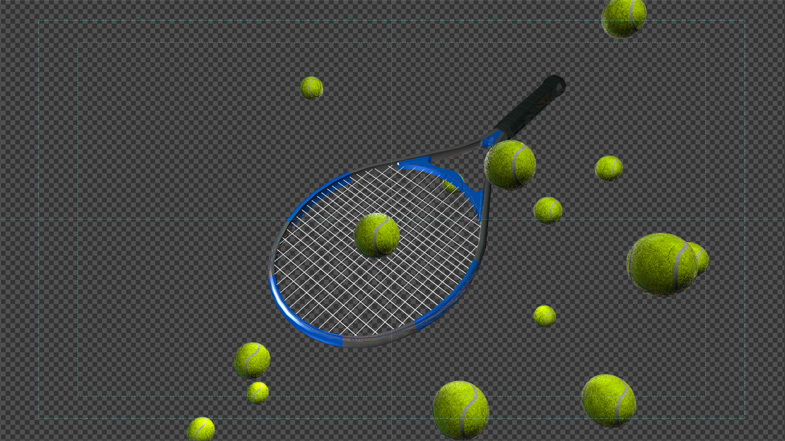
複製工具能自動創建多列重複物體,以便用來填充不同的形狀。只要對複製物體的各項參數稍加調整,就可以創建出錯綜複雜的動畫效果!此外,您還能使用隨機工具添加更為細微的變化,獲得其他製作工具無法達到的自然動畫!
好萊塢的秘密武器!
不論電影或電視劇,其中無處不有Fusion的功勞!這是因為Fusion為眾多好萊塢大片和電視影集製作視覺特效及動態圖形服務已有將近30年。它在這些年裡能夠出色完成逾千個專案製作,全都要歸功於其先進的3D工作區、豐富的工具集以及驚人的工作速度!
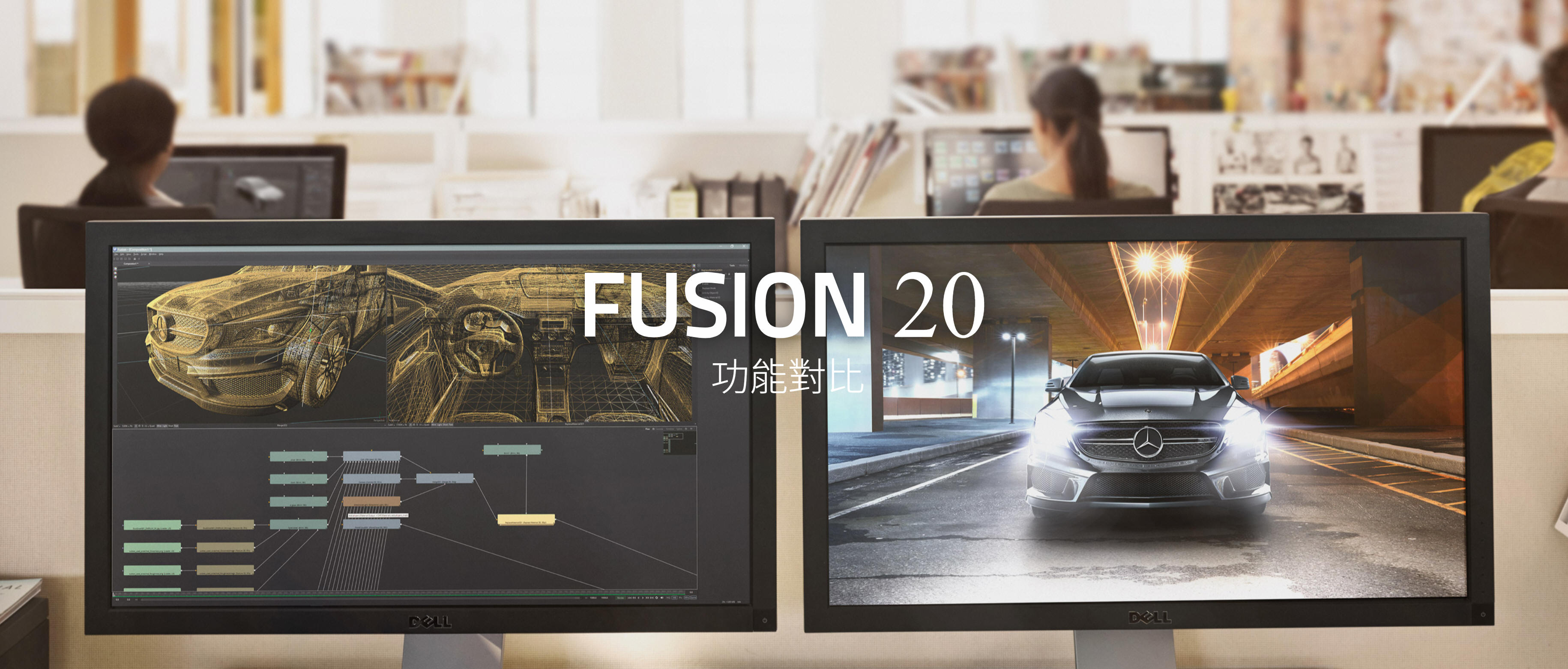
Fusion 20 功能對比
DaVinci Resolve Studio與Fusion Studio功能對比
Fusion是業界先進的2D和3D合成、VR和動態圖形軟體,如今還內置到了DaVinci
Resolve當中!它配備海量工具集,包括繪圖、動態遮罩、標題製作、動畫、摳像和3D粒子,以及支持導入和渲染3D模型、光流工具、立體3D模型、變速和穩定、第三方Open FX插件支援等眾多精彩功能。Fusion Studio 20還擁有無限制分散式網路渲染,在從事複雜專案工作時,還能使用其附贈的Studio
Player和媒體夾伺服器實現多用戶協作,共同完成跟蹤、管理、檢查和批准各類鏡頭效果。
General
Fusion in DaVinci
Fusion Studio 20
Integrated 2D and 3D compositing in an animation environment.
YES
YES
Mix and match footage of different resolutions, aspect ratios and formats within a single project.
YES
YES
Footage of different color depths can be processed in their native color depth within a single flow graph.
YES
YES
Responsive UI with interactive, real time rendering.
YES
YES
Render to multiple formats and resolutions in a single pass, with multiple saver nodes at any position in the flow process.
YES
YES
Resolution independent with support for images over 32K x 32K.
Limited to
YES
Support for floating point images.
YES
YES
Support for Metal, CUDA and OpenCL GPU acceleration.
YES
YES
Two-level proxy system for fast interactive response.
YES
YES
Open and work with multiple comps at once.
YES
YES
Save Custom interface Layouts.
YES
YES
Use Independent LUTs for each display view.
YES
YES
Support for dual displays.
YES
YES
A/B split view for comparing shots.
YES
YES
View and edit your project in frames, timecode or feet+frames modes.
YES
YES
Avid Connect Plug-in for using Fusion from the Media Composer timeline.
NO
YES
Node Based Interface
Fusion in DaVinci
Fusion Studio 20
Intuitive node-based flow graph interface for building composites.
YES
YES
Branch and connect tools to multiple nodes.
YES
YES
Mix and match footage of different resolutions, field orders, aspect ratios and formats within a single project.
YES
YES
Open and work with multiple comps at once.
YES
YES
Copy and paste tools into other comps.
YES
YES
Group and collapse tools into sub-flow for better organization.
YES
YES
Drag and drop footage into flow directly from file explorer.
YES
YES
Add notes to any node, or even the flow itself, as reminders or to assist with collaboration.
YES
YES
Render a comp while working on another.
NO
YES
Show thumbnails for images in flow graph.
YES
YES
Integrated Script Debug Console. Step through code, set breakpoints and have multiple scripts open at the same time.
YES
YES
VR
Fusion in DaVinci
Fusion Studio 20
Headset support for Occulus Rift, HTC Vive.
Windows only
Windows only
Pano viewer for no headsets.
YES
YES
Lag free 90fps viewing.
YES
YES
Real time viewing of 3D scenes.
YES
YES
Live action VR playback.
YES
YES
Stereo VR.
YES
YES
Conversion between VR image formats.
YES
YES
VR Paint and Fix workflow.
YES
YES
VR Motion Graphics and Tiling.
YES
YES
Stabilization of VR live action scenes.
YES
YES
VR Color correction.
YES
YES
Animation Tools
Fusion in DaVinci
Fusion Studio 20
Display and edit multiple animation splines.
YES
YES
Use Bezier or cubic splines for animation curves.
YES
YES
Scale, shape and stretch splines.
YES
YES
Set looping parameters for ping-pong, relative and number of loops.
YES
YES
Use keyframe markers as guides.
YES
YES
Step-in and step-out keyframe modes.
YES
YES
Set guides, markers and snap-to points.
YES
YES
Use time value offsets and scaling for multiple selected keyframes.
YES
YES
Global ease in and out controls.
YES
YES
Shape box to deform and taper splines.
YES
YES
Studio Player
Fusion in DaVinci
Fusion Studio 20
Playback of any format support in Fusion including EXR.
NO
YES
Playback via BMD Deck Link and UltraStudio.
NO
YES
Single layer timeline with ability to play a number of shots.
NO
YES
Set the In/Out trim for each shot.
NO
YES
Color format control allows for consistent display of shots from different formats.
NO
YES
Annotation notes can be typed on each clip, version, and project.
NO
YES
Audio, Scratch track and audio per clip.
NO
YES
Collaboration, Multiple Artists can access the same projects different machine.
NO
YES
Remote sync makes multiple Studio Players follow the master, for scrubbing, playing and collaboration around the studio and around the world.
NO
YES
Shot Versions are stored in the same project to allow for quick access to previous work and for comparison of progress.
NO
YES
Guide overlays, customisable to show monitor/title safety and crops.
NO
YES
Scriptable automation tasks using the Fusion scripting engine to control features.
NO
YES
Timeline
Fusion in DaVinci
Fusion Studio 20
Non-linear timeline display for adjusting element timing.
YES
YES
Trim and position multiple clips simultaneously.
YES
YES
Scrub audio and view waveform within timeline.
YES
YES
Sift the timeline display to show specific tools or groups of tools.
YES
YES
Set guides, markers and snap-to points.
YES
YES
Integrated spline viewer and editor.
YES
YES
Spreadsheet view for quick editing of animated parameters.
YES
YES
Drag and drop sorting of tools in the timeline to better focus on timing and keyframes.
YES
YES
Color coding of tools and splines.
YES
YES
Performance
Fusion in DaVinci
Fusion Studio 20
2D image processing accelerated by GPU.
YES
YES
Completely multi-threaded rendering, uses every CPU available.
YES
YES
GPU Acceleration of 3D workspace and rendering.
YES
YES
GPU Acceleration of computationally intensive tools.
YES
YES
Render and interactive performance scalable with remote nodes.
NO
YES
Designed to work efficiently with extremely large files.
YES
YES
Enhanced file caching for local and networked drives.
YES
YES
Disk and Ram Caching stores processed images for immediate playback.
YES
YES
Cache manager works invisibly in background - no user intervention required.
YES
YES
Multiple tools can simultaneously maintain their own cache.
YES
YES
Improve local performance/interactivity with remote render nodes.
NO
YES
Automatic memory tuning.
YES
YES
Images already in cache do not re-render.
YES
YES
Cache output of any node to either RAM or disk.
YES
YES
Region Of Interest and User-definable Domain Of Definition speed up image processing.
YES
YES
Infinite Canvas eliminates clipping of image areas outside the project bounds.
YES
YES
3D Workspace
Fusion in DaVinci
Fusion Studio 20
A fully integrated 3D compositing environment with lights, camera snap casted shadows.
YES
YES
3D scene importing via FBX and Alembic, includes models, cameras, lights, and rigs.
YES
YES
Render scenes with many millions of polygons and complex shading.
YES
YES
Lightning fast GPU based renderer.
YES
YES
Import 3D models from Maya, 3ds Max, Cinema 4D and more.
YES
YES
3D importing of scenes with matched animation curves, stereo cameras, lighting and multi level materials.
YES
YES
Relighting using rich deep pixels and reshading tools to a full GPU renderer.
YES
YES
The GPU render outputs multiple layer types for later processing at extraordinary speed.
YES
YES
GPU accelerated Ambient Occlusion rendering.
YES
YES
Geometry creation, with primitives and 3D text.
YES
YES
Bending, tapering and warping of geometry or groups of objects.
YES
YES
Duplicate, Replicate objects to create armies or crowds.
YES
YES
Support for multiple renderers and many scenes in one composition.
YES
YES
Import tracked cameras that match live action and also match 3D animation applications, making a seamless workflow for studios.
YES
YES
Multi Channel Support
Fusion in DaVinci
Fusion Studio 20
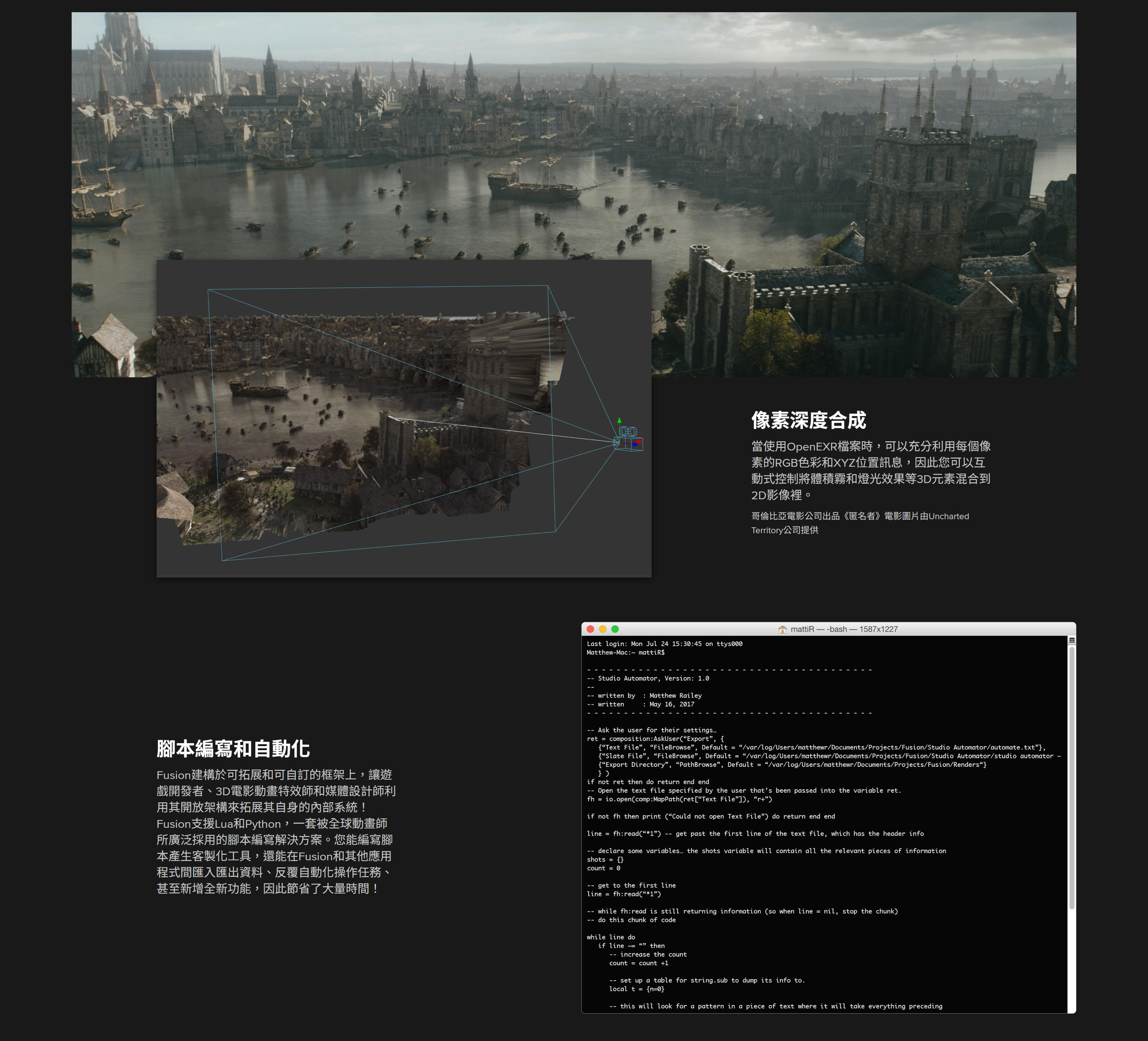
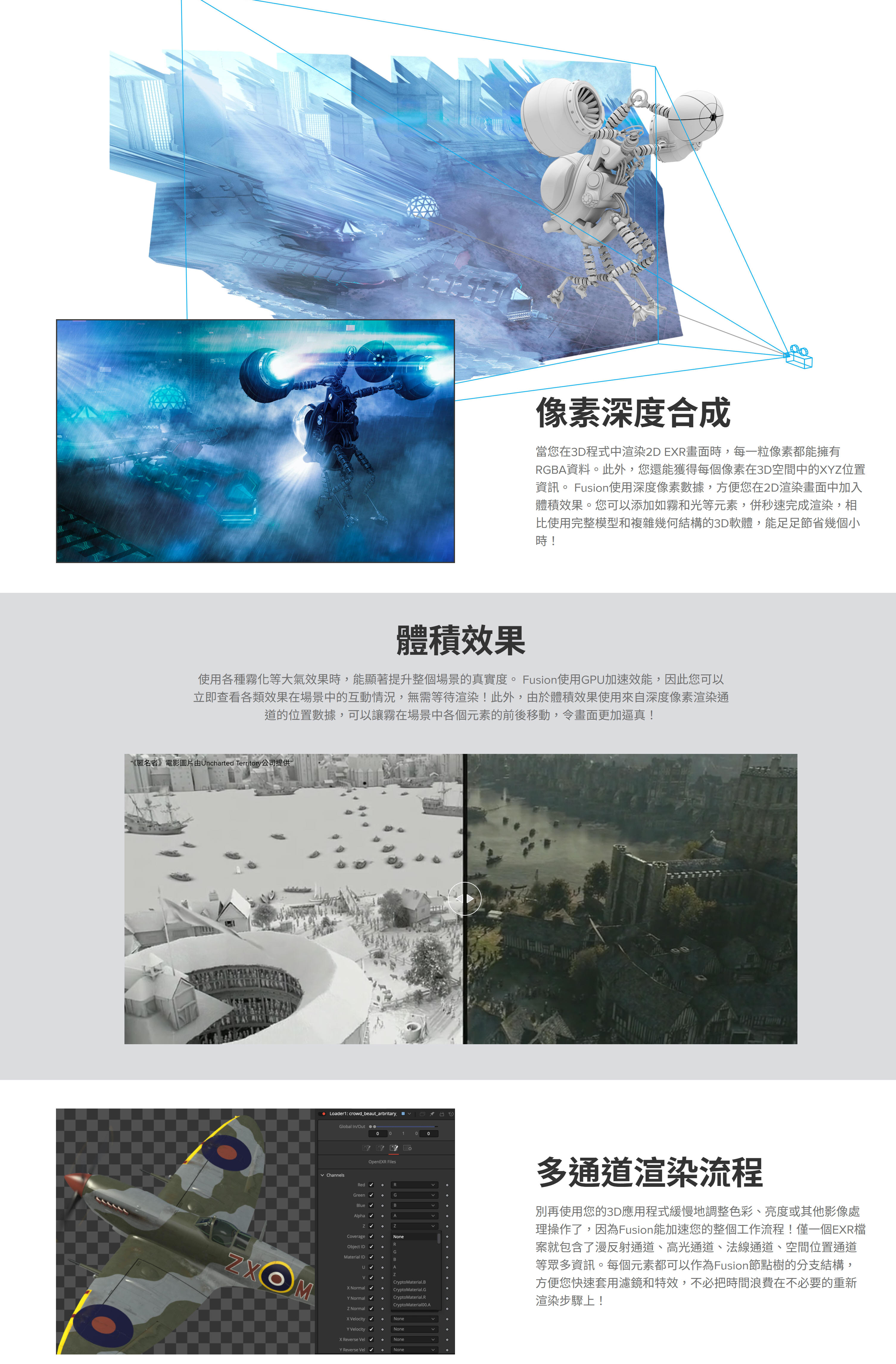
Use the extra channels in Open EXR files produced by 3D applications to enhance the look of 3D rendered material.
YES
YES
Depth merging combines two images based on the relative position of their pixels, eliminating the concept of foreground and background.
YES
YES
3D Z-Depth Blur for true depth of field focusing.
YES
YES
3D Shader for relighting object based on the information contained in the normals channel.
YES
YES
3D Fog applies fog to an image based on depth of each pixel, or an external z-buffer map.
YES
YES
3D Texture to apply reflection maps and replacement textures to 3D rendered objects.
YES
YES
Use object and material IDs to mask the effect of any tool.
YES
YES
Use the above tools and techniques with particles and grid warping tools in Fusion, which also produce extra channel information.
YES
YES
Deep multi channel output for Z buffers, normals, UV texture and World Pass pass, velocity vectors.
YES
YES
Deep Pixel Compositing
Fusion in DaVinci
Fusion Studio 20
Generate deep pixel data like World Position, Normals, UV.
YES
YES
Volumetric Renderer, with full ray casted self shadowing volumes with variable density.
YES
YES
World Position Pass integration of images with occlusion.
YES
YES
Masking and Volumetric Atmospherics using World Position Pass.
YES
YES
GPU accelerated for real time interactivity and rendering.
YES
YES
Particles
Fusion in DaVinci
Fusion Studio 20
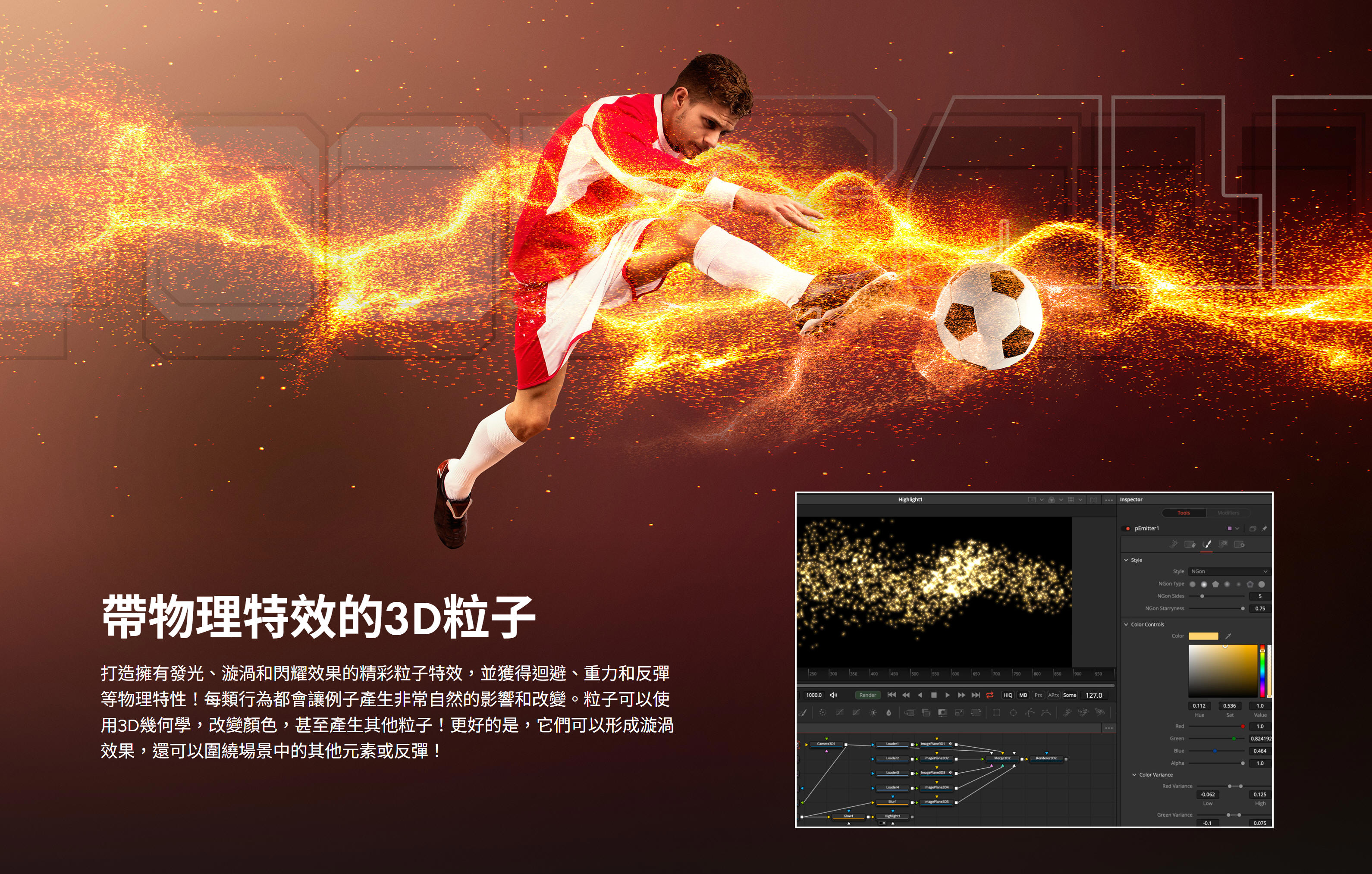
3D flow-based particle suite.
YES
YES
Fully OpenGL accelerated for incredible speed.
YES
YES
Bitmap, geometric or pixel based particle styles for ultimate flexibility.
YES
YES
Variable control over spin, size, velocity, angle, spin, fade, blur and color over time.
YES
YES
Modify particle behavior with physics-based tools like gravitational, wind, friction, tangential, point and gradient forces.
YES
YES
Control modifier tools with effectors and force emitters, based on bitmaps, shapes or polylines.
YES
YES
Advanced behavioral controls like flocking, turbulence, spawning and n-body attraction.
YES
YES
N-GON particle style provides a variety of shaded geometric shapes for particles.
YES
YES
Image Emitter tool turns each pixel of an image into a particle.
YES
YES
Modify particle attributes with custom expressions.
YES
YES
Produce depth of field blurring on particles based on Z-position.
YES
YES
Animate any particle parameter over time.
YES
YES
Apply motion blur to all particle streams.
YES
YES
Choose from a variety of predefined particle styles and brushes.
YES
YES
Merge separate particle streams together with pMerge tool.
YES
YES
Output Z-buffer position for each particle, and depth blur particles together.
YES
YES
Change particle styles based on collision and other ‘events’.
YES
YES
Network renderable to slash render times.
YES
YES
Network Rendering
Fusion in DaVinci
Fusion Studio 20
Unlimited free Render Nodes.
NO
YES
Render Fusion comps on remote CPUs using unlimited number of render nodes.
NO
YES
Network rendered previews, tool caches speed the entire production process from start to finish.
NO
YES
Powerful render manager for maximum efficiency.
NO
YES
Assign remote nodes to render groups and submit flow to only specified groups.
NO
YES
Assign priorities to a submitted render to help resolve conflicts in busy environments.
NO
YES
Network render Flipbook previews Disk and Ram caches.
NO
YES
Select the range of frames to be rendered for each flow in the queue, without the need to modify or open the saved flow.
NO
YES
Nodes that become available after a render has begun automatically rejoin the queue.
NO
YES
Layer Blending Tools
Fusion in DaVinci
Fusion Studio 20
Use standard layer blend modes like screen, overlay, multiply, and soft light.
YES
YES
Choose between additive and subtractive merge modes.
YES
YES
Perform Z-depth compositing.
YES
YES
Apply ‘burn in’ overexposure to foreground layer.
YES
YES
Dissolve between layers with standard SMPTE wipes and gradients, or use custom bitmaps to control the dissolve.
YES
YES
Apply calculated motion blur to any tool with animation applied.
YES
YES
Paint
Fusion in DaVinci
Fusion Studio 20
Vector based paint system.
YES
YES
Paint with hard or soft edge brushes or bit map image brushes.
YES
YES
Choose paint styles including Clone, Emboss, Smear, Stamp and more.
YES
YES
Use strokes and shapes to paint non-destructively on images.
YES
YES
On-the-fly caching for amazing interactive performance.
YES
YES
Individual strokes can be moved, edited, animated and tracked.
YES
YES
Supports standard pressure-sensitive tablets; brushes can vary by stroke pressure or velocity.
YES
YES
Infinitely scalable brushes with extremely fine softness control.
YES
YES
Flood fill for magic wand-style operations that work over time.
YES
YES
Bezier and stroke wire removal tools for fast and flexible removal of rigging and other undesirable elements.
YES
YES
2D/3D Text Creation
Fusion in DaVinci
Fusion Studio 20
Complete control over every parameter of a font’s color, size, kerning and layout.
YES
YES
Use any TrueType, Open Type or PS1 type font.
YES
YES
Layout text along spline paths, to a frame, or circle.
YES
YES
Align text to frame, image or path, including horizontal and vertical justification.
YES
YES
Full Unicode support for international and extended character sets.
YES
YES
Manually adjust the kerning and position of every character.
YES
YES
Mix and match fonts, colors, size and texture in a single tool.
YES
YES
Extrude Text in 3D.
YES
YES
Custom 3D bevel creation.
YES
YES
Use multiple fill, outline and text borders.
YES
YES
Use modifiers like Scramble, Timecode, and Follower.
YES
YES
Animate built in ‘type on’ effects, rolls and crawls.
YES
YES
Transform layout, characters, words and shading elements separately.
YES
YES
Fills and outlines have individual shading, softness and glow.
YES
YES
Map images and sequences onto text with a variety of mapping styles.
YES
YES
Store commonly-used styles in library swatches for future use.
YES
YES
Transform text in 3D, with independent transforms for the layout, character, shading components.
YES
YES
Tracking
Fusion in DaVinci
Fusion Studio 20
Planar Tracker.
YES
YES
Planar Stabilization and steadying.
YES
YES
Planar Transforms of Roto.
YES
YES
Camera Tracker with full 3D output of camera motion and pointcloud.
YES
YES
Unlimited tracking points within a single tracker.
YES
YES
High sub pixel precision.
YES
YES
Integrated corner positioning, perspective correction, stabilization, and match moving, all within a single tool.
YES
YES
Adaptive pattern acquisition.
YES
YES
Track paths forward and backward.
YES
YES
Stabilization based on an unlimited number of track points.
YES
YES
Smooth and stabilize camera motion without eliminating existing pan or zoom.
YES
YES
Automatic selection of best tracking channel, red, green, blue, alpha or luminance.
YES
YES
Choose a manual rotation axis for stabilization.
YES
YES
Drive the animation of any parameter, path or tool with tracked data.
YES
YES
Publish and connect individual points on a spline.
YES
YES
Creator Tools and Grain
Fusion in DaVinci
Fusion Studio 20
Fast Noise tool for extremely quick, high quality noise patterns.
YES
YES
Mandelbrot generator produces extremely scalable fractal images.
YES
YES
Continuous and discontinuous noise options.
YES
YES
Noise detail and noise brightness maps for precision control over noise generation.
YES
YES
Background generator for solid and gradient type backgrounds.
YES
YES
Generate gradients calculated in RGB, HLS, HSV or LAB color space.
YES
YES
Unlimited gradient color points for fine control over gradient progression.
YES
YES
Animate gradient procession over time.
YES
YES
Select from one of six gradient types including linear, radial and square.
YES
YES
Static, repeat and ping pong modes for out of bounds gradients.
YES
YES
Day Sky simulates the Sky based on time of year and time.
YES
YES
Plasma generator for frequency interference based noise patterns.
YES
YES
Adjustable grain strength, size, softness and spacing.
YES
YES
Response curves control amount of grain across a gradient for each color channel to closely match film stock grain behavior.
YES
YES
Color differences between grain channels help match non monochromatic type grains.
YES
YES
Choose between random or seeded grain noise for repeatable and static noise types.
YES
YES
Keying/Matte Tools
Fusion in DaVinci
Fusion Studio 20
Delta keyer, high end keyer with fine tuning controls.
YES
YES
Clean plate pre keyer to smooth lighting differences in screen color.
YES
YES
Industry standard Primatte 5 Keyer.
NO
YES
Fusion's exclusive Ultra Keyer optimized for Blue and Green screen extraction.
YES
YES
Chroma and Luma Keyer for extracting mattes from color or luminance channels.
YES
YES
Five modes of spill suppression to eliminate even the most difficult reflection halos.
YES
YES
Animated garbage mattes for isolating rigging and set elements.
YES
YES
Adjustable edge gamma and fringe color correction.
YES
YES
Matte thresholding for semi-transparent region replacement.
YES
YES
Matte blur, gamma, and contrast control for post key processing of the matte.
YES
YES
Image Processing Filters
Fusion in DaVinci
Fusion Studio 20
Lens type defocusing with blooming and NGon elements.
YES
YES
Lens flare-style hotspots with occlusion and lens aberrations.
YES
YES
Glow, soft glow, glow under and glow thresholding modes.
YES
YES
Pre-masks for glow, highlight, dve and other tools.
YES
YES
Directional blurs for motion and zoom style blurring.
YES
YES
Erode and dilate filters for burn in and overexposure effects.
YES
YES
Sharpen and unsharpen masking.
YES
YES
Sobel and laplacian edge detection.
YES
YES
Custom convolution kernel filtering.
YES
YES
Transforms and Warping
Fusion in DaVinci
Fusion Studio 20
Transform image with high-quality area sampling for excellent anti-aliasing.
YES
YES
Concatenated transformations speed operations and improve quality.
YES
YES
Apply displacements, dents, and vortexes to any image.
YES
YES
Choose from one of eight drip deformations with control over amplitude, aspect, frequency and aspect.
YES
YES
True perspective positioning and correction.
YES
YES
Corner pinning for sign replacement and four point scaling.
YES
YES
Grid-based image warping over an entire image or a specified region.
YES
YES
Define separate source and destination grids for morphing effects.
YES
YES
Complete bezier and smoothing control over each grid point.
YES
YES
Magnet or static selection types for easy manipulation of multiple grid points.
YES
YES
Rotoscoping Tools and Masking
Fusion in DaVinci
Fusion Studio 20
Planar tracked roto.
YES
YES
Create masks using bezier splines, B-splines, paint tool or bitmap images.
YES
YES
Magic wand-type mask performs color picking over time.
YES
YES
Non-uniform feathering of spline shapes.
YES
YES
Roto Assist, to find edges of the subject.
YES
YES
Roto Onion skinning, shows the roto shapes for multiple frames.
YES
YES
Controllable motion blur.
YES
YES
Use masks to limit the effect of any tool to a specified region.
YES
YES
Re-order, copy, paste and cut masks.
YES
YES
Color Tools
Fusion in DaVinci
Fusion Studio 20
Adjust hue, saturation, tinting, gamma, gain, contrast, brightness for any color channel or luminance range.
YES
YES
Manipulate levels and image histogram directly.
YES
YES
Spline-based Color Curves tool allows look up table color correction for infinite flexibility.
YES
YES
User definable ranges for shadows, midtones and highlights.
YES
YES
Separate color correction by channel or region.
YES
YES
Color match to a reference image.
YES
YES
Channel Booleans tool to copy and blend image channels based on add, subtract, multiply and other mathematical operations.
YES
YES
Colorspace Processing
Fusion in DaVinci
Fusion Studio 20
Supports integer and HDRI floating processing of color depth.
YES
YES
Out of range color values are preserved through color adjustments.
YES
YES
Industry standard color spaces including ACES, REC709, REC2020, and Wide Gamut.
YES
YES
Linear Light Color/Open Color IO.
YES
YES
Monitor calibration.
YES
YES
Waveform, Vectorscope and Histogram displays.
YES
YES
LUT creation, analyzing and designing tools.
YES
YES
3D LUTs.
YES
YES
Work in RGB, YUV, CMY and other color spaces.
YES
YES
Use logarithmic images like Cineon and DPT without first converting them to linear space.
YES
YES
Optical Flow Tools
Fusion in DaVinci
Fusion Studio 20
Optical Flow analysis for generating forward and back vectors.
YES
YES
Change the speed of a clip using optical flow analysis.
YES
YES
RepairFrame regenerates a frame using optical flow between its two neighbors.
YES
YES
SmoothMotion for smoothing of color or aux channels using optical flow.
YES
YES
Tween interpolates between two non-sequential images
YES
YES
Stereoscopic 3D Toolset
Fusion in DaVinci
Fusion Studio 20
Built in 3D cameras with support for eye separation, convergence and toe in, or Parallel mode.
YES
YES
Disparity stereo map generation, with mapping in both left and right eyes.
YES
YES
New Eye tool for generating new left and right images, with convergence and alignment.
YES
YES
Stereo Align tool for adjusting vertical alignment, convergence, and eye separation.
YES
YES
DisparityToZ and ZToDisparity converts Disparity to and from Z depth.
YES
YES
Global Alignment tool for adjusting a stereo pair without warping.
YES
YES
Stereo Stack and Unstack to combine Left and Right images into a single stereo pair.
YES
YES
Support for 3D stereo viewing systems including anaglyph, side-by-side, stacking and interlace viewing.
YES
YES
Bins and Media Organisation
Fusion in DaVinci
Fusion Studio 20
Bins for easy access to commonly used Tools, Settings, Macros, Compositions and Footage.
YES
YES
Bin server for sharing Bin assets over network.
NO
YES
Carry Metadata through a project pipeline.
YES
YES
Read existing Metadata on clips.
YES
YES
Copy and insert custom metadata to any image.
YES
YES
File Format Compatibility
Fusion in DaVinci
Fusion Studio 20
MXF, DNxHQ, DNxHR.
YES
YES
FFMpeg Bridge for further Codec Support, customer must download separately.
NO
YES
EXR 2.2.
YES
YES
Support for Blackmagic Design Cinema Cameras and Cinema DNG format.
YES
YES
Supports over 30 image file formats including OpenEXR, DPX, TIFF, JPEG, PSD, and QuickTime.
YES
YES
Support for SVG scalable vector files.
YES
YES
Support for Arri raw format, R3D format, Canon rmf raw, Support for Vision Research Phantom Cameras and Cine format.
YES
YES
3:2 Pull Down and Pull Up with automatic sequence detection.
YES
YES
Process fields/frames in NTSC, PAL or HD field orders, control over dominance or field order.
YES
YES
Create clip lists containing multiple files within a single loader.
YES
YES
Load and process common IFL (image file list) formats.
YES
YES
Load full resolution and proxy clips together, toggling between modes on the fly.
YES
YES
Use WAV audio for timing and playback.
NO
YES
View audio waveform in timeline.
YES
YES
Extensibility
Fusion in DaVinci
Fusion Studio 20
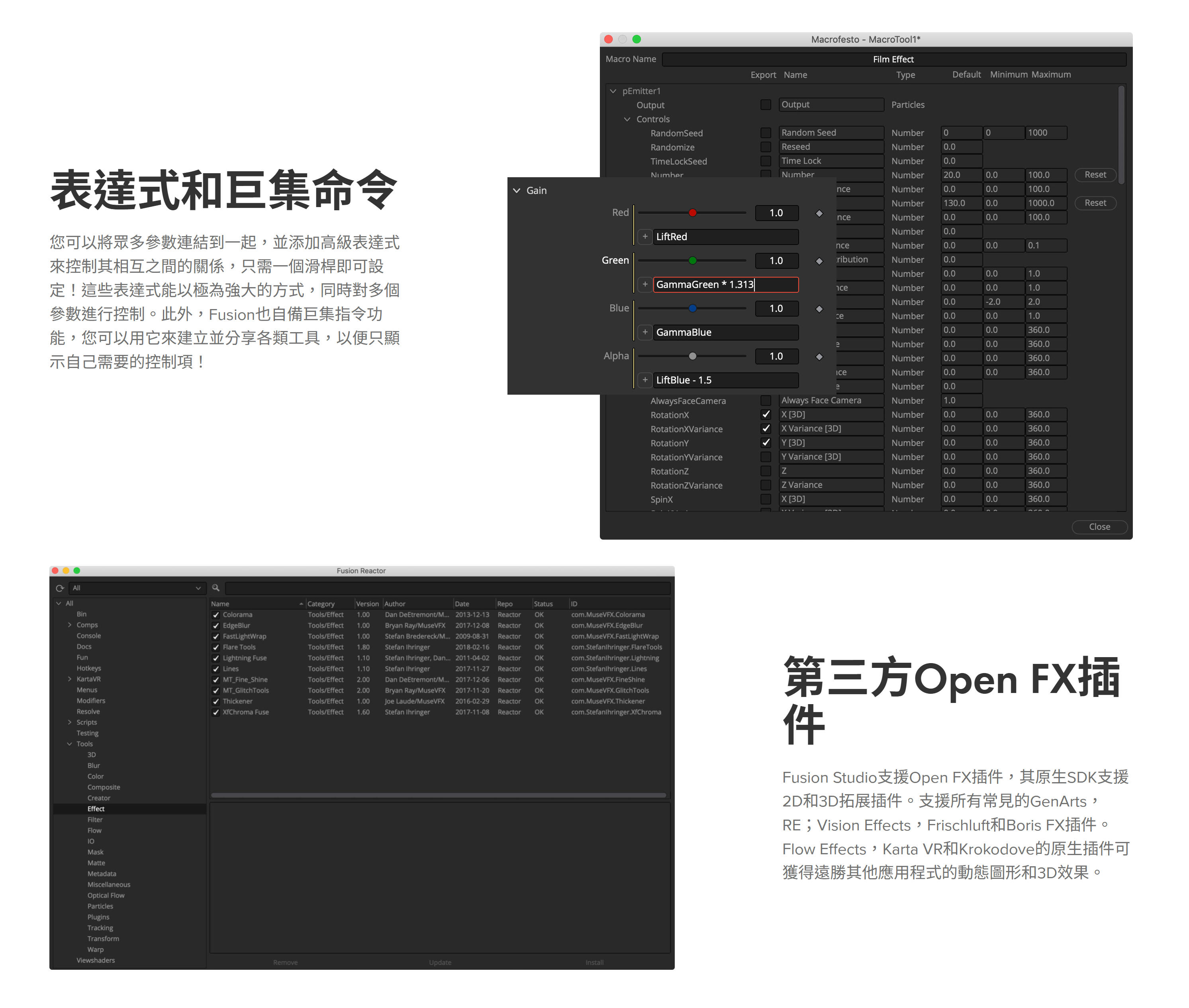
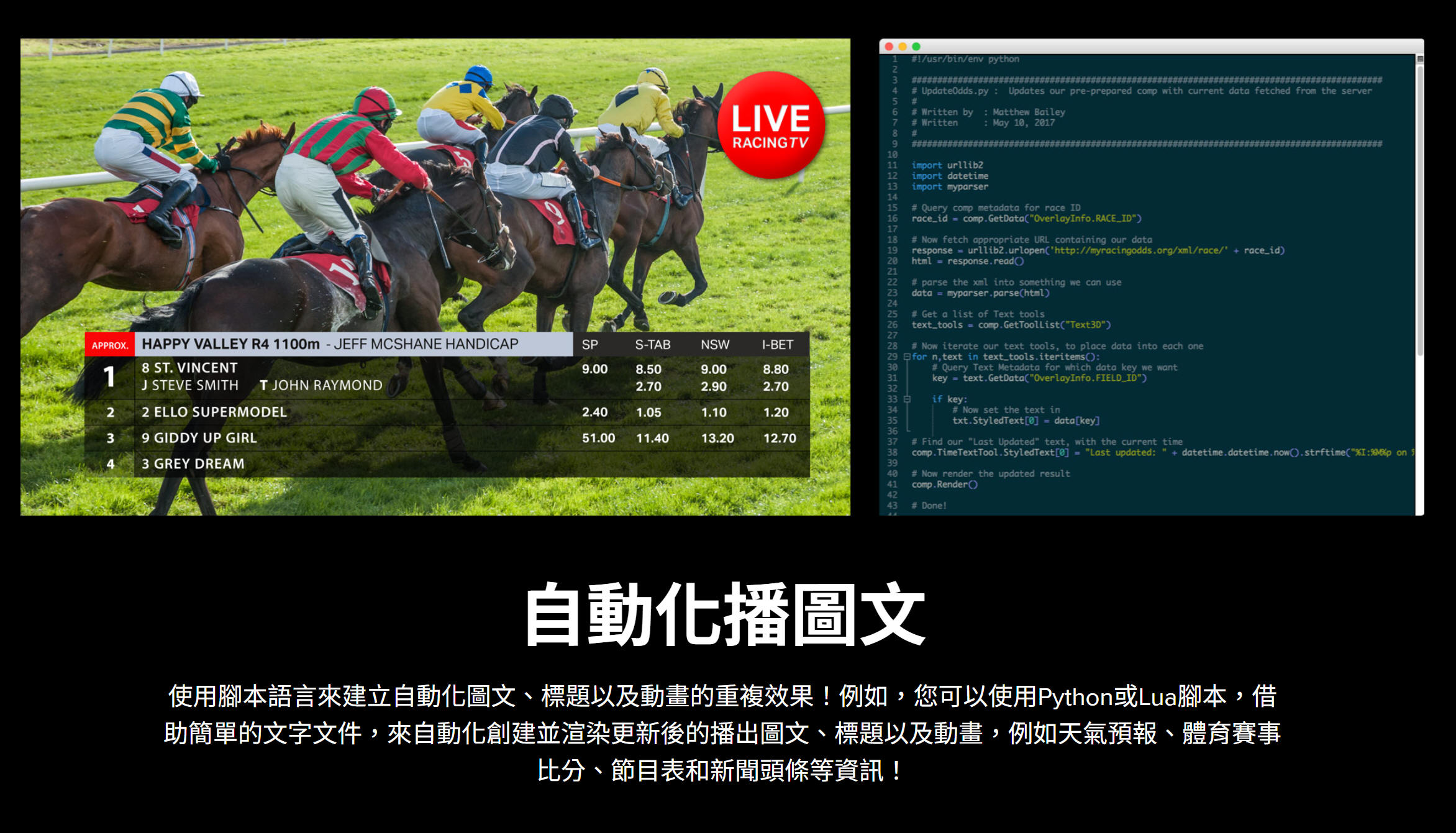
Embedded Lua and Python scripting support.
YES
YES
Integrated development environment.
YES
YES
Pre-built scripts to automate common workflows.
YES
YES
Control Fusion scripts from local or remote machines.
YES
YES
Launch and control external tools from within Fusion.
YES
YES
Macro tool combines standard tools to create custom tools.
YES
YES
Fuses tool kit for development of custom tools with build in compiler.
YES
YES
Just-In-Time compiling of image processing tools.
YES
YES
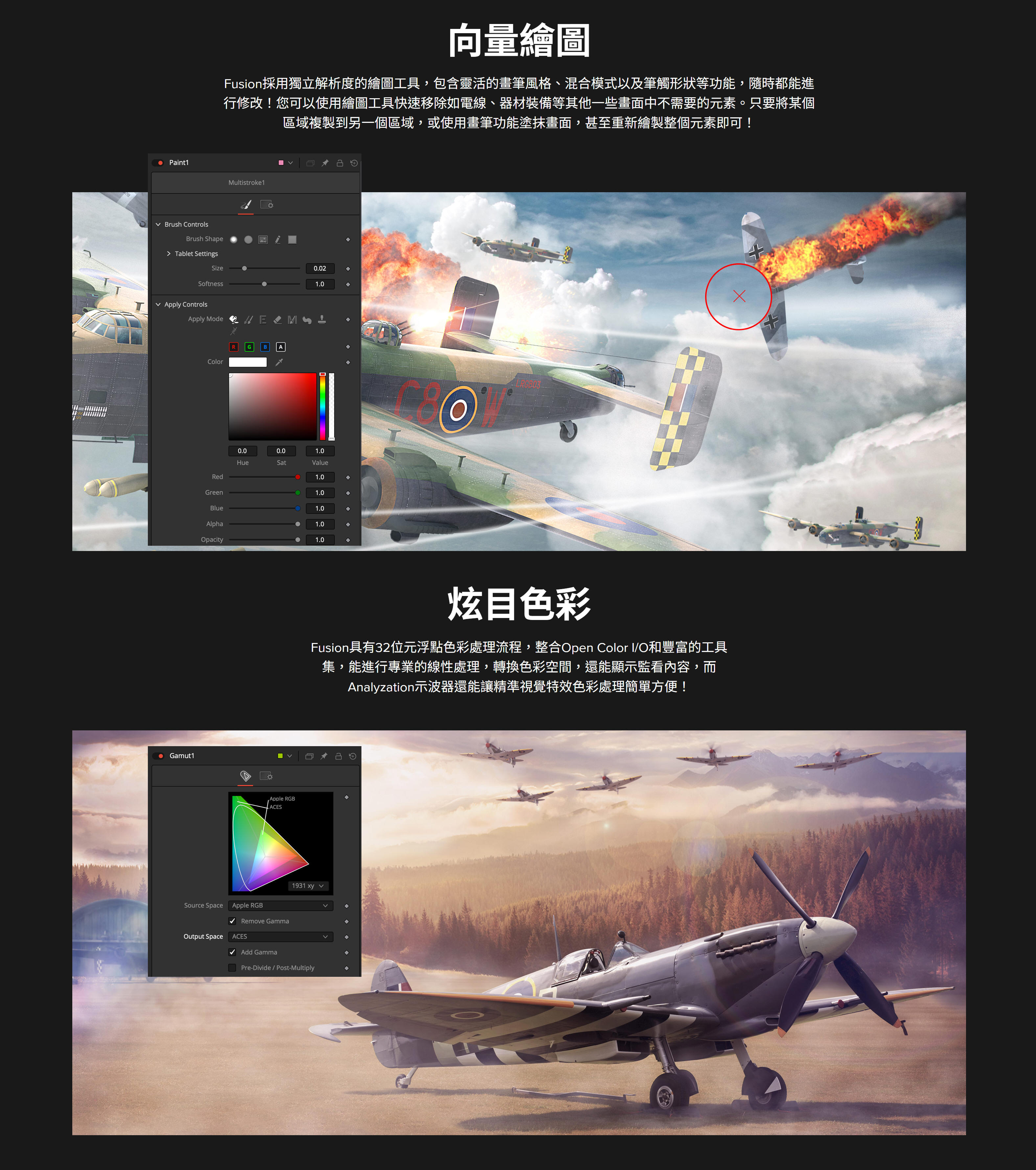
好萊塢的調色利器!
色彩變化能對人的心情和感受產生很大的影響。DaVinci
Resolve遠遠超越基本的校色功能,為您提供世界級的創意調色工具,讓您以令人驚歎的方式控制光影和色彩,讓故事更富感染力。作為創意團隊的一員,調色師必須第一時間確定場景的影調,使用各類工具即時將原始影像變成具有電影美感的精美畫面。
DAVINCI RESOLVE 15最新調色功能
通過最新的2倍、3倍和4倍縮放比例選項,將HD創建成驚豔的8K畫面。
全新直觀的LUT播放器,讓搜索、預覽和應用LUT更加快速。
使用多個播放頭在調色過程中比較鏡頭,播放時間線。
鏈結多個片段的調色,一次統一修改。
強大的最新高品質除塵功能,獲得清晰畫面。
雜訊抑制 功能
提高了使用大幅雜訊抑制 時的細節保留能力。
ResolveFX局部移除
使用全新局部移除外掛快速去除徽標、瑕疵等元素。
ResolveFX鏡頭和光圈
為影像添加獨特的鏡頭反射和光圈衍射效果。
DaVinci Resolve擁有超群品質,能夠實現其他軟體無法企及的精彩畫面。
它龐大的內部YRGB色彩空間可以將亮度從色彩中分離出來單獨處理,而獲得專利的DaVinci演算法則能以全32位浮點精度通過GPU加速處理影像,製作出無與倫比的優質畫面!
一級校色
熟悉的色輪和工具,網羅調色師一切所需。
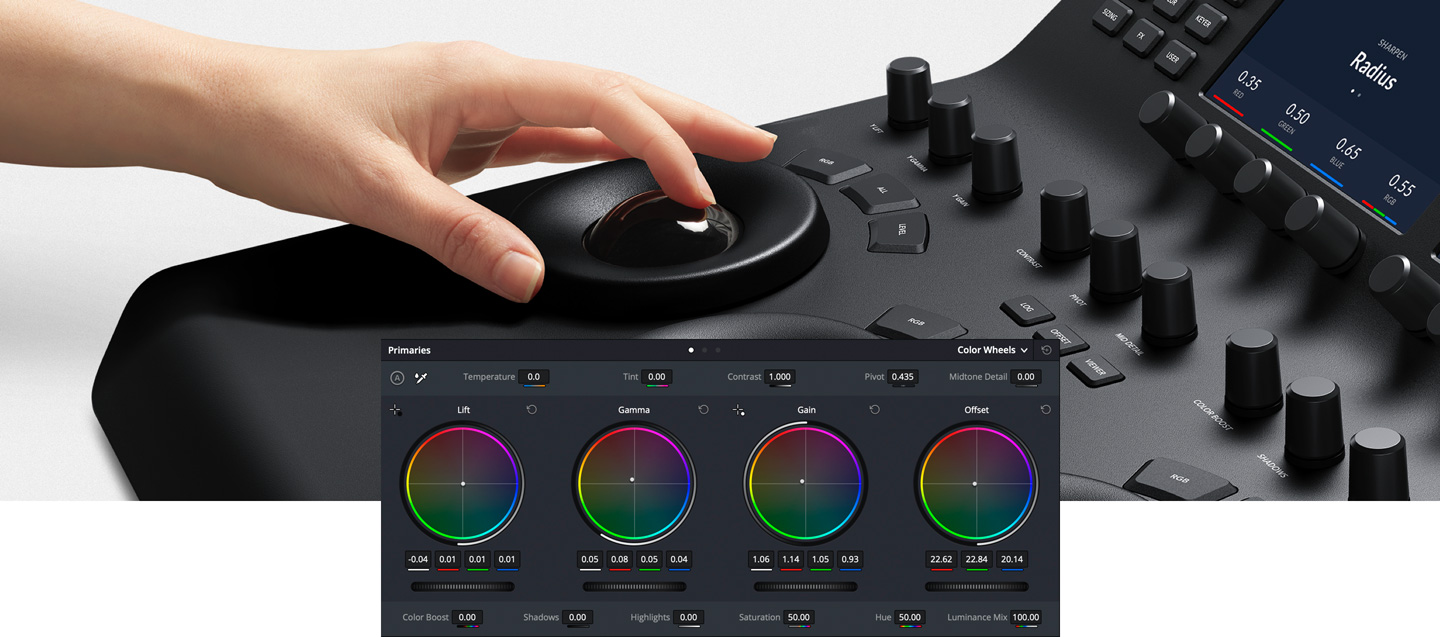
Lift、Gamma、Gain、Log和偏移色輪及對比度控制精準無比,可以實現最小微的調整。您可以使用主調整條將亮度從紅、綠、藍通道分離出來進行單獨調整,從而獲得其他工具無法實現的獨特效果。
高級一級校色控制工具
專設控制工具,迅速調整重要影像參數。
十二項先進的一級調整控制工具定能激發您的創意靈感。您可以快速調整色溫 和色調,色彩增強、中間調細節、飽和度、亮度、Gamma、Lift、Gain等。如果您曾經使用過Photoshop之類的軟體,那就一定不會對DaVinci
Resolve中的這些工具感到陌生。
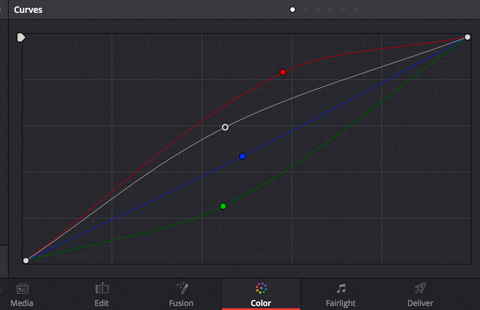
曲線編輯器
傳統創新兼備,調整速度加倍!
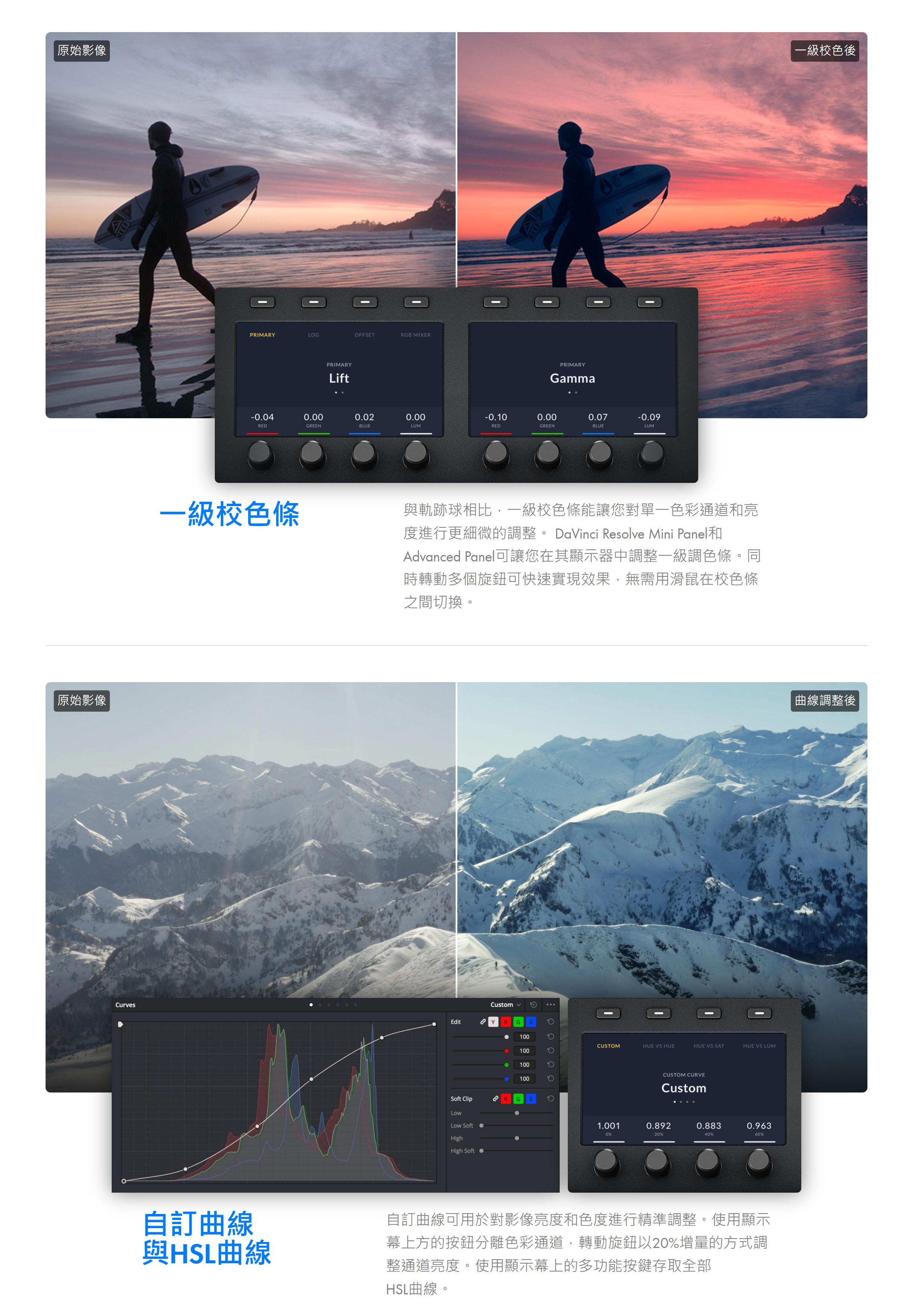
曲線可沿影像的亮部和暗部區域快速加工對比度。每條通道擁有單獨的曲線,且帶有柔化裁切來實現平滑效果,讓您完全掌控。同時還有色相 vs 飽和度、飽和度 vs
飽和度等創新曲線,您可以針對畫面中的特定區域創造獨一無二的曲線。
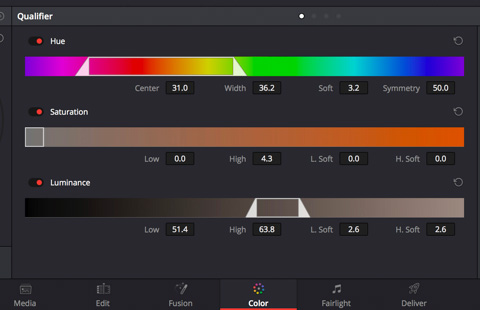
二級調色
快速選擇、分離、調整畫面中的特定部分。
二級調色可快速分離畫面的不同部分。例如,您可以使用HSL限定器或3D鍵控選擇膚色等特定色彩來創建蒙版,然後再加以調整。您甚至可以繪製自定義Power
Window™對畫面的特定部分使用動態遮罩,從而進行有針對性的修改。
跟蹤和穩定
強大3D透視跟蹤功能,實現影像長時間跟蹤!
跟蹤器可以一直跟蹤畫面中不斷移動的特定部分!它們也可以用來穩定晃動的鏡頭。您將獲得透視、3D、水準、垂直跟蹤,甚至一個用於特效的點跟蹤器。該跟蹤器會生成可編輯的點雲,從而用來將Power
Window™附在移動的物體上。
高動態範圍(HDR)
先進工具打造新一代超亮超寬色域影像!
HDR比傳統格式的動態範圍更廣,色域更寬。DaVinci Resolve帶有完整的HDR影像處理和調色功能,您可以使用Dolby
Vision、Hybrid Log Gamma、HDR10+等多種超亮超寬色彩格式。
RAW影像處理
直接使用攝影機的原始RAW檔進行創作!
DaVinci Resolve可以直接處理來自攝影機感測器的RAW檔。您可以完全掌控高光恢復、白平衡、Gamma等數值,還可以調整曝光、色溫 、色調和銳度。RAW工具能讓您從高光、陰影和中間調中即時提取最多的細節!
即時雜訊抑制 使畫面清晰靚麗!
DaVinci Resolve Studio配有強大的時域和空域雜訊抑制 工具。獲得專利的雜訊抑制 技術使用先進的多GPU加速演算法來降低雜點,並同時保留驚人細節!這是全球迄今為止最先進的雜訊抑制 工具,幫您打造難以置信的驚豔效果!
Resolve FX
剪輯師和調色師不可或缺的影像處理濾鏡!
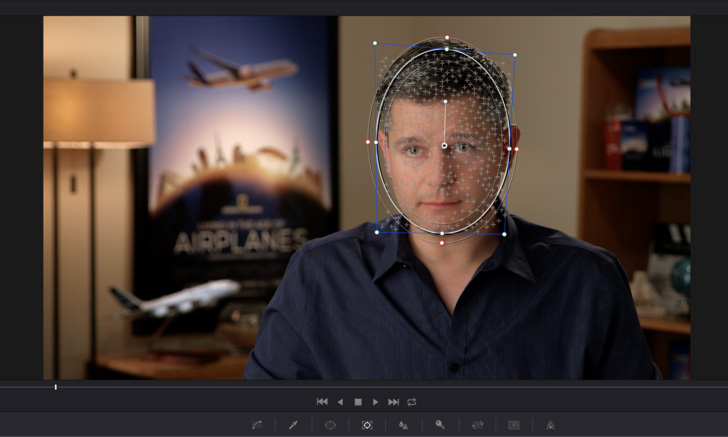
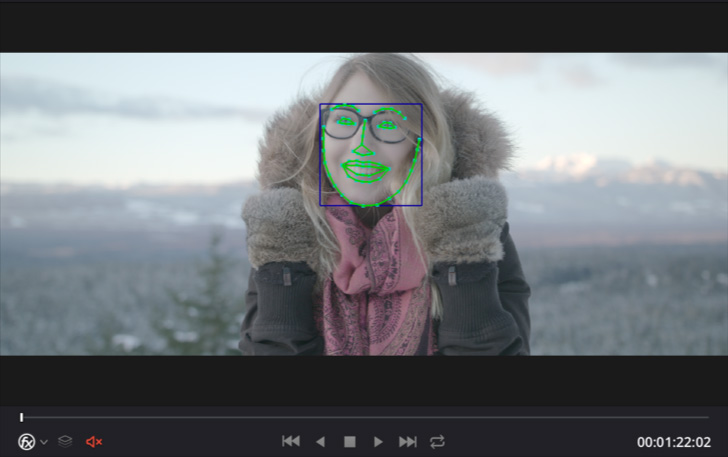
ResolveFX是由GPU和CPU加速的外掛,可以創建底片顆粒、變形、鏡頭光暈等多種效果。您還將獲得最新的人臉識別工具,自動檢測面部五官,讓您迅速調亮雙眼、更改唇色、調整膚色!最新的32位浮點去污痕工具甚至還能讓您去除影像上的污點和污痕!另外,DaVinci
Resolve還相容第三方OpenFX外掛。
FAIRLIGHT 用於影視音頻後期的專業工具!
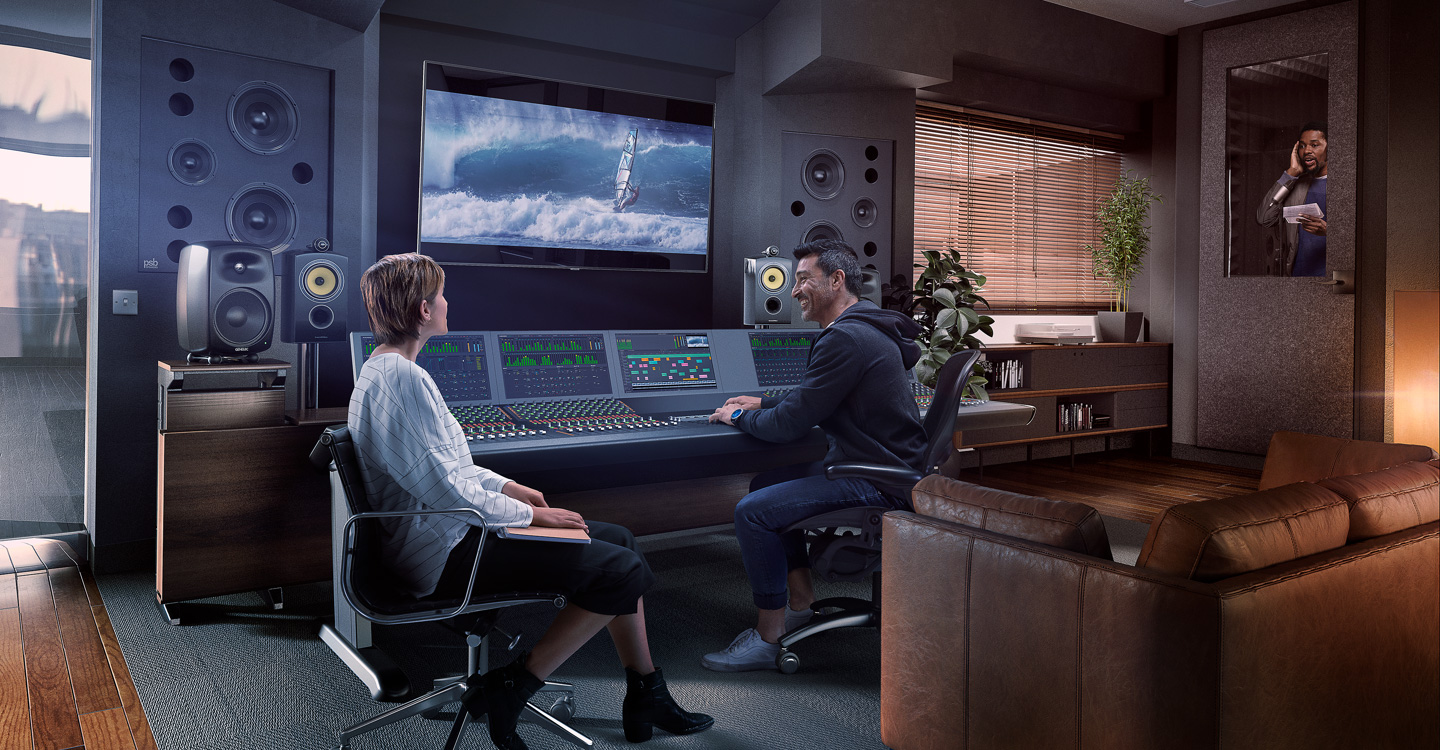
在後期添加音頻的做法如今已成過去!聲音會提升畫面的情感衝擊,動人的配樂,清晰的對話和精彩的特效讓觀眾仿佛身臨其境。而現在,專業音頻後期製作首度被完全整合在一個應用當中,為音響剪輯師、調色師和視頻剪輯師提供所需的一切工具,幫助他們協調和製作出經典傳世佳作!
DaVinci Resolve 現已全面整合傳奇般的Fairlight音頻。大名鼎鼎的Fairlight經常被全球頂級工作室用於影視音頻的後期製作。Fairlight因其絕佳的音質和速度而享譽業界。用戶將獲得大量專業級音頻工具,用於錄製、編輯和美化,專業匯流排製作、混合和指派,以及5.1、7.1、Dolby甚至22.2等3D音頻格式的多格式母版製作。當與Fairlight
Audio Accelerator共同使用時,頂級的超低延遲音頻引擎將相容192kHz
96bit音頻,並且能夠處理多達1000條軌道,每條軌道均帶有即時等化器、動態處理和外掛。同時,全新的Fairlight音頻還能在最多播放150條聲道的同時錄製多達96條通道,並且即時混音!沒有其他任何軟體具備如此強大專業的音頻實力。
DaVinci Resolve 15中 Fairlight 的幾大最新功能
專業工具
DaVinci Resolve的Fairlight音頻頁面是一套完整的影視製作一體化數位音頻工作站!它搭載了大量錄製、剪輯、混合、美化、精編和母版製作工具。Fairlight
Audio Accelerator能夠實現亞毫秒級超低延遲。如此強大的音頻處理能力,業界尚無人能及!
強勁混音
打造複雜合成效果,實現多格式交付!
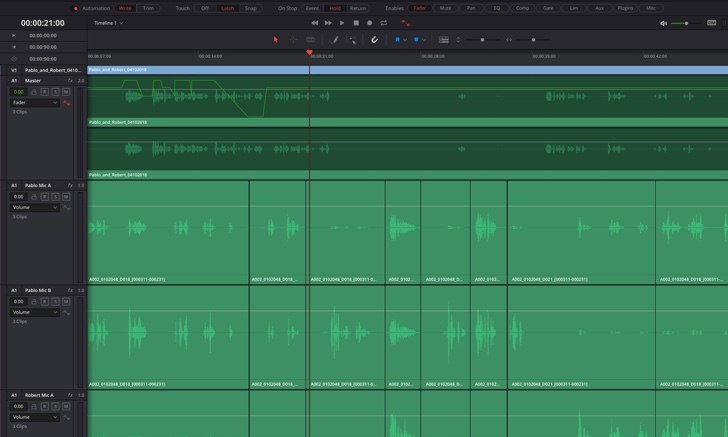
每個軌道都對應了調音臺上的通道條。每路軌道均可提供即時6頻段參量等化器,以及擴展器/門控、壓縮器和限制器動態處理。此外,您還能利用片段時間伸縮功能來拉伸或者壓縮音頻,並且無需變調。所有處理都精確到子格級別,實現絕對完美的同步效果!其強大的母線結構擁有多個主聲道、子混音和輔助母線,可同時準備多種交付格式!
全面自動化
自動記錄各類參數甚至外掛的操作!
複雜的片段自動化控制,包括修圖、修剪、慢動作、預覽和填充模式。除了對聲像、電平以及等化器等傳統參數進行自動化控制之外,Fairlight音頻還能在即時撥放的同時將每項參數的更改記錄下來!VST外掛參數也可以自動進行更改!
錄音
旁白,ADR,擬音,樣樣都行!
錄音方面,DaVinci
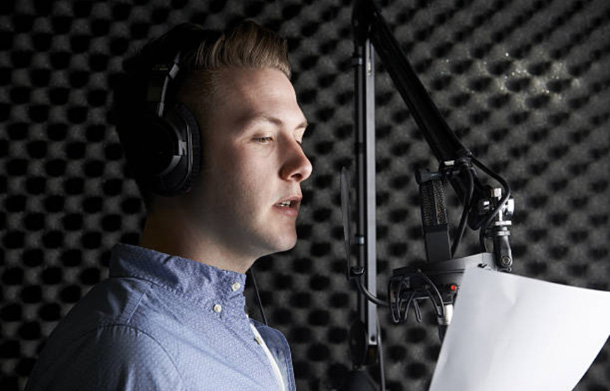
Resolve的Fairlight音頻頁面能快速製作出多層錄音。您可以在撥放的任何時刻通過即時插入式錄音來進行記錄,並且還能獲得全套複雜的ADR工具來替換對話。
Fairlight Audio Accelerator
獲得多達1000個近乎零延遲軌道!
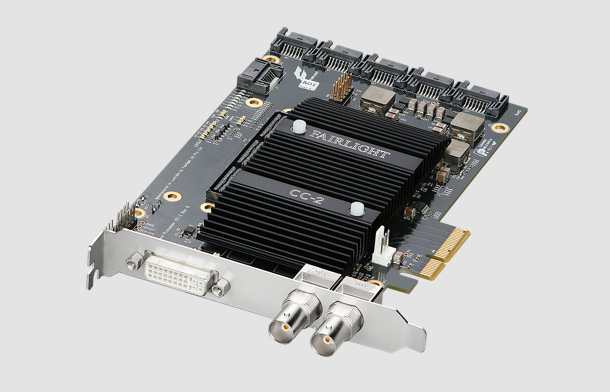
想要獲得最佳表現,不妨為您的系統添加 Fairlight Audio
Accelerator!您將獲得1000個具備閃速性能和亞毫秒級超低延遲的軌道,以及擁有真正即時處理能力的等化器、擴展器/門控、壓縮器和限制器動態處理,每個通道配備多達6個即時VST外掛!
高級監聽工具
無比靈活的監聽方案,帶來眾多揚聲器選擇!
先進的Fairlight監看系統能處理多達24通道。您可從內部母線或外部輸入選擇信號源,並輸出到16個不同的揚聲器上!在不同格式間漸變時,您還能自定義上混或下混功能。例如,當您通過一對立體聲揚聲器監聽5.1聲道時,系統會自動進行下混輸出2通道音頻。如果用於影院環境設定,您可以選擇添加B-Chain處理器來實現多達64個揚聲器安裝!
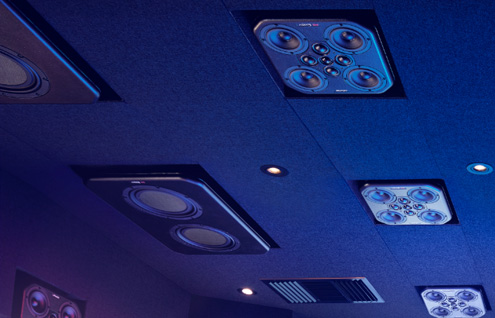
3D Audio Soundspace
使用先進的空間音頻格式!
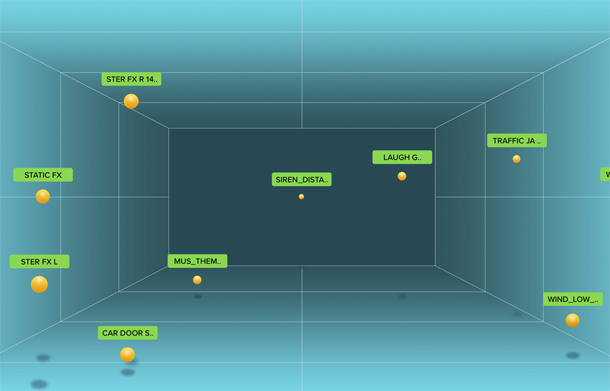
Fairlight音頻設有內建3D音頻支援,可使用5.1、7.1、DTS多維環繞音效、杜比音響甚至22.2聲道在內的空間音頻格式。您能使用其中的3D聲像移位器決定音頻在空間內的位置,3D
B-Chain處理和3D
Spaceview™視覺化功能則能為每個物體在空間中的具體位置提供清晰直觀的視圖。Fairlight混音器獨有的AirPan還可以幫助您更好地在空間中放置各種聲音。您只需要簡單地隔空移動手指,就可以平移、旋轉、移動並分佈聲音!
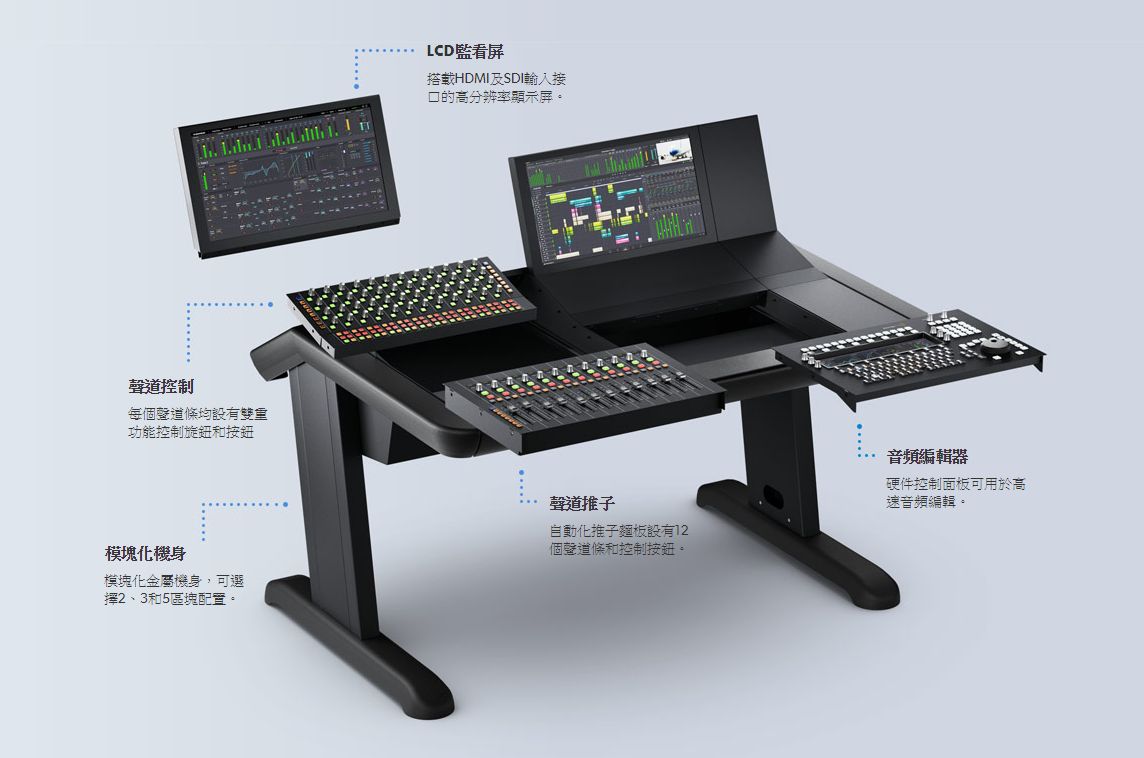
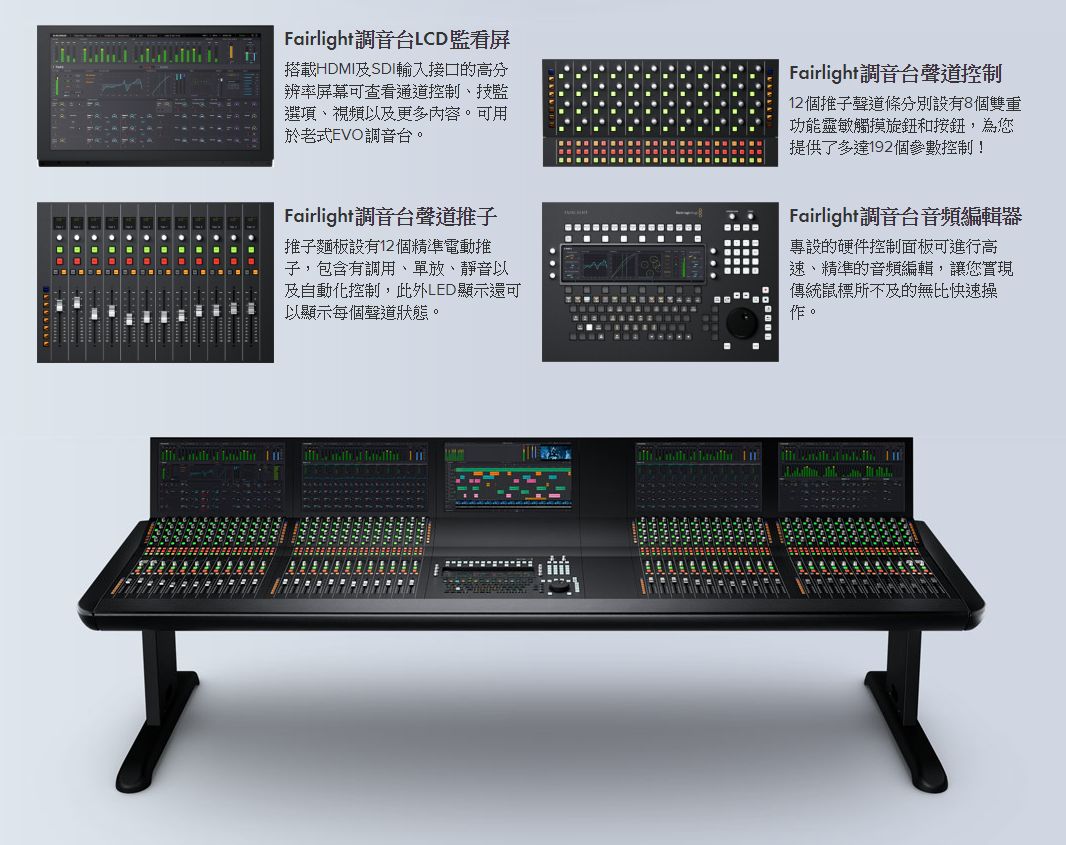
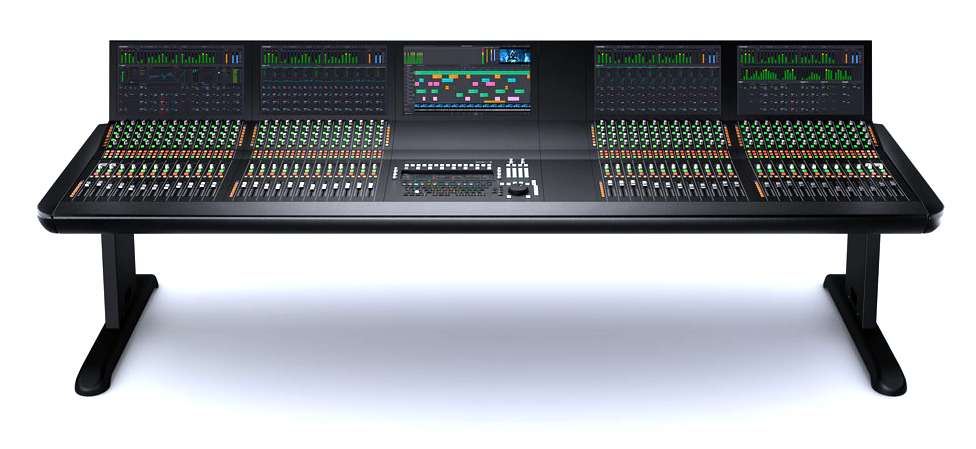
Fairlight專業混音器
採用模組化可升級臺式設計或者獨立式設計的混音器!
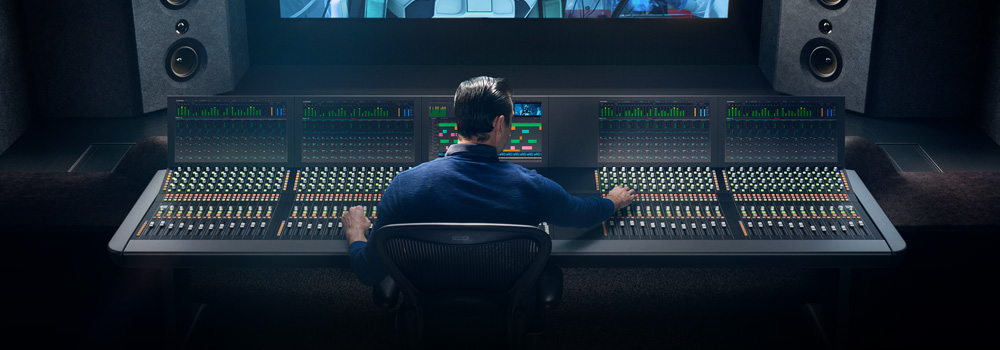
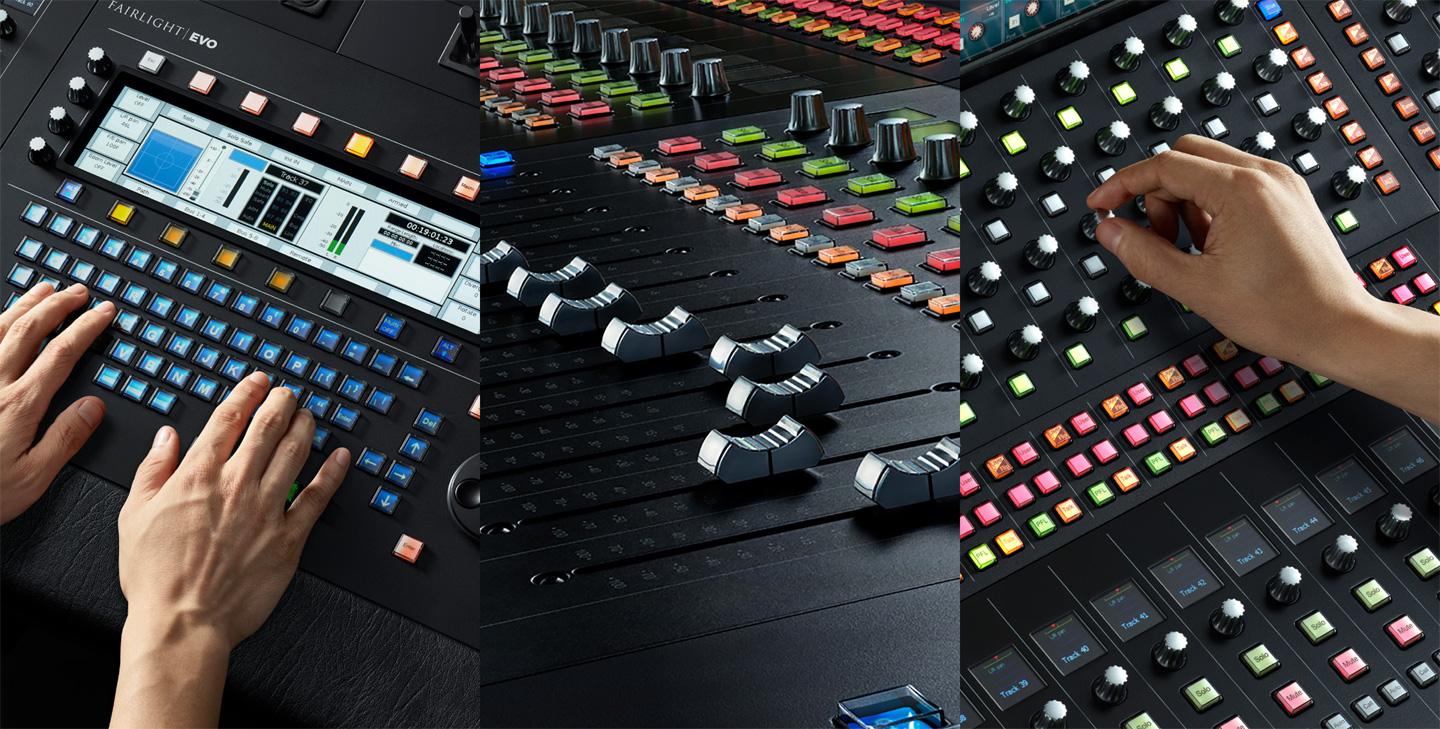
Fairlight混音器幾乎為軟體中的所有參數和功能都設立了高品質輕觸式控制。它有著獨特的用戶介面和便捷的按鈕控制,能快速映射混音器按鍵完成各項配置,幫助優化任務操控。Fairlight音頻能為您帶來遠勝業界其他工具的高效控制!混音器設有臺式和獨立式設計,可實現多種配置方案,定有一款能滿足您的需要。
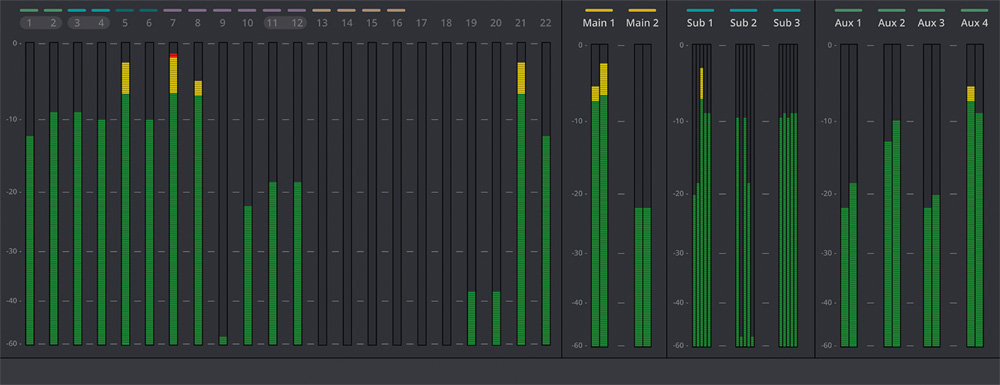
全方位技監
所有輸入輸出皆能一目了然
DaVinci Resolve
中的Fairlight音頻頁面能提供非常廣泛的技監選項,專案中的所有信號源都能清楚查看。除了信號源之外,您還可以對子混音和輔助匯流排輸出進行技監,並且查看相位和響度的複合視圖。與此同時,您還能選擇VU表、響度計、PPM表等形式查看相應指標!
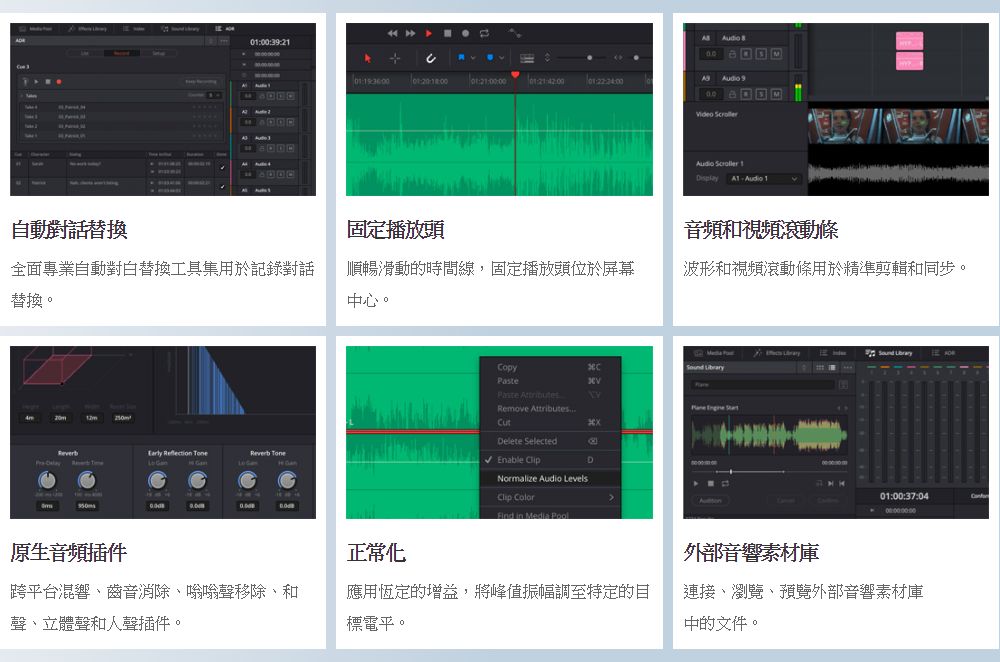
DaVinci Resolve 15還大幅更新了Fairlight音頻頁面。Fairlight頁面擁有完整的ADR自動對白替換工具集,包括帶音調校正的勻速和變速調整、音頻正常化、3D聲像移位器、視音頻捲軸、固定播放頭位置滾動時間線、共用音響素材庫、舊的Fairlight項目支持,以及混響、嗡嗡聲移除、人聲通道和齒音消除等內置跨平臺插件。有了DaVinci
Resolve 15,在Mac、Windows和Linux之間切換時,用戶再也不用擔心音頻插件,因為FairlightFX插件在三個平臺上都能完美運行。
Fairlight專業調音台
Fairlight調音台幾乎為軟體中的所有參數和功能都設立了高品質輕觸式控制。它有著獨特的用戶界面和動態配置更改設置,提供了快速的按鈕使用方式和控制選項等優化設計,獲得更快捷的Fairlight音頻任務操控,為您帶來遠勝業界其他工具的高效控制!調音台採用模塊化設計,您可以先使用稍大型的調音台框架,然後再根據公司的發展需要添加更多模塊。
Fairlight音頻硬體價格表...
BMD大幅調降Fairlight調音台價格,千萬錄音室輕鬆擁有
VIDEO
VIDEO
Take a quick look at the new update to DaVinci Resolve 15 from NAB Show
2018 at the Blackmagic Design booth. DaVinci Resolve 15 includes a major
update to Fairlight audio
VIDEO
觀看視頻瞭解最新Fairlight音頻工具,包含自動化工具、技術監看、監聽、精確到採樣級別的編輯、最新ADR自動對白替換工具、音響素材資料庫、原生音頻插件以及更多功能。
廣泛的格式支持,完整的母版製作,出色的相容性!
所有專案均以導入和組織影像開始,以母版製作和輸出結束。DaVinci
Resolve配備強大工具,幫助您提升工作效率,迅速輸出檔,永遠不會錯過緊張的截止日期。廣泛的格式支持使其相容幾乎當前全球所有檔格式和媒體類型,是您後期製作工作流程的理想之選!
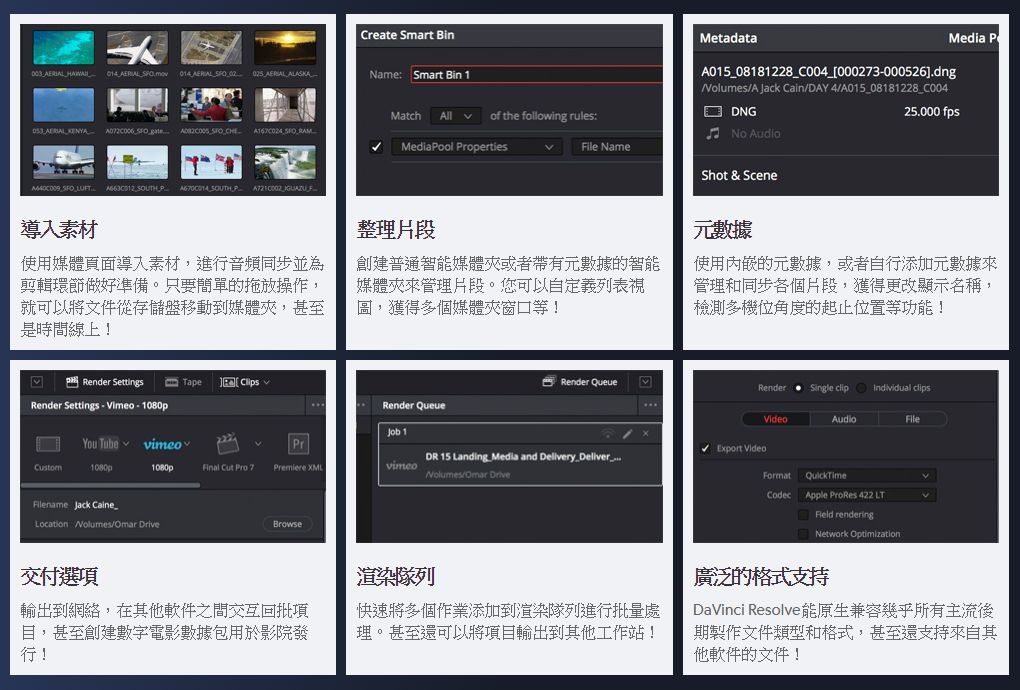
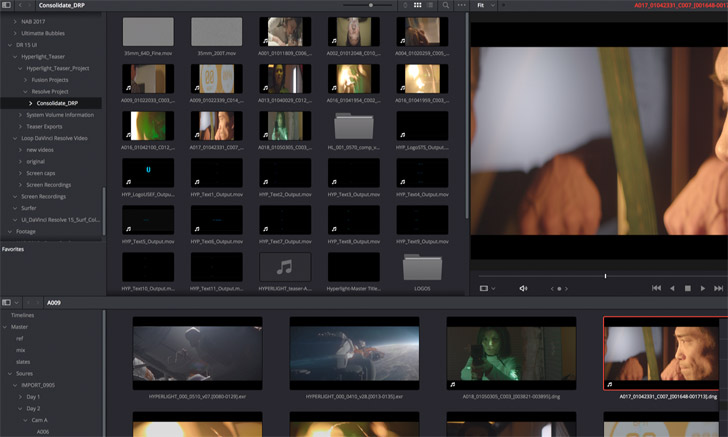
導入影像
快速導入影像進行剪輯!
您可以在DaVinci
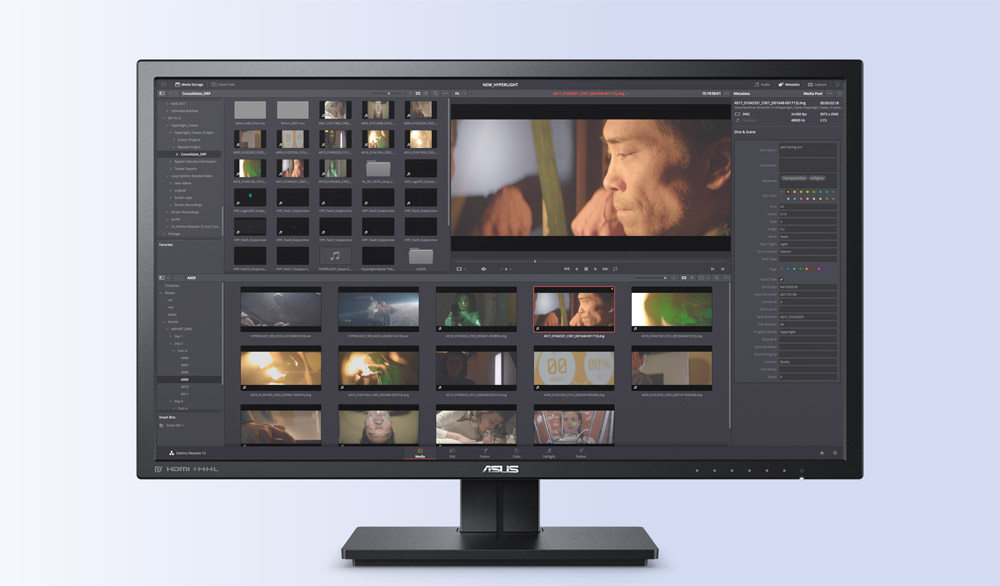
Resolve的媒體頁面預覽和導入媒體文件並加以管理。檔不需要移動或者攝取,也無需存放在專用的位置。所有檔都留在您指定的硬碟中。只需拖進專案媒體池中的媒體夾,或者直接放在時間線上即可開始工作。
整理片段
以自己的方式整理媒體檔,或者根據元資料自動整理!
您可以創建媒體夾以喜歡的方式整理素材,也可以使用智慧媒體夾根據元資料條件自動整理和顯示素材。媒體夾可自定義列表視圖,包括標記或圖示,以顯示入點和出點提示。而現在,您還可以在單獨的視窗中打開多個媒體夾!
標記片段
添加標記、旗標和備註,快速準備剪輯片段!
您可以在源片段檢視器中,或直接在項目媒體夾中快速載入和標記片段。只需移動到片段圖示上,就可以添加入點和出點。圖示上的圖形疊加將顯示片段中被標記的部分!現在,您在列表視圖中就可以看到標記和備註,並且同時在源監視器中作為疊加顯示。甚至可以把時長標記部分從媒體夾拖入時間線,對片段特定部分進行剪輯,無需創建子片段!
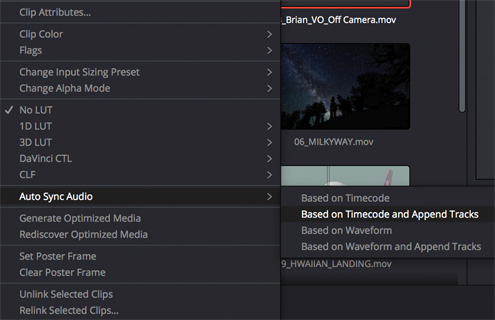
同步音頻
即時同步多個檔的音頻和視訊!
同步視訊和音頻從未如此簡單!您只需選擇視音頻片段,然後執行同步命令,還可以根據時間碼或音頻波形進行同步。最棒的是,您不需要渲染新的媒體檔!Resolve能快速合併檔中的音頻、視訊和元資料,讓您立刻開始剪輯!
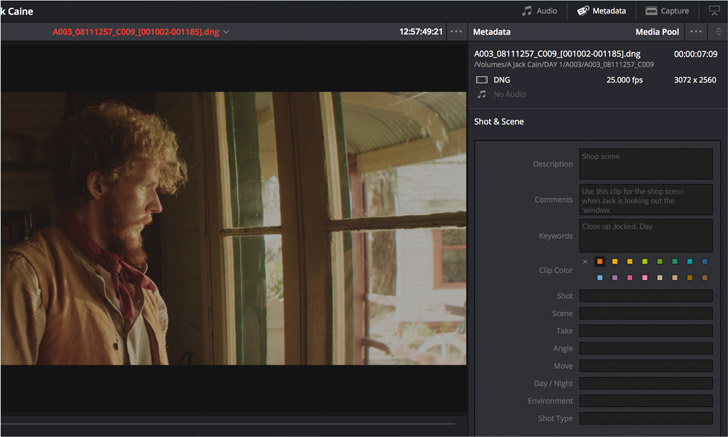
Metadata
元數據
工具更強大,剪輯更輕鬆!
檔元資料會自動導入,您也可以輸入自己的自定義關鍵字和標籤。影像可以根據關鍵字、攝影機種類或其他元資料分類放置在不同的智慧媒體夾中。您甚至可以使用場景、鏡頭和鏡次元資料更改片段的顯示名稱。這意味著您再也不用重新命名媒體檔了!
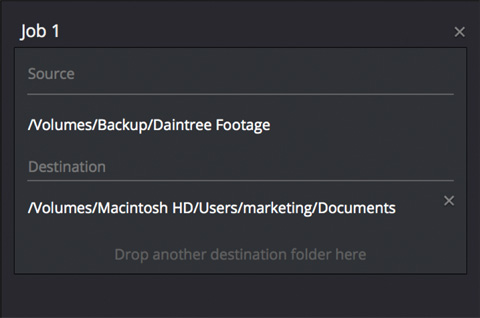
Clone Tool
克隆工具
帶校驗和驗證快速克隆攝影機存儲卡和Mags磁帶!
在覆蓋攝影機原始媒體檔前備份至關重要!DaVinci
Resolve配備強大的克隆工具,通過校驗和驗證攝影機的媒體存儲卡、SSD和Mag磁帶,實現精準拷貝。您可以在不同地點同時保存多份拷貝,獲得最大程度的保護。
輸出選項
從網路到數位電影,交付不受地域所限!
DaVinci
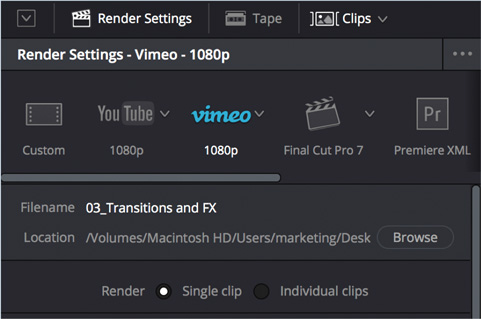
Resolve讓您輸出時間線、時間線的特定部分、以及單個片段進行母版製作,或者與其他應用共用。交付預設選項有助於更快地針對網路或其他應用準備檔,您也可以從頭創建自己的預設。您甚至可以為院線發佈或磁帶輸出創建數位電影資料包(DCP)!
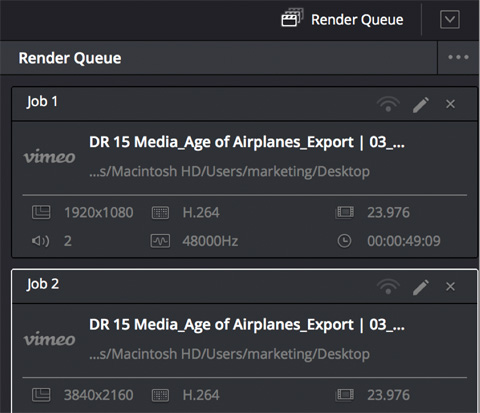
Render Queue 渲染佇列
批量處理任務或者在另一個系統上進行渲染!
您可以快速添加多個時間線或片段到渲染佇列中進行批量處理。只需創建任務,點擊添加到渲染佇列按鈕,然後開始批量處理。如果您在網路中使用DaVinci
Resolve Studio,就可以把渲染任務轉移到另一台工作站上,在自己的系統上繼續工作。
下一頁
協作
多用戶協作
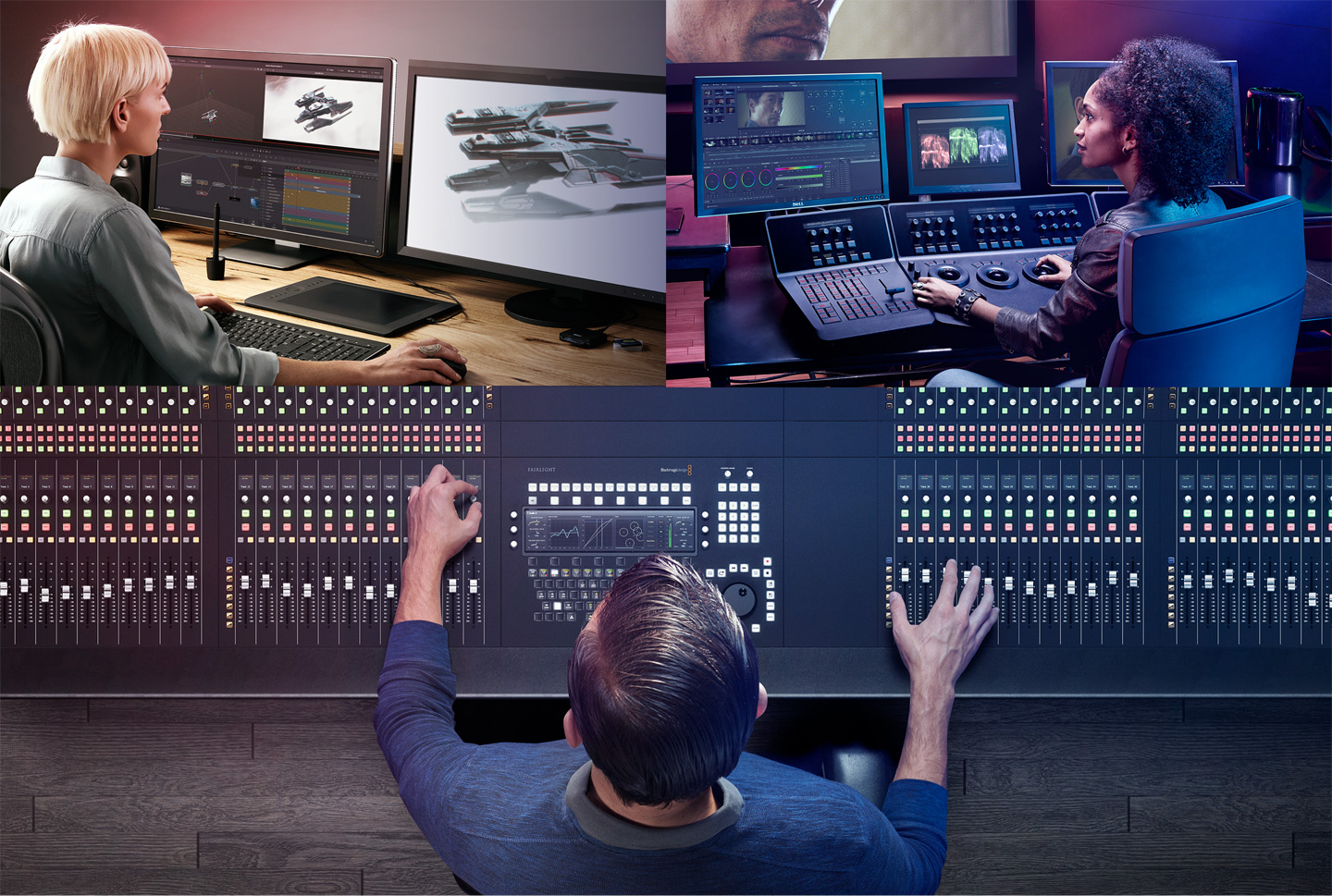
DaVinci Resolve 15是唯一允許所有人在同一時間參與同一個專案的後期製作工作流程解決方案!
DaVinci Resolve
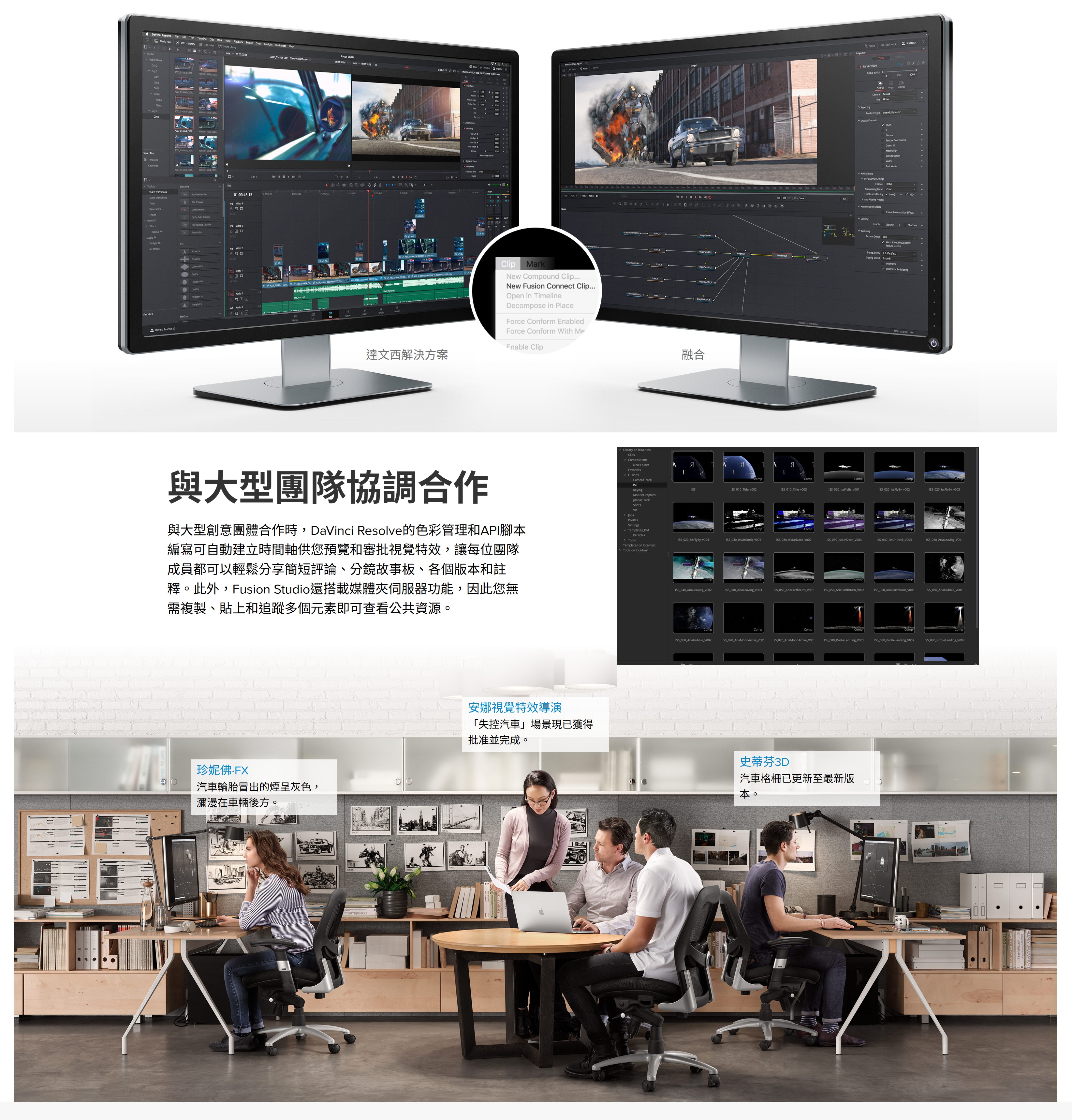
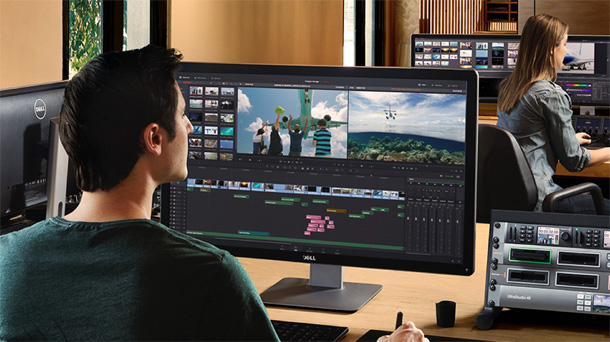
15專為全面協同作業而設計。每位操作人員都擁有完成其特定工作所需的專業工具和介面。所有工作相互聯繫,由強大的資料庫、通用的時間線、高級圖像和聲音處理引擎管理。剪輯師、調色師、視覺特效師、動畫師和音響工程師可以同時工作。有了DaVinci
Resolve
15,您無需等待剪輯師完成剪輯,就可以直接開始調色、特效和音響工作。最好的是,您再也不用因為導入導出檔,轉換專案,丟失工作,或者套底和管理改動所煩惱。DaVinci
Resolve 15是全球唯一一款讓所有人在同一時間參與同一個專案的調色應用程式。
多用戶操控
為協作而誕生的軟體工具!
DaVinci Resolve
15是全球首套為真正多用戶協作而設計的後期製作工具。所有用戶登錄後就可以一起處理同一個專案。多名助理可以準備和整理影像,剪輯師進行畫面剪接,視覺特效師進行鏡頭處理,調色師可以展開調色。音響剪輯師甚至可以在剪輯師剪輯另一個場景的同時開始某卷內容的混音工作!
媒體夾鎖定
用戶可以鎖定媒體夾和時間線來保護自己的工作!
鎖定媒體夾和時間線可以讓多名助理和剪輯師共同協作的同時,不會覆蓋對方的工作。一名用戶可以創建媒體夾來整理影像、添加元資料、創建時間線素材整理,同時另一名用戶可以處理另一個媒體夾。媒體夾和時間線會一直處於“唯讀”狀態,直到所屬的用戶解除鎖定。
內置聊天
團隊成員之間即時收發資訊!
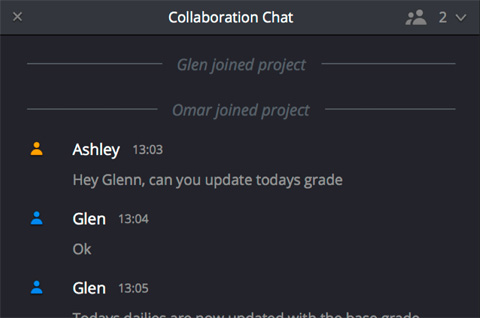
內置即時聊天功能讓用戶在DaVinci
Resolve內部相互溝通。剪輯師可以快速向助手發送資訊,詢問影像方面的問題,或者要求解鎖媒體夾。調色師可以和剪輯師核對鏡頭,音響剪輯師可以即時和剪輯師交流。
時間線對比
以革命性的視覺介面對比時間線!
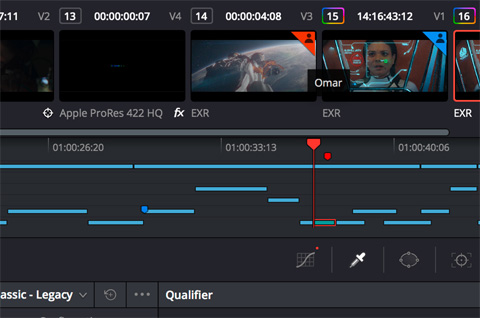
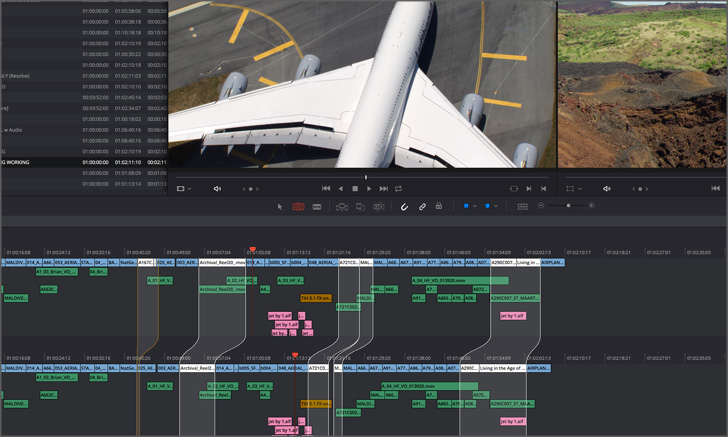
多人參與同一個項目時,您可以讓助理幫您強化剪切或者完成一個場景。他們完成後,您可以使用新時間線對比工具看到片段被添加、刪除、移動或修剪的部分,這讓接受新的修改更快更簡單!
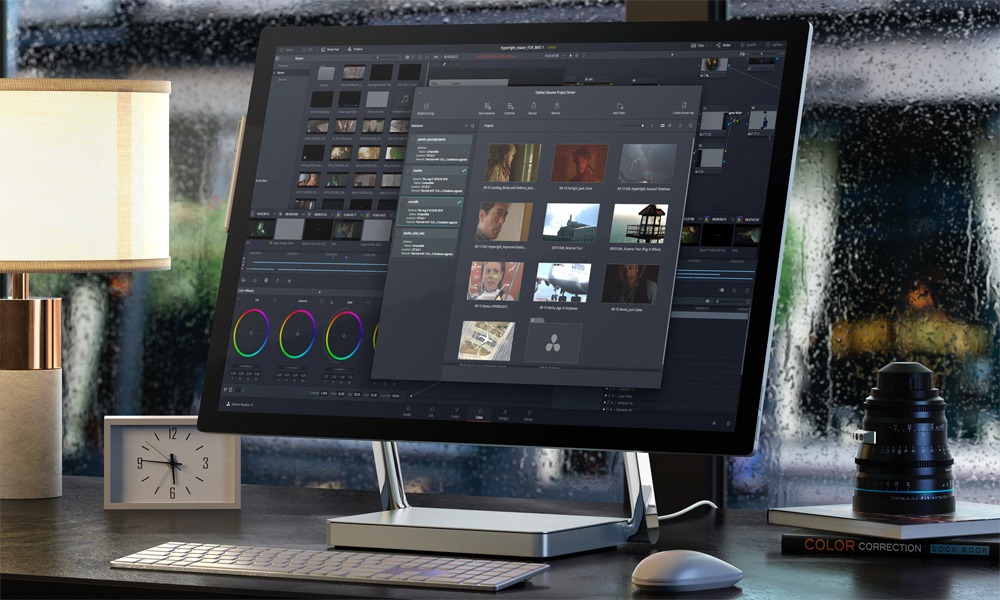
DaVinci Resolve項目伺服器
優雅的軟體設計能夠快速建立和管理多用戶專案!
全新的DaVinci Resolve Project
Server軟體通過管理流量和保存每個用戶的修改來實現協作。這套設計美觀的軟體使創建共用的專案資料庫更加簡單快速。在專用的系統上將軟體安裝完畢後,用戶就可以立刻登錄開始做專案了!
開放式存儲
存儲方式由您決定!
DaVinci
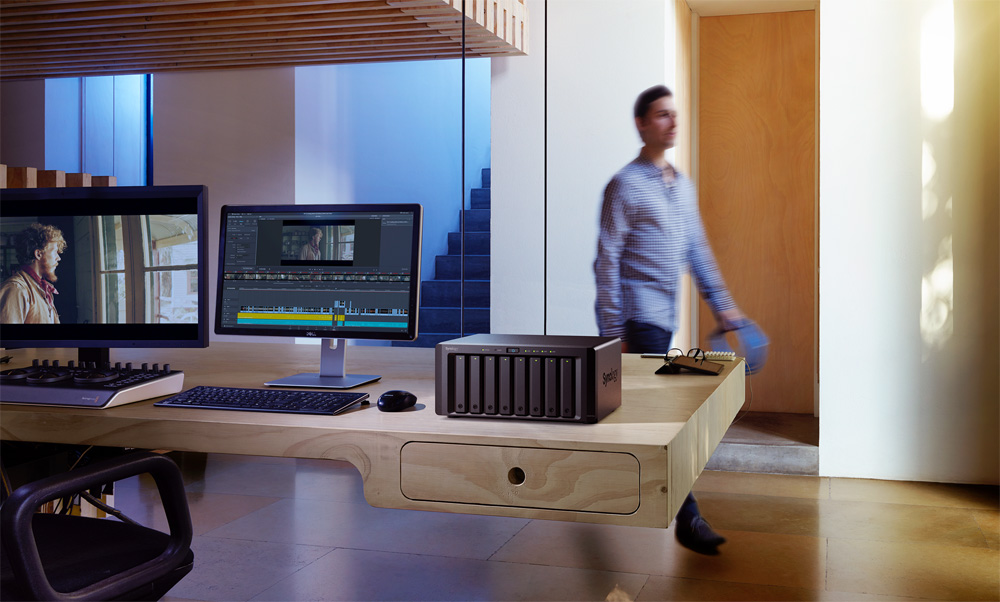
Resolve是唯一一個允許您選擇共用專案存儲方式的後期製作解決方案。您無需購買昂貴的專用存儲空間,或者聘請整個IT部門來使用和管理!只需把用戶連接到共用存儲空間,安裝DaVinci
Resolve Project Manager軟體即可開始工作!
VIDEO
專業級硬體調色台,讓您的工作更快速,創意控制更豐富!
異域風情、遙遠國度,甚至整個世界都能通過舞臺呈現給觀眾,也能在著名好萊塢電影工作室的電腦中誕生。要將這些畫面進行整合並確保逼真的效果,就需要有最強大的工具和最高品質的影像處理。雖然DaVinci
Resolve可以作為軟體工具獨立使用,但添加硬體調色台後,您的工作將效率倍增,創意選擇也會大張擴展。DaVinci
Resolve凝聚了全球頂尖後期製作機構眾多大師的智慧,其調色台為調色師提供了多種控制方案,能幫助他們在電視螢幕和電影銀幕上創作出栩栩如生、絢麗逼真的畫面!
DaVinci
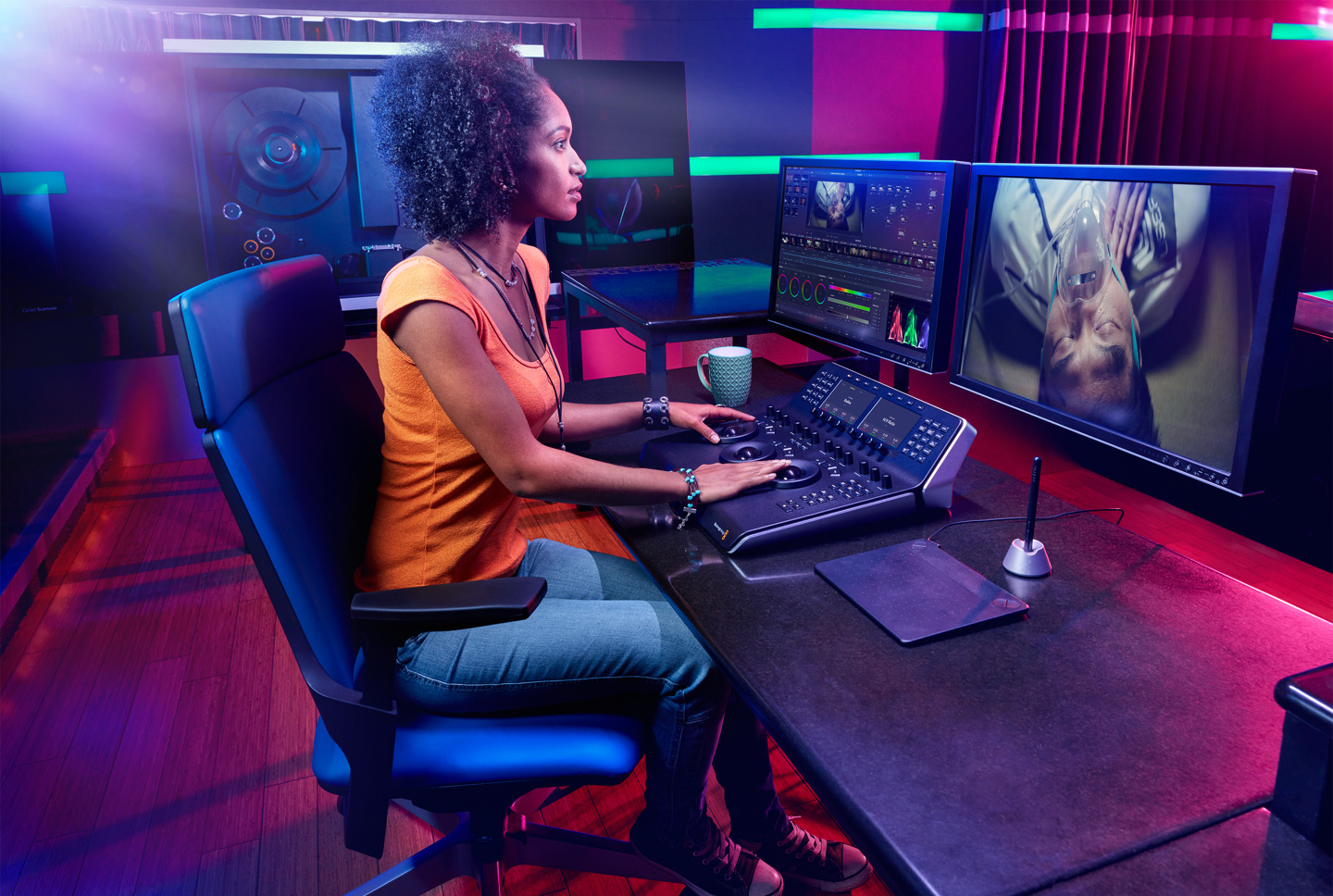
Resolve調色台擁有睿智設計,能同時控制多個參數,讓您在流水行雲間效率倍增、創意不絕。硬體控制佈局合理,接近雙手自然活動位置,並以頂級材料精
心打造而成。調色台設有移動順暢、手感平衡的高靈敏軌跡球,能實現精準調整。所有旋鈕和按鈕都經過精心設計,阻力恰到好處,讓您準確無誤地微調所有參數。
最棒的是,您可以利用硬體調色台同時調整多個設置,比如Lift、Gamma和Gain等參數,從而實現滑鼠操作所望塵莫及的創意控制。
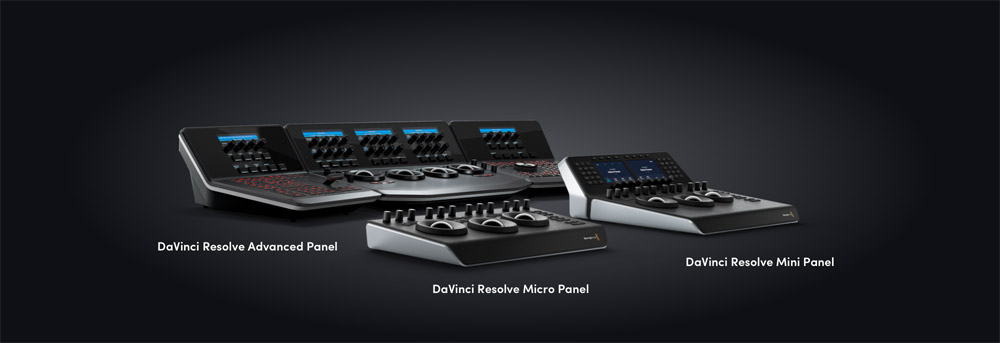
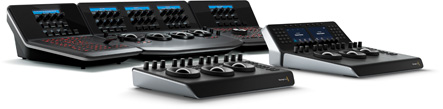
四款調色台,針對4種不同工作流程
調色台共設有四款型號供您選擇,總有一款能成為您工作的最佳拍檔。
DaVinci Resolve Micro Panel
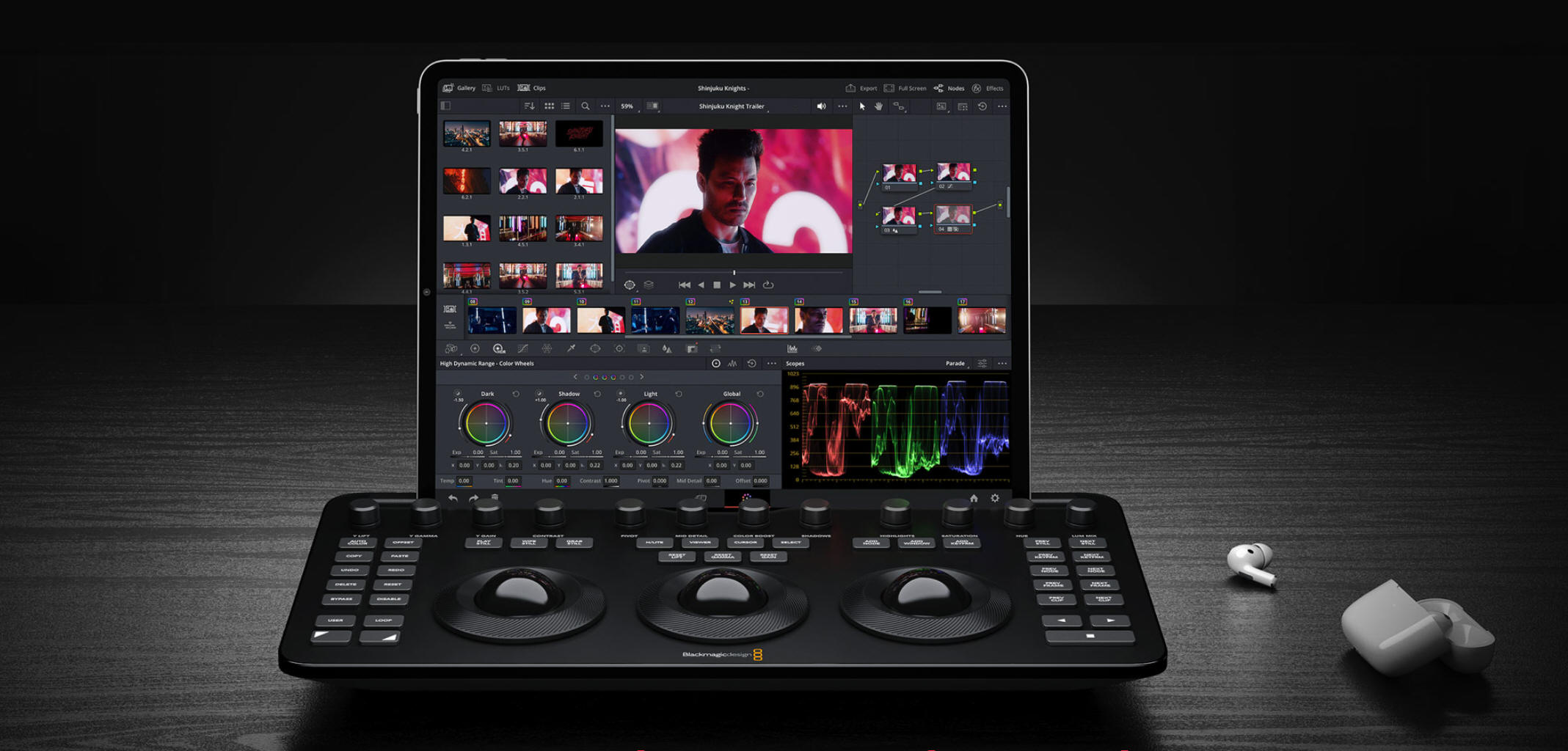
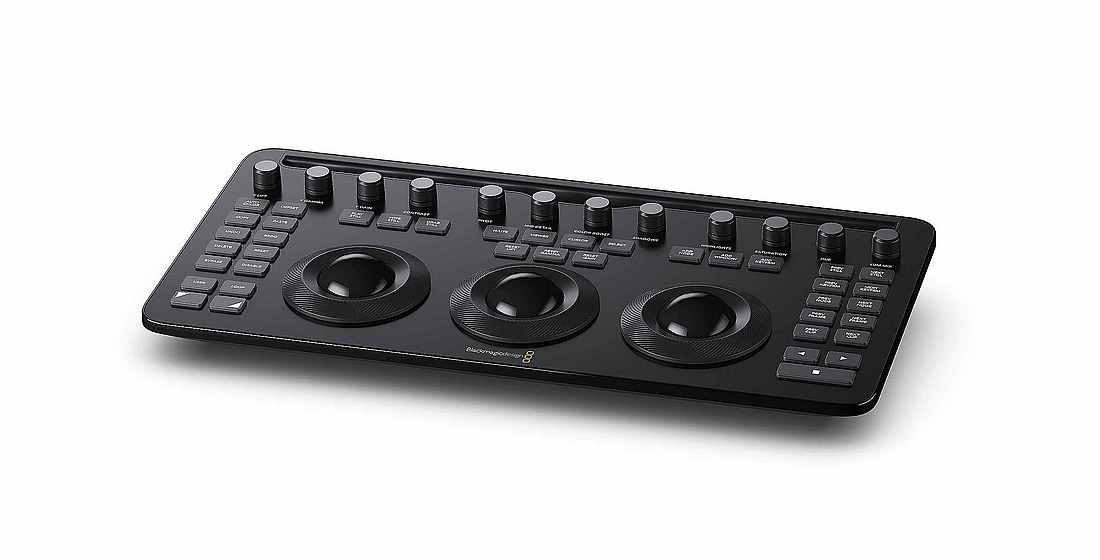
低調卻不低端,是一款優質便攜的調色台。用戶可通過三個高靈敏軌跡球和12個精準控制旋鈕來操控所有主要調色工具。中央軌跡球上方的一組按鍵可在對數曲線和偏移調色方式之間切換,或用於顯示DaVinci
Resolve的全螢幕檢視器,十分適合與筆記型電腦共同使用。位於右側的18個專用鍵可用來操控最常用的調色功能和播放控制。DaVinci Resolve
Micro
Panel非常適合需要真正便攜解決方案的獨立剪輯師和調色師,它可在現場創建調色風格並分析色彩和燈光,同時也是直播車內快速視訊調色以及教育領域等多種應用場合的理想之選!
DaVinci Resolve Micro Color Panel
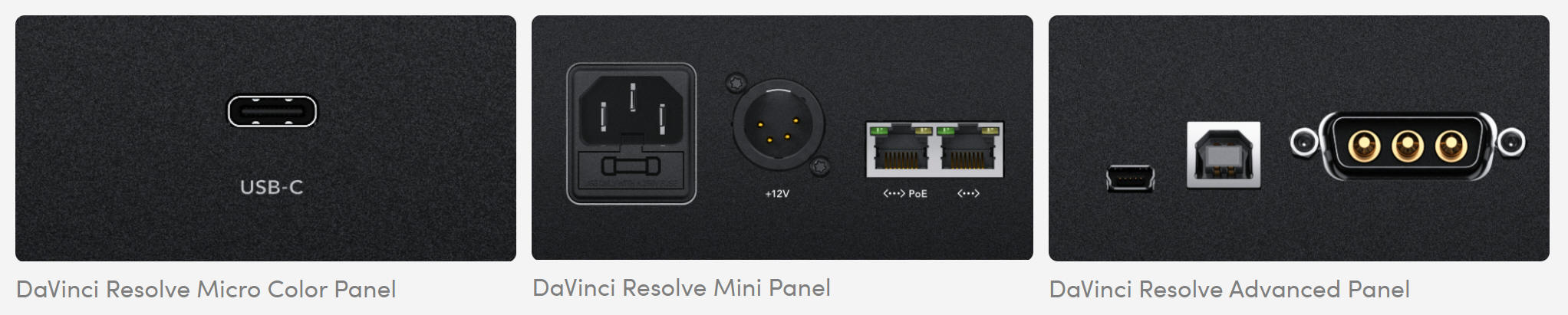
功能強大的調色台,搭載豐富的控制工具,助您打造電影級畫質。提供眾多精細調色控制,包括添加視窗等。可通過藍牙或USB-C連接。
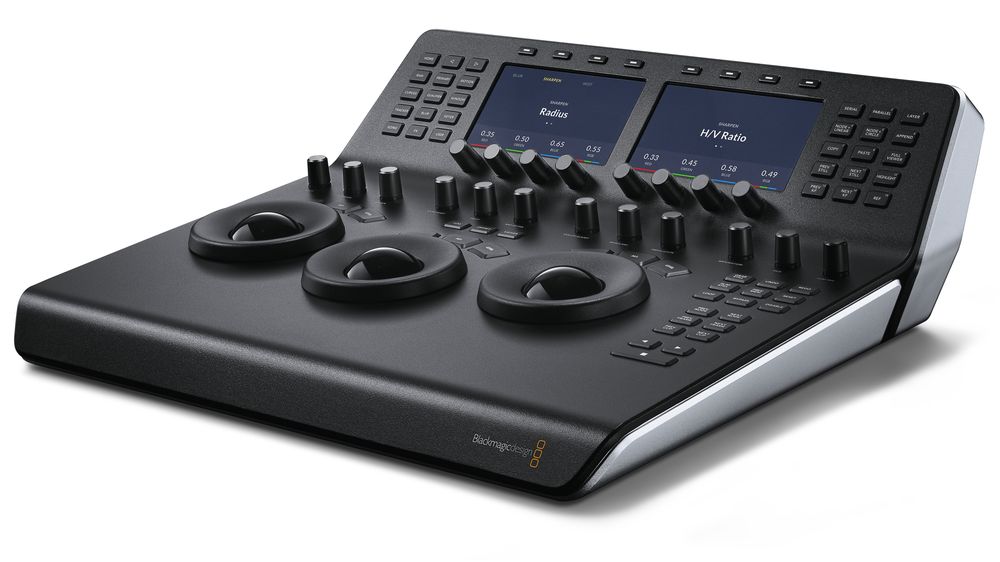
DaVinci Resolve Mini
Panel
便攜式DaVinci
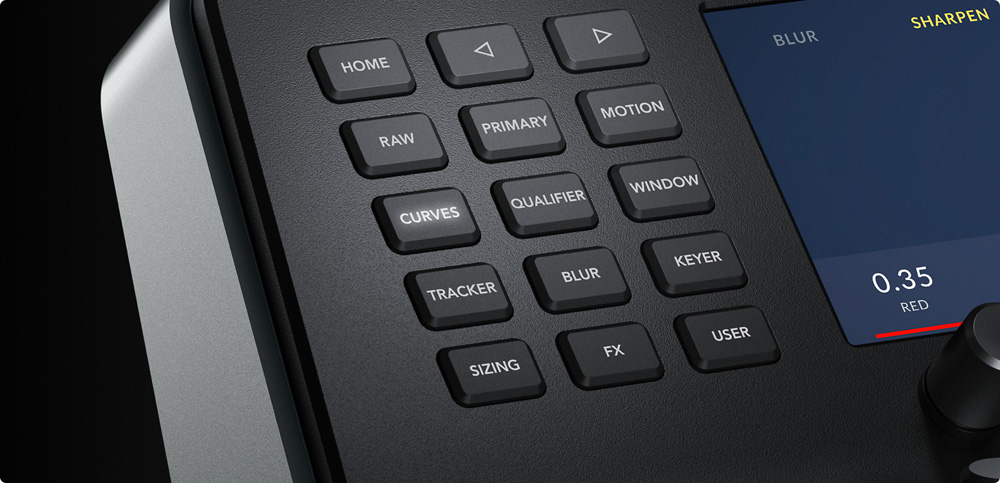
Resolve調色台,搭載3個高靈敏度軌跡球、12個調色旋鈕和LCD螢幕,可通過功能表和按鈕切換工具、添加調色節點、進行二級調色等處理!
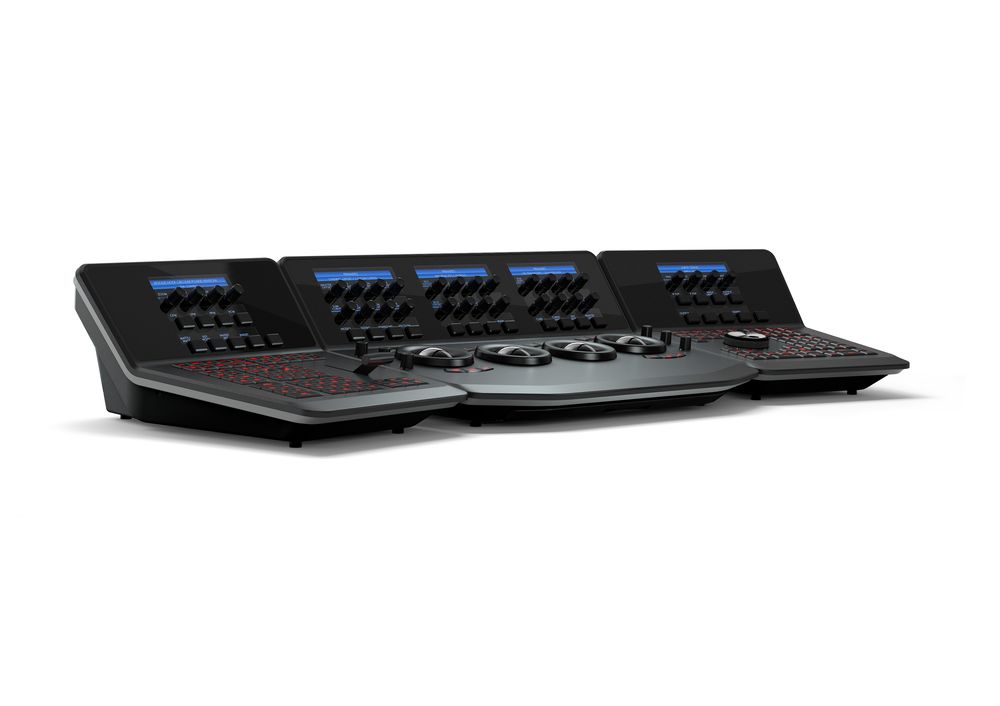
DaVinci Resolve Advanced Panel
DaVinci Resolve Advanced
Panel是與眾多好萊塢專業調色師共同設計的成果,它搭載豐富的控制工具,每項DaVinci調色功能都可以直接訪問。
專業軌跡球
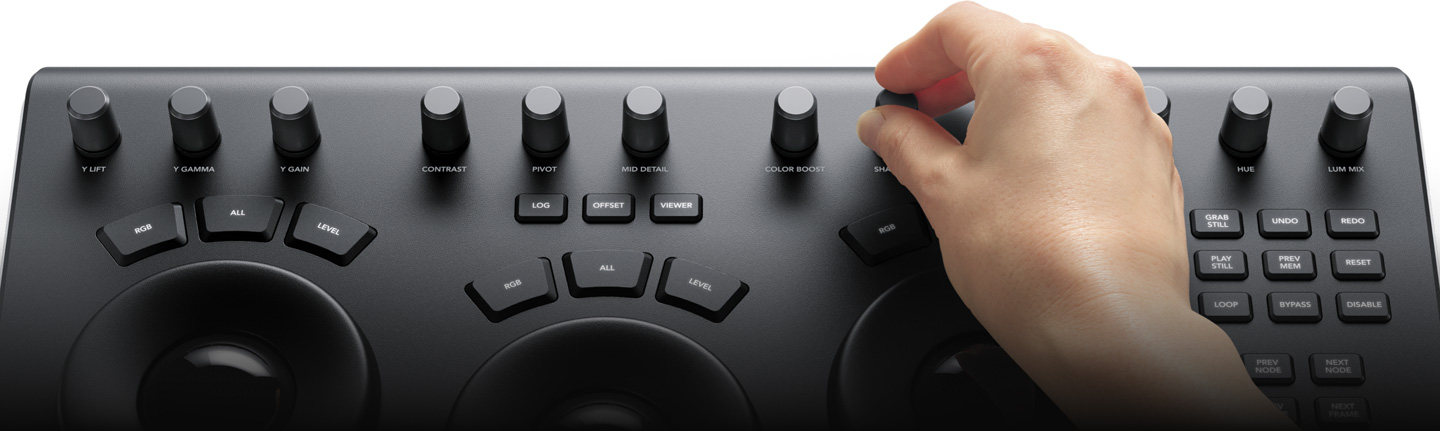
軌跡球能夠幫助您根據暗部、中灰和亮部的色調範圍,調整影像色彩。與滑鼠和鍵盤所不同的是,您可以同時操作多個軌跡球來創建獨特效果。您可以通過軌跡球週邊順滑的控制環設置主聲道電平,賦予畫面生動的對比度。每個軌跡球上方的鍵用於重置色彩調整、電平調整、或兩項同時重置。DaVinci
Resolve
Mini 和Micro調色台 頂部的三個按鍵可用於切換Log和一級調色輪模式,啟動偏移、色溫 和色調控制,以及打開全螢幕模式檢視器輸出。DaVinci
Resolve Advanced Panel擁有第四個主增益軌跡球,用於調整整個影像。
一級調整控制
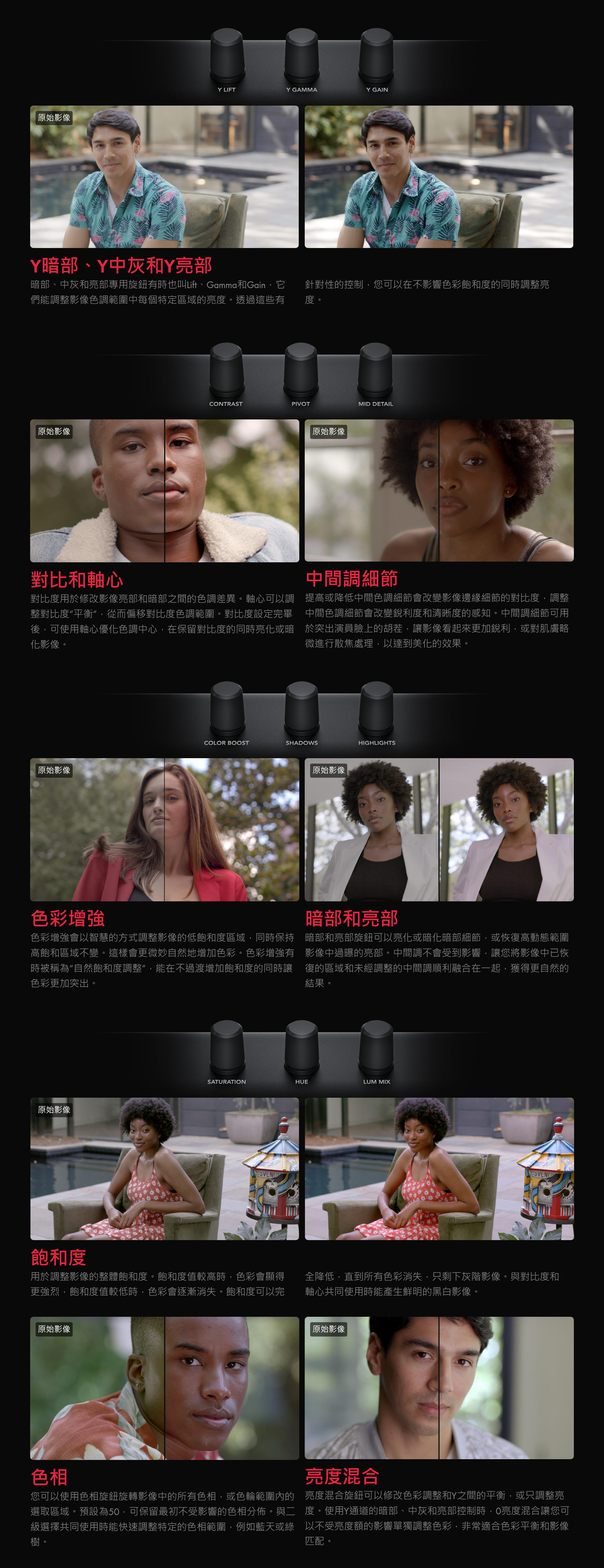
一級調整控制可通過多種針對特定色調和色相範圍的專用工具,修改整個影像的亮度和色度。這些工具代表了製作動態影像所需的最常用的調整,使其成為攝影師、平面設計師和調色師在時間緊張時的人氣選擇。DaVinci
Resolve Micro Color Panel 和Mini
Panel 搭載12個一級調色控制旋鈕,可以簡單快速地調整影像對比度、飽和度、色相、色溫 、色調、中間調細節、色彩增強、暗部、亮部等。所有旋鈕按下後會立即重置控制,讓您輕鬆嘗試新效
快速更換工具
數十種創意調色、特效和技術工具在DaVinci
Resolve調色頁面中以一個個設置面板的形式組織起來,將海量常用工具盡數納入這款軟體當中,支援廣泛的工作流程,同時保持介面整潔直觀。DaVinci
Resolve Mini Panel和DaVinci Resolve Advanced
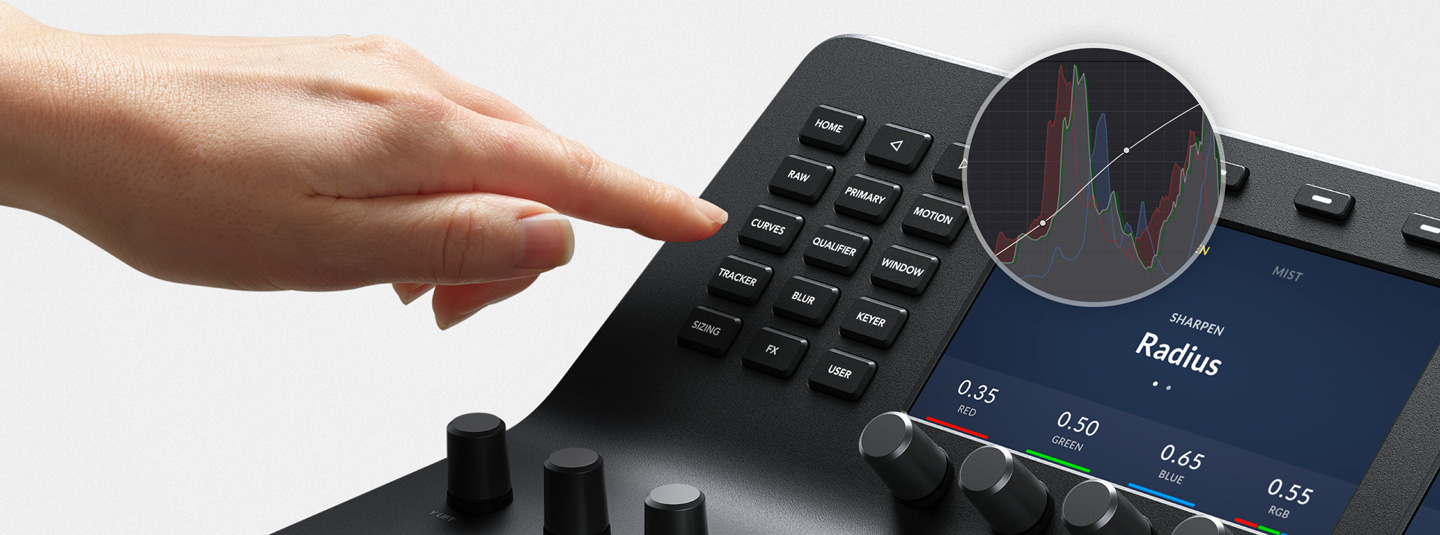
Panel包含專用的功能按鈕,讓您快速調用調色頁面設置面板,無需再滑鼠和調色台之間來回切換。只需按下按鈕,就能輕鬆使用RAW設置面板、一級校色、曲線、限定器、視窗、跟蹤器等多項功能。
PowerWindows
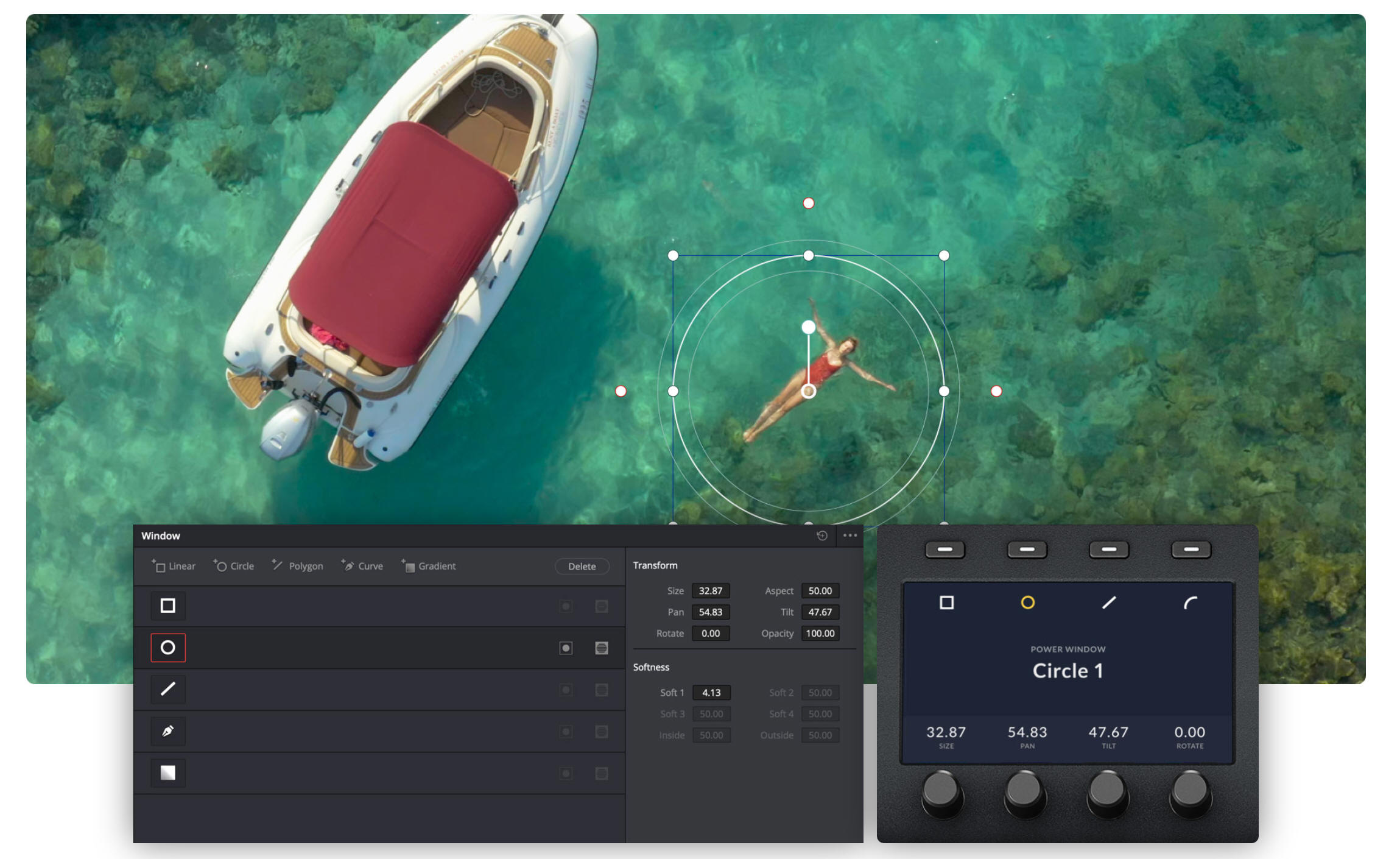
Advanced和Mini機型可以創建Power
Window,這些基於形狀的視窗能將影像的特定部分隔離出來進行修正。您可以創建方形、圓形、多邊形或者漸變,並且使用顯示旋鈕改變它們的尺寸或位置。然後通過一級調色工具對選區進行調色。
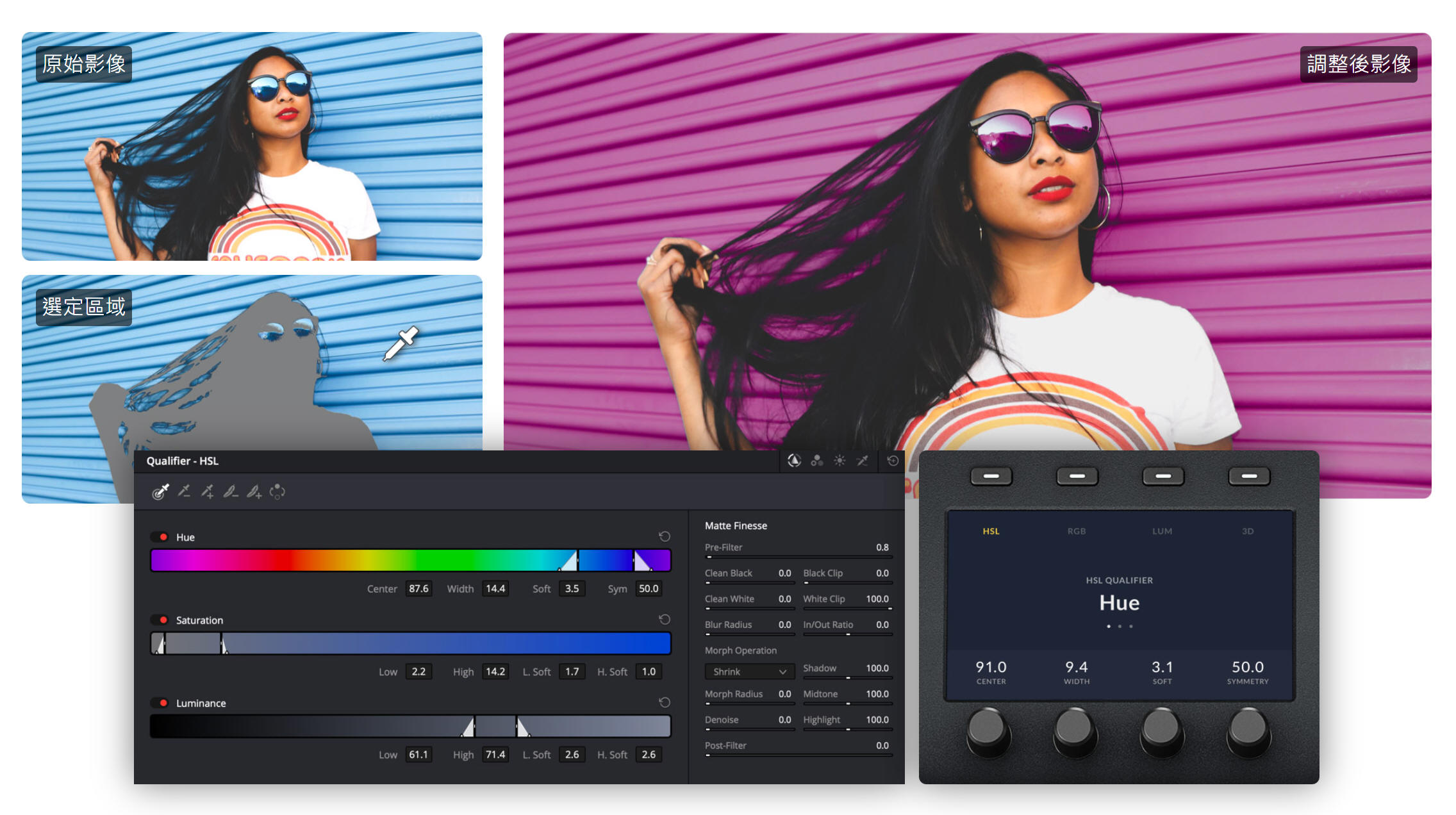
限定器
限定器工具可以根據多種色相、飽和度或亮度範圍,分離影像的某個部分。按下限定器按鈕,選擇限定器模式,然後指定去背選區。選定後,使用標準一級調色工具在選定區域作出調整。
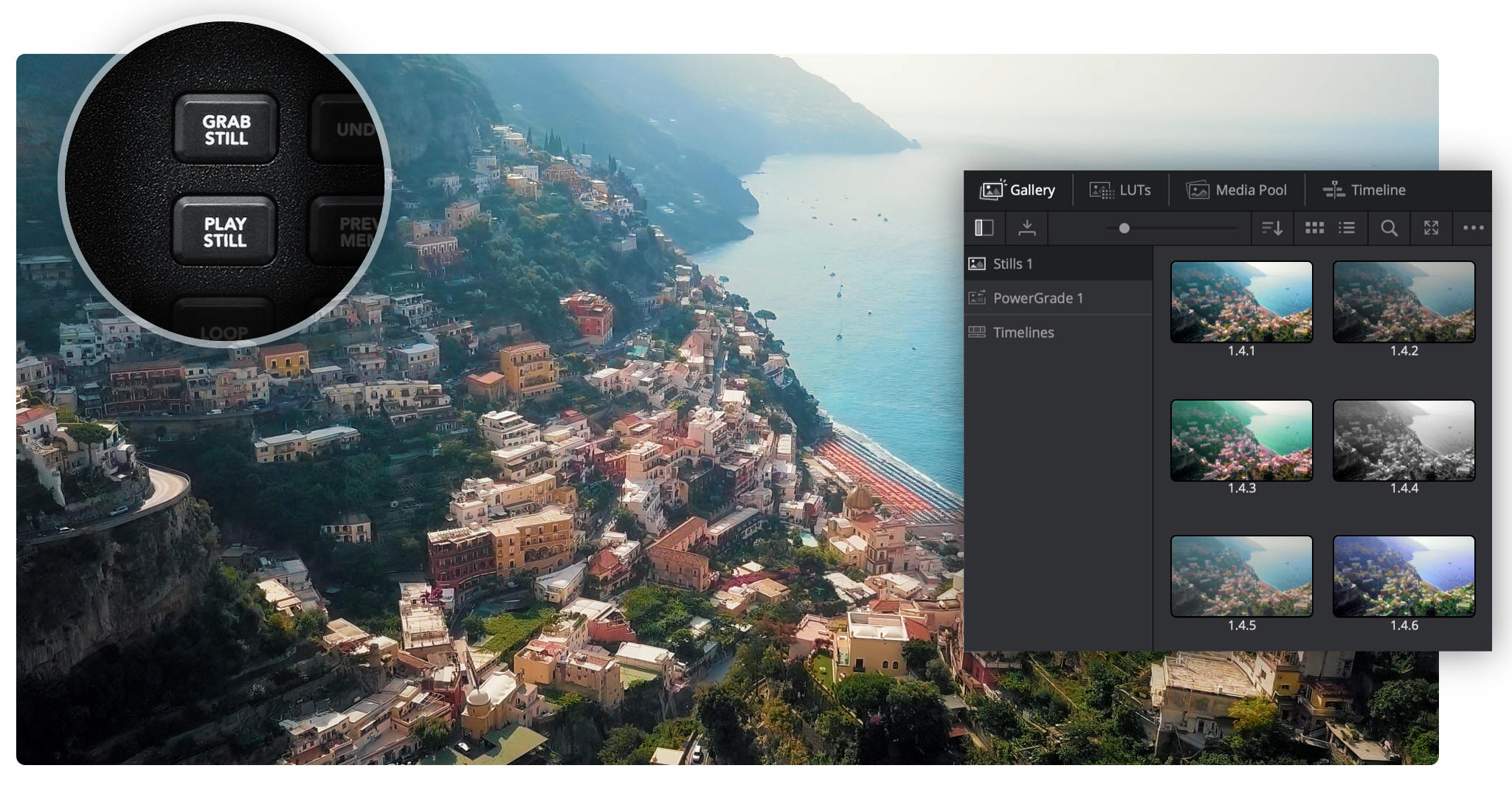
Still Store 靜格存儲
靜格存儲將調色和預覽保存在畫廊裏,供您之後重新應用於其他片段。DaVinci Resolve調色台配有快速保存、預覽和調用靜格的按鍵。DaVinci
Resolve Advanced Panel擁有一個T型推桿,可在靜格之間劃像以便對比。
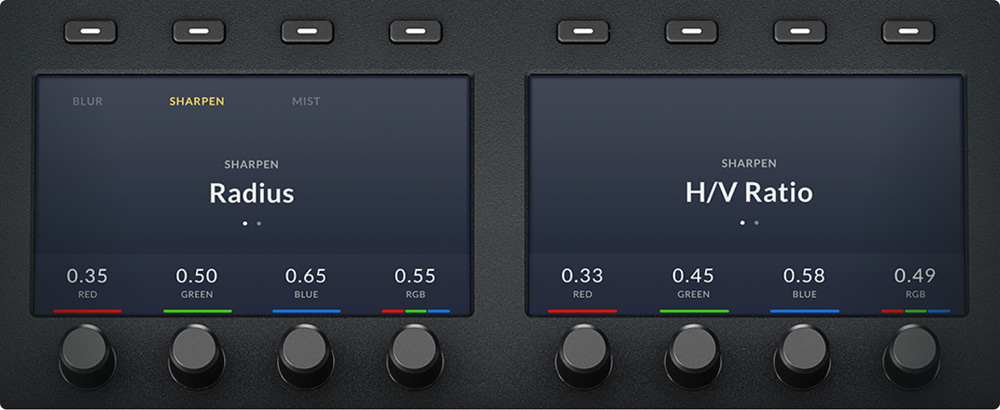
高解析度螢幕
DaVinci Resolve Mini Pane l和DaVinci Resolve Advanced
Panel上的色彩顯示讓您可以在調色頁面對工具進行精準控制。Mini機型上,在按鍵列表中選定設置面板後,螢幕會顯示其獨特的介面和設置。使用箭頭按鍵播放設置面板的模式或頁面。螢幕上方的多功能按鍵可讓您分離通道,選擇預設,或者執行該設置面板類型特有的其他功能選擇。螢幕下方的多功能旋鈕可用於調整參數。您不用滑鼠就可以生成預設Power
Window形狀,然後進行跟蹤!螢幕中的所有修改都會立刻反映在調色頁面。
背光按鍵與微調旋鈕
為了確保調色監視器顯示準確的色彩,調色一般會在低光環境中進行。DaVinci
Resolve調色台的按鍵和多功能旋鈕會在選中後發光,可讓您在低光環境下清楚地看到哪項控制正在使用中。DaVinci
Resolve Mini Panel和DaVinci Resolve Advanced
Panel機型的按鈕也是背光顯示的,讓您可以輕鬆找到並按下每個按鈕。Advanced
Panel按鍵的背光顏色甚至還可以自定義。DaVinci Resolve Advanced
Panel配有30個自定義多功能旋鈕,DaVinci Resolve Mini
Panel配有8個,可幫助您執行高解析度、靈活易用的參數調整,並且只需輕輕一按即可重置默認狀態。
導航與播放控制
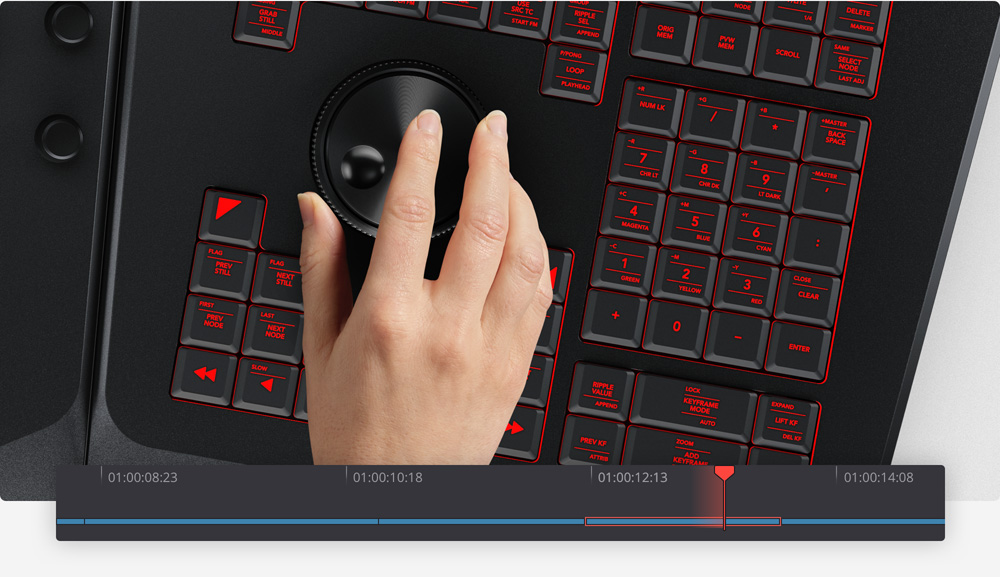
軌跡球右側的區域配有多個按鍵,能夠幫助您播放時間線上的片段,查看片段格,並且在節點編輯器中的節點之間跳轉。執行節點切換等一般操作時,這些導航按鍵將您的手保持在調色臺上,而不是伸向滑鼠,從而節省大量時間。正放、倒退和停止播放按鍵讓您全面控制專案的時間線或錄影機。DaVinci
Resolve Advanced
Panel添加了一個慢速/快速搜索旋鈕,能夠實現更快更精緻的搓擦。調色臺上的其他按鍵可以迴圈播放和暫時禁用調色,讓查看片段和檢查調色更加輕鬆。
滑動式鍵盤
DaVinci Resolve Advanced
Panel能讓您快速調用調色頁面上的所有功能,大幅降低使用滑鼠和鍵盤的頻率。然而,素材管理和添加標籤依然是後期製作工作流程的重要組成部分。此時,您可以使用Advanced
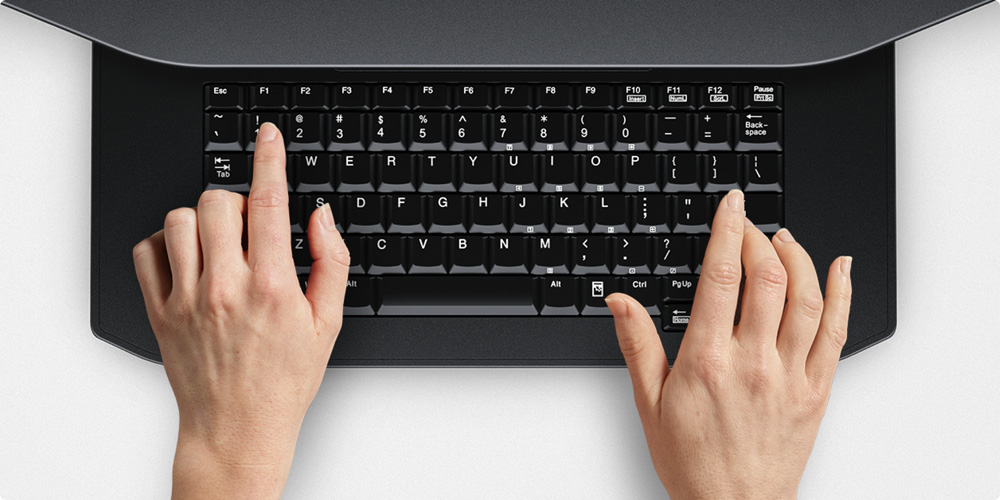
Panel的滑動式鍵盤輸入片段元資料,為導入檔和生成器命名,清除標注節點編輯器中的節點,或者為片段旗標和標記添加備註。您可以通過指派自定義快捷方式,或者從快捷方式預設偏好裏選擇一個,進一步優化鍵盤。使用後,將鍵盤滑入調色台收起,硬體介面乾淨整潔,讓您重新專注於調色工具。
DaVinci Resolve Advanced Panel
靈活的電源選擇
DaVinci Resolve Micro Color
Panel 通過USB即可獲得電源,只需將其連接筆記型電腦即可在家中、調色間或現場運行,使其成為拍攝中便攜系統調色的理想選擇。DaVinci
Resolve Mini Panel 包含內建電源,無需連接笨重的外部電源。它還搭載乙太網,支援PoE供電,這意味著您可以通過網路操作,並使用網路連接為其供電,無需連接電源線!DaVinci
Resolve Advanced Panel搭載可自動切換的國際電源,在世界各地皆可使用。
下一頁
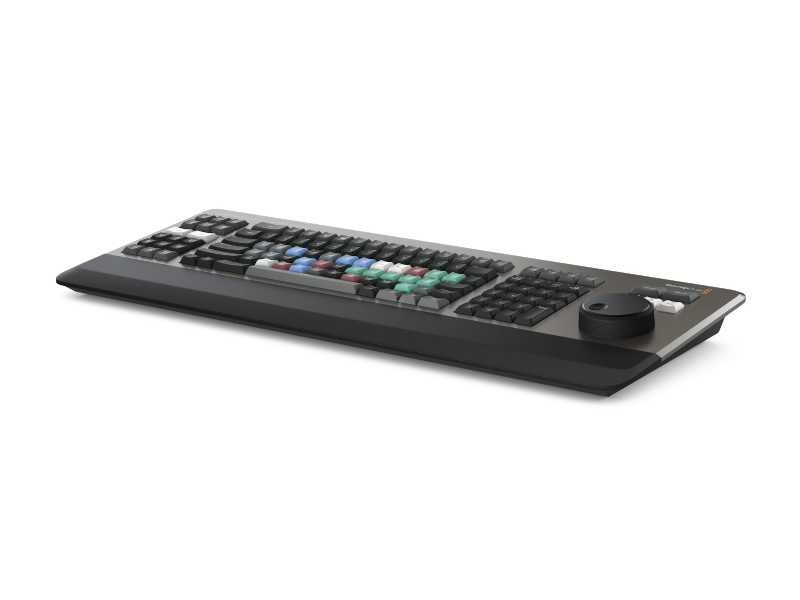
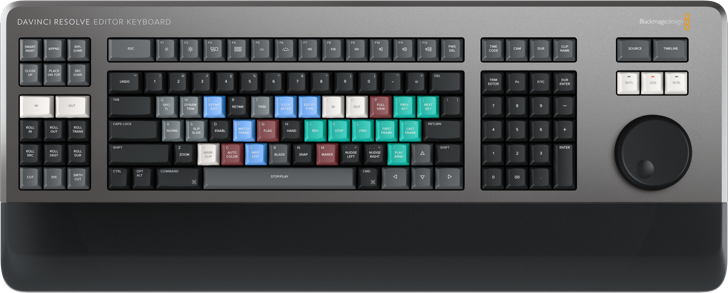
鍵盤/剪接盤
專業剪接師/剪輯師量身打造
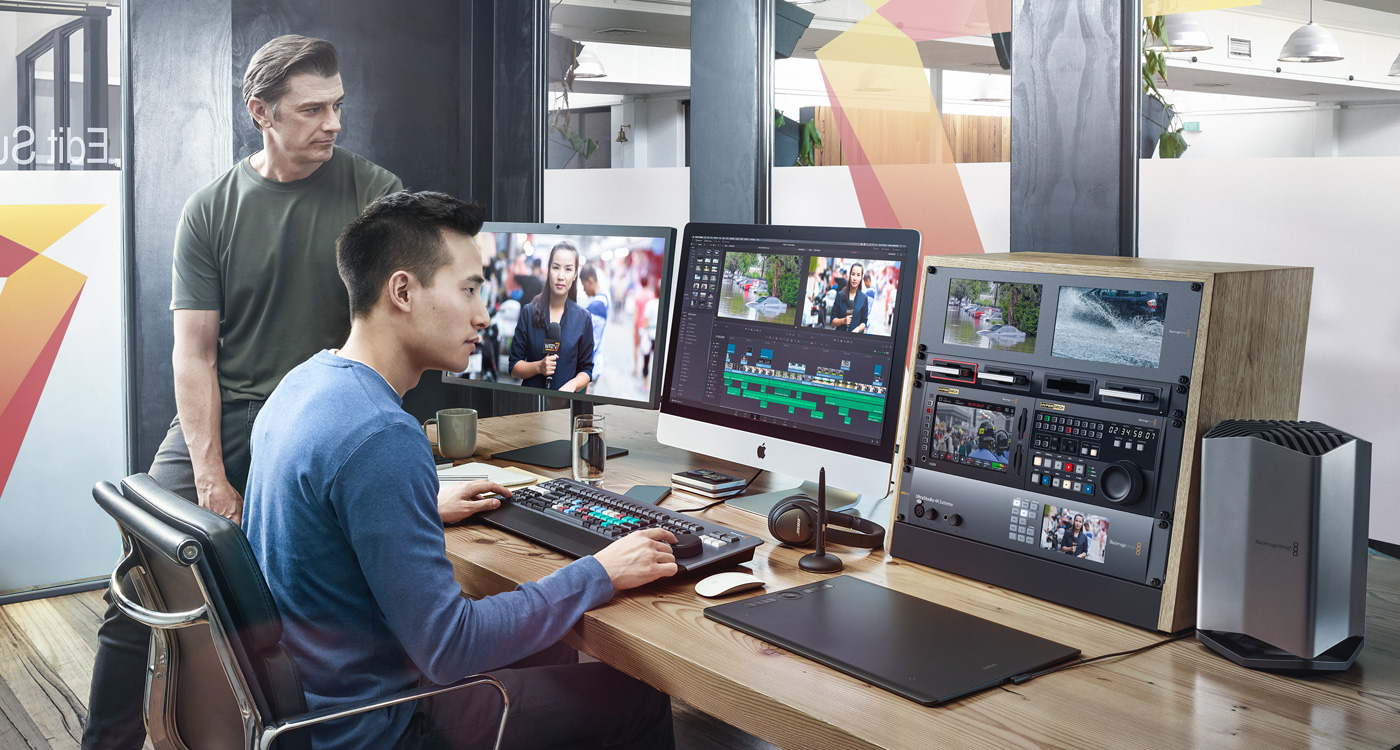
DaVinci Resolve Editor Keyboard鍵盤為專業剪接師/剪輯師量身打造,能實現高效工作和快速交付。DaVinci Resolve
Editor
Keyboard不用於普通鍵盤,它經過專業設計,能讓您充分利用雙手同時展開工作,帶來比滑鼠更為快速的獨特剪輯操作!此外,這款鍵盤還集成了搜索旋鈕控制。只要將鍵盤連接帶有USB-C介面的電腦就可以立即開工!DaVinci
Resolve Editor Keyboard的大部分按鍵均沿用標準USB鍵盤的工作原理,並在此基礎上根據DaVinci Resolve
16進一步定制設計,開啟高速迅猛的剪輯體驗。
優質金屬設計
鍵盤整體採用堅固的金屬打造而成,堪稱高強度解決方案,足以承受專業剪接師每日長達數小時的剪輯工作。不同於那些使用扁平按鍵的市售鍵盤,DaVinci
Resolve Editor
Keyboard的按鍵特有貼合手指曲線的鍵腹弧度設計,僅憑觸感即可快速找到需要的控制。按鍵採用與電子競技鍵盤相同的軸體類型,每個按鍵都經過了測試,足以承受超過一百萬次的重複敲擊。一體化搜索旋鈕以整塊金屬機加工而成,能提供精準的播放控制和修剪操作。這款鍵盤甚至還配備了柔軟舒適的貼心手托設計,可有效減少工作疲勞。此外,鍵盤的鍵帽、手托和軸體都提供有單獨的零配件,便於日後的換新和維護。
迅猛剪輯,就此開啟!
DaVinci Resolve Editor
Keyboard之所以能實現如此快速的剪輯,是因為它能讓您充分利用雙手同時進行操作。它和滑鼠操作的區別在於,您可以用右手控制片段位置,同時用左手設置入點和出點並應用各項編輯操作。這意味著您可以移動到某個位置、標記入點和出點、應用編輯,然後再移動到另一個位置進行同樣的操作,周而復始。左右手雙管齊下,顯著提升工作效率。您甚至還可以選擇不同的播放點,再使用搜索旋鈕進行即時修剪。搜索旋鈕以大尺寸設計,能讓修剪工作精確無誤。更有轉場選擇按鈕能用來選擇硬切、疊化和平滑剪接,所有改動都即時生效。
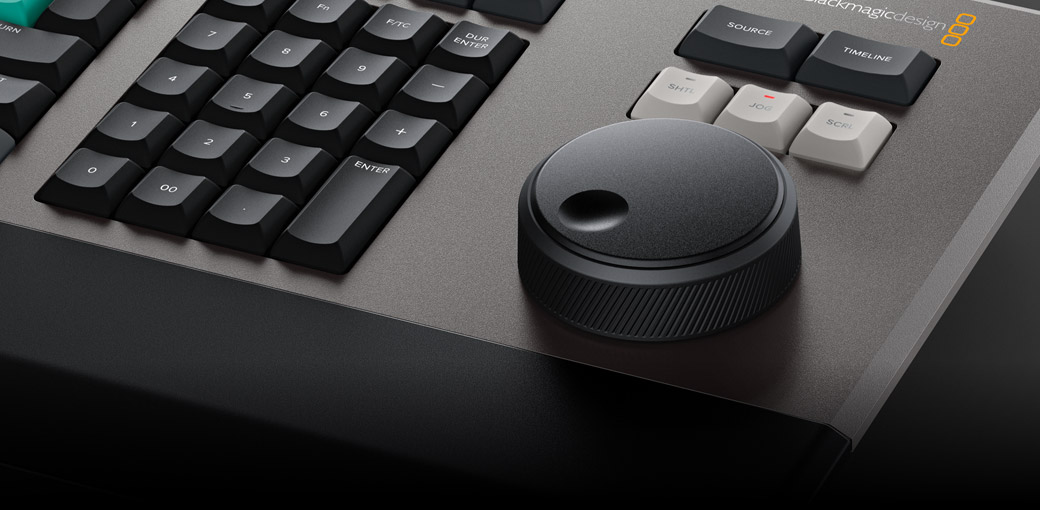
一體化搜索旋鈕控制
鍵盤上的集成式搜索旋鈕控(飛梭旋鈕)制採用金屬機加工而成,配以橡膠塗層,可讓您在控制DaVinci
Resolve片段或時間線時獲得始終如一的舒適穩健握感。旋鈕內建電磁離合器,能在快速搜索和定位時給出清晰的停頓感,並以軟體實現全部控制。搜索旋鈕配備多個滾柱軸承,轉動時平滑自如,並且還能以慢速搜索模式獲得自然流暢的時間線滾動操作。在慢速搜索模式下,旋鈕轉動細膩流暢,能獲得精準的播放點定位。在快速搜索模式下,旋鈕會啟用電磁離合器,通過正反旋轉對應時間線上的前後移動。您可在編輯點上下滾動操作來實現快速導航。
源磁帶模式快速滾動片段
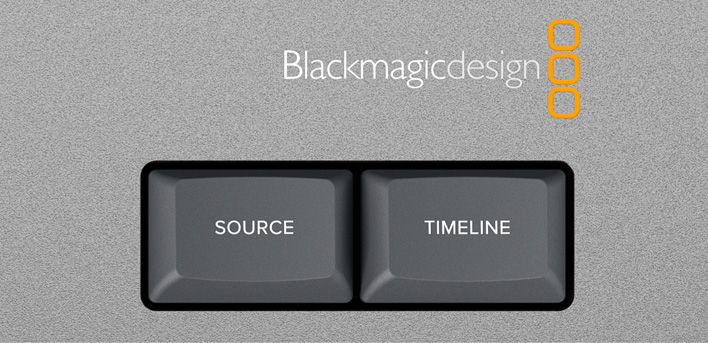
傳統的非編軟體會使用上千個片段來管理媒體檔,因此需要用到大量的片段拖放操作,這一方案對於電視廣告、新聞播報、宣傳片和培訓視訊等時間緊迫的工作來說太過低效。傳統的磁帶剪輯能讓所有媒體檔以一卷磁帶的形式出現,從而通過來回搜索實現快速操作。創新的源按鈕能即時將媒體夾中的所有片段創建成源磁帶模式。這樣一來,您就可以在媒體檔中上下滾動內容,再也無需在數千個片段中毫無頭緒地查找了。正在被查看的片段還會在媒體夾中高光顯示即時加以提示。源磁帶模式和時間線模式之間可即時完成切換。
快速重整媒體夾和源磁帶
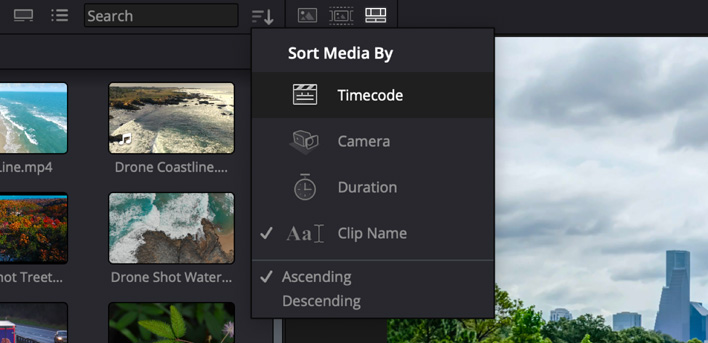
源磁帶模式會沿用媒體夾的排序方式,因此您可以按照自己的偏好來控制各個鏡頭的先後順序。這樣就能獲得相當的靈活性,根據時間、攝影機、時長甚至片段名稱來查找鏡頭。只要按下媒體夾的排序按鈕,源磁帶就會以相應媒體夾的排序方式重新生成。上下滾動源磁帶就能找到需要的鏡頭。以時間碼作為排序依據時,所有媒體夾中的素材都會按照時間進行排列,非常適合用於像現場活動等按照時間順序拍攝的內容。採用多機位拍攝的鏡頭則可以選擇攝影機作為排序依據,方便您先篩選出遠景鏡頭,然後再查找其他攝影機的切出畫面。您甚至還可以選擇根據時長和片段名稱進行排序!
快速設置入點和出點
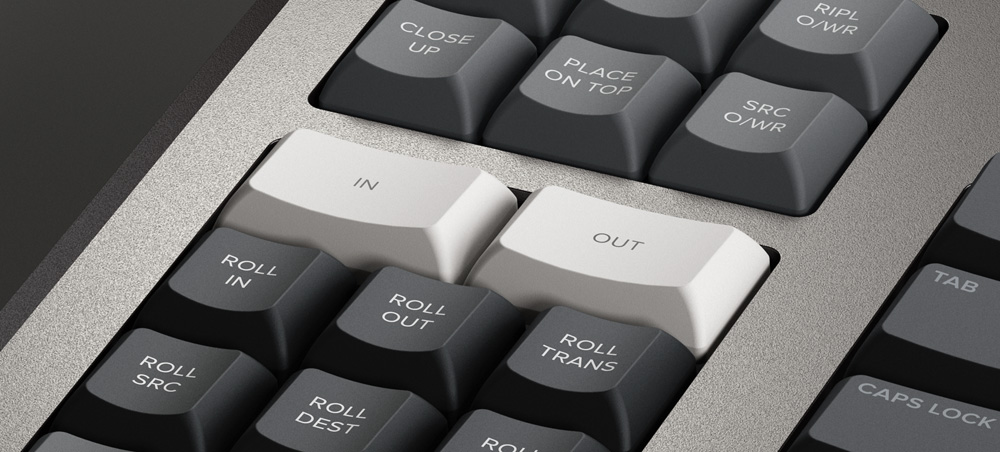
處理編輯點是最常用到的剪輯功能之一,因此我們還專門設計了大尺寸入點和出點按鈕,並在這兩個按鈕上方留出了少量空隙,僅憑手感就能快速找到。這樣能有助於您使用右手進行播放控制,並同時用左手來打入點和出點。在新設的DaVinci
Resolve快編頁面中選擇入點和出點時,您還能使用這些按鈕快速修剪片段!設置好入點和出點後,只需要稍稍上移指尖就能觸摸到剪輯按鈕了。入點和出點還能用來縮短源磁帶,從而限制包含在內的片段數量。然後,您可以通過按ESC鍵從源磁帶模式回到完整的媒體夾模式。
新銳智慧的鍵盤剪輯模式
剪輯功能按鍵就位於入點和出點按鍵上方,您只要輕輕上移指尖就能使用所需的剪輯功能。使用鍵盤進行剪輯和使用電腦用戶介面進行剪輯大不相同,鍵盤上的剪輯功能經過優化設計,能充分發揮鍵盤操控的優勢。這樣一來,用戶不必在時間線上放置編輯點就可以在源片段上執行更多剪輯功能,在實現更加快速的操作之餘,還能有效減少在源片段和時間線間切換所花費的時間。編輯點可自動定位最近的時間線編輯點,甚至還能匹配時間碼。智慧插入按鈕就是個典型的例子,它能快速定位最近的編輯點,並在該位置執行插入操作。
Smart Insert 智慧插入
智慧插入功能類似於傳統的插入編輯原理,但它免去了切換到時間線來放置入點的步驟,因此更加睿智。您需要做的就只是選中智慧插入按鈕,它就會定位時間線上最近的編輯點並將片段插入到該位置!
Append To End 附加到尾部
附加到尾部功能是實現快速剪輯的利器。只需先選擇入點和出點,在選擇附加到尾部按鈕,就可以將該片段添加到編輯點結束位置,從而增加時間線長度。假如內容是按照時間拍攝的,那麼在這類媒體的編輯點上添加鏡頭時,附加到尾部功能就是理想選擇。
Ripple Overwrite 波紋覆蓋
波紋覆蓋是個很常用剪輯功能,它能實現鏡頭的秒速替換。應用這一功能後,時間線上的片段會被替換成所選片段,而如果片段長度不一,它還會對新的片段加以調整,並對時間線長度進行波紋操作。
Close Up特寫
特寫功能是將單台攝影機拍攝的素材創建成兩個機位角度的秘密武器。只需使用遠景或中景拍攝物件,然後應用特寫功能,它就會將同一個攝影機的鏡頭畫面創建成一個略微放大的畫面版本,並將畫面放置在時間線上方。這一功能還可以應用在時間線片段上。
Place On Top 疊加編輯
疊加編輯類似於傳統的編輯功能,這一編輯模式可將片段放置在已經存在於時間線的背景層上方。如果時間線背景層上方並未包含任何畫面層,它將添加一條新的時間線軌道,然後再將片段放置在上方。
Source Overwrite 源媒體覆蓋
源媒體覆蓋是多機位剪輯的更高效替代方法。它能自動將源時間碼和時間線片段的源時間碼進行匹配,並且將片段放置在上方。如果您以多機位進行拍攝並同步時間碼,就能將其他攝影機角度覆蓋在遠景鏡頭畫面層上。
搜索旋鈕即時修剪
鍵盤內建了高品質搜索旋鈕,您可以獲得極其精準且快速的編輯點修剪操作。鍵盤上的捲動操作按鈕可用來控制搜索旋鈕,並且能精準執行編輯點修剪調整。您可以使用左手來選擇修剪模式,並同時使用右手來調整修剪操作。使用捲動修剪十分便捷,只要根據具體的修剪類型按住其中一個捲動操作按鈕,再同時轉動旋鈕即可實現。除此之外,數位鍵盤上還設有一個修剪編輯按鈕,可直接切換到修剪模式,這樣您就可以在時間線編輯點之間上下捲動,從而快速定位和調整多個編輯點。
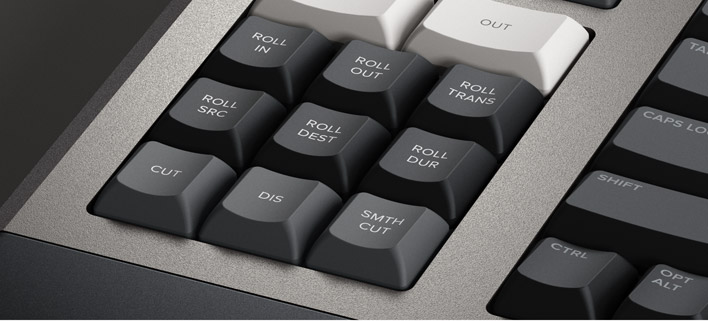
Roll In 捲動修剪入點
捲動修剪入點功能類似於軟體裏的修剪入點調整,只不過在鍵盤上它是個修改鍵。對轉場應用捲動修剪入點操作會調整目標片段的入點,而在片段上應用捲動修剪入點操作則會改變片段的入點。所有調整都會對時間線的時長進行波紋操作。
Roll Out 捲動修剪出點
捲動修剪出點功能類似於軟體裏的修剪出點調整,只不過在鍵盤上它是個修改鍵。對轉場應用捲動修剪出點操作會調整源片段的出點,而在片段上應用捲動修剪出點操作則會改變片段的出點。所有調整都會對時間線的時長進行波紋操作。
Roll Transition 捲動轉場
捲動轉場類似於捲動編輯。其工作方式是在兩個片段間捲動轉場,跟同時調整目標片段入點和源片段出點的效果一樣!捲動編輯不會影響時間線的時長。
Roll Source 捲動源
捲動源與滑動源片段一樣,會在當前片段的入點和出點之間上下移動鏡頭。捲動源允許在同樣的時長內滑動片段,所以不會影響時間線的整體時長。
Roll Destination捲動目標
捲動目標與滑動目標片段一樣,會在當前片段的入點和出點之間上下移動鏡頭。捲動目標允許在同樣的時長內滑動片段,所以不會影響時間線的整體時長。
Roll Duration 捲動時長
捲動時長可用來修改編輯點所應用的任何效果的轉場長度。選定後,轉動搜索旋鈕可調整轉場的時長。您可以選擇轉場類型,再利用捲動時長獲得流暢的轉場。
即時選擇和修改轉場
剪輯軟體添加轉場的速度較慢,因為需要通過拖放來放置轉場,而且一個鍵盤快捷鍵只適用於一種轉場類型,DaVinci Resolve Editor
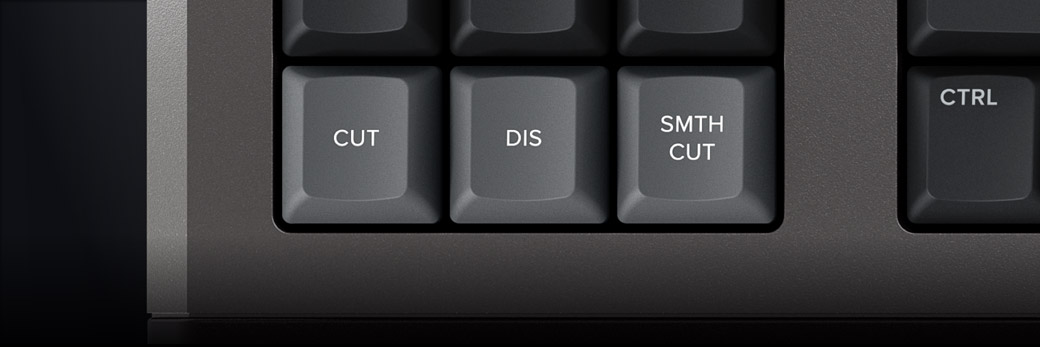
Keyboard只要一個按鈕就可以一鍵添加或刪除轉場!剪切鍵可移除一個編輯點上的任何轉場,將其變成兩個片段之間的簡單剪輯。按下疊化鍵可在兩個片段間添加1秒鐘的疊化效果,而應用捲動時長則能設置所需的轉場長度!此外,如果剪輯已經有疊化效果,該鍵將被忽視。平滑剪切按鈕只需輕輕一按即可移除跳切。
性能提升的DaVinci鍵盤
新品DaVinci Resolve Editor
Keyboard在QWERTY按鍵佈局的基礎上加以改良,根據專業剪接師的意見回饋進行了升級。同時,產品依然保留了DaVinci
Resolve在快編頁面和剪輯頁面中的所有傳統剪輯功能,所以QWERTY鍵盤的核心部分仍然採用熟悉的操作方式。主鍵盤包含了所有標準剪輯模式。此外,當您希望通過鍵盤而不是搜索旋鈕進行播放和修剪時,可以使用JKL修剪方式。改良版佈局還新增多項功能,比如按檢視器按鈕能立即實現全螢幕查看,甚至可以在全螢幕模式下用鍵盤剪輯!
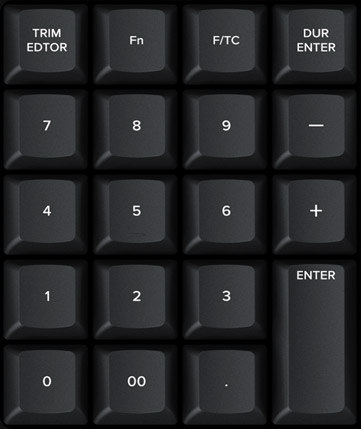
小型鍵盤直接輸入時間碼
輸入編輯點和時長數位時,可使用專設的小型鍵盤快速輸入時間碼。F/TC按鈕可在時間碼或格之間切換。按下F/TC按鈕,輸入對格的修改即可。輸入較長的時間碼值時,還能使用雙零按鈕減少標準零鍵的按鍵頻率。加減鍵能在當前時間值上進行增減,而不是錄入絕對數值。專用的時長輸入按鈕可以用數位來定義片段的長度。輸入時長數位是常使用的功能之一!比如,要在片段上設置100格的時長,只需按下DUR、F/TC和100就能實現!
桌上型組裝,兩樣都行!
DaVinci Resolve Editor
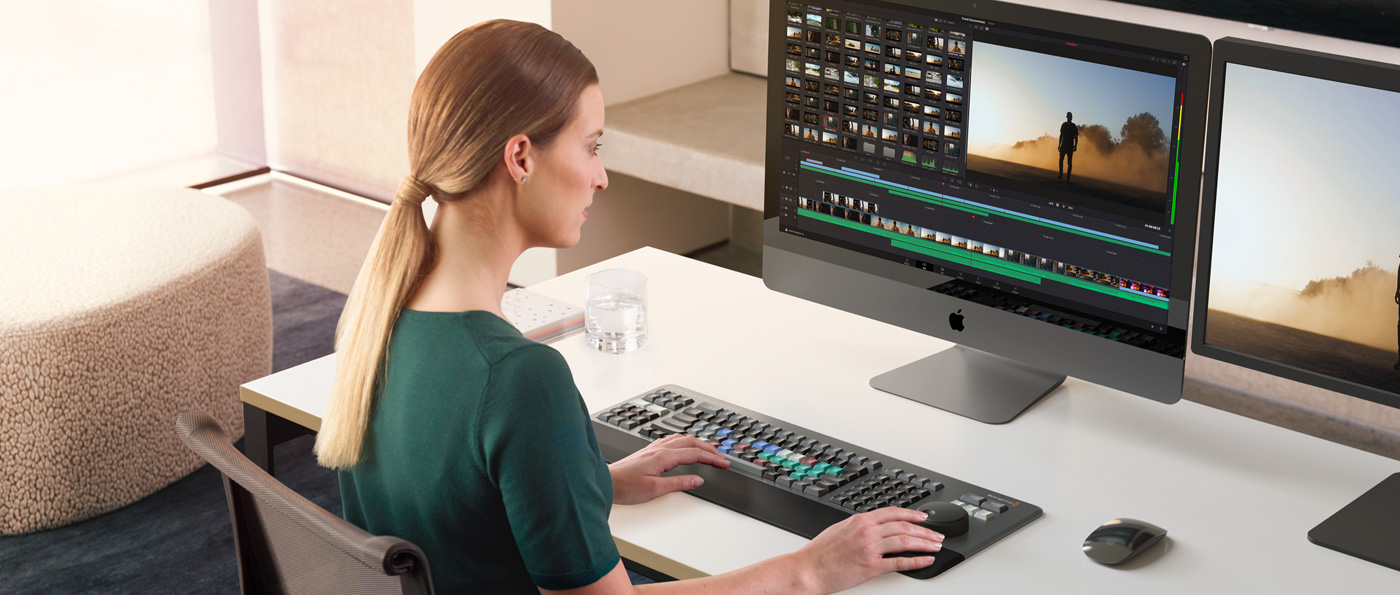
Keyboard不僅在設計上符合現代審美,而且還擁有完善的功能,可謂內外兼修!鍵盤正面採用磨砂工藝,邊緣稍作磨棱處理,平滑而不失典雅;機身底座則擁有細膩的條紋觸感,放置在桌面上盡顯美觀大方。這款鍵盤是iMac
Pro的理想搭檔,放置在工作臺上能散發穩健強大的氣場。此外,鍵盤後側還配有翻折式支腳,可用來增加鍵盤的傾斜度。這樣的輪廓有著實用功能,您可以將鍵盤嵌入在桌面或安裝到調色台的特製位置,讓它與桌面幾乎完全水準,呈現出渾然一體的調色台觀感。

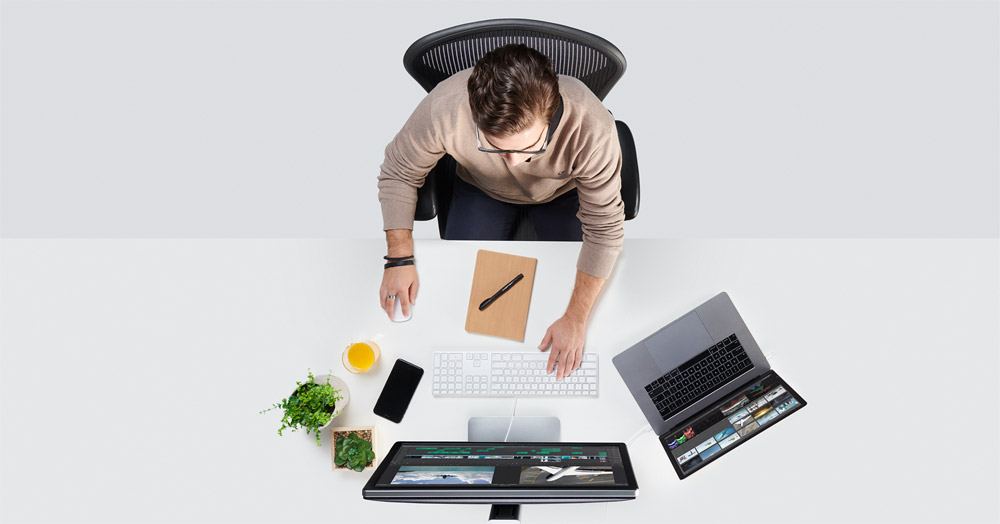
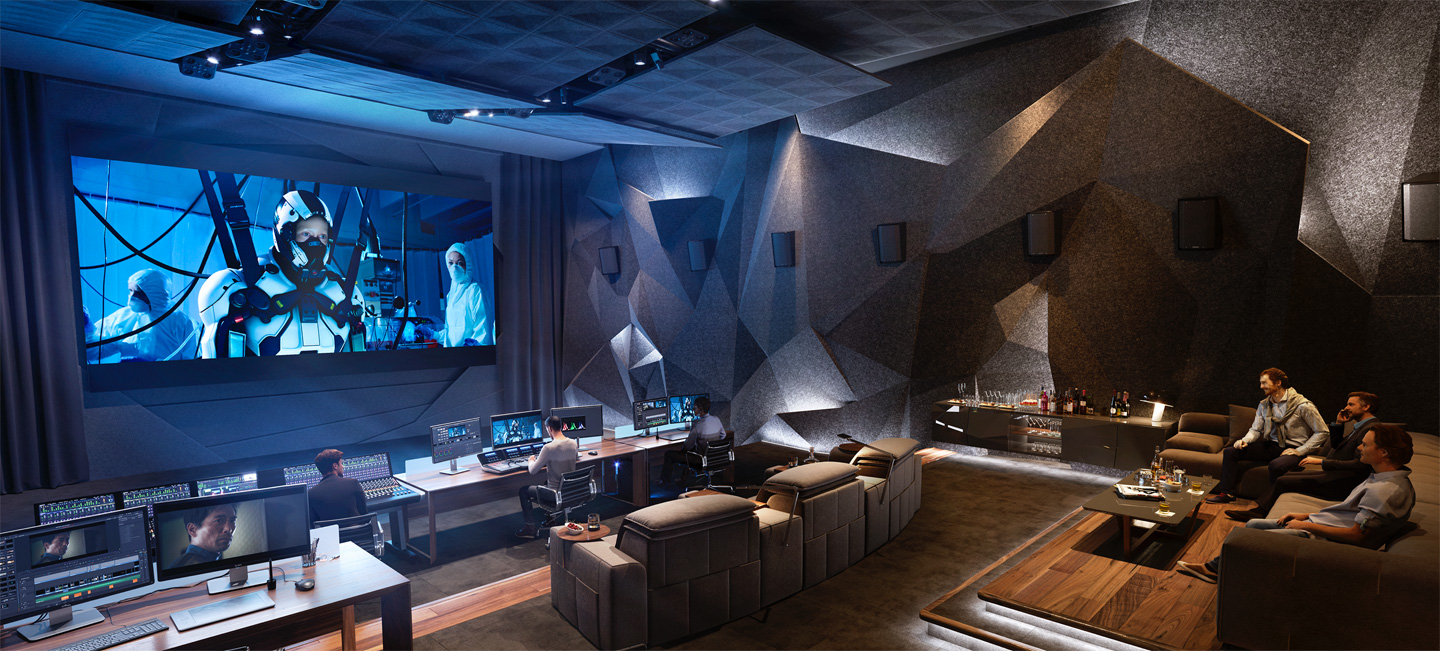


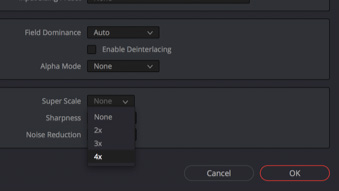 Super Scale
 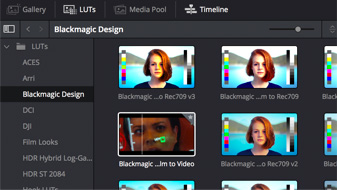 LUT播放器
 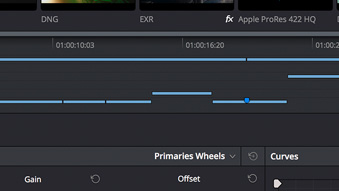 多個播放頭
多個播放頭 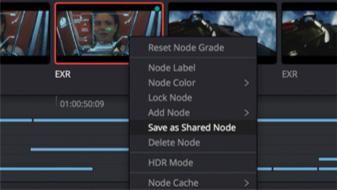 共用節點
共用節點 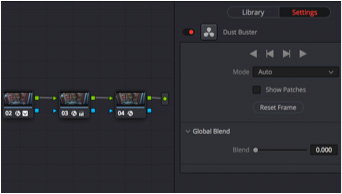 32位浮點去污痕
 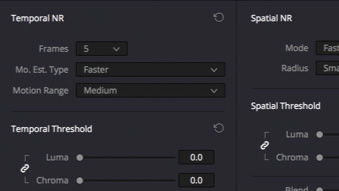 優化版
優化版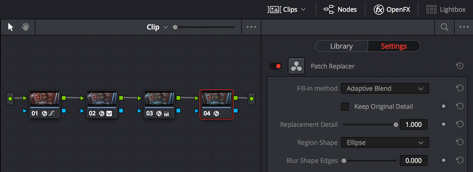
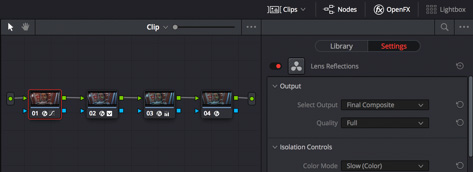
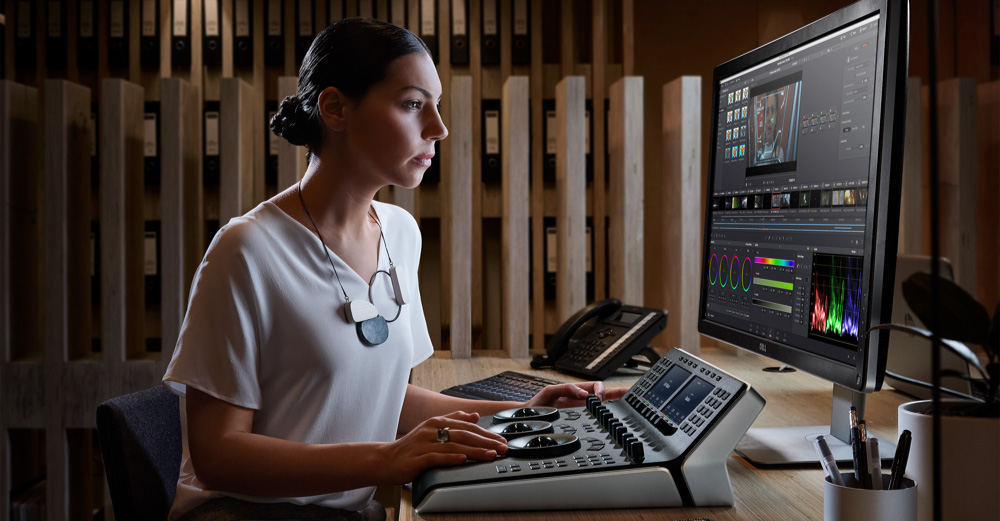 DaVinci的傳奇品質問鼎好萊塢金牌標準的出色畫質。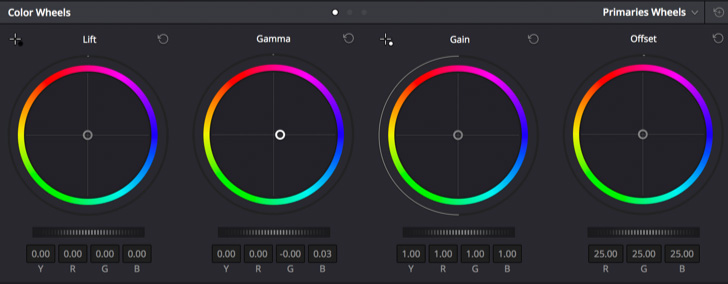
 協作功能預覽